
UnMarkAI - Video Text & Watermark Remover
Overview
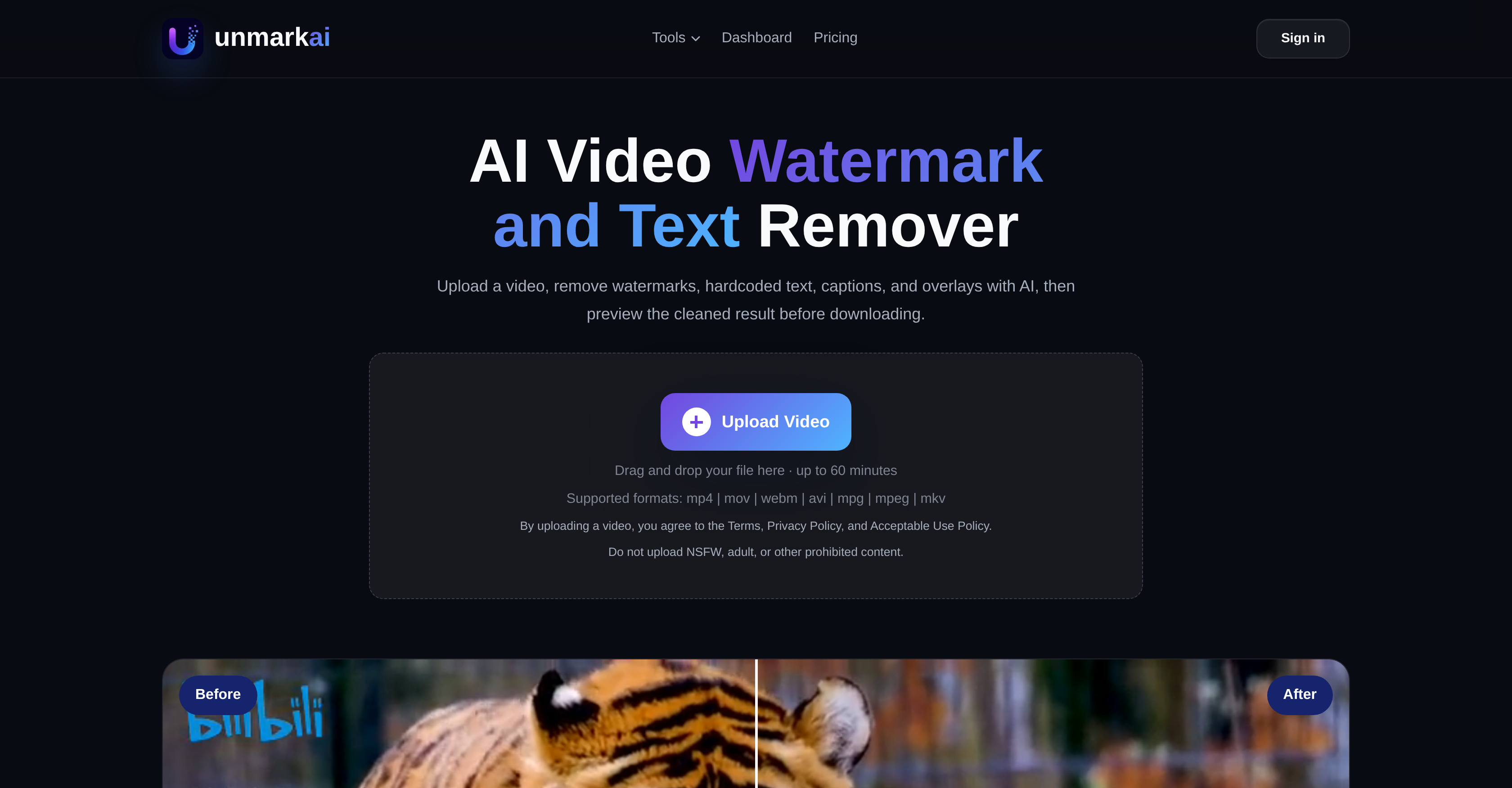
- Deliver production-ready videos without blurred patches or pixelation — next-gen AI reconstructs the original background behind removed watermarks, text, and overlays
- Keep every frame pristine with 100% quality retention — original resolution, frame rate, and color fidelity remain untouched with no recompression artifacts
- Repurpose viral clips or salvage AI-generated videos in seconds — precision control lets you clean full frame or mark specific areas for targeted AI removal
- Process up to 4 videos simultaneously without waiting — upload and queue multiple files to handle batch workflows efficiently
- Preview cleaned results side by side with the original before downloading — ensure every removal meets your standards before final export
- Protect your content with automatic deletion after processing — source files and cleaned results are erased from secure servers, never shared or stored
Pros & Cons
Pros
- Seamless batch processing for bulk video cleanup
- Zero-blur hardcoded subtitle & text removal
- 100% original quality retention with no artifacts
- Custom masking for targeted area cleanup
- Repairs glitched text in AI-generated videos
- Strict privacy: Files auto-deleted after processing
Cons
- Maximum 2GB file size limit per video upload
- High-resolution processing takes time due to deep AI compute
- Web-based platform only (no dedicated mobile app yet)
- Requires stable internet connection for cloud GPU processing
- Background reconstruction depends on original video lighting/quality
Reviews
Rate this tool
Loading reviews...
❓ Frequently Asked Questions
UnmarkAI supports a broad range of video formats. This includes MP4, MOV, WEBM, AVI, and MPG files.
Indeed, UnmarkAI is capable of removing both text and captions from videos. The AI-powered tool is designed to efficiently remove these types of elements along with watermarks and overlays.
UnmarkAI takes several steps to maintain the quality of videos during watermark removal. It utilizes AI cleanup features that target only the watermark area. Thus, the original resolution, frame rate, and color fidelity of your videos are preserved.
Yes, UnmarkAI is equipped with features to remove broken or glitched subtitles from AI-generated videos. The platform utilizes AI technology to handle such issues effectively.
The processing time of UnmarkAI varies based on a few factors including the video resolution, total duration, and the size of the selected cleanup area. However, most videos are typically processed within a few minutes. Short social clips under 60 seconds usually finish in under 2 minutes, while longer 4K videos may take between 5 to 10 minutes.
UnmarkAI places a high priority on data privacy. Your uploaded videos are processed over a secure connection and are automatically deleted from their servers after the completion of processing. They do not retain, share or use your content beyond the cleanup task.
Depending on your plan, you can run up to 4 concurrent processing jobs on UnmarkAI. This means you can upload and queue multiple files simultaneously without waiting for each to finish before starting the next one.
Yes, UnmarkAI allows you to preview the cleaned video before downloading. This way, you can inspect the results and assure they meet your expectations.
UnmarkAI can process videos that are up to 60 minutes long.
Yes, UnmarkAI offers a feature that allows you to select specific areas for watermark removal. This box select mode is particularly useful for targeting watermarks that occupy only a corner or a small region of the video.
UnmarkAI supports both personal and commercial use. Whether you're creating content for social media, preparing product demos, cleaning up course materials, or delivering agency work, the tool can be used across various use-cases.
UnmarkAI uses its AI-based algorithms to effectively handle the removal of overlaid logos on videos. The tool targets these elements without affecting the rest of the video content.
UnmarkAI is a versatile tool useful for creators and teams across various disciplines. This includes social media content creation, product video production, education, and agency work.
No, UnmarkAI does not alter the resolution or frame rate. The tool preserves the original resolution and frame rate of your video while removing watermarks.
UnmarkAI manages the color fidelity of your videos by ensuring that only the watermark area is targeted during the cleaning process, leaving the other areas of the video, including the color quality, untouched.
Yes, UnmarkAI offers a robust method to clean broken subtitles from videos. This feature is part of the tool's comprehensive suite of AI-based watermark and overlay removal services.
No, your content is not stored on UnmarkAI after processing. To ensure data privacy, all uploaded content is securely processed and erased from their servers once processing is done.
Absolutely, UnmarkAI can be used to remove watermarks from product videos. Alongside watermarks, it can also handle other elements like logos, text, captions, and overlays.
UnmarkAI ensures privacy and data security through multiple measures. During a session, uploaded content is processed securely and automatically deleted after processing. The company does not share, store or use the content for any purpose beyond the cleanup initiated by the user.
Yes, UnmarkAI is capable of removing overlay elements from educational videos. This includes watermarks, text, captions, and other overlaid graphics.
UnmarkAI can remove watermarks, hardcoded text, logos, captions, and overlays present in videos. Additionally, UnmarkAI efficiently handles the removal of glitched or broken subtitles from AI-generated videos.
No, UnmarkAI preserves the original quality of user videos during the watermark removal process. It targets only the watermarks, and does not apply any recompression or quality loss to the rest of the frame, maintaining the video's original resolution, frame rate, and color fidelity.
UnmarkAI prioritizes user privacy by ensuring all uploaded content is processed over a secure connection. After the watermark removal process, source files and cleaned results are automatically deleted from the servers, depending on the user's plan, ranging between 3 to 30 days. At no point in the workflow is user content shared, stored for other purposes, or made accessible to third parties.
UnmarkAI accepts video uploads in various formats including MP4, MOV, WEBM, AVI, MPG, MPEG, and MKV. It is designed to handle common creator video formats allowing for versatile use.
UnmarkAI's process for removing logos and text from videos involves three main steps. First, users upload the video they want cleaned. Then they choose whether to process the full frame or mark the specific area they want cleaned for more precision. The AI then starts the cleanup process. Once the cleanup is completed, users have the option to preview the cleaned result before they download it.
Yes, UnmarkAI is equipped to remove glitched or broken subtitles from AI-generated videos. The AI cleanup tool handles these in the same method as watermarks, allowing users to use the full-frame mode for scattered artifacts or box select to target a specific subtitle region.
The time UnmarkAI takes to remove watermarks depends on factors such as video resolution, total duration, and the size of the selected cleanup area. Short social clips under 60 seconds typically finish in under 2 minutes, while longer 4K videos may take between 5 to 10 minutes.
Yes, UnmarkAI allows users to preview the cleaned video before downloading. The dashboard features a processed preview, where users can compare the before and after results side by side.
UnmarkAI respects color fidelity by focusing the AI cleanup on only the watermark area. The rest of the video, including its color fidelity, is preserved and remains as it was in the original video.
Yes, UnmarkAI does support full frame processing. Users can choose to process the entire frame for a comprehensive cleanup or select specific areas.
Users can select the specific area they wish to clean in UnmarkAI by switching to the box select mode. By placing a selection rectangle precisely over the watermark area, users can accurately target the area they want cleaned, providing flexibility and precision.
UnmarkAI supports uploads up to 60 minutes in length or up to 2 GB per file depending on the user's plan. For optimal results, users are advised to upload the highest-quality source version instead of a heavily compressed re-export.
Yes, depending on their plan, users can run up to 4 concurrent processing jobs on UnmarkAI. Each video is processed independently allowing users to upload and queue multiple files simultaneously.
The accuracy of the AI cleanup feature in UnmarkAI is designed to deliver high-quality results. It targets only the watermark and subtitle regions, preserving the original resolution, frame rate, and color fidelity of the videos for a clean and precise editing result.
Yes, all UnmarkAI plans support commercial usage. Whether creating content for social media, prepping product demos for clients, cleaning up course materials, or delivering agency work, users have full rights to their output without requiring additional licensing.
UnmarkAI operates on a subscription model that caters to both one-off and recurring workflows depending on user needs. Users can use credits for one-off tasks or subscribe for recurring workflows. The credits are reserved when a task starts and are finalized after the processing result is generated.
After a video has been processed by UnmarkAI, it is automatically deleted from the servers after a retention period which ranges from 3 to 30 days depending on the user's plan. User privacy is maintained at all points, and the content is not shared, stored for other purposes, or made accessible to third parties at any stage of the workflow.
Yes, UnmarkAI retains the original frame rate of the user's videos. While the cleanup feature targets and removes watermarks, the rest of the video including its original frame rate is preserved.
Yes, UnmarkAI offers precision editing by allowing users to select specific areas they want cleaned by switching to box select mode. A selection rectangle placed over the watermark area enables precise targeting, resulting in cleaner results with less visible softness.
UnmarkAI handles content privacy with high priority. All uploaded videos are processed over secure connections, and the source files and cleaned results are automatically deleted from the servers after the retention period, which ranges from 3 to 30 days depending on the user's plan. UnmarkAI does not share, store, or use user content beyond the cleanup task, and no third party has access to user files at any point of the workflow.
Pricing
Pricing model
Free Trial
Paid options from
$3
Billing frequency
One-time