Overview
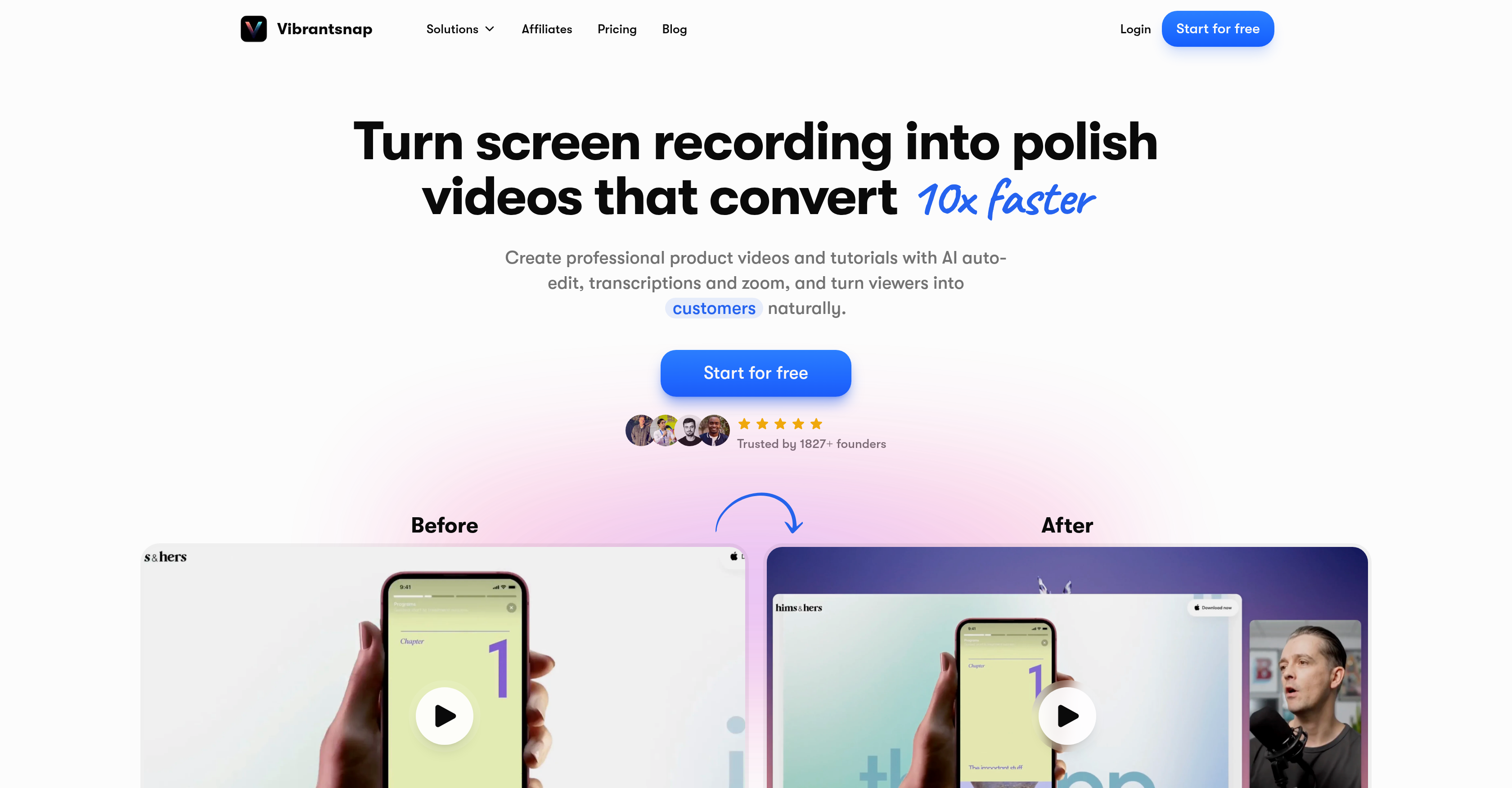
- Launch professional product demos and tutorials in minutes instead of hours with instant screen recording and AI-powered Magic Edit that removes silences and filler words.
- Convert viewers into customers by adding trackable call-to-action buttons like 'Book a call' directly into your videos.
- Understand your audience with real-time analytics that track views, clicks, and engagement to refine your video content.
- Enhance accessibility and clarity with automatic transcriptions and zoom capabilities added to every screen recording.
- Maintain a professional brand image with clean, automatic layouts and AI-generated voiceovers applied to every video.
- Scale video creation across teams with plans offering custom watermarks, brand layouts, and priority support.
Pros & Cons
Pros
- Screen recordings into polished videos
- 10x faster video editing
- Automatic editing with 'Magic Edit'
- Removes silences and filler words
- Enables sharing of polished videos
- Addition of call-to-action buttons
- Real-time analytics of viewer engagement
- Automatic application of clean layouts
- Offers video transcription
- Zoom capabilities for better viewing
- Simplified setup process
- User-friendly platform
- Scales with solo creators or brands
- Automatic video cleaning feature
- Video conversion tool for creators
- Allows video presentation creation
- Trusted by numerous founders
- Enhances viewing experience
- Enhances productivity
- Converts viewers into customers
- Requires no learning curve
- Features designed for screen recordings
- Auto-cleaning of videos
- Offers different pricing plans
- Captures demos, walkthroughs, presentations
- Supports Mac and Windows
- Instant sharing and embedding
- Professional voiceovers for enhanced clarity
- Exports at 4K up to 120fps
- Provides important insights into viewer behavior
- Ability to add custom watermarks
- Allows application of custom brand layouts
- Provides 24/7 priority support
- Unlimited recording duration supported
- Automatic addition of captions and translations
- Requires no prior video editing skills
- Affiliated with reputed brands
- Generates high-converting videos
- Zero learning curve for use
Cons
- No Android support
- No open-source code
- Limited to screen recordings
- Transcription accuracy unknown
- Real-time tracking may lag
- No offline capabilities
- Lacks advanced editing tools
- No explicit support for disabled users
- Potentially high learning curve despite claims
Reviews
Rate this tool
Loading reviews...
❓ Frequently Asked Questions
VibrantSnap is an AI-powered tool designed for screen recording and video creation. It allows users to easily record their screen for demos, walkthroughs, and presentations. Alongside this, VibrantSnap auto-edits the recorded videos, utilizing its 'Magic Edit' functionality to clean up the content by removing silences and filler words. The AI also adds professional voiceovers, applies clean layouts, and gives you the ability to add a call-to-action button, then it lets you monitor video engagement through its real-time analytics features.
The AI feature in VibrantSnap primarily pertains to video editing. This intelligent technology automatically edits recorded videos, eliminating silences and filler words to make the content more engaging and professional. It also adds voiceovers and applies clean layouts, reducing the time and effort needed from the user's side for post-production.
'Magic Edit' in VibrantSnap is an automatic video editing tool. It is designed to enhance the visual quality of the screen recordings and makes them more engaging by removing silences, filler words, and any unnecessary content from the video. It further improves the video by applying clean and professional layouts.
The 'AI voiceover' feature in VibrantSnap is an AI-driven functionality focused on enhancing vocal communication in the videos. This feature uses artificial intelligence to add professional voiceovers to your screen recordings, automatically improving any audio discrepancies and ensuring the voiceover aligns seamlessly with the visual content.
VibrantSnap offers three distinct plans to cater to different user requirements. The Starter plan is for solo founders and casual creators, the Pro plan is intended for growing creators and founders, and the Growth plan is for teams and scalable brands. Each plan comes with a variety of features like auto-editing, captions, instant sharing and embedding, professional AI voiceovers, different video export resolutions, analytics, and priority support based on the plan type.
Yes, VibrantSnap has an analytics feature that allows for real-time tracking of video engagement. Users can monitor views, clicks, and general interaction with the videos to understand viewer behavior and reception.
VibrantSnap makes sharing polished videos easy. Once a video is edited and ready, users can instantly share it or embed it on various platforms for increased visibility and engagement. The tool doesn't mention which platforms can be targeted, but sharing is described as a key functionality.
The 'Call-to-Action' feature in VibrantSnap allows users to add interactive buttons to their videos, like 'Book a call' or 'Buy now'. This feature is designed to guide viewers towards a particular action, thus improving engagement and conversion rates.
Yes, VibrantSnap can be effectively used in creating tutorial videos. The screen recording functionality captures the desired operation, while the AI-driven editing tool, 'Magic Edit', automatically enhances and polishes the video content. The added benefit of AI voiceovers also improves the audio-visual teaching experience.
VibrantSnap can capture various types of screen recordings. This may include product demos, walkthroughs, presentations, and anything else that can be displayed on a screen. The flexibility of VibrantSnap makes it a versatile tool for numerous screen recording needs.
VibrantSnap enables users to create polished videos 10x faster. The AI and 'Magic Edit' tool automate the video editing process, removing silences and filler words, applying clean layouts, and adding professional voiceovers, resulting in a finished, professional video in a significantly reduced time.
VibrantSnap provides real-time analytics, allowing users to track vital engagement metrics such as the number of views, clicks, and engagement levels. This information can be valuable in understanding viewer interaction and refining future video endeavors for better performance.
Yes, VibrantSnap is entirely suitable for solo creators. Not only does it offer a specific 'Starter' plan for solo founders and casual creators, but its easy-to-use, AI-driven functionality greatly simplifies the video creation process, making it a handy tool for an individual or small-scale user.
Teams can use VibrantSnap as a collaborative tool for creating, editing, and sharing screen recordings. The 'Growth' plan is specifically designed for scalable brands and teams. It includes features like custom watermarks, AI voices, brand layouts, and 24/7 priority support, helping teams to create professional videos that are consistent with their branding.
Yes, VibrantSnap is specifically built for creating product demo videos. It allows users to record their screen while demonstrating the usage or features of a product. The resulting video can be automatically edited and polished using VibrantSnap's AI capabilities, rendering it suitable for immediate sharing and marketing.
VibrantSnap employs AI in video editing by automating the editing process. Using the 'Magic Edit' tool, it removes silences and filler words to produce crisp and fluent communication. In addition, it applies clean visual layouts and embeds professional AI voiceovers, enhancing both the visual and audible quality of the videos.
Adding a call-to-action button in VibrantSnap is executed during the editing process. Once the video is recorded, you can use the 'Call-to-Action' feature to add an interactive button like 'Book a call' or 'Buy now' to your video, guiding viewers towards certain actions.
The kinds of video layouts offered by VibrantSnap are not specified on their website. However, it's stated that the AI applies 'clean layouts', implying automatic application of aesthetically pleasing and professional video arrangements.
VibrantSnap enhances the voice in a video using the 'AI voiceover' feature, which applies a professional voiceover to the screen recordings. This feature uses AI technology to refine the vocal quality and enhance the overall auditory experience for the viewer.
Several types of businesses can benefit from using VibrantSnap. Given its versatile features, startups, brands looking to scale, solo founders, content creators, and teams can all use it to quickly create, share, and analyse engaging product demos, walkthroughs, or presentations to advance their ventures.
VibrantSnap is an AI-powered screen recording tool. It is designed to help users record their screen seamlessly, creating product demos, walkthroughs, or presentations instantly. VibrantSnap applies its AI capabilities to auto-edit the video, ensuring it is polished and professional. The tool also adds transcriptions, zoom capabilities, and call-to-action buttons to boost user engagement and conversions.
VibrantSnap offers numerous features, including AI-powered screen recording, Magic Edit for automatic cleaning of your video, AI voiceover enhancement, automatic layouts, call-to-action addition, analytics, video transcription, zoom capabilities and a user-friendly interface. It can remove silences and filler words to offer a slick, professional video. The tool is useful for video presentations, video editing, creating professional videos, and product demonstrations.
Magic Edit tool in VibrantSnap automatically cleans your video and applies clean layouts. It uses AI to remove silences and filler words, thereby giving your video a professional appearance and keeping it concise and engaging. It enhances the viewer's experience by eliminating unnecessary pauses and interjections.
The AI voiceover feature in VibrantSnap is designed to enhance the voice quality in videos. It automatically applies professional AI voiceovers, improving the audio clarity and making it sound much more professional.
VibrantSnap assesses viewer engagement through its integrated analytics feature. It provides real-time tracking of views, clicks, and overall engagement. This information can be used to understand viewer behavior better, make educated decisions on content production, and develop strategies to increase engagement.
Yes, VibrantSnap allows you to add a call-to-action button to your video. After the video has been recorded and edited, you can add a button like 'Book a call' or 'Buy now', thereby enabling you to guide viewers towards a specific action, like purchasing a product or booking a consultancy call.
VibrantSnap's automatic editing feature works using built-in AI capabilities. The AI can automatically clean the video, apply clean layouts, enhance the voice with professional AI voiceover, and even remove any silences or filler words. This results in a polished and professional video that effectively communicates your message.
VibrantSnap offers different plans to cater to various user needs. There's the Starter plan for solo founders and casual creators, Pro plan for growing creators and founders, and the Growth plan for teams and scalable brands. Each plan comes with a different set of features and pricing to suit different user requirements.
Yes, absolutely. VibrantSnap's Starter plan is designed specifically for solo creators. It provides features like AI auto-editing, instant sharing and embedding, professional AI voiceovers, and export capabilities up to 2K and 60 fps. It's an excellent tool for individual users looking to create professional-grade videos.
The screen recording feature in VibrantSnap allows users to capture their screen effortlessly for demos, walkthroughs, or presentations. Once you start recording, VibrantSnap captures everything that happens on your screen until you stop it. No setup is required; users can start recording instantly.
VibrantSnap is equipped with feature to remove silences and filler words from videos. This is accomplished through the Magic Edit feature, which uses AI technology to automatically clean the video. As a result, you get a more polished and professional video devoid of unnecessary pauses and interjections.
Sharing a video created using VibrantSnap is very straightforward. Once your video has been edited and finalized, you can share it directly through various platforms. Additionally, the software allows you to add a call-to-action button to your video which can be tracked for views, clicks and engagement in real time.
VibrantSnap can make video presentations more engaging by automatically cleaning the video, removing silences and filler words, and applying clean layouts. Additionally, it enhances the voice with professional AI voiceovers and allows users to add transcriptions. These features ensure a robust and engaging viewing experience.
Yes, VibrantSnap can automatically add transcriptions and zoom capabilities to your videos. These features enhance the clarity of your content and provide a more immersive and engaging viewing experience for your audience.
VibrantSnap's video conversion tool works by enabling creators to add call-to-action buttons like 'Book a call' or 'Buy now' after video recording and editing. It also allows for real-time tracking of views, clicks, and overall engagement, thereby assisting in the conversion of viewers into customers.
VibrantSnap provides analytics data through its integrated analytics functionality. It offers real-time tracking of views, clicks, and levels of engagement. This data offers valuable insights into viewer behavior, helping users to refine their video content and enhance viewer engagement.
Yes, VibrantSnap can help turn viewers into customers. By allowing users to add call-to-action buttons to the videos, it provides a clear direction for viewers to follow. Additionally, its real-time analytics allows users to understand better how their content is being received and make necessary adjustments to increase conversions.
Yes, VibrantSnap is ideal for creating video tutorials. Its screen recording capabilities, Magic Edit for seamless editing, AI voiceovers and other features make it a powerful tool for crafting professional-grade tutorials. The software's capability to remove fillers and silences and apply clean layouts helps in creating a clean, engaging and highly informative tutorial video.
VibrantSnap is trusted by numerous founders worldwide. According to testimonials on their website, companies like Adswize and PicX Studio have used and endorsed VibrantSnap for their video creation needs.
VibrantSnap is built on the principle of simplicity and immediacy, with its user-friendly interface making it an increasingly popular choice among users. Users have praised its intuitive layout, easy navigation, and the automated features that drastically reduce the time and expertise required for video editing.
Pricing
Pricing model
Freemium
Paid options from
$7/month
Billing frequency
Monthly
Refund policy
Users may request a full refund within 7 days from the date of payment.
Related Videos
How to Edit Viral Presentation Like a Pro
Vibrantsnap•427 views•Nov 10, 2025