
Video to Video AI
Overview
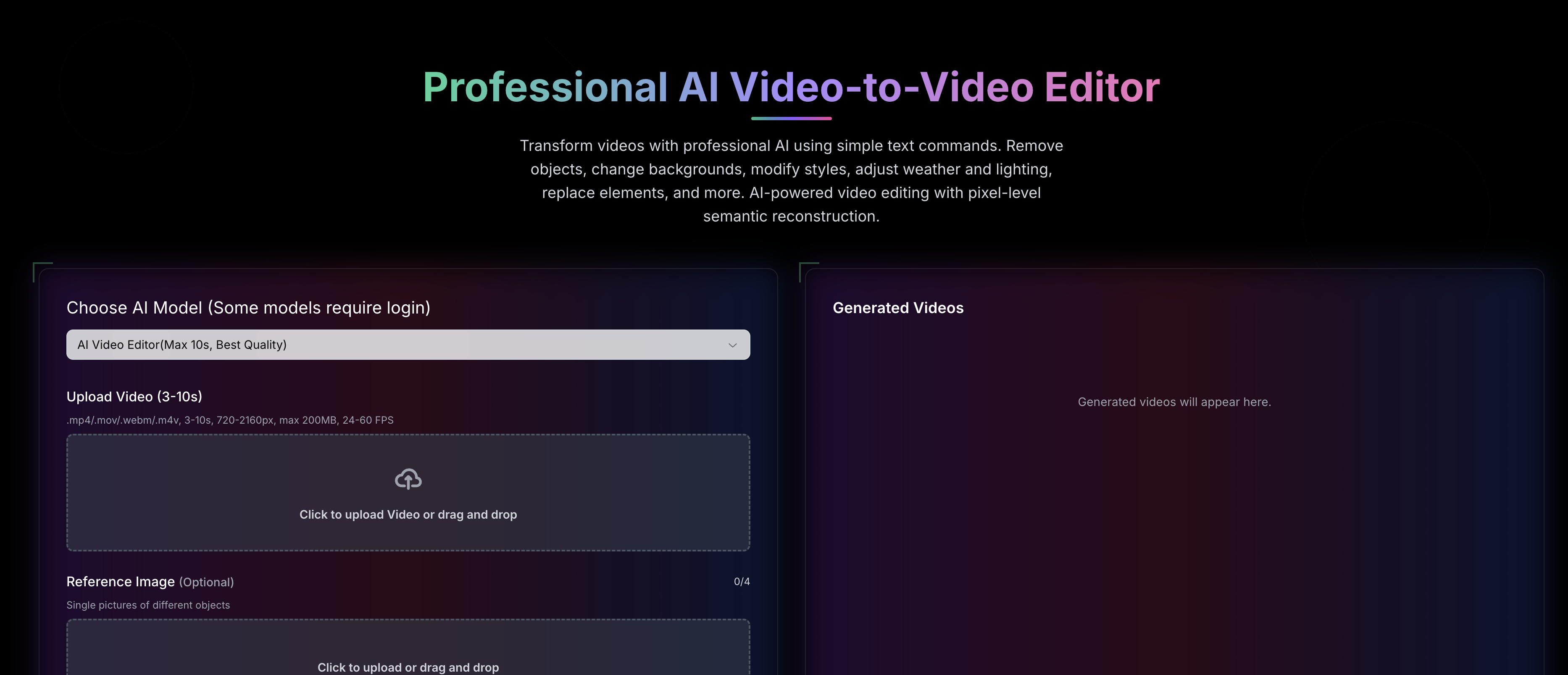
- Execute complex video edits by typing what you want, eliminating the need for manual software or technical skills through natural language commands.
- Remove any unwanted object or person seamlessly, leaving no trace, with AI-powered pixel-level processing that refills the background perfectly.
- Swap characters, outfits, or any element while preserving the original motion and fabric dynamics for a perfectly realistic replacement.
- Alter the entire mood by changing weather, time of day, or lighting conditions across every frame with consistent atmospheric adjustments.
- Apply artistic styles like anime or painterly effects to your entire video while maintaining the original scene dynamics and motion flow.
- Recolor specific objects with frame-accurate color matching that respects original lighting and shadows for a natural look.
- Maintain full video quality up to 4K (2160px) and original dynamics across all transformations, ensuring professional-grade output.
- Keep your projects confidential with private video editing support and get faster results with priority generation processing.
Pros & Cons
Pros
- Modify video with text commands
- Object removal feature
- Background alteration
- Style modification available
- Lighting adjustment
- Element replacement
- Operates at pixel-level
- Semantic video reconstruction
- Character replacement feature
- Clothing swap functionality
- Recolouring objects
- Implementation of artistic styles
- Atmospheric condition modification
- Multi-frame modifications
- Supports professional and casual use
- Video format support: .mp4, .mov, .webm, .m4v
- Maintains video quality from 720-2160px
- Natural language understanding
- High quality output
- Private video support
- Priority generation
- Camera Angle Modification
- Supports multiple video formats
- Supports high-resolution uploads
- Supports private videos
- Transforms videos using simple commands
- Integrates natural language understanding
- Performs pixel-level semantic reconstruction
- Context-aware video editing
- Transforms wide range of video aspects
- Offers swift transformations
- Facilitates intelligent video editing
- Offers diverse video editing options
- Generates high-quality output
- Supports large video files
- Interactive transformations
- Supports different object styles
- Provides priority generation for quicker results
- Natural fabric simulation for clothing swap
- Selective color modification in recoloring
- Lighting preservation in recoloring
- Frame-accurate color matching
- Preserves original motion in character replacement
- Environment transformation support
- Movement-aware clothing adaptation
- Maintains body proportions in clothing swap
- Preserves original motion in style transfer
- Offers multiple style options
- Realistic weather effects in weather change
- Natural environment adaptation in weather change
- Seamless seasonal transformations
Cons
- Limited video formats support
- Video length constraint (3-10s)
- File size limit (200MB)
- Particular FPS range (24-60)
- Requires paid credits for usage
- No offline functionality
- Specific video resolution requirement
- Limited daily credits for free users
- Requires detailed reference images
- Pro model is expensive
Reviews
Rate this tool
Loading reviews...
❓ Frequently Asked Questions
Video to Video AI employs a natural language understanding engine to edit videos based on text commands. Users need to write down their desired changes in the form of normal sentences, and Video to Video AI employs its intelligent semantic reconstruction system to interpret the context of these commands and apply the desired modifications, making the process conversational and intuitive.
Video to Video AI offers a dynamic range of transformation features, including object removal, background alteration, style modification, and lighting adjustment. It also allows element replacement, character replacement, clothing swap, and recoloring of objects. Users can also apply artistic style transfers and modify atmospheric conditions to create different mood settings.
Video to Video AI achieves object removal using its AI-powered pixel-level processing capability. It understands the command to remove a particular object from the video, then processes each frame at the pixel level to isolate and eliminate that specific item, leaving the rest of the video untouched.
Yes, Video to Video AI can perform element replacement. Understanding the context of the user's text command, it will remove the specified element and substitute it with the requested replacement while sustaining the dynamics of the original video.
In Video to Video AI, pixel-level processing refers to the AI's capability to analyze and process each individual pixel in the video's frame. It allows the AI to make complex modifications such as element removal, background alteration, and object recoloring with high precision. This ensures that the transformations are semantically coherent and visually superior.
Video to Video AI can modify lighting conditions and atmospheric effects in the source video based on the user's command. By adjusting each pixel's properties, it can simulate different lighting conditions and atmospheric effects, such as altering daytime footage to resemble nighttime or modifying clear skies to appear cloudy, thereby creating different mood settings.
Yes, Video to Video AI allows users to change characters and alter clothing. Trained on diverse datasets, it can comprehend commands instructing character or clothing changes, then accurately replace the original characters or articles of clothing while preserving the dynamics of body movements and fabric.
Video to Video AI maintains the original video's dynamics by processing changes at a pixel and frame level. This approach allows distances, speeds, timing, and other motion parameters to be preserved, even when elements such as characters, clothing, or backgrounds are modified. The context-aware system ensures that all changes are naturally integrated into the video's flow.
Semantic reconstruction in Video to Video AI refers to its AI-powered capability to understand and process the context, meaning, and relationship of elements in the video. It uses this understanding to execute requested modifications accurately and maintain the coherence and semantic continuity of scenes even when objects, backgrounds, or other elements are altered.
Video to Video AI employs advanced natural language processing and semantic understanding capabilities. This allows it to decipher the context of text commands provided by the user, enabling the AI to perceive relationships between elements, the nature of the requested modifications, and apply these changes intelligently across multi-frame video content.
Video to Video AI performs multi-frame modifications such as object removal, background alteration, character replacement, and weather changes. It adjusts each frame coherently and maintains the dynamics of the original video, delivering sequences that flow naturally despite being modified.
Yes, Video to Video AI is suitable for professional editing. Its capabilities extend from undertaking basic object replacements to complex frame-by-frame transformations and style transfers. This makes it an effective tool for professional editors who need advanced editing features, precise control, and high-quality output.
Definitely, beginners or casual users can easily use Video to Video AI. The system is designed to interact using natural language commands, so users do not require extensive technical expertise to make video edits. They can simply describe the desired changes in plain language, and the AI will deliver the results.
Using Video to Video AI entails uploading the source video, then providing the platform with natural language commands indicating the edits you wish to implement. The AI comprehends the context of these commands and performs the modifications. The transformed video can then be downloaded, showcasing seamless, high-quality changes.
To replace specific elements in a video using Video to Video AI, users provide a text command detailing the desired change. The AI understands the request, isolates the specific element from the video at a pixel level, and replaces it authentically while maintaining the original video's dynamics.
Yes, objects can be recolored using Video to Video AI. By providing a simple command such as 'change the color of the car to red', the AI understands this command, identifies the targeted object, and adjusts the color in the video. It does this while preserving the lighting and shadows, ensuring a realistic result.
Artistic style transfers can be applied in Video to Video AI by providing a command designating the desired style shift. The AI understands the nature of the requested style and applies it throughout the video, altering each frame to reflect the new artistic style while preserving motion and scene dynamics.
Yes, Video to Video AI can modify atmospheric conditions based on user commands, helping to create different moods. Users can instruct the AI to transform the weather conditions or shift the time of day, and the AI will adjust the light, colors, and other characteristics to render the desired effect convincingly.
Video to Video AI requires no significant technical expertise to use. The user-friendly platform and the feature of accepting natural language commands make it accessible to beginners or non-tech savvy users. It's as simple as describing the desired modifications in plain text, and the AI handles all the technical aspects.
Video to Video AI ensures a smooth editing experience by employing a natural language interface for user commands. The use of simple, plain text instructions eliminates the need for a steep learning curve or technical expertise. Also, by processing each command intelligently and accurately, Video to Video AI assures high-quality results in line with user expectations.
Video to Video AI is an artificial intelligence-powered video editing software, designed to make the editing process more user-friendly. It allows users to modify and enhance their videos using natural language commands. It employs an AI that performs semantic reconstruction at the pixel level to achieve the desired results in the final edited video.
Video to Video AI provides a broad spectrum of editing features, such as removal of objects, style modification, background alteration, lighting adjustment, and element replacement. Additionally, it offers advanced features like character replacement, clothing swap, atmospheric condition modification, recoloring objects, and applying artistic style transfers.
Yes, Video to Video AI is suitable for both professional video editing and casual use. The robust technical capabilities of the software, along with its user-friendly interface, make it an excellent choice for professionals looking to achieve high-quality video editing.
Yes, Video to Video AI supports multiple video formats, including .mp4, .mov, .webm, and .m4v. It upkeeps video qualities ranging from 720-2160px for uploads.
The text command feature in Video to Video AI utilizes natural language processing to interpret user edits expressed in their text commands. Users provide the source video and indicate their desired edits in the form of natural language commands. The AI, understanding the context of these commands, executes the modifications to deliver a refined video.
In the context of Video to Video AI, semantic reconstruction refers to the AI's capability to understand and reconstruct the context of a video at the pixel level, which enables it to make seamless edits to the video. This AI technology applies the edits while preserving the original dynamics of the video.
Video to Video AI performs object removal and element replacement operations using its AI-driven semantic reconstruction feature. For object removal, the AI identifies the object's contours and eliminates it while refilling the space with contiguous background elements. For element replacement, the software superimposes the new element on the existing one in a seamless manner to ensure consistency.
Video to Video AI offers advanced character replacement features. It can replace characters in videos while maintaining original movements and camera angles, and even transform the environment simultaneously.
Yes, users can adjust lighting and weather in a video using Video to Video AI. The platform enables users to modify atmospheric conditions to create different mood settings, automatically adjusting lighting and colors to match new conditions.
The process to edit a video with Video to Video AI involves uploading the source video, providing edits in natural language commands, and letting the AI apply these changes. The users can then download their transformed video with seamless, high-quality aesthetic alterations.
Yes, Video to Video AI has the capability to intelligently adjust the camera angles in a video. This is accomplished through advanced AI technology, which understands the natural language commands provided by users.
Video to Video AI supports various artistic transformations, including anime style, as part of its style transfer features. This capability allows users to dramatically change the visual aesthetics of a video while preserving its original motion and scene dynamics.
Yes, Video to Video AI allows users to swap outfits and clothing items in a video scene. The software preserves the movements, poses, and fabric dynamics during the swap, ensuring a realistic result.
Video to Video AI colors objects in a video based on the user's text commands. It maintains realistic lighting and shadows when recoloring specific elements, ensuring frame-accurate color matching.
Yes, Video to Video AI does support private video editing. This feature allows users to prevent public access to their videos, ensuring user privacy and content exclusivity.
Yes, Video to Video AI offers priority generation as part of its service package. This feature ensures the user's video editing processes are given precedence and executed quicker.
Video to Video AI ensures high-quality output by deploying AI technology to perform pixel-level semantic reconstruction. Further, it maintains the quality of the uploaded video ranging from 720 to 2160px, ensuring the final output retains the original quality, irrespective of the transformations applied.
Natural language understanding is embedded within Video to Video AI which empowers it to interpret users' natural language commands and subsequently carry out the desired changes. By comprehending the context of these commands, the AI applies the transformations in a manner that aligns with the user's intent.
Among the advanced functionality provided by Video to Video AI are character replacement, clothing swap, atmospheric condition modification, object recoloring, and application of artistic style transfers. Further, the software also supports natural language understandings, pixel-level semantic reconstruction and offers features such as high-quality output, private video support, and priority generation.
Video to Video AI offers three main pricing plans: Basic at $29.99/month, Standard at $49.99/month, and Pro at $99.99/month. Each plan offers varying amounts of video-to-video generation and processing credits, video privacy, output quality, and priority processing.
Pricing
Pricing model
Paid
Paid options from
$29.99/month
Billing frequency
Monthly