Overview
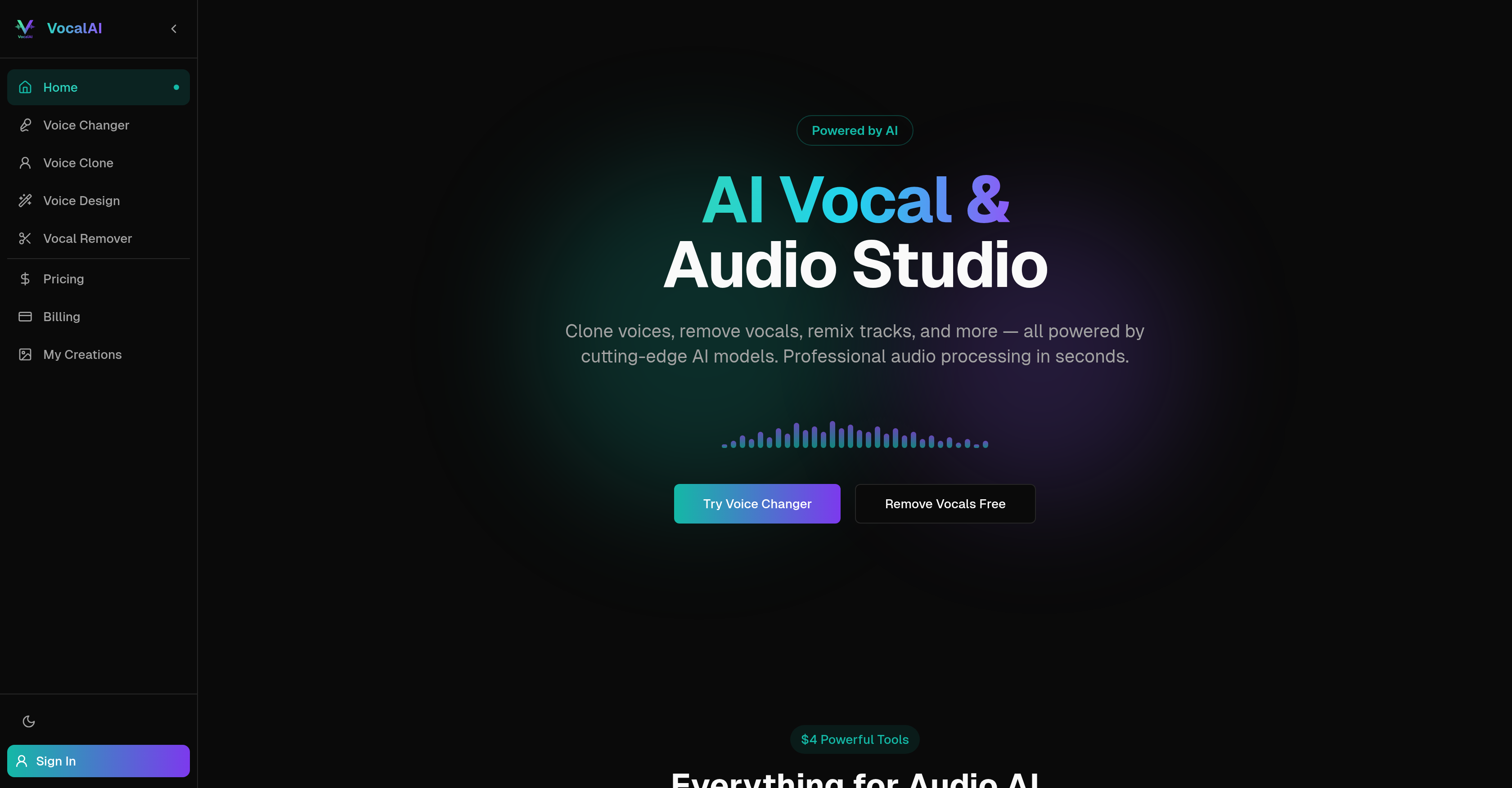
- Create unique character voices for podcasts or content without recording new audio, using the text-to-voice design feature that builds custom voices from descriptions.
- Generate new speech in anyone's voice for creative projects or audio editing, using the voice cloning tool that learns from a short reference clip.
- Produce studio-quality karaoke or instrumental tracks in seconds, using the AI vocal remover to cleanly separate vocals from any song.
- Transform a voice for narration or music while preserving the original emotion and speech content, using the advanced voice changer.
- Integrate professional audio manipulation like stem separation into your own applications, using the platform's developer-ready processing capabilities.
- Preview and download high-fidelity audio results directly in your browser, with support for MP3, WAV, FLAC, and OGG formats.
Pros & Cons
Pros
- Transforms any user voice
- Maintains speech emotion
- Professional-grade audio quality
- Fast audio file processing
- Supports major audio formats
- Secure audio file processing
- Preview before finalizing
- Allows voice cloning
- Voice design from text
- Vocal removal capability
- Designed for multiple users
- Configurable audio parameters
- Stem separation feature
- Eliminates need for reference audio
- Upload, set parameters, download simplicity
- Optimized inference pipeline
- Accessible to everyone
- Audio remixing capability
- Frequently updated features
- Free credits to start
- Easy audio upload
- Results in your browser
- Single click download
- Commercial use output
- Extends audio capabilities
- Handles diverse audio lengths
- Capable of voice change
- Custom voice design
- Training and development features
- Maintains content integrity
- User-friendly interface
- Fast processing speeds
- Use for karaoke or remixes
- Supports MP3, WAV, FLAC, OGG
- Audio content transformation
- New speech generation
- Professional audio services
- Secured user data
- Prompts for easy navigation
- Vocal and audio studio for everyone
- Stem extraction tool
- New users receive free credits
- Can purchase more credits
- Subscription for monthly allowance
Cons
- No offline usage
- No live voice modification
- Not for any language
- No multilingual support
- Quality may vary with emotion
- No integrated audio editor
- Processing time varies
- Privacy concerns with voice cloning
- No mobile app available
- Dependent on input audio quality
Reviews
Rate this tool
Loading reviews...
❓ Frequently Asked Questions
VocalAI's main features involve advanced audio manipulation such as voice changing, voice cloning, voice designing, and vocal removal. The voice changing tool allows transformation of any voice into a distinct one while maintaining the original speech content and emotion. Through the voice cloning tool, users can replicate any voice from a short source audio, and generate new speech in the cloned voice. Voice designing constructs a custom voice from text descriptions, and generates speech without the need for reference audio. Lastly, the vocal removal tool strips vocals from instrumental tracks, which is ideal for karaoke or remixing purposes.
Voice Cloning in VocalAI is a process that allows users to replicate any voice from a short source audio clip. It generates new speech content in the cloned voice. Users just need to upload a short reference audio clip of the voice they wish to clone and the platform takes care of the rest, creating a replica voice that can generate new speech.
VocalAI supports most common audio formats including MP3, WAV, FLAC, and OGG. Users can simply upload their audio files in one of these formats and the platform handles the rest of the process.
Yes, your data is secure with VocalAI. It ensures user privacy by securely processing audio files and not sharing them with any third party.
Yes, VocalAI has a feature that can separate vocals from the instrumental tracks of any song. This tool is perfect for creating karaoke versions of songs or remixing purposes.
Voice designing in VocalAI is a feature that enables users to construct a custom voice purely from a textual description. This allows the generation of speech content without needing any reference audio. Users can create unique voices for different characters or scenarios based on a text description.
Yes, when VocalAI changes voice, it prioritizes maintaining the original speech content and emotion. This ensures that the transformed voice carries the same message and emotion as the original speech.
Yes, users can preview their results in VocalAI before finalizing and downloading them. After uploading an audio file and configuring parameters, users can listen to the result directly in the browser before choosing to download the finished product.
VocalAI promises professional-grade audio quality. The processed audio files are designed to capture the richness and clarity of the original audio and maintain a high standard of audio output.
VocalAI can be used for creating karaoke tracks by utilizing its vocal remover feature. This tool separates vocals from the instrumental track of any song. The resulting karaoke-friendly instrumental track can then be downloaded and used for singing performances.
Yes, users can customize voices using VocalAI. The voice design feature allows users to construct custom voices from a text description. This means users can generate specific voices tailored to their particular requirements without needing any reference audio.
Yes, VocalAI is suitable for professional sound engineers. It offers advanced audio tools like voice changing, voice cloning, voice designing, and vocal removal. Moreover, the platform promises professional-grade audio quality, facilitates transformation of audio files in seconds, and allows flexibility and customization in sound design which can greatly assist in professional sound engineering tasks.
Yes, VocalAI offers a range of audio editing features. These include voice changing, voice cloning, voice designing, and vocal removal. These capabilities allow users to manipulate and transform their audio files in unique and creative ways.
VocalAI processes audio files quickly, with most operations completing in 10 to 60 seconds depending on the model and audio length. Users can listen to the result directly in their browser almost instantly after processing.
Yes, with the Voice Clone feature of VocalAI, users can generate new speech content in a cloned voice. All that's required from the user's end is a short source audio of the voice to be cloned.
Applications of VocalAI in music production include the creation of unique voices for songs, remixing tracks by removing vocals, and cloning voices to create different vocal effects or characters. Its suite of audio modification tools allows musicians to explore and experiment with different aspects of sound for the creation of unique, high-quality music.
VocalAI can be used for podcast editing through its features like voice changing, voice cloning, and voice designing. Podcasters can create distinct voices for different characters, clone a voice from a small audio sample or remove unwanted vocals from any portion of their podcast for an improved auditory experience.
Developers can use VocalAI to integrate advanced audio processing capabilities into their applications. The platform allows them to manipulate audio files, change voices, clone voices, and remove vocals which can add value to apps requiring advanced sound processing capabilities or sound design inputs.
Yes, users are permitted to use the output from VocalAI for commercial purposes. Audio generated by VocalAI can be used without any restrictions. However, users are advised to review the Terms of Service for full details.
VocalAI is an artificial intelligence powered audio tool designed for a wide range of advanced audio processing needs including voice transformation, stem separation, voice changing, voice cloning, voice design, and vocal removal. It caters to creators, musicians, and developers and ensures professional-grade audio services.
The voice changing feature of VocalAI allows users to transform any voice into a different one. It modifies the sound while maintaining the original speech content and the emotion infused in it.
VocalAI's voice cloning feature works by learning and recreating a chosen voice from a reference audio clip. This AI-based tool allows users to generate new speech in the cloned voice by understanding the nuances of the source voice.
Yes, with VocalAI, users can create a custom voice. The Voice Design feature allows users to define and construct a custom voice from a text description without the need for reference audio.
The vocal removal feature of VocalAI allows users to separate vocals from instrumental tracks in any song, making it possible to create instrumental-only versions of songs for applications like karaoke and remixing.
VocalAI processes audio files rapidly, delivering results in just a few seconds thanks to its optimized inference pipeline.
VocalAI supports most major audio formats including MP3, WAV, FLAC, and OGG.
Yes, it is safe to use VocalAI with your audio files. It ensures user privacy by securely processing your audio files. The files are not shared, maintaining confidentiality.
To modify audio files with VocalAI, users upload their chosen audio file, set the parameters for modification according to their needs, and then download the processed audio after reviewing the preview.
VocalAI has wide applications in music creation. Musicians can use VocalAI's features such as voice transformation or stem separation to create new interpretations of existing pieces, or even generate brand new compositions via voice cloning or custom voice design.
VocalAI can be used by everyone, from individual creators and musicians to developers, thanks to its straightforward user interface and professional-grade audio services.
No, VocalAI doesn't affect the emotion or content of the speech while changing the voice. It maintains the original speech content and emotion while transforming the voice.
The Voice Design feature in VocalAI works by allowing users to define a custom voice from a text description. It eliminates the need for reference audio, enabling generation of speech in the custom voice.
The audio quality offered by VocalAI is professional-grade. It employs state-of-the-art AI models for high-quality audio output.
There is nothing to suggest that VocalAI couldn't be used in training and development. Its features like voice cloning and voice transformation could potentially be used for making instructional audio more engaging and dynamic.
The user interface of VocalAI is designed for simplicity and ease of use. Users can easily upload their audio, configure parameters and preview the results before downloading the final transformed audio.
VocalAI enhances audio content transformation by using AI to offer several features like voice changing, voice cloning, voice design and vocal removal. These tools allow users to transform, manipulate and customize the audio content according to their needs.
VocalAI can be used in remixing audio by using its vocal remover and stem separation features. These allow you to separate vocals from instrumentals, opening up new possibilities for creative remixing.
Yes, you can preview your audio before downloading in VocalAI. After uploading and configuring the parameters of the audio file, you can listen to the result directly in your browser before deciding to download it.
'Stem separation' in the context of VocalAI refers to the process of separating an audio track into its constituent elements or 'stems'. This makes it possible to isolate vocals from instrumental parts of a track, an essential tool for activities like remixing or karaoke.
Pricing
Pricing model
Free Trial
Paid options from
$9.90/month
Billing frequency
Monthly
Refund policy
No Refunds