
Overview
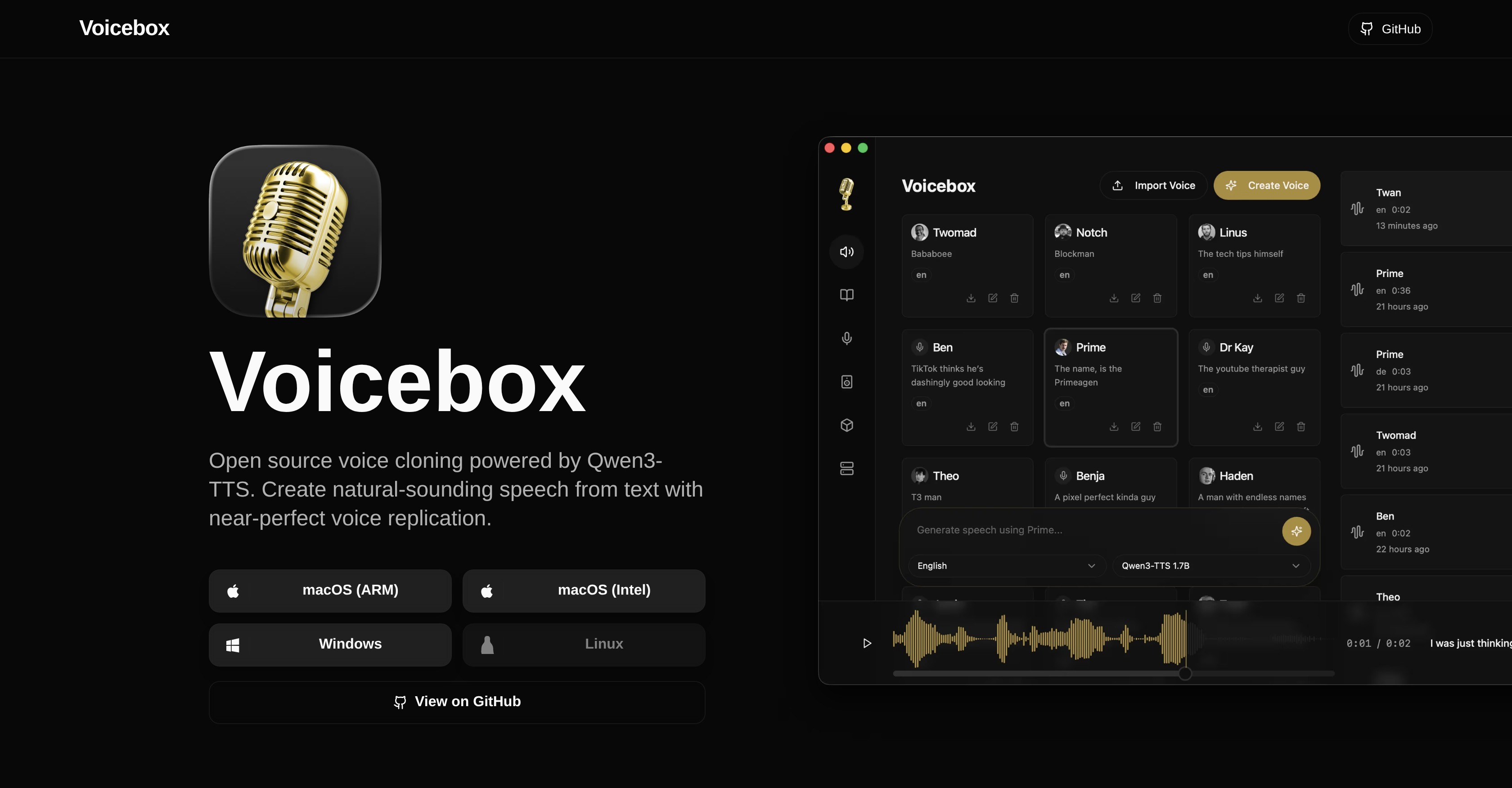
- Protect your voice data with complete privacy by running all voice cloning and speech generation locally on your machine, eliminating cloud services and subscriptions.
- Produce studio-quality, natural-sounding speech from text using the Qwen3-TTS engine and multi-sample support for higher fidelity voice replication.
- Craft complex multi-voice narratives with a timeline-based stories editor to arrange tracks, trim clips, and mix conversations like a professional audio studio.
- Accelerate voice synthesis with GPU-powered local inference using Metal on Mac or CUDA on Windows/Linux for fast, native performance without installing Python.
- Automatically extract accurate reference text from any voice sample using the integrated Whisper-powered audio transcription system.
- Download and use voice models directly within the application to clone any voice from just a few seconds of audio for your projects.
Pros & Cons
Pros
- Open-source application
- Professional voice synthesis
- User privacy focused
- No cloud services required
- No subscriptions needed
- Allows download of voice models
- Supports voice cloning
- Generates speech on local machine
- Cross-platform application
- Optimized for macOS, Windows, Linux
- Multi-sample support
- Utilizes Metal acceleration on Mac
- Uses CUDA acceleration on Windows/Linux
- Offers local GPU inference
- Connect to remote machine
- Features a stories editor
- Timeline-based editor for multi-voice narratives
- Audio transcription system
- Powered by Whisper for speech-to-text
- Automatic reference text extraction
- Smart caching
- No Python installation required
- Create natural-sounding speech
- Can clone any voice
- Personal voice data protection
- Studio-grade editing tools
- Fast local inference
- Nearly perfect voice replication
- One-click server setup
- Combine multiple voice samples
Cons
- Requires GPU for optimal performance
- UI possibly overwhelming
- Local machine can limit performance
- Remote machine setup required
- Dependent on Qwen3-TTS
- Whisper needed for transcriptions
- Metal acceleration only on Mac
- CUDA acceleration required on Windows/Linux
- Sizeable download for voice models
- Possible privacy concerns with cloning voices
Reviews
Rate this tool
Loading reviews...
❓ Frequently Asked Questions
Voicebox is an open-source voice cloning desktop application engineered by Qwen3-TTS technology. Primarily, it empowers users to produce natural-sounding speech from text, replicating any given voice with remarkable precision. Designed as a local-first voice cloning studio, Voicebox maintains the performance quality of professional voice synthesis, comparable to commercial alternatives. The entire process of cloning voices and generating speech takes place locally, without the need for any cloud services or subscriptions. Voicebox extends further functionality by including a stories editor for creating multi-voice narratives and an audio transcription system powered by Whisper for accurate speech-to-text service.
Indeed, Voicebox is free to use. It is an open-source application that does not demand any fee or subscription for its use or for accessing its source code.
Voicebox guarantees user privacy by operating on a local-first basis. Your voice data is neither sent nor stored on any remote servers since all operations, including voice cloning and speech generation, are done solely on your local machine without using any cloud services or requiring subscriptions.
Voicebox is designed to be cross-platform, compatible with macOS, Windows, and Linux.
Voicebox ensures the quality of voice cloning through its multi-sample support feature and the power of Qwen3-TTS technology. By using multiple voice samples, the chances of achieving higher quality and more natural-sounding results are enhanced. Qwen3-TTS technology, on the other hand, offers exceptional voice quality and accuracy.
The role of Qwen3-TTS in Voicebox is significant. It forms the core engine for Voicebox, providing near-perfect voice cloning capabilities. Qwen3-TTS is responsible for the superior quality and accuracy of voice replication in Voicebox.
In Voicebox, local inference operations are accelerated using Metal and CUDA. Metal acceleration is leveraged on Mac devices, while CUDA acceleration is utilized on Windows/Linux systems. These are both GPU-based hardware acceleration technologies that speed up the process of voice cloning and speech synthesis.
With Voicebox, you can clone voices by first downloading a voice model. After that, you could use a few seconds of audio to clone any voice and create multi-voice projects using the studio-grade editing tools available within the application.
Yes, Voicebox operates fully without the requirement of a cloud service or subscription. It runs all voice cloning and speech generation functions entirely on your local machine.
Yes, Voicebox can run GPU inference locally. It makes use of Metal acceleration on Mac and CUDA acceleration on Windows/Linux systems to speed up local inference operations. Additionally, if desired, it also has the feature to connect to a remote machine for the GPU inference operations.
The Stories Editor in Voicebox provides a platform for users to craft multi-voice narratives with a timeline-based editor. It gives you the ability to arrange tracks, trim clips, and mix conversations, thereby offering a comprehensive editing environment.
The role of audio transcription in Voicebox is particularly substantial. Powered by Whisper, this function delivers accurate speech-to-text services, which in turn, facilitates the automatic extraction of reference text from voice samples. Essentially, Whisper makes this feature more accurate and efficient.
To generate natural-sounding speech from text using Voicebox, you first need to download a voice model. Once that's done, input your text within the app. Voicebox's underlying Qwen3-TTS technology will then convert your text into near-perfect voice-replicated speech.
Voicebox facilitates extraction of reference text from voice samples via its audio transcription system. This system, powered by Whisper's speech-to-text capabilities, transcribes voice samples and automatically extracts reference text.
You can arrange tracks, trim clips, and mix conversations in Voicebox using the Stories Editor. This feature provides a timeline-based editor, enabling users to manipulate and organize their multi-voice narratives as per their requirements.
The multi-sample support feature allows you to combine multiple voice samples in Voicebox. This function enhances the quality of the voice replication, making it sound more natural.
The information about smart caching in Voicebox has not been provided.
When Voicebox is described as operating on a local-first basis, it means all its operations including voice cloning and speech generation take place on the user's local machine. This contrasts with many other services which rely heavily on cloud functionality and require data to be sent and stored on remote servers, which can often sacrifice user privacy.
No, Python installation is not required to use Voicebox. It offers native performance on macOS, Windows, and Linux platforms without requiring additional installments.
To download voice models on Voicebox, you simply use the application where it provides an option to download and use the voice models within its interface.
Pricing
Pricing model
Pricing
Paid options from
N/A
Related Videos
Can VoiceBox AI Clone Dave's Voice?
EEVblog2•9.5K views•Feb 19, 2026