YouTube Transcript AI
Overview
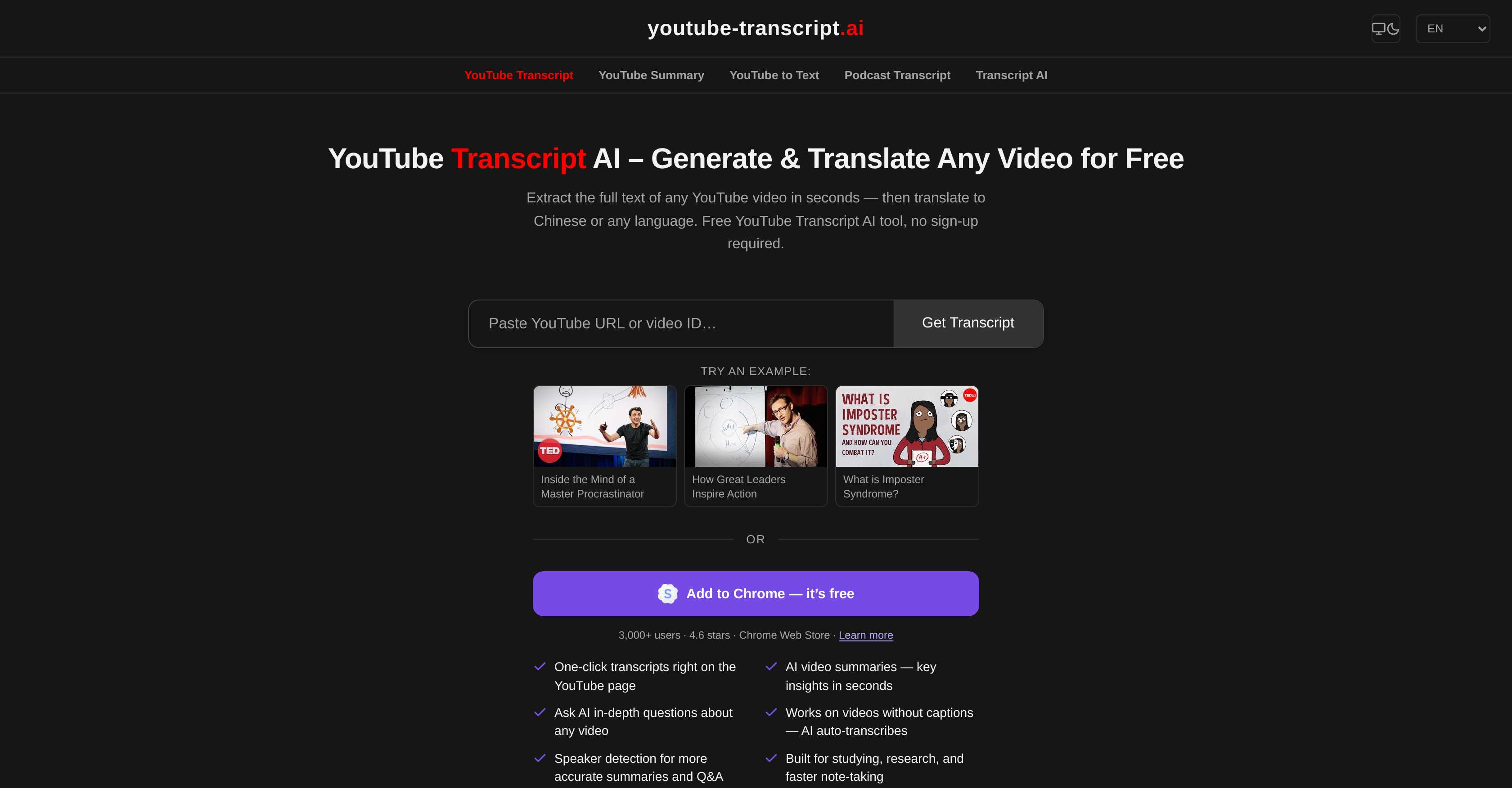
- Study and research faster by turning any YouTube video into clean, readable text in seconds, using instant transcript generation for any link format or video ID
- Break language barriers by translating transcripts into any language you choose, powered by a built-in translation feature for foreign-language videos
- Prepare for exams efficiently by converting video transcripts into quizzes, flashcards, and exam-ready summaries with AI analysis from ChatGPT, Claude, or Gemini
- Repurpose video content into blog posts, newsletters, and social media threads by copying the full transcript into any AI writing tool
- Capture accurate notes without rewatching videos by reading transcripts directly on the tool or pasting them into any note-taking app
- Save money on transcription by generating unlimited free transcripts with zero sign-up, no account, and no usage limits
- Extract key points and quotes from long lectures or interviews by pasting full transcripts into AI tools for summarization and fact extraction
Pros & Cons
Pros
- Free tool
- No user registration
- Unlimited usage
- Supports various YouTube link formats
- Immediate transcript loading
- Designed for academia, research
- Functionality to translate transcripts
- Pairing with ChatGPT, Claude, Gemini
- Supports content generation
- Video content summarization
- Note-making from videos
- Quiz rendering from transcripts
- Flashcards creation functionality
- Accepts manually added subtitles
- Accepts auto-generated subtitles
- Delivers clean, readable text
- Direct copy-paste facility
- Independent of YouTube, Google
- In-depth research support
- Educational study guide creation
- Supports video analysis
- Generates social media content
- Generates blog content
- Generates newsletter content
- Generates exam-ready summaries
- Supports auto-captioning
- Subtitles support
- Instant video-to-text transcription
- Translates into any language
- Helpful for multilingual learning
- Rapid content summary generation
- Extracts key video points
- Aids in multilingual research
- Produces structured notes
- Turns video into study guide
- Assists in content creation
- Aids in video translation
- Detects facts in lectures
- Supports transcript saving
- Multilingual subtitles extraction
- Can convert video to blog post
- Translates Chinese and more
Cons
- No offline functionality
- No API integration
- Relies on video's captions
- No direct download option
- No YouTube/Google affiliation
- No mobile app
- Could misuse copyrighted material
- Dependent on video subtitles
- Can't distinguish between speakers
Reviews
Rate this tool
Loading reviews...
❓ Frequently Asked Questions
Yes, YouTube Transcript AI can handle any format of YouTube link. Users can also simply use the video ID in lieu of the full link.
Yes, YouTube Transcript AI supports videos with either manually added subtitles or auto-generated captions.
YouTube Transcript AI aids in note-taking by rendering accurate transcripts from YouTube videos. Users can read the transcript directly on the tool, and they also have the ability to copy the full transcript content for pasting in their preferred note-taking app.
Yes, YouTube Transcript AI is fully accessible without any need for sign-up or registration. It has been designed to serve users without imposing usage limits or requiring an account.
Absolutely. YouTube Transcript AI is highly beneficial for educational purposes. It not only converts video transcripts into study guides but also has the capability to generate quizzes, flashcards, or exam-ready summaries from the transcripts.
Yes, YouTube Transcript AI provides a translation service for the generated transcripts. Users can translate the text into any language of their choice.
Definitely. The transcript generated by YouTube Transcript AI can be used to generate content for blogs, newsletters, and social media posts, allowing easy repurposing of video content into written form.
Yes, YouTube Transcript AI aids in/video summarization. The generated transcript can be analyzed by AI tools like ChatGPT, Claude, or Gemini to not only summarize the video content but also to extract key points and generate notes.
YouTube Transcript AI is adept at handling videos in foreign languages. The tool generates a transcript from the video and then translates it into the user's designated language.
YouTube Transcript AI-generated transcripts can be analyzed by AI platforms like ChatGPT, Claude, and Gemini. These tools can help summarize, extract key points, generate notes, or answer questions about the content of the transcript.
YouTube Transcript AI generates transcripts in a matter of seconds, regardless of the lengths of the videos.
No, YouTube Transcript AI does not have any association or affiliation with YouTube or Google. It operates as an independent service.
Yes, YouTube Transcript AI is capable of transforming YouTube video transcripts into educational resources, generating flashcards, quizzes, or an exam-ready summary for effective learning.
Yes, YouTube Transcript AI is a completely free tool. It does not require any user registration or pose any usage limits.
Yes, YouTube Transcript AI can handle long transcripts, making it suitable for conducting in-depth research. Users can extract specific information, quotes, or ask an AI to extract all facts mentioned in a long lecture or interview from the transcript.
To import the transcript into AI tools like ChatGPT, Claude or Gemini using YouTube Transcript AI, copy the entire transcript content and paste it into the specific AI tool's chat or text input field.
Yes, YouTube Transcript AI supports video-to-text conversion for non-English YouTube videos, provided these videos have subtitles in their respective languages.
YouTube Transcript AI effectively aids in content generation for blogs or social media platforms by converting video transcripts into usable text. The text can be further analyzed and repurposed by AI tools to create blog posts, social media threads, newsletters, or show notes.
Yes, the transcripts generated by YouTube Transcript AI are easily copied and pasted into any text editor for saving or further usage. The tool provides the user with clean, readable text extracted from the video's closed captions.
No, there are no limitations on the usage of YouTube Transcript AI. It is available for free, does not require sign-ups or accounts, and there are no limits on the number of transcripts that can be generated.
Pricing
Pricing model
No Pricing