
AI Effect | AI Video Generator
Overview
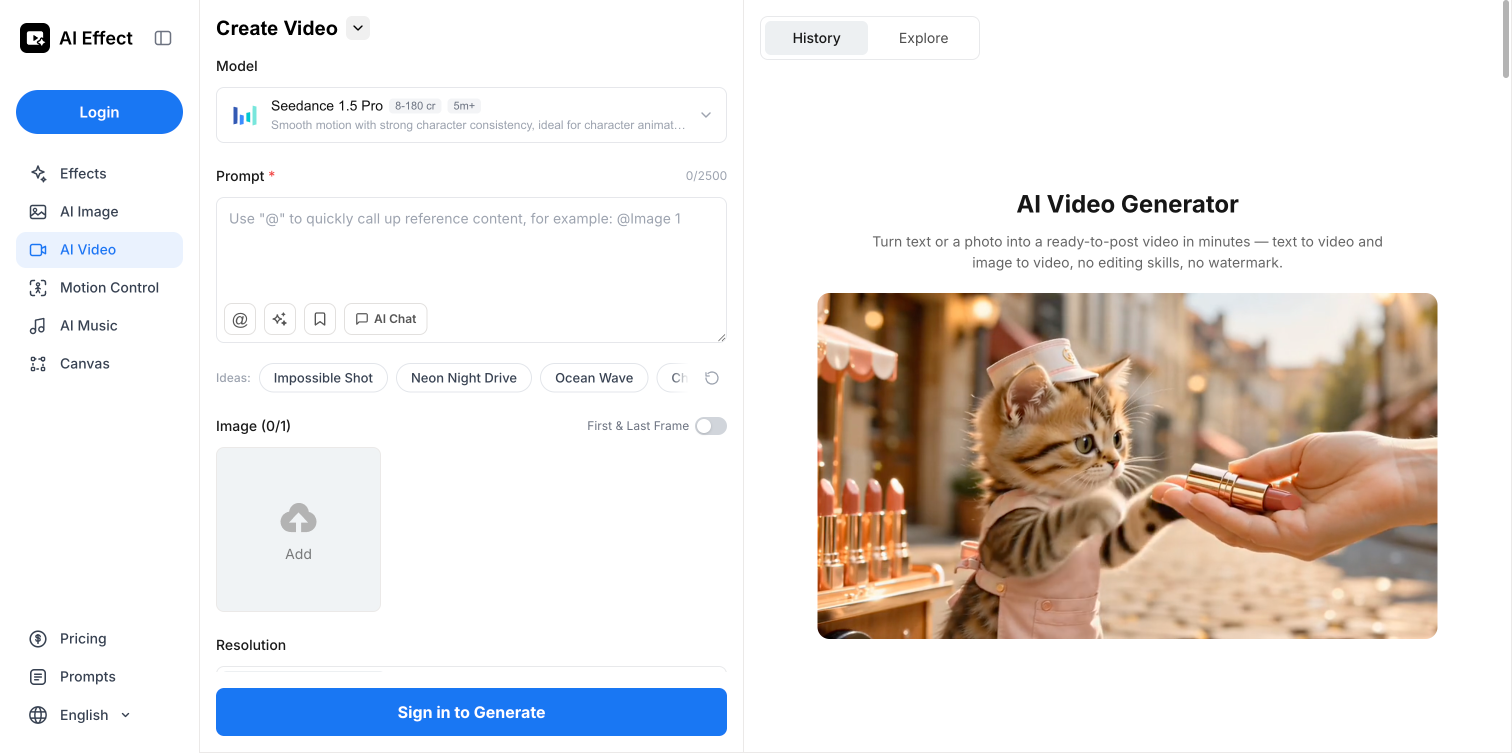
- Create professional, watermark-free videos from text, images, or clips in minutes without any editing experience — powered by a simple three-step upload, style, and generate process.
- Eliminate recurring costs with a pay-as-you-go model that charges only for videos you actually create — no subscription, no hidden fees, perfect for occasional creators and agencies.
- Maintain consistent character and product appearance across every frame for polished digital storytelling and product ads — using top AI models like Veo 3.1 and Kling 3.0 that preserve aesthetic integrity.
- Generate multiple video variations for campaigns, social media posts, or client work without studio or editing expenses — by transforming text prompts or product images into dynamic, high-quality outputs.
- Access the tool from any device or location with internet connectivity for on-the-go video creation — cloud-based design requires no software installation or downloads.
Pros & Cons
Pros
- Transforms text, images, video
- User-friendly three-step process
- Pay-per-use model
- Maintains aesthetic integrity
- Enhances visual quality
- No heavy editing software needed
- Use for social media
- Use for product advertisement
- Use for digital storytelling
- Provides watermark-free output
- Cloud-based service
- Promptly generated videos
- Integration of Veo 3.1
- Integration of Kling 3.0
- Integration of Seedance 2.0
- Data privacy maintained
- No queuing or delays
- High-quality video output
- No subscription required
- No brand watermarks
- Immediate video generation
- Broad usage scenarios
- Variety of visual styles
- Select video duration
- Download and share instantly
- No editing skills required
- No hidden fees
- No waiting or queue
- Makes storytelling easy
- No need for reshooting
- Visual style change
- Quality improvement options
- Creative effects addition
- Effect options available
- Generate videos faster
- User content kept private
- Data never used for training
- Facilitates quick prototyping
- Saves learning curve and setup
- Facilitates content creation at scale
- Adjust video length
- Use credits that never expire
- Experiment with styles and visuals
- Can improve existing videos
- Effective for social media content
- Ease in content creation
- No complexity for creators
Cons
- Limited video style selection
- Requires high-speed internet
- No offline mode
- Limited duration of videos
- No integrated sharing options
Reviews
Rate this tool
Loading reviews...
❓ Frequently Asked Questions
The AI Video Generator is a robust tool that transforms input such as text, images or existing video clips into high-quality videos. Users are not required to subscribe and the model adapted is pay-per-use.
The AI Video Generator functions through a user-friendly three-step process. Users provide an input like text, image or video, select an appropriate visual style, and generate the video which is mostly ready within a short span of time.
Key features of the AI Video Generator include its ability to transform text or photos into videos instantly, watermark-free output, no subscription requirement, high-quality video production, and speedy efficiency. It's built with top-performing AI models and ensures user privacy by not utilizing user content for AI training.
To create a video using the AI Video Generator, you firstly enter a prompt or upload media such as text, image, or a video clip. Secondly, you choose the style, duration, and model that fits your idea. Lastly, you generate and download your video which usually gets ready in minutes.
No, a subscription is not needed for using the AI Video Generator. It operates on a 'pay-per-use' basis where you're only charged specifically for the videos you generate.
Yes, the AI Video Generator is cloud-based. This means it can be accessed from any device or location with internet connectivity, which adds to its convenience and versatility.
The AI Video Generator integrates top performing AI models like Veo 3.1, Kling 3.0, and Seedance 2.0 into its platform to ensure the production of premium quality outputs.
The AI Video Generator respects user privacy by maintaining user content entirely private. It does not make use of user content for AI training, thus prioritizing and safeguarding users' privacy.
The AI Video Generator works efficiently, usually producing most videos within a convenient timeframe of a few minutes.
The pay-per-use model of the AI Video Generator indicates that you only pay for what you actually use or generate. This allows for cost-effective usage as you are not bound by a subscription, there being no hidden or extra fees.
Yes, the AI Video Generator is perfectly suited for creating social media content. Whether it's a social media post, a product advertisement, or a digital story, it caters to a wide range of usage scenarios and styles.
Yes, the AI Video Generator is committed to producing high-quality videos, enhancing the visual quality of the original inputs while maintaining their aesthetic integrity.
Yes, the AI Video Generator is ideal for creating enticing product advertisements. It can transform product images into eye-catching videos, boosting your product visibility without any additional cost like studio or editing expenses.
With the AI Video Generator, you can use text prompts, images, or existing video clips as inputs to generate and transform them into high-quality videos.
The AI Video Generator maintains aesthetic integrity of the inputs by striving to enhance the original input's visual quality. It ensures that faces, characters, and products remain consistent across frames, showcasing their best attributes.
Yes, the AI Video Generator can enhance video quality. It can transform existing clips by changing the visual style, improving quality, or adding creative effects without needing to reshoot anything.
Typical uses of the AI Video Generator range from creating social media content, product advertisements, and digital storytelling to generating multiple video variations for campaigns, ads, and client work. It's well-suited for content creators, social media users, small businesses, and creative agencies alike.
Yes, the videos produced by the AI Video Generator are watermark-free. This opting for a more professional feel, and allowing for the videos to be used anywhere with no branding restrictions.
Yes, the AI Video Generator can be used for digital storytelling. With its ability to keep faces, characters, and products consistent across frames, it can effectively transform images and text into dynamic video narratives.
Yes, the AI Video Generator has a user-friendly interface. The process of generating videos involves simple steps that require no setup, timeline, or learning curve. This makes it accessible and easy to use, even for users with limited technical skills.
Pricing
Pricing model
Freemium
Paid options from
$5/unit
Billing frequency
Pay-as-you-go
Refund policy
View Policy