AI Image Extender.io
Overview
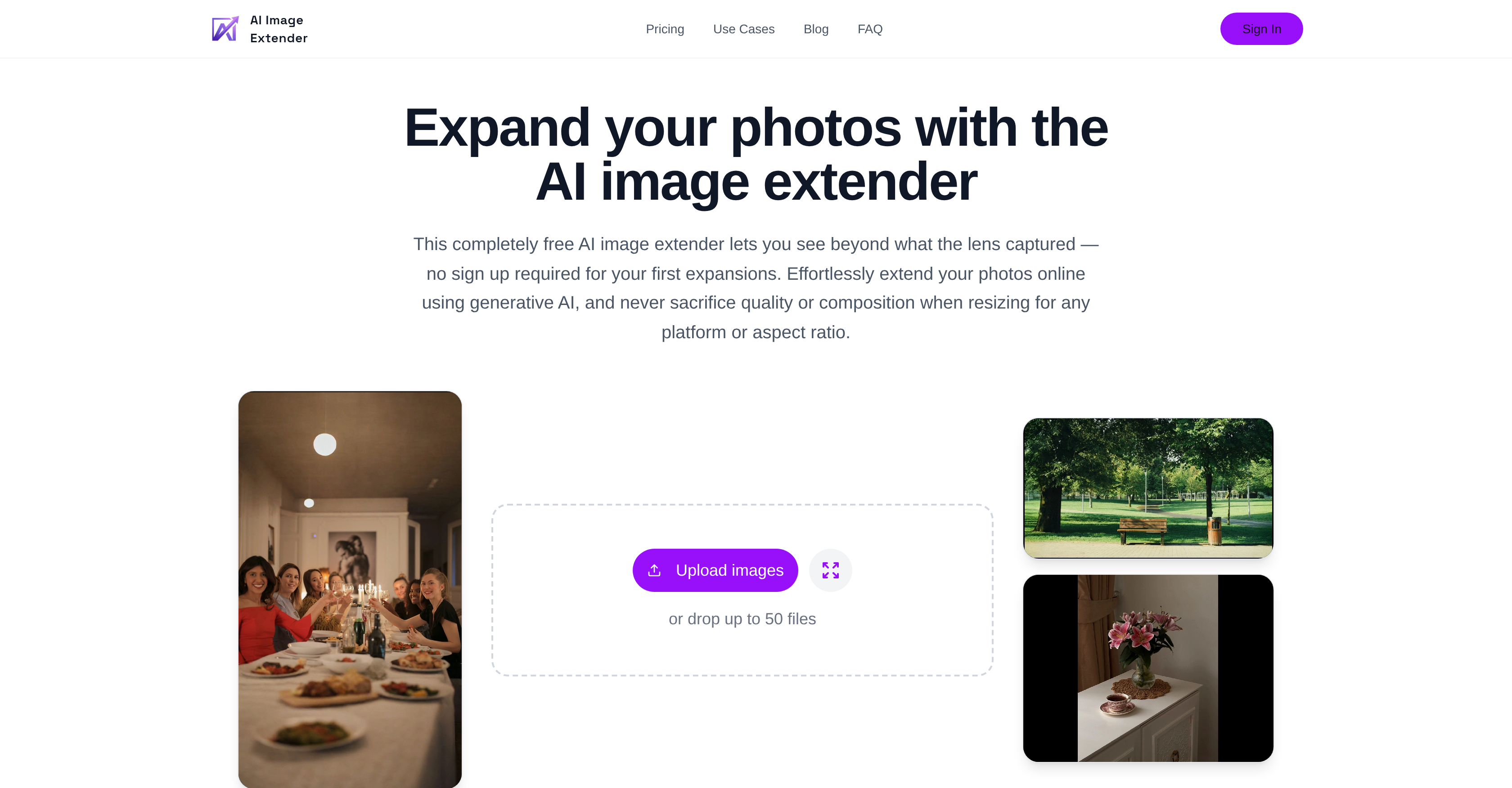
- Repurpose a single image for any social media platform or campaign without distorting the subject, using AI that intelligently adds new pixels instead of cropping or stretching.
- Scale your workflow by processing up to 50 images simultaneously with consistent, professional results, enabled by batch processing for premium subscribers.
- Get professional-grade photo expansions with seamless edges and natural background details, using generative AI algorithms that blend new pixels with the original composition.
- Complete image expansions in seconds from any device, using a simple three-step process designed for fast turnarounds on both web and mobile platforms.
- Maintain the original visual impact and context of your photos when changing aspect ratios, as the AI preserves the subject and overall composition during expansion.
Pros & Cons
Pros
- Expands images preserving quality
- Quick adjustments capability
- Eliminates complex design suites
- Intelligently adds new pixels
- Preserves subject's context
- Adds natural background details
- Smooths image edges
- Creates extra space
- Delivers professional outcome
- Supports batch processing
- 50 images simultaneous expansion
- Saves time
- Maintains output consistency
- Faster than traditional tools
- Image ratio control
- Social media optimization
- Photo optimization
- Fast processing
- Photoshop alternative
- Premium subscriptions
- Usability and speed focused
- Free for initial uses
- Resizes for any platform
- Lighter workflow
- Free to try
- No signup required initially
- HTTPS encryption
- No awkward crops
- Preserves image subject
- Clean output
- Preset aspect ratio templates
- Natural background details
- Perfect for every social media
- Generates new pixels
- Supports multiple aspect ratios
- Clear pricing plans
- Mobile usability
- Web usability
- Automated image expansion
- Secure data
- Retains original image context
- Comparative plans (Premium, Pro)
- Optimized for social media
- Supports multiple image formats
- Direction selection for expansion
- Quality retention on resizing
- Consistent output at scale
- Creates extra space in images
- Fast turnarounds on platforms
- Extension beyond original dimensions
- Automated batch expansion for subscribers
Cons
- No edit capabilities
- No design suite features
- No deep retouching
- Subscription for batch processing
- Limited to 50 images per batch
- No custom prompt option
- No free batch processing
- Limited to aspect ratio expansion
- Not ideal for intricate designs
Reviews
Rate this tool
Loading reviews...
❓ Frequently Asked Questions
The AI Image Extender is a generative AI tool designed to expand images to any desired aspect ratio. It adds new pixels intelligently to extend the image while preserving image quality and the subject's context. It's designed for quick adjustments on both web and mobile platforms, eliminating the need for complex design suites.
AI Image Extender extends an image without compromising its quality or context by using AI algorithms to intelligently add new pixels. This method stands in contrast to simple cropping or stretching, which can distort or lose elements of the original image. Instead, the AI maintains the image's structure and relevance as it expands.
Yes, AI Image Extender can be used for professional photography purposes. It's perfect for extending photos for professional representations, as it adds natural background details, smooths edges, and creates extra space around your photo, resulting in a professional and adaptable outcome.
AI Image Extender employs AI algorithms that add pixels to the edges of the image in a way that aligns with the context and the aesthetic of the original photo. This includes blending colours, replicating patterns, and generating elements that create a seamless expansion. The edges are smoothed for a natural and professional finish.
AI Image Extender supports batch processing, allowing expansion of up to 50 images simultaneously for its premium subscribers. This feature helps save time and maintain output consistency across multiple images.
AI Image Extender aids image repurposing across different platforms by allowing the user to adjust the aspect ratio to meet platform-specific requirements without compromising the quality or context of the image. As such, it can be essential for content creators, designers and photographers who need to adjust images for different social media or web platforms.
The exact speed at which AI Image Extender processes an image isn't specified on their website. However, it emphasizes its ability to make fast adjustments, delivering quick turnarounds on web and mobile. It is therefore reasonable to infer that the tool has been optimized for speed.
AI Image Extender offers several advantages over traditional design tools, especially for image expansion tasks. It allows users to quickly adjust the aspect ratio of an image by intelligently generating pixels, preserving the quality and context of the image, unlike simple cropping or stretching. It's a lightweight tool, making it a faster alternative to complex design suites.
AI Image Extender finds relevance in content creation and social media preparation by enabling the user to expand images for specific social media platform requirements. It preserves the quality and context of the image, ensuring that the image aligns with the desired aesthetics and maintains its visual communication value across different platforms.
Yes, AI Image Extender is a completely free tool. There is no sign-up required to use it for your first expansions.
Premium subscription of AI Image Extender includes enhanced features such as the ability to process up to 50 images simultaneously in a single batch. However, their website does not offer specific details about the cost or other benefits.
No, there isn't a sign-up required to use AI Image Extender for your first expansions. After the first use, the terms might change.
Yes, AI Image Extender can be used on both web and mobile platforms. This allows users to make quick adjustments on-the-go.
To use AI Image Extender, first, upload the image you wish to expand. Then, select the desired direction or ratio. The AI will then generate a usable result which you can save and download.
AI Image Extender adjusts the aspect ratio of an image by expanding it, adding new pixels that match the rest of the image, rather than just stretching existing pixels or cropping the image. This intelligent pixel generation maintains the image's quality and context throughout its transformation.
AI Image Extender can expand any digital image to a desired aspect ratio. This includes photos, digital art, and graphics. It adjusts images for different applications such as social media preparation, professional representation, web design, and more.
AI Image Extender differs from Photoshop in that it specializes in image expansion while maintaining the context and quality of the image. Photoshop is a complete design suite for advanced image editing and retouching. While Photoshop can fulfill many creative needs, AI Image Extender is designed specifically for quick image expansions, offering a faster and lightweight alternative.
AI Image Extender maintains the output consistency by applying the same pixel generation method and standards to all parts of the image during the expansion. This ensures that the expanded image retains the same look and feel of the original image, and in cases of batch processing, keeps the consistency across all images.
AI Image Extender uses generative AI algorithms to intelligently add new pixels to an image during expansion. Specific information about these algorithms is not explicitly stated on their website.
For premium subscribers, AI Image Extender offers enhanced features such as the capacity to expand up to 50 images simultaneously in a single batch. It may potentially include other benefits although detailed information about additional features is not explicitly mentioned on their website.
The AI Image Extender is a generative AI tool designed to expand images to any desired aspect ratio without compromising the image quality or composition. It intelligently generates new pixels to maintain the context and quality of the original image during its expansion. The tool is designed for quick adjustments intended for both web and mobile use. Unlike traditional image resizing methods, it adds natural background details, smooths edges, and allows customization of the expansion direction, making the expanded image appear natural and professional.
The AI Image Extender retains image quality during expansion by using generative AI algorithms. Instead of cropping or stretching, it creates new pixels that seamlessly blend with the original pixels. This approach not only preserves the quality of the image, but upholds the subject's context by adaptive generation of natural background details and smooth edge transitions.
The AI Image Extender differs from traditional design tools as it is primarily built for quick and simple image expansion jobs. Unlike larger design suites, it does not require complex, time-intensive setups. With a simple upload, select, and generate process, it provides users with a faster, streamlined workflow. Traditional tools use cropping or stretching methods that can compromise the image composition or quality, whereas AI Image Extender uses generative AI to create new pixels, preserving the image quality and context.
The AI Image Extender is designed for fast turnarounds, expediting image expansion tasks both on web and mobile platforms. The exact speed of processing can vary depending on factors like image size and server load, but the goal is to provide a lightweight tool that enables quick adjustments, thus saving the user's time.
In the context of the AI Image Extender, batch processing refers to the ability to simultaneously process up to 50 images. This capability creates a streamlined workflow that saves time and maintains output consistency for content creators, designers, and photographers. However, the batch processing feature is exclusively available to premium subscribers.
The AI Image Extender plays an essential role in content creation by allowing creators to resize and repurpose their images for different platforms without losing quality or composition. Users can adjust images to fit various aspect ratios, add extra space around the photo for improved aesthetics, and generate natural background details for professional-grade photos. This ability to adapt images for multiple formats is especially useful for content creators repurposing shoots for different platforms.
Yes, the AI Image Extender can optimize images for social media. By allowing creators to adjust images to fit specific social media platform requirements, it ensures a professional and well-adapted visual presence on these networks. Plus, unlike a basic light image resizer, it intelligently generates new pixels rather than just cropping or stretching, preserving the quality and context of the image across all platforms.
Yes, the AI Image Extender can preserve the context of a subject during image expansion. Instead of simply stretching or cropping which can distort or eliminate parts of the image, the AI Image Extender uses generative AI to add new pixels that match and blend with the existing composition. This ensures that the subject and the overall context of the image remain intact, even when the image is significantly expanded.
The premium subscription of AI Image Extender includes exclusive features like batch processing, which allows simultaneous processing of up to 50 images. This not only increases productivity but also ensures consistency across a large volume of images. This feature can be particularly beneficial for content creators, designers, or photographers who frequently need to repurpose images for varying aspect ratios across different platforms.
The AI Image Extender is a faster alternative to Photoshop as it provides a more streamlined process for image expansion. While Photoshop and similar design suites require larger, time-intensive setups for layered retouching, AI Image Extender is purpose-built for quick image expansion with a simple upload, select, and generate process. It is targeted at users who need quick turnarounds rather than complex design adjustments.
The AI Image Extender is equally suited for web design and mobile compatibility. It is built for speedy turnarounds across desktop and mobile platforms, thereby providing a user-friendly solution for users who require quick adjustments on both web and mobile.
Yes, with the AI Image Extender, it is possible to control the ratio of an image. Users can choose from preset aspect ratio templates or opt for a custom expansion to meet their specific image ratio needs, ensuring that images are well-adapted for their intended display medium.
The AI Image Extender is considered a tool for photo optimization as it enables the enhancing and resizing of images without compromising the quality or composition. Through its use of AI algorithms, the tool maintains high quality and context, smoothing edges and adding natural background details. This makes it particularly useful for preparing professional-grade images that are optimized for specific applications or media platforms.
The AI Image Extender can certainly be used to aid marketing campaigns. With its efficient image expansion and customization capabilities, marketers can easily adapt visuals for various platforms and aspect ratios. By preserving image quality and context, images remain eye-catching and professional, helping to boost the impact of marketing campaigns across different platforms.
The AI Image Extender adds natural background details during the image expansion process by using its generative AI algorithms. It creates new pixels that blend seamlessly with the existing ones, filling in the expanded areas with details that match the original image in terms of colour, texture, lighting, and overall visual characteristics. This results in an expanded image with a natural-looking and visually cohesive background.
The AI Image Extender smoothens the edges of an image by generating new pixels based on the existing ones and blending them in smoothly. This smart pixel generation ensures that the expanded areas of the image don't exhibit harsh or visible divides at the edges, contributing to a more professional and natural-looking final result.
The AI Image Extender differs from a light image resizer as it does not simply stretch or crop images. Instead, it uses generative AI to intelligently create new pixels that match the original image. This not only allows the AI Image Extender to retain image quality and context, but also to add natural background details and smooth transitions. So instead of just increasing the dimensions of an image, it augments the image in a more comprehensive and visually pleasing manner.
The efficiency of the AI Image Extender comes from its use of AI algorithms for quick and accurate image expansion, its ease of use, and its specialized functions. It allows users to easily upload an image, select the desired orientation or ratio, and generate a high-quality result. Additionally, it supports batch processing (available to premium subscribers), enabling simultaneous processing of up to 50 images, thereby saving time and ensuring consistency in output.
The AI Image Extender is user-friendly and built for speed. It presents a simple three-step process: Upload an image, select a direction or ratio, and generate a result. This easy and quick process eliminates the need for setting up larger workflows. In addition, it provides a seamless user experience across both web and mobile platforms, enabling fast turnarounds and convenient usability wherever the user may be working from.
Yes, the AI Image Extender can process images without sacrificing the composition. Unlike simple cropping or stretching which can damage the composition, it generates new pixels to preserve not only the quality but also the subject's context in the image. This ensures that the original composition of the image remains undistorted and visually harmonious, even after expansion.
Pricing
Pricing model
Freemium
Paid options from
$4.99/month
Billing frequency
Monthly