
AI Inspo | Image to Video Generator
Overview
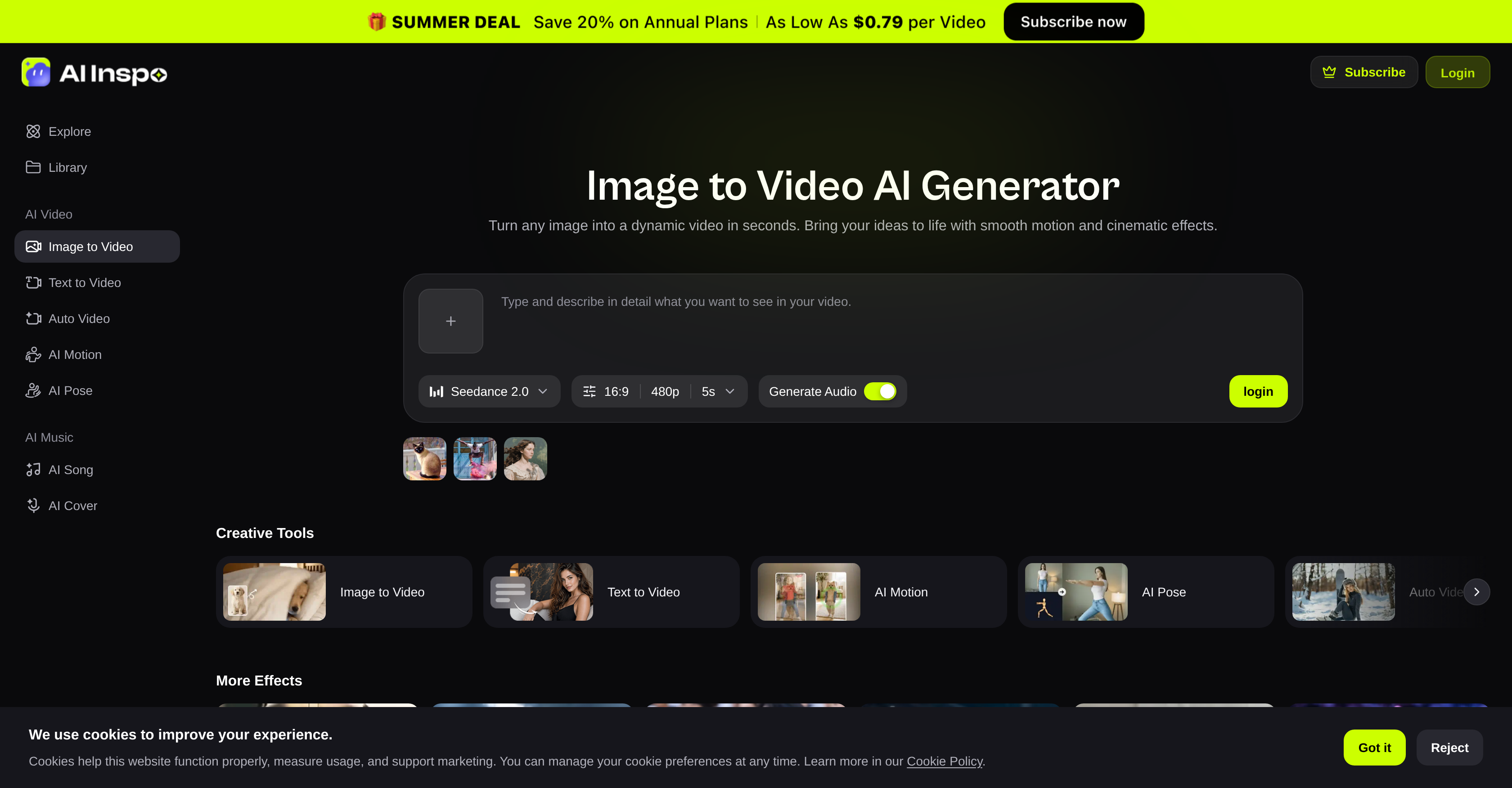
- Produce professional-quality video content from any still image in seconds, powered by advanced AI models like Sora, Runway, and Kling for smooth motion and cinematic effects.
- Engage social media audiences instantly by turning product photos, portraits, or landscapes into dynamic videos optimized for TikTok, Reels, and YouTube Shorts.
- Eliminate complex timeline editing and technical skills entirely—upload an image, describe the motion or pick a preset animation style, and preview the animated result within moments.
- Generate compelling advertisement content from static product images to drive viewer attention and conversions, without needing a video production team.
- Experiment freely with diverse animation styles and visual effects across multiple AI models, unlocking creative flexibility for personal photo animation, graphic design, and digital marketing campaigns.
- Preview every generated video instantly before downloading, ensuring the motion and quality meet your exact vision for the project.
Pros & Cons
Pros
- Transforms images into videos
- Advanced cinematic effects
- No editing skills required
- Supports all image types
- Optimized for speed, efficiency
- Animation styles and visual effects
- Broad creative scope
- Helps generate social media content
- Instant video generation
- User-friendly interface
- Robust for marketing and advertising
- Supports motion description
- Animation presets
- Instant video preview
- Easy download process
- Useful for personal photo animation
- Professional quality results
- Shortens content creation time
- Enables digital artwork animation
- Expedites product showcasing
- No timeline editing required
- Ideal for e-commerce
- Tool for graphic designers
- Supports motion graphics
- Image to Music
- Text to Video option
- Auto Video tool
Cons
- Limited animation style customization
- No direct social media integration
- No intermediate editing options
- Inability to animate multiple images
- Lacks audio adding feature
- Doesn't support raw image format
- No multi-language support
- Requires internet connection
- No batch processing features
- No mobile app available
Reviews
Rate this tool
Loading reviews...
❓ Frequently Asked Questions
AI Inspo's Image to Video Generator is an AI-powered tool that transforms static images into dynamic videos by animating them with high-quality cinematic effects. It allows the transformation of any type of image into a motion-filled video within seconds, without requiring any creative editing skills or complex software knowledge.
AI Inspo's Image to Video uses advanced AI models such as Sora, Runway, and Kling to interpret and animate images. Users can upload an image and describe the motion they want or choose a preset animation style. The AI tool takes the user's input and applies the described or chosen motion to the uploaded image to generate a dynamic video.
AI Inspo's Image to Video can transform any type of image. Be it a portrait photo, a landscape shot, or a product image, AI Inspo's Image to Video can turn it into a motion-filled video.
AI Inspo's Image to Video is optimized for speed and efficiency. It can generate a video from a still image within seconds.
Sora, Runway, and Kling are advanced AI models used by AI Inspo's Image to Video to generate diverse animation styles and visual effects, offering users flexibility and a broad scope for creative experimentation with formats.
Yes, users can control the type of motion or animation applied in AI Inspo's Image to Video. They can either describe the motion they want or select a preset animation style, giving them the freedom to customize the output according to their preferences.
Content creators, graphic designers, and digital marketers can use AI Inspo's Image to Video to animate photos, artworks, and designs for various applications. These might include creating dynamic video content for social media marketing, product showcases, and advertisements, all of which can help engage viewers and enhance brand visibility.
No, it's not necessary to have technical skills to use AI Inspo's Image to Video. The tool has been designed to be user-friendly and doesn't require timeline editing or technical skills. Everything from upload, motion description or preset selection, to generating the dynamic video is facilitated through an interactive and straightforward interface.
AI Inspo's Image to Video stands out from other AI video tools due to its unique ability to create professional-quality videos from still images within seconds. Unlike many tools, it doesn't require technical skills or timeline editing. The advanced AI models it incorporates and the diverse animation styles and visual effects it offers set it apart.
AI Inspo's Image to Video can animate static visuals, making them more engaging for social media audiences. This tool can be used by marketers and content creators to transform single images into dynamic video content perfect for platforms such as TikTok, Reels, or YouTube Shorts.
Yes, AI Inspo's Image to Video can handle various animation styles and visual effects. It uses advanced AI models like Sora, Runway, and Kling that generate diverse animation styles and visual effects.
To convert an image into a video with AI Inspo's tool, users need to upload an image, describe the motion they want or choose a preset animation style, and then click generate. The tool instantly turns the still image into an animated video.
Yes, users can preview the video before downloading it on AI Inspo's Image to Video. The tool provides an instant preview feature which presents the generated video for review seconds after the animation process is completed.
The quality of the videos generated by AI Inspo's Image to Video is high. The AI transforms images into dynamic videos with smooth motion and high-quality cinematic effects making the output suitable for professional use.
Yes, AI Inspo's Image to Video offers preset animation styles. Users can choose from these presets to quickly apply a specific style of motion to their images if they prefer not to describe a motion themselves.
Yes, AI Inspo's Image to Video can be efficiently used to generate advertisement content. By turning static product images into dynamic, engaging videos, brands can create engaging ads that can help attract viewers and drive conversions.
AI Inspo's Image to Video is optimized for speed and efficiency through its use of optimized AI rendering pipelines. This design enables it to process an image and generate a professional-quality video from it within mere seconds.
Yes, AI Inspo's Image to Video can be used for personal photo animation. Users can upload their personal photos to the tool and animate them into dynamic videos for personal enjoyment or sharing on social media.
AI Inspo's Image to Video features a user-friendly interface. The process of turning an image into a video requires simple steps such as uploading an image, describing the motion or selecting a preset, and clicking on 'generate'. No technical skills or complex software knowledge is required.
Pricing
Pricing model
Free Trial
Paid options from
$7.90/month
Billing frequency
Monthly