AI Presentations App
Overview
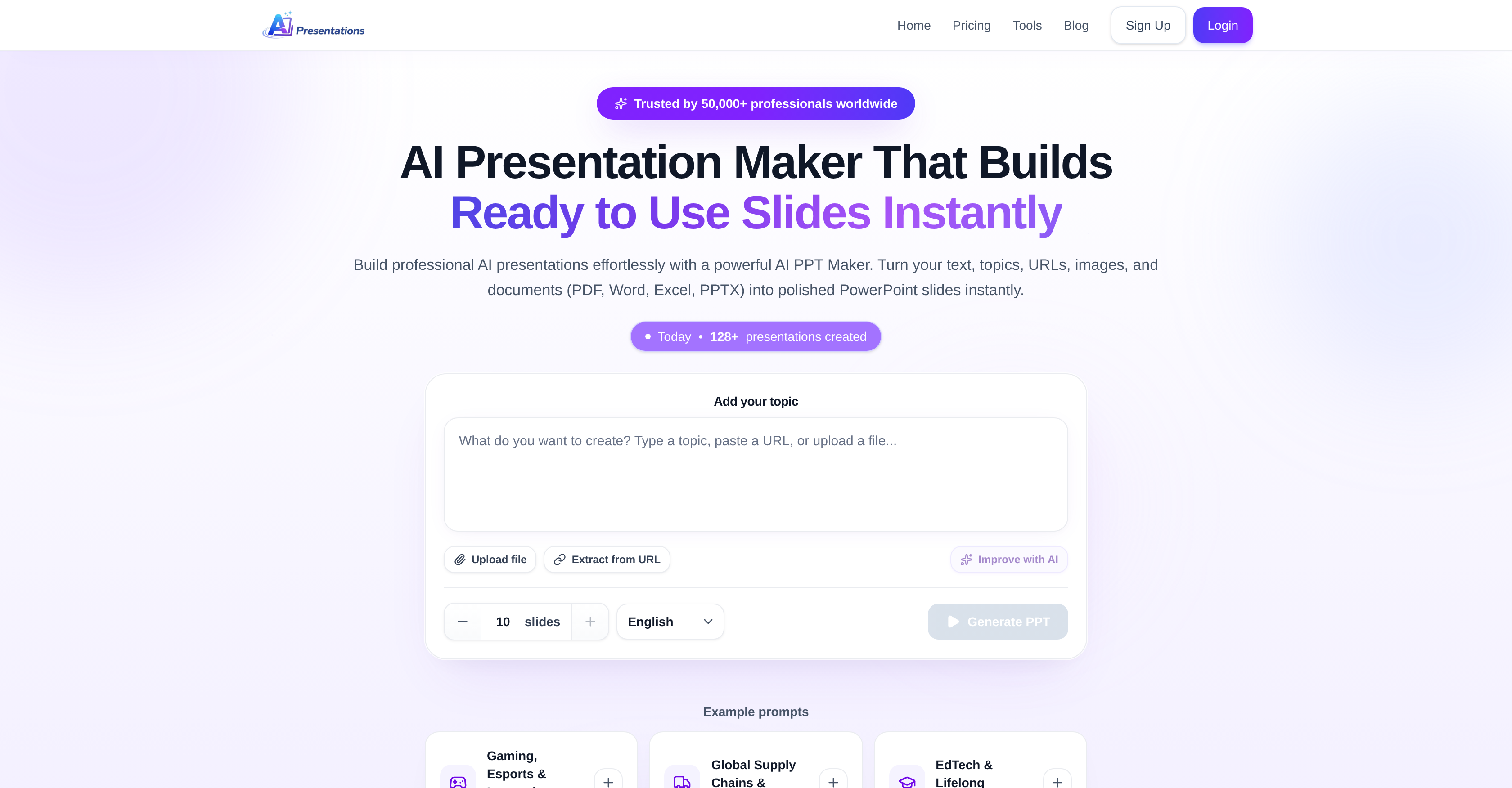
- Create a complete, professional slide deck from any topic, text, PDF, Word, Excel, or PPTX file in just three steps—by pasting your input, reviewing the generated outline, and clicking generate.
- Edit any slide directly inside the tool without regenerating the entire presentation—saving hours of rework when you need to tweak content, titles, or structure.
- Add relevant visuals instantly with the built-in image search—no need to open a separate browser tab or hunt for stock photos.
- Refine existing presentations by expanding short slides, summarizing long ones, or improving slide titles using the dedicated AI assistant—without starting from scratch.
- Export the finished slide deck to MS PowerPoint for final polish or offline use—ensuring compatibility with your existing workflow.
- Convert uploaded PDF, Word, Excel, or PPTX documents into a structured presentation outline automatically—eliminating manual reformatting of dense reports.
- Optimize individual slides by reformatting, adding or removing visuals, and adjusting content—all controlled by simple prompts within the tool.
Pros & Cons
Pros
- Supports various file formats
- Editable outlines before generation
- In-tool presentation edits
- Inbuilt image search
- Can refine existing presentations
- Expand short slides
- Summarize long slides
- Improve slide titles
- Supports direct MS PowerPoint export
- No full regeneration required
- Create presentations from prompts
- User-friendly interface
- Multi-format content import
- Text to PowerPoint feature
- Automatic slide optimization
- Compatibility with any OS
- Real-time content modification
- Various themes, fonts, colors
- Multiple usage applications
- No additional formatting required
- Fully editable PPTX output
- Content privacy and security
- Improved storytelling and clarity
- Faster content creation
- No design skills required
- Automated layout and formatting
- Accessible from any device
- One-tool solution for presentations
- Tool used by professionals
Cons
- No offline functionality
- No multilingual support
- Limited template styles
- Exclusively PPTX format export
- Dependent on user prompts
- Single user-centered design
- Requires extensive user inputs
- No video or animation capabilities
- No built-in analytics tools
- Modifications don't auto save
Reviews
Rate this tool
Loading reviews...
❓ Frequently Asked Questions
AI Presentation Maker is a powerful tool that streamlines the creation of professional PowerPoint presentations. It transforms user-supplied prompts, ideas, text, images, URLs, and documents into well-crafted PowerPoint slides instantly.
To create a presentation, AI Presentation Maker begins by understanding the user's prompt, whether it's a topic, file, or a document. From the input, it displays a presentation outline which the user can edit if necessary. Upon approval of the outline, AI Presentation Maker generates a complete slide deck which can be edited directly within the tool or exported for use in MS PowerPoint.
AI Presentation Maker accepts a wide variety of inputs, including text inputs on a given topic, URLs, images, and documents such as PDF, Word, Excel, or PPTX files.
Yes, editing the outline of the presentation is an integral step in the process of creating a presentation with AI Presentation Maker. The user has the freedom to make changes to the outline prior to the generation of the complete slide deck.
Yes, one of AI Presentation Maker's unique features is the ability to make targeted modifications within the presentation. This eliminates the need for regenerating the entire content if updates or changes are required.
Yes, AI Presentation Maker features an inbuilt image search, allowing users to easily add visuals to their slides, enhancing the overall impact and effectiveness of their presentations.
The AI assistant in AI Presentation Maker works to refine and improve the presentation. The AI assistant has the ability to expand on shorter slides, summarize longer ones, and improve slide titles, among other capabilities.
Yes, AI Presentation Maker supports the import of a spectrum of file types including PDF, Word, Excel, and PPTX. Users can upload such files, and these are instantly processed into a presentation outline.
Absolutely, AI Presentation Maker's core function is to turn documents into PowerPoint slides instantly. The tool is designed to transform PDF, Word, Excel, or PPTX documents and files of other formats into polished PowerPoint slides, simplifying the presentation-making process.
AI Presentation Maker optimizes slides by analysing user prompts and creating a structured, coherent presentation. It allows users to reformat, add or remove visuals, and make specific changes to optimize individual slides, all with the help of an AI assistant designed to refine and improve the presentation.
Indeed, AI Presentation Maker excels at converting text into PowerPoint slides. Given a specific text input, the tool can generate a professionally designed slide deck almost instantaneously.
AI Presentation Maker incorporates several user-friendly features. The interface guides users through three simple steps to create a presentation. It also allows direct editing within the tool, eliminating the need to export content for minor changes. Moreover, there's a provision for targeted changes that doesn't require regeneration of the entire content, saving time for users.
Yes, after the completion of the slide deck, users can export it for use in MS PowerPoint. This allows users to review the presentation in another familiar format or make further edits outside the AI Presentation Maker if they prefer.
AI Presentation Maker serves as a remarkable productivity tool. It automates the process of creating professional presentations, allowing users to focus on content and idea generation. The tool saves time and effort by eliminating the intricacies of manual slide design and format settings.
Yes, AI Presentation Maker can be used effectively for both business and education purposes. The tool can simplify the creation of presentations for business pitches, market research, project updates, investor decks, and more. Similarly, in the educational context, it can be used to create presentations for research reports and book summaries among other uses.
AI Presentation Maker processes user prompts in two stages. Initially, it comprehends the prompt, which can be a topic or a file that's been uploaded. Based on the interpreted information, it displays an outline for the presentation. This outline can be edited and once approved, the tool generates a complete slide deck.
AI Presentation Maker also comes with a unique AI assistant designed to refine and improve existing presentations. It offers capabilities like expanding short slides, summarizing long ones, improving titles, and even generating speaker notes and presentation flow.
Yes, an example workflow in AI Presentation Maker starts with typing a topic, uploading a file, or providing a URL. The tool then generates an outline for your presentation. If you approve, it then swiftly creates a complete slide deck which can be edited within the tool or exported for use in MS PowerPoint.
Yes, AI Presentation Maker provides an output in the form of a complete slide deck which can be used instantly for presentations. This output can be directly opened in MS PowerPoint for a review or be edited directly within the tool. The final product is a well-structured, coherent, and professionally designed presentation.
Yes, presentations can be fine-tuned and improved directly within AI Presentation Maker. The tool's AI assistant is capable of refining and enhancing presentations, improving slide titles, messaging, clarity, and structure, expanding or summarizing individual slides, and adding new slides without disrupting the structure.
Pricing
Pricing model
Freemium
Paid options from
$4.17/month
Billing frequency
Monthly