Overview
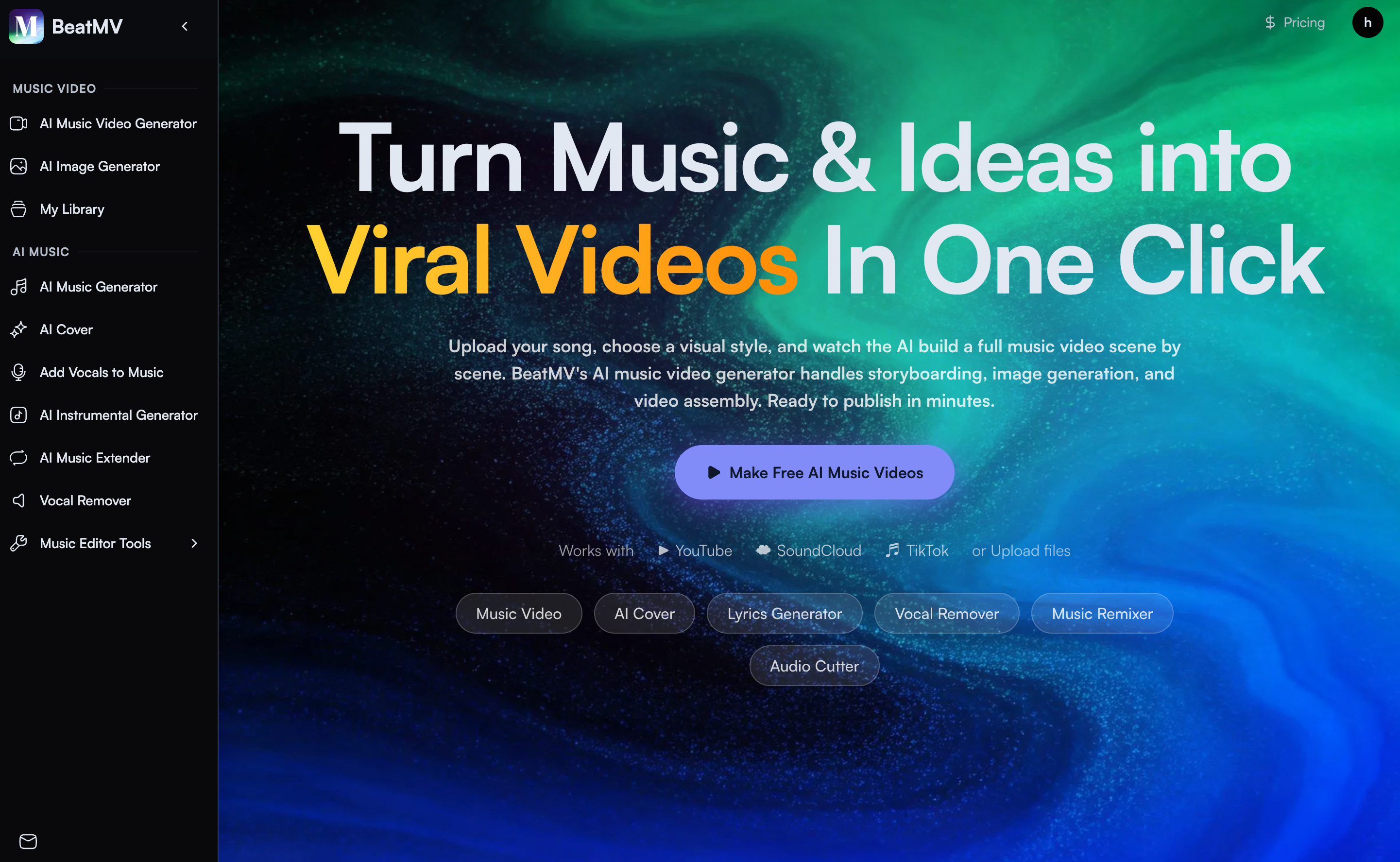
- Transform any song into a professional music video in minutes without editing skills, using AI that automates storyboarding, image generation, and video assembly
- Create videos perfectly synced to your music's rhythm and lyrics, with transitions and effects that land on beat drops for a polished, dynamic result
- Customize every scene with frame-by-frame guidance in Custom Mode, writing your own descriptions and choosing from over 20 visual styles like Anime, Cinematic, or Cyberpunk
- Export videos ready for TikTok, Instagram, and YouTube in multiple formats, enabling direct publishing to your social media channels
- Generate complete, original songs from a text prompt or create fresh covers using 100+ vocal styles, all within the same AI music creation platform
Pros & Cons
Pros
- Custom music video creation
- Automatic storyboard generation
- Works with YouTube, SoundCloud
- Supports MP3 file upload
- Exports in multiple formats
- Custom scene descriptions
- User-guided visual styles
- User-directed frame guidance
- Different modes for genres
- Over 20 visual styles
- Synced transitions and effects
- No editing skills required
- Smart audio analysis
- Cinematic storytelling capabilities
- Vocal performance enhancement
- Choreographed video creation
- Adaptable to various genres
- Scene-by-scene creation
- All major audio formats supported
- Visual editing per scene
- Character addition with reference photos
- Customizable video styles
- Multiple export formats
- Ready for social media sharing
- Automated storyboarding
- Customizable music platform compatibility
- Auto handles storyboard, angles, images
- Drag & Drop scene reorder
- Prompt scene editing
- Scene image regeneration
- Lyrics and caption addition
- All platform-ready formats
- No need for manual editing
- Supports changing camera angles
- Automatic scene image generation
- Automatic multi-scene music video assembly
- Option for creative control
- Anime, cinematic, retro styles
- Match visuals to music vibe
- Create own scene descriptions
- Professional results with zero editing
- Full creative control in custom mode
- Per-scene styling in custom mode
- Full scene editing control
- Beat-synced transitions and effects
- Emphasizes music cues and rhythm
- Hard cuts for EDM music
- Smooth fades for ballads
Cons
- Limited visual styles
- Not entirely user-controlled
- Inconsistent character representation
- One-size-fits-all approach to genres
- Limited customizability through modes
- Requires internet connection
- Dependent on music platform compatibility
- Export format constraints
- Syncing not always accurate
- No offline functionality
Reviews
Rate this tool
Loading reviews...
❓ Frequently Asked Questions
BeatMV allows users to upload a track from various platforms such as YouTube, SoundCloud, or by inserting an MP3 file link.
In BeatMV, the AI integrates into the system to analyze both the beat and lyrics of the music.
No editing skills are required to use BeatMV as the AI autonomously handles the storyboard, image creation, and video assembly.
Key features of BeatMV include AI characters, music platform integration, automatic video assembly, customizable video software, beat syncing, lyrics analysis, music genre-based video styles, storyboard creation, music visualization, and video export in multiple formats.
Yes, in the custom mode provided by BeatMV, users have the option to write their own scene descriptions, select specific visual styles, and provide guidance for each frame.
BeatMV offers more than 20 visual styles to cater to different music genres.
Yes, BeatMV ensures that transitions and effects are synced with the beat to deliver a smooth and visually appealing video.
BeatMV allows export of created videos in multiple formats to cater to different platforms and user requirements.
Yes, the AI of BeatMV is designed to analyze the lyrics of the uploaded music, aiding in the creation of the storyboard and video.
BeatMV is designed to be user-friendly and does not require any editing skills to be used effectively.
BeatMV proposes different modes for various genres such as Story Mode for cinematic storytelling, Singing Mode for vocal performances, and Dancing Mode for choreographed videos.
Yes, BeatMV can be used free of cost, serving as a platform for many creators to produce AI music videos as per their creativity.
The storyboard creation feature in BeatMV involves the AI automatically creating an image storyboard for each scene after analyzing the music, effectively turning frames into a video.
The AI in BeatMV handles functionalities such as analyzing both the beat and lyrics of the music, creating an image storyboard for each scene, turning frames into a video, and syncing transitions and effects with the beat.
Yes, BeatMV is designed to turn frames into a video. The integrated AI does this effectively after creating an image storyboard for each scene.
'Singing Mode' in BeatMV is designed for creating videos for vocal performances, featuring options suitable for such content.
Yes, a user can upload a track from SoundCloud to create a music video using BeatMV.
BeatMV's AI handles video assembly through analyzing the music, crafting an image storyboard for each scene, and compiling these elements into a complete video.
The custom mode in BeatMV allows for more creative control, letting users write their own scene descriptions, choose specific visual styles per scene, and guide the AI frame by frame.
Yes, BeatMV's custom mode lets users guide the AI frame by frame, providing a high degree of control over the visual outcome.
BeatMV is an AI-powered music video generator that can swiftly and efficiently transform any song into a custom-made video. The tool supports audio inputs from various platforms such as YouTube and SoundCloud, or through an MP3 file link. It facilitates automated storyboarding, scene creation, and video assembly by analyzing the beat and lyrics of the music uploaded. BeatMV also houses a selection of over 20 visual styles that caters to different genres of music.
BeatMV works by analyzing the uploaded track for its beat and lyrics. From this, it generates an image storyboard for each scene and assembles these frames into a video. This process can be AI-led or user-guided with custom mode, offering elements of visual styling, scene descriptions, and frame guidance. BeatMV also offers AI characters that lip-sync with song lyrics and ensures the transitions and effects are synced to the beat.
To upload a track to BeatMV, you can either insert a link from a music platform such as YouTube or SoundCloud, or you can directly upload an MP3 file. After the track is uploaded, you would then choose a visual style, and let the tool create the music video.
BeatMV supports all major audio formats. This includes music sourced from platforms such as YouTube, SoundCloud, and you can also upload directly an MP3 file.
Yes, you can use BeatMV to create music videos at no cost. However, it also has premium features which come at a price.
BeatMV offers over 20 visual styles to select from, which cover various aesthetics and music genres. The available styles include Anime, Cinematic, Retro, Watercolor, Cyberpunk, Comic, Fantasy and Minimalist, among others.
BeatMV offers AI characters that have the capability to lip-sync with your song lyrics, adding a more dynamic feel to the created music video.
With BeatMV, you can customize your video by selecting the visual style, describing scenes, and guiding frames if you opt to use the Custom mode. You also have the option to add characters and use reference photos for consistency across the video.
The Custom Mode in BeatMV allows you to take more creative control over the video creation process. You can write your own scene descriptions, choose specific visual styles per scene, and guide the AI frame-by-frame in creating the storyboard and video.
BeatMV proposes different modes according to the genre of the music, such as Story Mode for cinematic storytelling, Singing Mode for vocal performances, and Dancing Mode for videos with choreography.
BeatMV supports various export formats, enabling you to directly publish the video on multiple social platforms including TikTok, Instagram, and YouTube.
Yes, BeatMV can be used for any music genre. It offers specific modes and visual styles per genre to give a more tailored video output that aligns with the music's feel and rhythm.
BeatMV has an integrated AI that ensures transitions and effects are synced with the beat of the music. This way, changes like scene transitions land perfectly with beat drops, camera movements follow the rhythm, and the transitions match the energy of the music to create a smooth and visually appealing video output.
No, you do not need editing skills to use BeatMV. The entire process is automated by the AI, from image generation and storyboard creation to the assembly of the multi-scene music video.
Yes, you can directly share your output video to various social media platforms such as TikTok, Instagram, and YouTube in suitable formats from BeatMV.
The AI in BeatMV creates an image storyboard by analyzing the beat and lyrics of the music track that you upload. It generates frames for each scene based on its analysis, which are then assembled into the music video.
Yes, you can add characters with reference photos to your video in BeatMV. This feature allows for consistency, as the same characters can consistently appear throughout the video scenes.
The time it takes to create a video with BeatMV can differ based on the number of frames or scenes in your video, but the process is designed to be swift and efficient, making video creation a matter of minutes.
Yes, BeatMV is compatible with major music platforms including YouTube, SoundCloud, and TikTok, as well as supporting direct upload of MP3 files.
Pricing
Pricing model
Free Trial
Paid options from
$11.90/month
Billing frequency
Monthly
Refund policy
Refund within 7 days of your initial subscription purchase and have used fewer than 20% of your plan's monthly credits, you are eligible for a full refund.