
Capturable
Overview
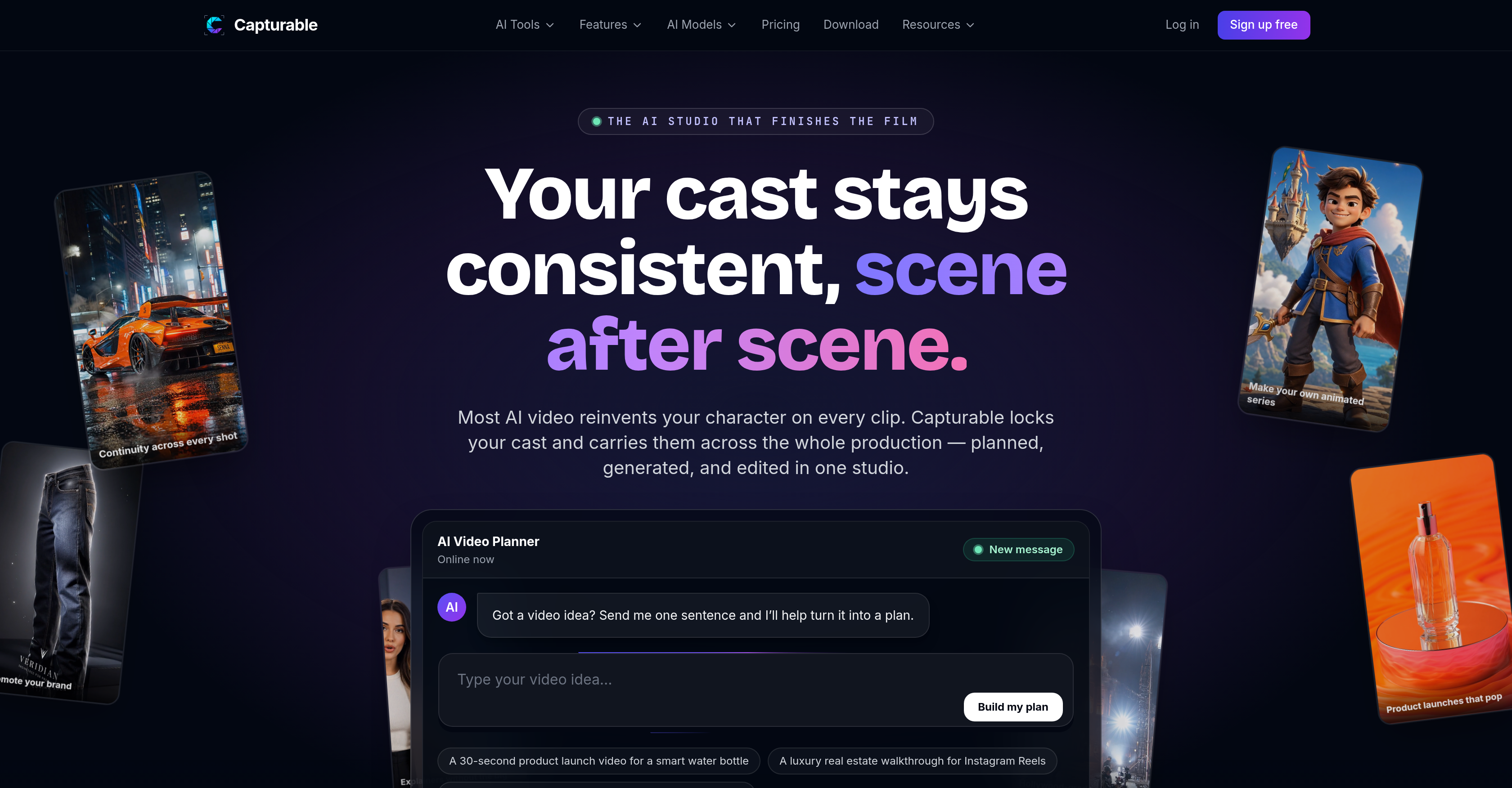
- Eliminate character inconsistency across entire productions by locking approved character references and wardrobes for reuse in every scene
- Turn a single-sentence video idea into a complete, production-ready plan with AI-driven scene breakdown and storyboard generation
- Preview the full film before rendering by converting an outline into a visual storyboard for batch scene generation
- Produce cohesive episodic content by reusing characters and worlds across multiple scenes or episodes without losing visual continuity
- Finish polished, movie-grade exports directly from a multi-track timeline with frame-level control over video, dialogue, music, and captions
- Automatically break down any script into scenes and shots while maintaining consistent character appearances across every generated clip
- Reduce production time by generating entire storyboards at once instead of creating clips individually
- Maintain coherent universe aesthetics by locking locations and looks for reuse across all scenes and episodes
Pros & Cons
Pros
- Comprehensive video production
- Multi-track timeline
- Storyboard feature
- Batch generation
- Script-to-video function
- Continuity across shots
- Character consistency
- Voiceover planning
- Cost estimation
- World building
- Scene generation
- Character creation
- Video rendering
- Built for full productions
- Character and world reusability
- Single-sentence idea to full plan
- High-quality final product
- Scene breakdown from script
- Frame chaining for continuity
- Real editing studio
- Frame-level control in editing
- Delivery-ready export
- Visual board of scenes
- Consistent look across scenes
- Approved character reference
- Locked identity for characters
- Consistency across scenes & episodes
- Coherent universe in videos
- Cast carried across the production
- Animation series creation
- Product brand promotion
- No setup form
- Same cast, every cut
- Designed for multi-scene content
- Auto scene breakdown
- Edit-ready output
- Approved character for reuse
- Locked location for consistency
- Coherent worldbuilding
- Not a clip maker
- Not one-off clips
- Scenes and structure planning
- Score, caption and export in one place
Cons
- Limited character customization
- No text-to-speech function
- Limited templates for storyboard
- No live preview option
- Lacks simple clip-making features
- Could be complex for beginners
- Lacks real-time collaboration features
- Doesn't offer 3D rendering
- No mobile application
Reviews
Rate this tool
Loading reviews...
❓ Frequently Asked Questions
Capturable is an AI-powered tool for comprehensive video production, providing the functionality needed for planning, character creation, voiceover planning, and cost estimation. It enables users to turn a single-sentence idea into a complete video plan. Features range from script generation to scene editing on a multi-track timeline, ensuring the final product is of high quality. Notably, Capturable offers character and world consistency features, allowing users to reuse characters or worlds across various scenes or episodes, thus maintaining a coherent universe throughout the video.
The script-to-video function in Capturable allows a user to paste a script into the tool, which it then breaks down into scenes and shots. It creates consistent characters and generates a multi-scene result. This feature ensures that characters named in your script stay consistent across scenes, giving the final video a more professional and structured feel.
Capturable's storyboard feature lets users see the whole film before rendering it. They can turn an outline into a visual board composed of scenes and shots. By offering this tool, Capturable provides users the ability to lock in their scenes and shots, ensuring character and style continuity, and perform batch generation of the entire storyboard at once, rather than generating it clip by clip. This feature significantly improves the planning and efficiency of your video project.
Capturable assists in maintaining character consistency in a video through its character and world consistency feature. Users can create characters or worlds once and reuse them across multiple scenes or episodes. Approvals for character references are locked and reused everywhere in the video, ensuring that the same face and wardrobe are carried across an entire production. This feature significantly reduces the common problem of character inconsistency in most AI video tools.
The multi-track timeline feature in Capturable allows users to script, generate scenes, and perform editing tasks on an arranged timeline. It connects all elements such as video, B-roll, dialogue, music, and captions with frame-level control. Moreover, it allows users to perfect the timing and sequence of events in their video, ensuring a polished, professional finish. Users can then export a finished film after editing.
Yes, Capturable is capable of voiceover planning. It facilitates the process of planning for voiceovers in the video production process, thereby enhancing the auditory aspect of the video by allowing synchronization of voice with the video content.
Capturable handles film continuity by enabling you to carry the same cast across an entire production. Frames are chained, which means that each shot continues from the last one, preserving the look and feel across cuts. It locks an approved character reference for use throughout the video, keeping your cast on-model even as the scenes change.
Capturable can indeed be used for world-building in a video. Its character and world consistency feature allows users to not only create characters but also create worlds that can be reused across multiple scenes or episodes. This feature ensures that locations and looks are locked so the universe in a video stays coherent.
Capturable turns a one-sentence video idea into a full plan with its comprehensive set of AI tools. These tools take the concept from an idea to a fully planned video ready for production. The AI processes the provided sentence and offers suggestions for implementing the concept into a video, which includes character creation, scene setting, storyboard creation, and more.
Capturable offers a range of creative and editing capabilities that make it more than just a simplistic clip maker. Users can script, generate scenes, and finish editing on a multi-track timeline. In addition, the tool facilitates character creation, voiceover planning, cost estimation, and batch scene and storyboard generation.
Yes, scenes can be generated in Capturable. It has a range of creative capabilities that include script-to-video conversion, which breaks down a script into scenes and shots. This ensures that the scenes in a video are professionally and logically structured, thus helping to deliver the underlying message in an effective and engaging way.
Capturable plays a crucial role in video exports as it allows for the final export of a polished, finished film. After all the editing and adjustments have been made on the multi-track timeline, you can render the cut at delivery resolution, presenting you with a movie-grade output right out of the platform.
Capturable integrates AI in video production chain to simplify and optimize the process. The platform uses AI to break down scripts into scenes, cast consistent characters, batch generate entire storyboards, and maintain a coherent universe throughout the video. Its AI is also utilized in planning scripts, planning voiceovers, providing cost estimation, and exporting finished productions.
Capturable offers users the ability to create consistent characters. Once a character is created with a specific face, wardrobe and vibe, they can be dropped into any scene or style and will stay consistent. This Character & World Consistency feature enhances the continuity of the video by ensuring that characters maintain their previously determined attributes across all scenes.
Yes, Capturable can assist in video rendering. After a user has made adjustments and finished the editing on the multi-track timeline, the tool allows for rendering a cut at delivery resolution. This ensures a high-quality output and spares users the hassle of exporting to another app for rendering.
Capturable stands out from other AI video tools for its comprehensive studio experience, designed for full productions instead of just simple clip creation. It maintains character and world consistency by locking character or world references for reuse throughout the video. Also, Capturable's storyboard feature allows users to visually plan their film and batch generate scenes rather than handling them individually. An added distinguishing feature is its script-to-video function that breaks down scripts into scenes and shots automatically.
Capturable ensures high-quality final video products by allowing users to script, generate scenes, and finish editing on a multi-track timeline. This process helps in maintaining the same face and wardrobe across an entire production, preserving the coherence and quality of the video. Additionally, it offers a storyboard feature that enables users to visually plan and see their entire film before rendering, helping them to make necessary modifications for the best result.
Yes, Capturable does allow for batch generation of storyboards. This feature lets users see the whole film before they render it by turning an outline into a visual board of scenes and shots. They can generate the entire storyboard all at once, optimizing the video planning process and reducing the time spent on generating clips individually.
Yes, in Capturable, characters or worlds can be reused across multiple scenes or episodes. Once a character or a world is created and approved, it can be used in various scenes and episodes, maintaining a coherent universe throughout the video. This feature makes Capturable suitable for creating multi-scene movies and episodic content.
Pricing
Pricing model
Freemium
Paid options from
$12/month
Billing frequency
Monthly