Overview
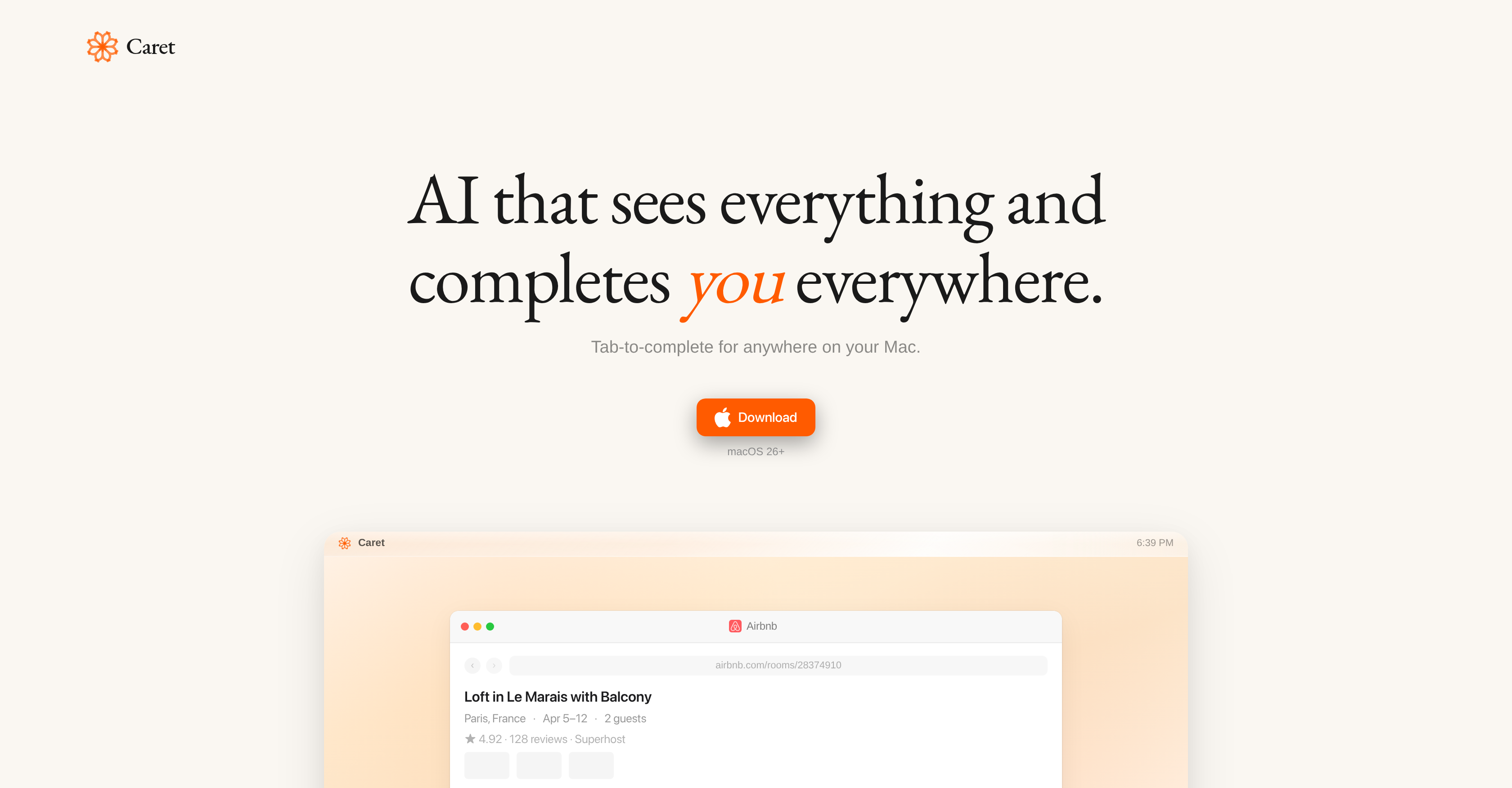
- Finish sentences and tasks in any app without switching contexts using the 'Tab to complete' feature that predicts your next action
- Get personalized suggestions that improve with use as the AI continuously learns your unique patterns and behaviors in the background
- Reduce repetitive typing and manual steps with predictive autocompletion for notes, reminders, and actions across Google Docs, Word, Excel, and Safari
- Maintain workflow momentum with real-time, context-aware assistance invoked by a single keystroke within your current application
- Streamline complex multi-app workflows with intelligent cross-application assistance that understands your tasks holistically
Pros & Cons
Pros
- Enhances workflow on Mac
- Understands user activity
- Intelligent assistance across apps
- Works with Google Docs
- Works with Microsoft Word
- Applicable on Safari
- Predictive typing technology
- Uses 'Tab key' command
- Autonomous learning capability
- User behavior comprehension
- Inter-app communication
- Continuous operations
- Personalized user experience
- Real-time, context-aware assistance
- Not just a chat-app
- Persistently present functionality
- Auto-completes sentences, reminders, tasks
- Sees everything on screen
- Minimal interaction needed
- Adaptive and improves over time
- Reduces time spent typing
- Ubiquitous functionality
- Works with Spotify
- Works with Slack
- Integrates with various apps
- Always-on operation
- Understands Mac-related tasks
- Improves task completion times
- Works with Excel
- Works with Notes
- Works with Google Sheets
- Works with TextEdit
- Works with Keynote
- Works with Safari
- Works with Outlook
- Works with Teams
- Works with Microsoft Teams
- Works with Canva
- Works with Google Drive
- Works with GitHub
- Works with Google Meet
- Works with Microsoft Excel
- Works with Slack
- Works with Superhuman
- Works with GarageBand
- Works with Figma
- Works with iMovie
- Works with Telegram
- Works with Calendar
- Works with Calculator
Cons
- Only available on MacOS
- Privacy concerns due observation
- Possible over-prediction issues
- Could limit user originality
- Constant 'Tab' press requirement
- No apparent offline mode
- May disrupt workflow in initial use
- Depends heavily on historical data
- Potential for incorrect auto-completion
- No multi-language support detected
Reviews
Rate this tool
Loading reviews...
❓ Frequently Asked Questions
Caret's primary functionality is to enhance workflow on Mac systems by observing user activity, understanding the tasks at hand, and providing intelligent assistance across various applications on the platform.
Caret integrates within the Mac ecosystem by operating in numerous applications such as Google Docs, Microsoft Word, Excel, Safari, and more. Its ease of interaction can be utilized by pressing the Tab key, invoking Caret in any app installed on the system.
No, Caret's functionality extends beyond Google Docs and Microsoft Word, offering assistance in various applications within the Mac ecosystem, including Safari, Excel, and many others.
Caret's predictive technology preemptively determines what the user might type or do next. By analyzing the user's pattern and past interactions, it can provide relevant and context-aware suggestions to streamline productivity.
Caret understands the tasks one is working on by observing and analyzing user behavior and activity. Over time, it learns to better comprehend individual user patterns and behaviours, allowing it to predict and suggest the next steps based on past interactions and tasks.
The Tab key is used to invoke Caret within an application. It enables Caret to provide its 'Tab to complete' functionality, suggesting and completing everything from sentences to reminders, notes, and tasks based on user behavior and past interactions.
'Tab to complete' is a unique feature of Caret that suggests and autocompletes tasks. By pressing the Tab key, users can activate Caret's predictive text, which completes sentences, reminders, notes, and tasks based on user behavior and past interactions.
Yes, Caret learns from user patterns and behaviors. This autonomous learning capability allows it to better comprehend individual user patterns and behaviours over time and customize its functioning according to personal requirements.
Caret personalizes with each use by its autonomous learning ability, which allows it to understand individual user patterns and behaviours, continuously improving its suggestions and tasks completion proposals with each interaction.
No, Caret's functionality isn't confined to a chat-app. It manifests in virtually any application installed on a Mac system, providing real-time, context-aware assistance.
Caret improves efficiency and task completion times by providing intelligent assistance, predictive technology, and 'Tab to complete' functionality, thereby helping users streamline productivity and complete tasks quicker.
Caret provides real-time, context-aware assistance by observing user activity, understanding the context, and offering intelligent suggestions. It manifests in virtually any application, providing immediate assistance based on user behavior and past interactions.
Caret integrates with Excel and Safari, as with any other application on a Mac system. It assists by preemptively determining the tasks a user might perform next in these applications and providing context-aware suggestions in real time.
Caret primarily analyses the activity of the individual user, observing their behavior and learning their patterns over time, to provide a personalized and improved experience.
Yes, Caret can autocomplete sentences, reminders, notes, and tasks. It predicts what the user might type or do next, providing relevant suggestions based on user behavior and past interactions.
No, Caret doesn't only provide support within Google Docs and Microsoft Word. It's designed to operate across various applications within the Mac ecosystem, providing real-time support and intelligent assistance.
Caret provides cross application assistance by observing user activity and providing context-aware help across a roster of applications within a Mac system. Its functionality can be summoned in any installed application by pressing the Tab key.
'Task completion' in Caret refers to its ability to observe, learn from user activity and provide context-aware suggestions to aid users in completing tasks faster and more efficiently.
Caret customizes its assistance by continuously learning individual user patterns and behaviors. It uses these insights to offer relevant and personalized suggestions, assisting in tasks based on user behavior and past interactions.
Caret autonomously learns from user behavior through observation of user activity and interactions. Over time, it comprehends and predicts the tasks the user might perform next. This process enables it to provide personalized and context-aware suggestions, thereby learning autonomously.
Caret is a sophisticated AI tool designed to enhance workflow across a variety of applications on Mac systems. It can be seen as an AI assistant that learns from user behavior to provide intelligent suggestions and auto-completions, helping to streamline productivity and improve task completion times.
Caret enhances workflow on Mac systems by observing user activity, understanding the tasks at hand, and providing intelligent assistance within multiple applications. It uses predictive technology to preempt what the user might do next, helping to automate tasks and streamline productivity. Caret operates continuously in the background of the system, learning and adjusting its services over time to better align with the user's unique behaviors and requirements.
The main features of Caret include its ability to understand and learn from user behavior, providing intelligent suggestions and auto-completions, and the unique 'Tab to complete' functionality, which can be used in any app on Mac. It operates continuously in the background, enhancing workflows by preempting user activity. Caret also integrates and interacts minimally with different applications, avoiding the need to be another chat app, and can be invoked anywhere on the device with a simple press of the 'Tab' key.
Caret works with a multitude of applications within the Mac ecosystem including, but not limited to, Google Docs, Microsoft Word, Excel, Safari, Spotify, Slack and more. It also integrates with Canva, iMovie, Notion, Firefox, Gemini, among others, essentially any app installed on the system.
Caret's predictive technology works by observing and understanding user behavior over time. Drawing from past interactions and work sessions, the AI is able to anticipate what a user might type or do next. By being able to predict these actions, Caret is able to suggest and automate tasks, helping the user to work more efficiently and productively.
To invoke Caret in any app, all you need to do is press the 'Tab' key. This easy interaction invokes Caret's intelligent suggestions or auto-completions in any app installed on the system.
Caret adapts to individual user patterns and behaviors overtime by constantly learning from the user's activity. It observes and understands the tasks at hand and incorporates this understanding into its predictive technology. With continuous usage, Caret becomes more customized to personal requirements, enhancing its capability to provide relevant suggestions and make accurate auto-completions based on user behavior and past interactions.
Aside from chat-app functionality, Caret expands its capacities to provide real-time, context-aware assistance within virtually any application on the Mac system. It offers a unique 'Tab to complete' functionality that can predict and complete anything from sentences to reminders, notes, and tasks based on user behavior and past interactions. Furthermore, Caret operates invisibly in the background, learning and understanding the user's behavior and adjusting its services to improve with use.
The 'Tab-to-complete' functionality in Caret is a feature where users simply press 'Tab' within any app on their Mac system. Upon activation, Caret provides intelligent suggestions or auto-completions based on the user's history and work habits. This includes helping finish sentences, offering reminders, or populating notes and tasks that align with the user's past behavior.
Caret reduces the time spent typing out sentences by predicting what the user is likely to type next. Its ingenious 'Tab to complete' functionality can even autocomplete entire sentences based on the user's past interactions and overall work pattern.
Yes, Caret integrates seamlessly with Google Docs. It leverages its learning algorithm to understand user behavior and offer relevant suggestions or auto-completions, helping to streamline the workflow within Google Docs.
Yes, you can use Caret with Microsoft Word. In fact, it's designed to provide intelligent suggestions and auto-completions within applications such as Microsoft Word, thus enhancing the user's productivity by reducing their typing efforts and improving the overall work process.
Caret improves task completion times by predicting what the user might type or do next and subsequently suggesting or auto-completing these actions. By reducing time spent typing and streamlining the movement between tasks, Caret enhances productivity and allows users to complete tasks more rapidly.
Caret operates continuously in the background of a Mac system by consistently learning and understanding the user's behavior. Even when the user is not actively interacting with it, Caret is observing, learning, and using that data to inform its predictive technology and improve its services for the next interaction.
The suggestions or auto-completions that Caret might offer vary widely depending on the user's work behavior and habits. These could range from finishing sentences, offering reminders, populating notes or tasks, or even helping perform actions within an application that the user typically does.
Yes, Caret works with both Spotify and Slack. It's designed to operate across a wide range of applications on a Mac system. Caret's functionality extends to these apps, where it learns user behavior to provide relevant suggestions and make accurate auto-completions.
Caret is able to 'see everything' on the screen by observing and understanding user activity across all the applications on a Mac system. It uses this understanding to form a comprehensive understanding of the user's behaviors, patterns, and preferences, contributing to its predictive technology and the relevance of its suggestions.
Yes, you can use Caret with Safari as well as with other browsers like Firefox. It provides context-aware assistance within these browsers, offering the 'Tab to complete' functionality to suggest or autocomplete actions based on past user interactions and behavior patterns.
Caret contributes to a more personalized AI assistance experience by learning from and adapting to individual user patterns and behaviors over time. It operates continuously in the background, observing and understanding user behavior, and uses this understanding to fine-tune its suggestions and auto-completions. As a result, the more Caret is used, the better it aligns with the user's unique requirements.
Yes, Caret works with Microsoft Excel and a multitude of other productivity tools. It is designed to observe, learn from, and assist with tasks across a variety of applications within the Mac ecosystem, including Microsoft Word, Microsoft Excel, Google Docs, Slack, Spotify and more. Caret uses predictive technology to anticipate user actions within these applications and offers relevant suggestions or auto-completions, which helps improve efficiency and productivity.
Pricing
Pricing model
Free
Paid options from
Free
Related Videos
Save ChatGPT Deep Research into Notion
Caret AI•522 views•Jun 3, 2025