
Flaq AI | Image to Video
Overview
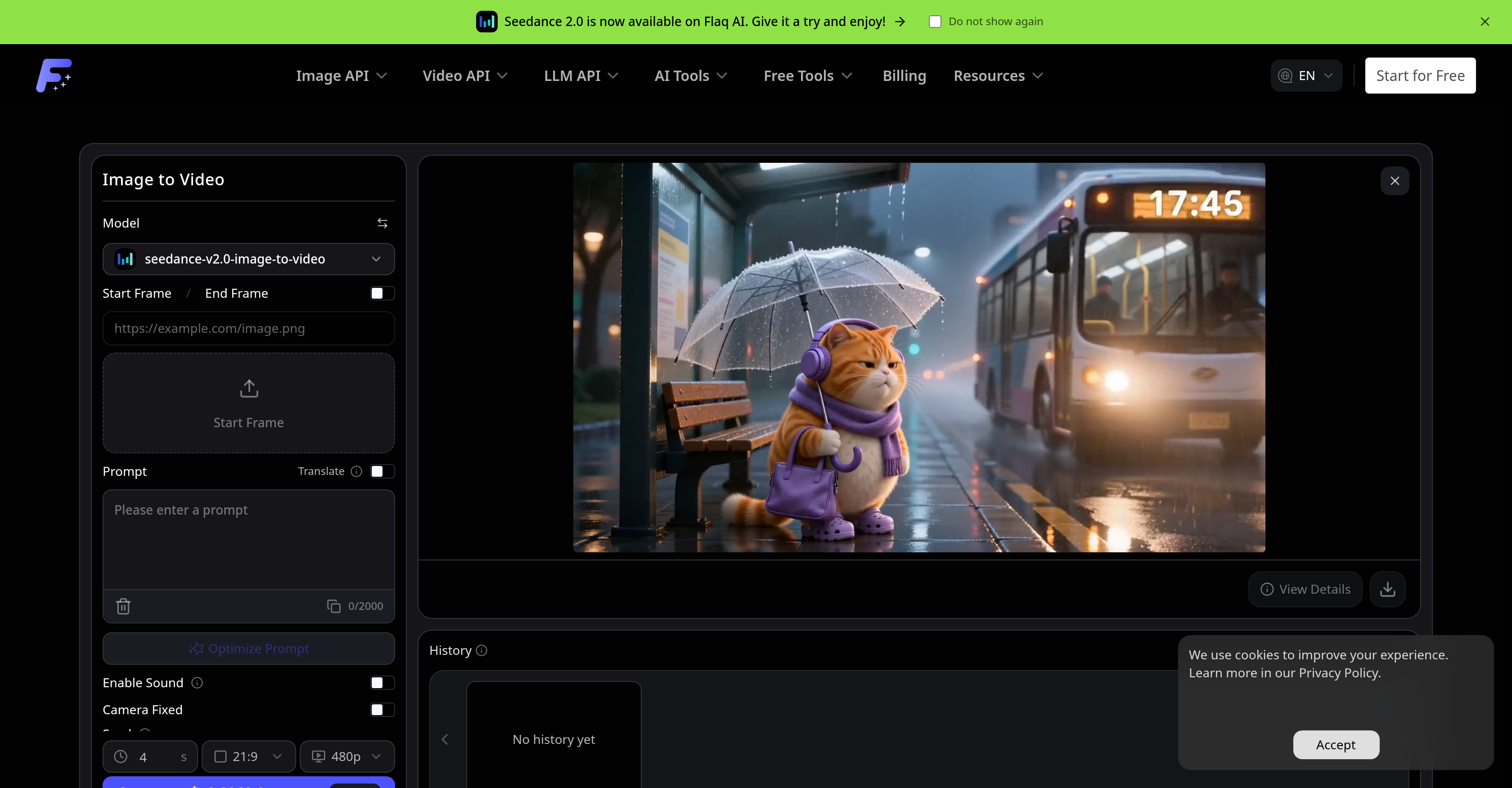
- Create scroll-ready social media clips for TikTok, YouTube Shorts, and Instagram Reels by animating your product photos and portraits with prompt-guided motion
- Compare motion style, realism, speed, and quality across multiple image-to-video models to pick the perfect output for your project
- Preserve your original subject, composition, and visual identity throughout the animation process for consistent brand imagery
- Control camera movement, animation duration, aspect ratio, resolution, and end-frame settings to match precise creative requirements
- Preview predictive cost estimates before generating any video to budget your animation projects with confidence
- Transform concept art and storyboards into motion previews for faster design iterations and client presentations
- Animate e-commerce product images into dynamic video ads without losing product detail or visual consistency
- Generate portrait and character animations from a single reference image using adjustable motion prompts and model selection
- Add optional audio to your animated clips for complete, ready-to-publish video assets
- Refine your output by adjusting seed, camera lock, and negative prompt settings after previewing the initial result
Pros & Cons
Pros
- Multi-model animation
- Flexible video settings
- Predictive cost estimation
- Stable API workflows
- Animation of uploaded images
- Reference image animation
- Optional audio support
- User-guided animation prompts
- Camera movement control
- End-frame control
- Animation adjustments control
- Supports multiple image-to-video models
- Product visualization
- Portrait and character animation
- E-Commerce video creation
- Social media video creation
- Design & concept previews
- Visual consistency preservation
- Online workflow
- Dynamic cinematic videos
Cons
- Limited model selection
- Highly dependent on prompts
- Complex settings configuration
- Not suitable for long videos
- Optional audio support
- Fixed camera movement
- Possible loss of visual identity
- Potential cost unpredictability
- Incomplete history functionality
Reviews
Rate this tool
Loading reviews...
❓ Frequently Asked Questions
The Flaq AI Image to Video Generator is an AI-powered platform that transforms static images into dynamic video clips. It animates photos and reference images, produces video clips guided by user-specific prompts, controls camera movement, and supports optional audio.
The Flaq AI Image to Video Generator uses AI models to animate images. Users upload a reference image which they would like to animate, specify the desired motion through a prompt, choose an appropriate image-to-video model, and the tool generates a smooth video clip based on these inputs.
Typical use-cases for the Flaq AI Image to Video Generator include creating animated visuals for e-commerce websites, generating animated portraits and character art, designing short motion clips for social media platforms, and transforming concept art and storyboards into motion previews.
Yes, the Flaq AI Image to Video Generator supports optional audio in the videos it creates, if the selected model allows for it.
The Flaq AI Image to Video Generator allows various adjustments in the animation process. These include modifications in animation duration, aspect ratio, end-frame control, resolution, and sound settings among other adjustments permitted by the chosen model.
Through its support for multiple image-to-video models, the Flaq AI Image to Video Generator enables users to experiment with different styles of motion, levels of realism, speed, quality, and audio support. Users can compare these characteristics across different models and pick the one that best suits their needs.
Yes, users can adjust various video settings on the Flaq AI Image to Video Generator including duration, aspect ratio, resolution, sound, end frame, seed, camera lock, and negative prompt, depending on the specifications of the chosen model.
Yes, the Flaq AI Image to Video Generator provides predictive cost estimates before generating a video. This feature allows users to gauge the cost implications of their animation decisions.
In the animation process with the Flaq AI Image to Video Generator, prompts play a crucial role. Users outline the desired motion through these prompts, which guide the AI model in animating the uploaded images.
Yes, users can control camera movement in the Flaq AI Image to Video Generator. This feature is part of the platform's prompt-guided action function.
Yes, the Flaq AI Image to Video Generator maintains visual consistency during the animation process. The AI model is designed to preserve the main subject, composition, and visual identity of the original image while generating motion.
To animate an image using the Flaq AI Image to Video Generator, the user uploads a reference image, outlines the desired motion using a prompt, selects an image-to-video model, and allows the tool to create a video. After previewing the output, the user can refine the prompt or settings if they desire a different result.
Users can animate a wide range of images using the Flaq AI Image to Video Generator. These include product photos, portraits, character images, design visuals, and scene references.
Yes, the Flaq AI Image to Video Generator can transform concept art and storyboards into motion previews. This makes it a valuable tool in the design and concept development stages.
Yes, the Flaq AI Image to Video Generator offers a free trial. Users can experiment with animating uploaded images using the platform's image-to-video models before making a purchase.
The Flaq AI Image to Video Generator can produce a diverse array of motion styles, speeds, and quality levels. The specific output depends on the user's selected image-to-video model and their prompt-guided instructions.
Yes, users can animate portraits using the Flaq AI Image to Video Generator. It is one of the typical use cases of the tool.
With the Flaq AI Image to Video Generator, users can create scroll-ready clips from still images for various social media platforms such as TikTok, YouTube Shorts, Instagram Reels, as well as thumbnails, story posts, and paid social tests.
The opportunity to experiment with realism in the Flaq AI Image to Video Generator comes from the user's ability to choose from various image-to-video models and input motion prompts. The varying styles, motion realism, speeds, and quality produced by different models gives users ample freedom to achieve their desired level of realism.
The Flaq AI Image to Video Generator can be used for several types of video production like social media video creation, product and e-commerce videos, portrait and character animation, as well as design and concept previews.
Pricing
Pricing model
Paid
Paid options from
$10/unit
Billing frequency
Pay-as-you-go