Overview
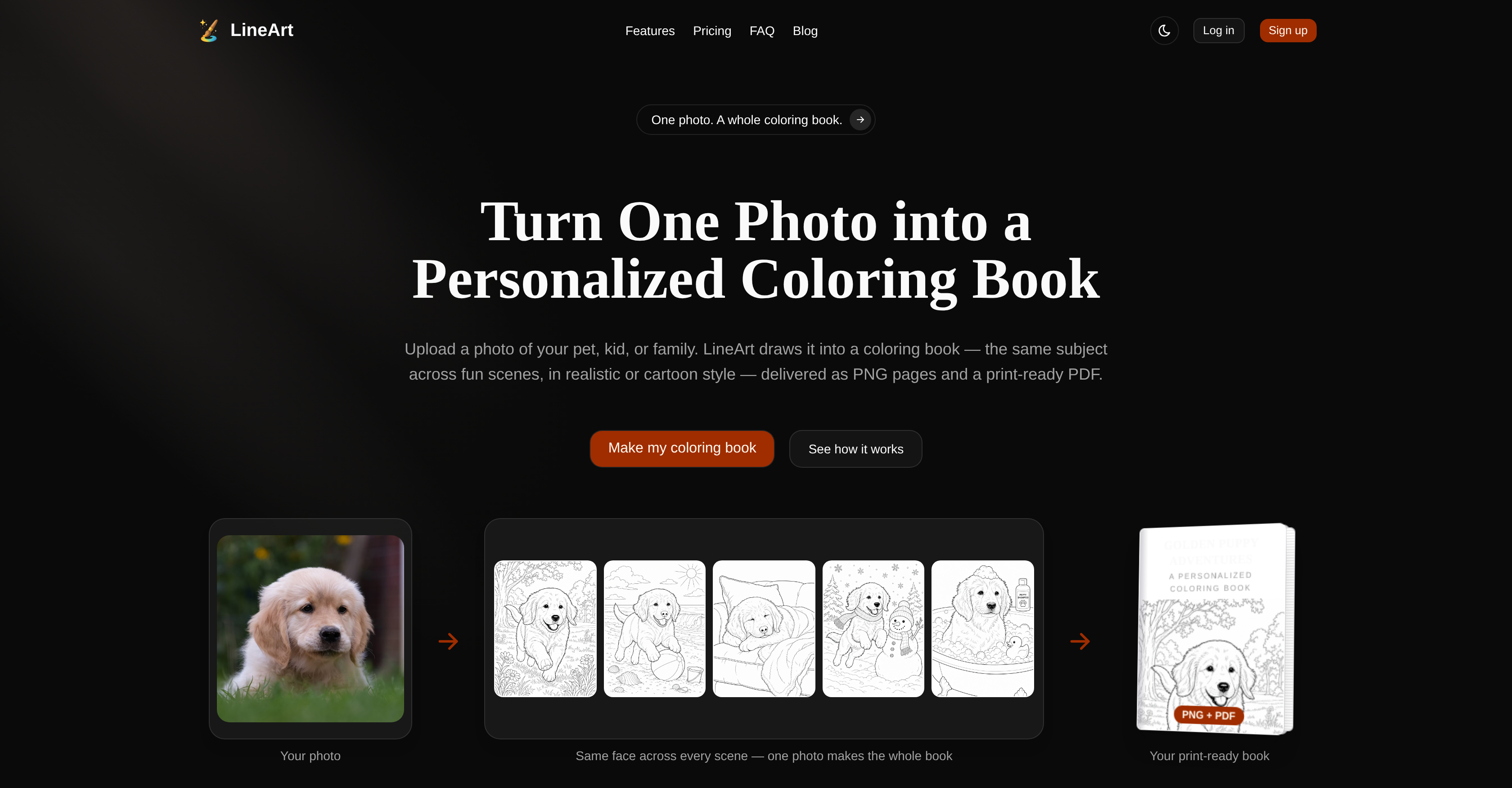
- Create a unique, multi-page coloring book featuring your pet, child, or any loved one, with the same recognizable subject appearing consistently across every scene — from playing at the park to relaxing at the beach — thanks to AI that preserves identity page after page.
- Choose between a realistic adult coloring book style with intricate line art or a cute kawaii chibi cartoon style perfect for kids, ensuring the final book matches the intended audience.
- Get a complete, ready-to-sell product in about 6 minutes, including high-res PNG pages and a print-ready PDF with a typographic cover and your custom title — no design skills required.
- Sell your coloring books immediately with full commercial rights on every tier, and upload KDP-friendly book proportions straight to Amazon without any reformatting.
- Avoid wasted credits with a no-subscription, no-expiry credit system — each book starts at $9 for 5 pages, and credits are fully refunded if a generation ever fails.
Pros & Cons
Pros
- Turn photo into coloring book
- Personalized coloring book creation
- Realistic or cartoon style
- Generates PNG and PDF
- Commercial license provided
- Quick process, no artist needed
- Does all the drawing
- Themed sets generation
- Credit-based purchasing system
- No subscriptions or expiry
- Same subject in various scenes
- Print-ready PDF output
- Child-friendly tool
- Can handle pet themes
- Two unique styles available
- No design skills required
- Fast page generation
- PDF ready for printing
- Different books using same photo
- Quality output guaranteed
- Usable for gifting purposes
- Can create whole themed sets
- Choice of 5, 10 or 20 pages
- Detailed line art for adults
- Cute chibi style for kids
- Consistent style across pages
- Print at home or shop
- Themed sets like backyard birds or botanical gardens
- Multi-page coloring book delivery
- Tool provides the drawing
- Pricing based on credits per page
- Credits can be spent on any book size
- Crediting does not expire
- Can be used for commercial purposes
- Suitable for both kids and adults
- Freedom to make unlimited revisions
- Pages in seconds, not days
- Can make as many books as user likes
- Direct download and print option
Cons
- Only PNG and PDF
- No Real-time Conversion
- No API
- Limited Scenes Options
- Single Photo Use
- No Free Version
- Credit-based Purchasing
- No Photo Editing
- No Subscription Model
- Dependant on Photo Quality
Reviews
Rate this tool
Loading reviews...
❓ Frequently Asked Questions
LineArt is an artificial intelligence tool designed to convert a single photo into a personalized, printable coloring book. With LineArt, users can upload a photo of their choice, and the tool transforms it into a set of coloring book pages, applying the same subject across various fun scenes. These colored images can be cartoon or realistic based on user preference, and the tool provides a commercial license with every book generated. LineArt is noted for its swift turnaround time, and it requires no design skills from the user. The AI can also generate themed sets like a collection of backyard birds or botanical gardens. To facilitate ease of use, LineArt follows a credit-based purchasing system without subscriptions or expiry on credits.
LineArt utilizes artificial intelligence to transform a single photo into a personalized coloring book. The user uploads a photo of their choice, and the tool employs AI to convert this into several coloring book pages, featuring the same subject across various fun scenes, all catered to the user's preferred cartoon or realistic style.
Users can upload any photo of their choice to LineArt. Examples may include a pet, child, family member, or any other subject of their preference.
Yes, users have the option to choose the style of the coloring book pages that LineArt creates. The transformed images can be in a realistic or cartoon style based on the user's preference.
LineArt delivers the coloring book pages as PNG files. In addition, it also provides a print-ready PDF.
Yes, LineArt does provide a commercial license with every coloring book generated.
LineArt boasts a rapid turnaround time, transforming a single photo into a coloring book significantly quicker than traditional artists would.
No, users do not need any design skills to use LineArt. The tool manages all the drawing factors, requiring just the upload of a photo from the user.
Yes, LineArt has the capability to generate themed sets. These sets could be a collection of images around a specific theme such as a group of backyard birds or botanical gardens.
LineArt uses a credit-based purchasing system, offering a flexible, no-commitment method for users to pay for services.
No, there are no subscriptions or expiry on credits in LineArt.
LineArt focuses on usability, speed, and quality of output in its design. The aim is to offer a straightforward and rapid process to the user while not compromising on the quality of the coloring book pages generated.
In LineArt, a credit-based purchasing system means users buy credits to pay for services. The credit prices vary depending on the book size, with 10 credits needed per page.
Yes, LineArt can generate both realistic and cartoon style images based on user preference.
Users can purchase credits in LineArt via one-time payments. There are three different packages offered: 100 credits for $9, 200 credits for $14, and 300 credits for $19.
No, the number of credits a user has does not affect the quality or style of the image that LineArt produces. Credit only determines how many book pages a user can make.
Yes, LineArt offers the option to produce both PNG pages and a print-ready PDF.
Based on the given information, it is implied that LineArt allows uploading of only one photo at a time to generate a personalized coloring book.
Yes, users are able to choose the scenes for their personalized LineArt coloring book.
LineArt can make a coloring book from a clear photo of any subject the user loves, it doesn't necessarily need to be a person or pet.
Pricing
Pricing model
Paid
Paid options from
$9/unit
Billing frequency
Pay-as-you-go
Refund policy
14-day refund on unused credits. Failed generations are auto-refunded.