Link To Text | Video To Text
Overview
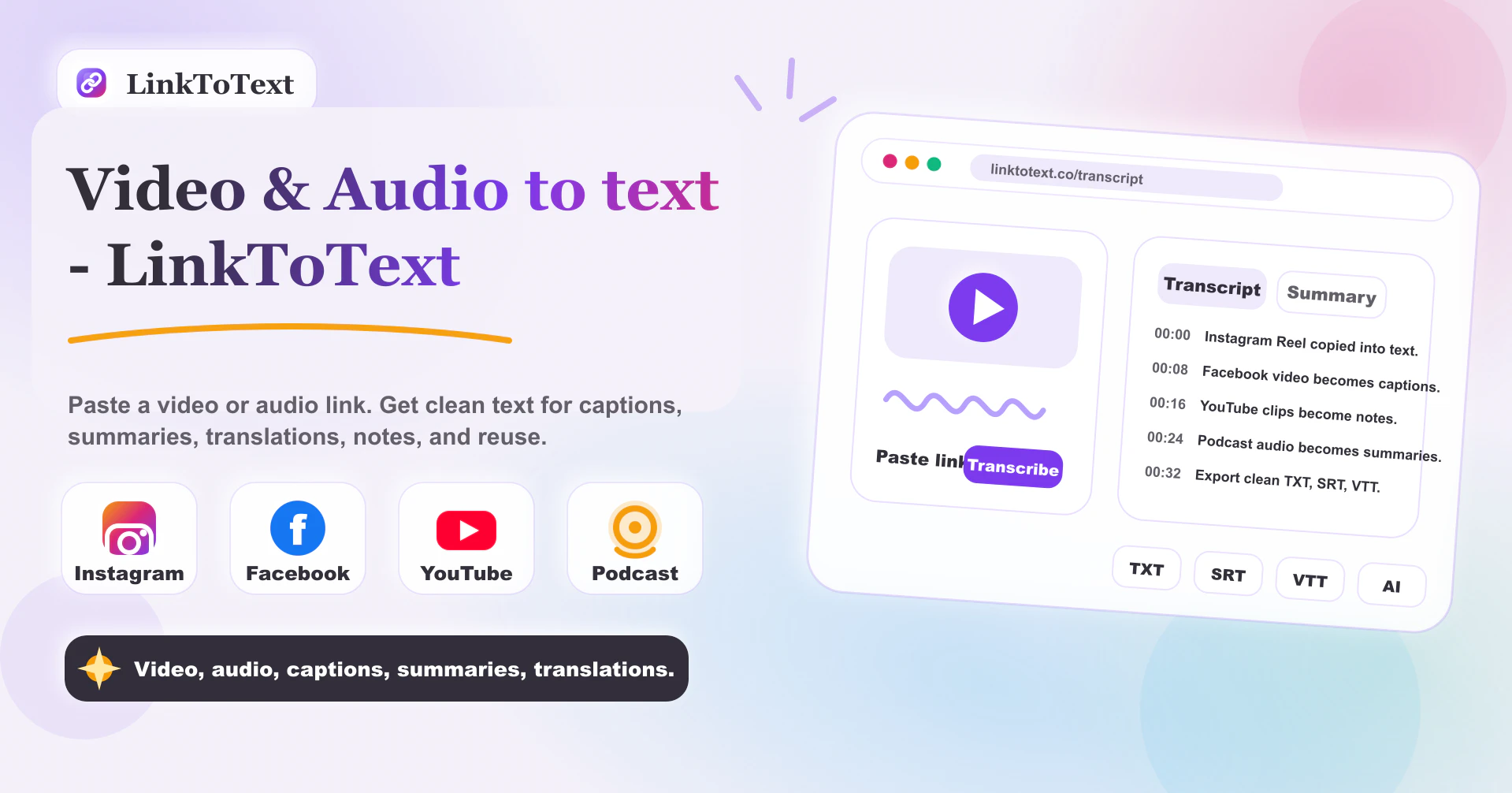
- Turn any Instagram Reel, YouTube video, or podcast into searchable, editable text instantly — no file downloads needed, just paste a public URL.
- Eliminate hours of manual transcription with accurate AI speech-to-text that processes videos, audio files, and social media content in seconds.
- Reach global audiences by translating transcripts into over 50 languages, then export as captions, subtitles, or multilingual summaries.
- Create polished subtitles and SRT/VTT drafts directly from timestamped transcripts, speeding up your video publishing workflow.
- Repurpose short-form video content into blog posts, social captions, or AI summaries without rewatching the original footage.
- Improve content planning and research by converting spoken audio into searchable text that you can analyze, quote-check, and catalog with timestamps.
- Generate AI-powered summaries and smart notes from interviews, lectures, or meetings, turning raw recordings into actionable insights.
- Streamline social media marketing by transforming Instagram Reels and TikTok videos into ready-to-use captions and multilingual content for different audiences.
Pros & Cons
Pros
- Generates transcripts from Instagram Reels
- Accurate transcripts with timestamps
- Supports captions, subtitles creation
- Facilitates content planning, research
- Repurposes short-form videos
- Converts spoken Instagram audio to text
- Supports timestamp context retention
- Supports multilingual translation
- Transcribes via Instagram URL
- Can generate multilingual captions, summaries
- Fast transcript review, search
- Transforms audio into notes
- Supports SRT/VTT preparation
- Timestamp context for quote checks, editing notes
- Easy Instagram Reels transcription
- Compatible with over 50 languages
- Versions transcripts into diverse forms
- Smooth and efficient workflow
- No need for video download
- Supports error checks for names, noisy audio
- Generates searchable Reel notes
- Supports multilingual content reuse
- Easy copying of transcript
- Transcript helps in content, analysis, and publishing
- Helps study content patterns, offers, calls to action
- Allows comparison of multiple transcripts
- Turns transcript into different formats
- Creates translation-ready text
- Supports research, analysis from transcripts
- Allows content repurposing from transcript
- Whisper-powered speech recognition
- Allows turning transcript into multilingual reusable content
- Converts public video and audio links into clean transcripts
- Helps prepare SRT, VTT, TXT notes
- Supports Instagram Reels, TikTok, YouTube, podcasts, and uploaded files
Cons
- No offline capabilities
- URL input dependant
- Private accounts unsupported
- Stories transcription unstable
- Background noise might affect accuracy
- Potential translation errors
- Cannot manage local video files
- No explicit audio file support
- No inbuilt editing tools
- Cannot copy multiple transcripts simultaneously
Reviews
Rate this tool
Loading reviews...
❓ Frequently Asked Questions
LinkToText is an innovative tool designed for generating transcripts from Instagram Reels or video links. By simply pasting a public Instagram URL into the platform, users can generate a clear and accurate transcript.
Yes, linkToText is designed to transcribe Instagram Reels. Users simply paste a public Instagram link into the platform and instantly get an accurate transcript.
LinkToText generates transcripts by converting the spoken audio from an Instagram Reel or video link into readable, editable text.
Yes, LinkToText includes timestamps in its transcripts. This is a key feature that helps retain context, particularly useful for the preparation of subtitle drafts and quote checks.
The transcriptions generated by LinkToText can be used in various forms including captions, subtitles, AI summaries, content planning, and research. You can repurpose these transcripts to eliminate the need to rewatch short-form videos, prepare captions, translate for different audiences, or create AI summaries.
Absolutely. LinkToText excels at converting spoken Instagram audio into clear, readable, and editable text.
Yes, LinkToText supports multilingual translations, providing a valuable tool for transforming content for different language audiences.
LinkToText can make your publishing process faster as it transforms short-form video content into searchable text. This avoids the need for manual transcription and enables efficient analysis for faster content production and distribution.
Yes, you can use LinkToText without the need for managing or downloading any local video files. It operates directly from a public Instagram URL.
Indeed, LinkToText offers compatibility with behavioral AI tools, broadening its usability and providing comprehensive and wide-scale applications.
Yes, LinkToText offers content repurposing, allowing users to utilize the transcripts in different formats such as captions, subtitles, AI summaries, or content planning, among others.
With LinkToText, you can effectively plan your content by transforming short-form video into searchable text. This helps in analyzing the content more efficiently, and aids in a faster and more robust content creation and planning process.
Yes, you can use LinkToText to prepare captions for your videos. It transforms spoken Instagram audio into readable, editable text that can be used to prepare captions.
Yes, LinkToText's accurate and detailed transcriptions can be conveniently used for research purposes. They enable efficient analysis of information, helping researchers to accurately catalogue and reference the data they need.
Absolutely, LinkToText aids in creating AI summaries by providing precise transcriptions from Instagram Reels or video links that can be fed into AI summarization tools.
LinkToText proves valuable for social media marketing as it provides clean and accurate transcripts from Instagram videos. These transcripts can be used in various forms for content planning, repurposing, and preparing captions translating for different audiences, hence making it an effective tool for social media marketing strategies.
Indeed, LinkToText is beneficial for content creators and influencers. It transforms Instagram Reels into readable and searchable text, helping creators in the analysis, repurposing, and faster publishing of their content.
With its multilingual translation facility, LinkToText assists in translating content for different audiences. This function could be leveraged in preparing captions or subtitles in diverse languages or creating multilingual content from the generated transcripts.
Yes, LinkToText helps in creating subtitles for videos. By providing transcripts with timestamps, it allows users to conveniently prepare drafts for subtitles.
LinkToText aids in checking quotes with timestamps by providing accurate transcripts from Instagram Reels or video links with the timestamp context.
To use LinkToText to generate transcripts from Instagram reels, you need to copy the URL of the Instagram Reel or video, paste it into LinkToText, and generate the transcript. Once the process is complete, you can review the text, copy it, or export it as per your needs.
Yes, LinkToText can generate transcripts from any public Instagram video link. You just have to paste the link into LinkToText and it will do the rest.
LinkToText does indeed support multiple languages for transcription. It boasts the ability to translate transcripts into more than 50 languages, making it a highly global tool.
Yes, LinkToText can retain the timestamp context, making it extremely useful when creating subtitles or draft captions. The feature can also help during quote checks and preparing editing notes.
In terms of content planning, LinkToText can assist by converting video content into text, making it searchable and easier to analyze. This textual content can be a foundation for your content planning, strategy, and creation.
Marketers can benefit from using LinkToText in a variety of ways. The tool's ability to transform video content into searchable text can expedite and streamline the content creation and publishing process. Furthermore, the opportunity to analyze and understand content better aids in marketing strategies.
Yes, LinkToText offers a feature for multilingual translation. This feature can instantly transform your transcripts into multilingual captions, summaries, and more.
Yes, LinkToText facilitates the generation of AI summaries by converting Instagram Reels or video links into text. This text can then be entered into various AI tools to create summaries and other formats.
Absolutely, LinkToText assists in drafting SRT/VTT by providing transcripts with the context of timestamps, which is often used in the preparation of such drafts.
LinkToText improves content understanding by converting Instagram reel or video audio into text. This facilitates a better review and analysis of the spoken content, thus enhancing content understanding.
Yes, you can use the transcripts generated by LinkToText for research purposes. By converting video content to text, the tool enables easier review, searchability, and analysis, proving beneficial in research work.
LinkToText can streamline your publishing process by swiftly converting Instagram short-form videos into text. This eliminates the need to rewatch videos for content extraction and allows a faster publishing process.
Yes, LinkToText can convert the spoken audio on Instagram Reels or video links into readable text, making the audio content easy to review, search, edit, and convert into notes.
Certainly, with LinkToText you can conduct quote checks and prepare editing notes. The tool's ability to retain the context of timestamps proves especially handy for these tasks.
The primary use case of LinkToText is to regenerate spoken content from Instagram Reels or video links into readable text for purposes like creating captions, subtitles, drafting AI summaries, and planning content.
LinkToText plays a significant role in repurposing short-form videos. By converting video content into text without re-watching, the tool allows different uses of the same content, like creating briefs, captions, posts, scripts, etc.
Yes, LinkToText can be a key tool for content strategy and planning. By converting video content into text, it makes it easier to analyze, understand, and use as a base for framing your content strategy.
Yes, LinkToText is an exceptional tool for content creators. It aids in transforming short-form video content into text, making the content easily searchable and usable. It can help creators draft better scripts, captions, and even generate AI summaries or translate content into multiple languages.
Yes, LinkToText is compatible with behavioral AI tools, thereby offering comprehensive and wide-scale applications in content generation and strategy.
Pricing
Pricing model
Freemium
Paid options from
$16.99/month
Billing frequency
Monthly