NeatScribe
Overview
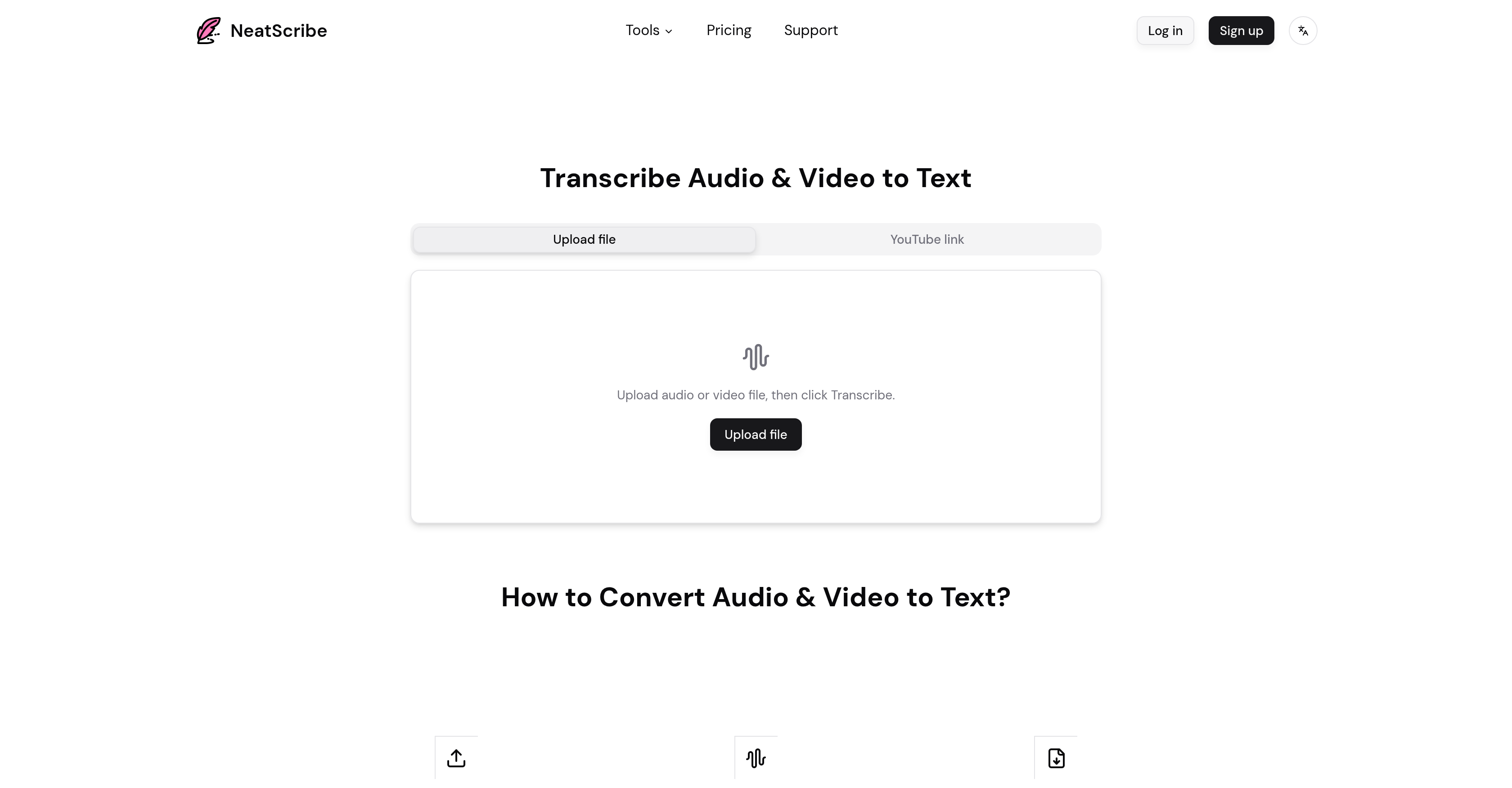
- Turn any audio or video into a polished, editable document instantly with a high-accuracy AI speech-to-text engine that handles most file formats and YouTube links.
- Pinpoint and correct any spoken word efficiently using word-level timestamps that link text directly to the moment in your audio or video.
- Create ready-to-use assets from your transcripts by exporting them in multiple formats like TXT, PDF, DOCX, SRT, and VTT for subtitles or documents.
- Distinguish who said what in conversations with automatic speaker labeling, making transcripts of meetings, interviews, and podcasts immediately clear and usable.
- Scale your transcription workflow without limits using premium features like ultra-fast processing, no daily file caps, and support for 98 languages.
Pros & Cons
Pros
- Accurate text transcription
- Supports multiple content types
- Operates across platforms
- Supports multiple formats
- Editable transcripts
- Word-level timestamps
- User-friendly interface
- Direct file upload
- Insert YouTube links
- Selectable cloud storage files
- Transcription export in multiples formats
- Intuitive editor
- Speaker-labeled transcripts
- Various pricing plans
- Multi-language support
- Dedicated FAQ section
- Rapid transcription
- Podcast transcription
- Meeting transcription
- Interview transcription
- Premium features available
- Flexible pricing
- Accepts YouTube links
- Transcripts exportable as PDF, TXT, SRT, etc.
- Highly accurate transcriptions
- Fast delivery of transcripts
- Supports professional use
- Personal use options
- Commercial use options
- Supports wide range of audio formats
- No daily file limit for premium users
- Supported in 98 languages for premium users
- videos transcribed instantly in-browser
- Trusted by thousands globally
- Can transcribe lengthy content
- Premium model for ultra-fast transcriptions
Cons
- No real-time transcription
- Limited transcriptions per day for non-paid version
- No custom dictionaries
- Transcription credits limitation
- No offline use
- Lack of integration with other tools
- No API
- No free unlimited access
- No multi-user collaboration
- No mobile app
Reviews
Rate this tool
Loading reviews...
❓ Frequently Asked Questions
NeatScribe is an AI-driven tool designed to transcribe audio and video content to text.
NeatScribe can transcribe various content types like lectures, interviews, tutorials, podcasts, meetings, and interviews.
NeatScribe operates across different platforms by supporting a wide range of audio and video formats. It uses a user-friendly interface to allow direct file uploads, YouTube links, or file selection from a user's device or cloud storage. Transcriptions can be made from any platform that supports these file types or YouTube links.
NeatScribe supports multiple formats for transcription. These include most audio and video formats, making it possible to transcribe podcasts, meetings, interviews and any content in similar formats.
Yes, the transcripts generated by NeatScribe can be edited. The service offers an intuitive editor that lets users modify the converted transcript as if it were an ordinary document.
The word-level timestamps provided by NeatScribe serve as a navigation aid. They let you identify when exactly each word was spoken during the audio or video, making it easy for users to locate and review sections of the transcript.
Users can upload files to NeatScribe directly through its interface. An upload option is provided where users can select a file from their device or directly input a YouTube link for transcription.
NeatScribe supports any type of cloud storage that allows file access. However, the exact types of cloud storage supported aren't specified on their website.
Users can export their transcripts from NeatScribe in various formats such as TXT, PDF, DOCX, SRT, and VTT.
The transcription editor of NeatScribe works like a typical document editor. It is designed to be intuitive, allowing users to easily modify and correct their converted transcripts.
In the transcripts produced by NeatScribe, speakers are labeled clearly. This enhances readability and provides context for interpreting the conversation, making it easier for users to understand who said what.
NeatScribe supports transcription in multiple languages. However, the exact number of languages supported isn't specified on their website.
NeatScribe offers different pricing plans - Free for basic personal use, Pro for advanced professional features, and Premium for high-usage professionals. Each plan comes with its own unique set of features.
Yes, NeatScribe is suitable for professional use. The Pro and Premium pricing plans are specifically designed for professionals, offering features like a higher number of credits per month, no daily file limit for transcription, an ultra-fast premium transcription model, and multilingual support.
Yes, NeatScribe is suitable for personal use. There is a free pricing plan that offers basic features and is limited to transcribing three files per day using the standard transcription model.
Support for NeatScribe comes via a dedicated support and FAQ section on their website. This section addresses commonly asked questions and assists with troubleshooting.
Users can insert YouTube links into NeatScribe via their user-friendly interface. A specific option is provided for YouTube link insertion alongside file upload capabilities.
The transcription service of NeatScribe is described as fast and accurate. However, the exact accuracy percentage is not specified on their website. It's also worth noting that accuracy may vary depending on audio quality and clarity of speech.
NeatScribe's editor is described as intuitive, making it easy for users to modify the converted transcripts like an ordinary document. However, the specific features of the editor aren't detailed on their website.
NeatScribe enhances the usability of transcripts by producing detailed, speaker-labeled transcriptions. It also gives users the ability to edit their transcripts and export them in various formats. Such features make the transcripts suitable for a wide range of purposes, including meetings documentation, language learning, content creation, and more.
NeatScribe supports multiple languages. Premium level subscribers have access to transcription services in 98 languages.
NeatScribe can transcribe audio and video content in seconds. Exact time may vary based on the length and quality of the content.
Users can export their transcripts in various formats including TXT, PDF, DOCX, SRT, and VTT.
Yes, NeatScribe can transcribe YouTube videos. Users can directly insert a YouTube link for transcription.
Yes, NeatScribe is suitable for transcribing lectures among other types of content.
Yes, NeatScribe offers word-level timestamps in the transcript enabling easy navigation and corrections.
Yes, users can upload files directly to NeatScribe for transcription.
Yes, in NeatScribe, users do have the option to directly insert a YouTube link for transcription.
Yes, NeatScribe can handle different content types like interviews and tutorials. Basically, any audio or visual content can be transcribed.
Yes, NeatScribe is known for its user-friendly interface facilitating easy upload of files, editing, and export of transcripts.
NeatScribe supports the majority of file formats for transcription.
Yes, NeatScribe offers a range of different pricing plans catering to both personal use and professionals.
Yes, NeatScribe offers features catering to both personal and professional use. The detailed features, however, depends on the chosen plan.
Yes, NeatScribe can transcribe podcast audio along with a variety of other audio and video forms.
NeatScribe's premium plan offers great benefits such as 6000 transcription credits per month, no daily file limit for transcription, ultra-fast speed transcription model, and transcription service available in 98 languages.
Yes, NeatScribe's pricing plans like Pro and Premium are designed to cater to professionals and include features designed for commercial use.
NeatScribe is known for its high-accuracy transcripts. It combines speed and precision to produce detailed transcriptions.
Yes, NeatScribe labels speakers in the transcript enhancing usability for various purposes.
NeatScribe offers a dedicated support and FAQ section on its site, addressing commonly asked questions and aiding in troubleshooting.
Pricing
Pricing model
Freemium
Paid options from
$10/month
Billing frequency
Monthly