
PhotoEditorAI
Overview
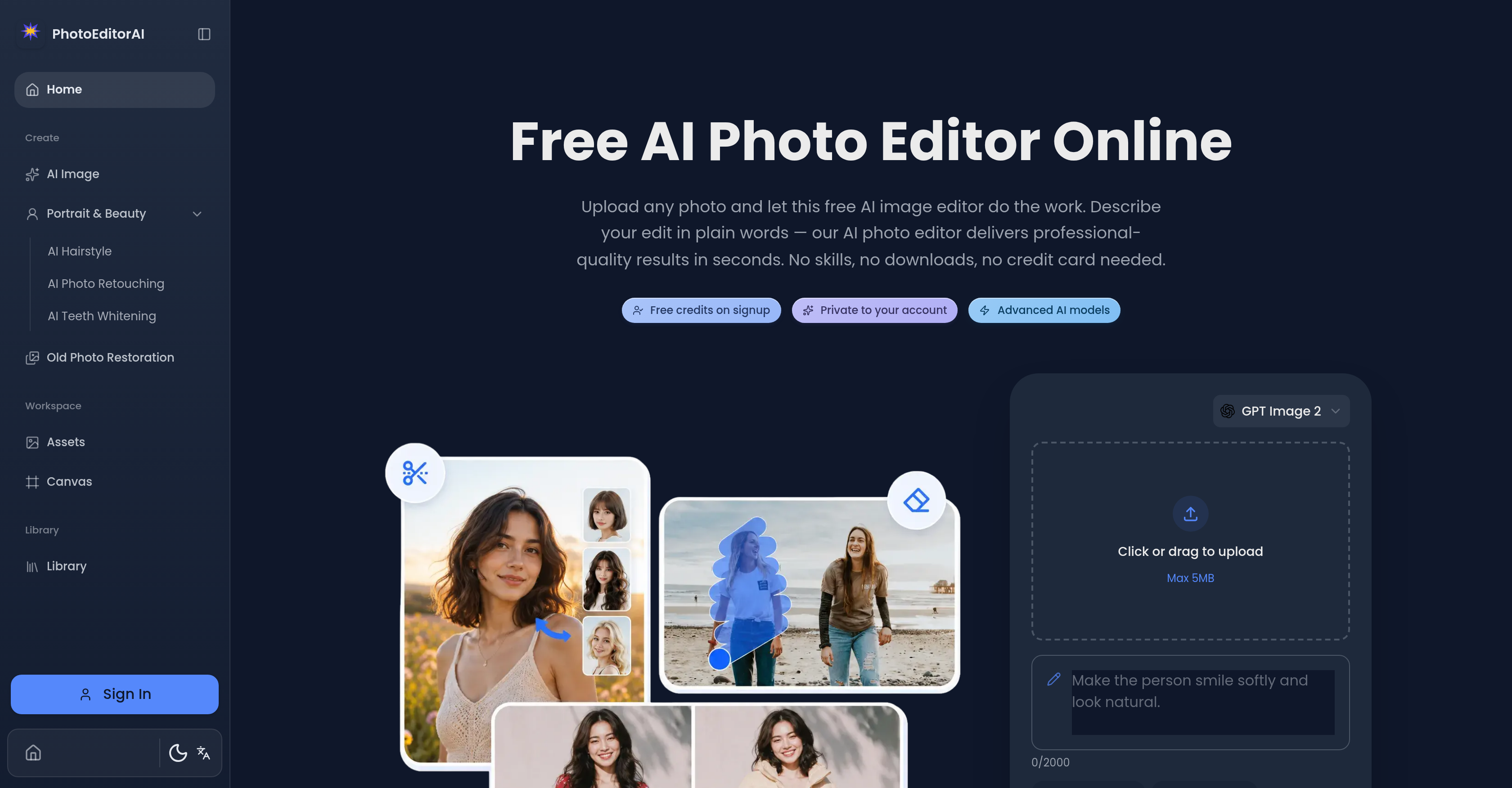
- Achieve professional-quality edits in seconds by describing changes in plain English, with AI handling masking, lighting, and edge detection
- Create flawless portrait retouches—whiten teeth, change hairstyles, or smooth skin—while preserving natural identity and proportions
- Restore faded, scratched, or dusty vintage photos to life without manual repair skills, using AI corrections for scratches, fading, and dust
- Generate custom images from text prompts for social media graphics, product banners, or promotional posters directly in your browser
- Add natural-looking captions, logos, or watermarks that match lighting, perspective, and depth of field for seamless brand integration
- Edit specific regions like eyes, skin texture, or sky gradients with pixel-level precision, eliminating manual masking or lasso tools
- Reimagine any photo to match the color palette, texture, and tone of a reference image—perfect for on-brand campaign visuals or artistic style transfer
- Produce e-commerce product images and remove backgrounds from hundreds of SKUs without a photo studio or professional photographer
- Experiment with new looks or poses while AI preserves the subject's identity, making personal snapshots share-ready instantly
- Start editing immediately with no credit card, no download, and no prior editing skills required—just upload a photo and describe your edit
Pros & Cons
Pros
- Free-to-start
- No download required
- No credit card required
- Changes hairstyles
- Retouches portraits
- Whitens teeth
- Restores old photos
- Advanced targeted editing
- Style transfer feature
- Generates images from descriptions
- Works on any device
- Editing with plain English
- Preserves subject's identity
- Pixel-level precision
- Background swapping
- Pose introduction
- Skin texture editing
- Sky gradient editing
- Logo integration
- E-commerce suitable
- Social media graphics
- Promotional poster creation
- Plain English instruction
- Consistent character features
- Professional precision
- Natural captioning
- For personal & commercial use
- Automated advanced process
- Not skill dependent
- No manual masking needed
- Intact structural details
- Fast results
- User-friendly
- No previous experience needed
- Old Photo Restoration
Cons
- Not mobile friendly
- No photo import from social media
- No built-in cloud storage
- Limited file types support
- No batch editing
- No direct social media publishing
- No collaborative editing
- No organisation or cataloguing system
- Cannot create graphics from scratch
- No color matching tool
Reviews
Rate this tool
Loading reviews...
❓ Frequently Asked Questions
Photo Editor AI is an artificial intelligence-based online picture editing tool that offers a free starting point for users. It streamlines and simplifies editing by enabling users to upload a picture and state plainly the modifications they desire, after which the AI does the task. It encompasses a wide range of features, including alterations of hairstyles, retouching of portraits, teeth whitening, restoring vintage pictures, generating images from text, and more.
Photo Editor AI's style transfer feature enables the user to reimagine a photo to match the color, texture, and tone of a selected reference picture. Users can upload a reference image—a mood board, painting, or brand visual—and the feature recreates their image blending the textures, colors, and artistic tones from the reference, turning everyday snaps into artistically styled images.
In Photo Editor AI, text blending is an AI-powered feature used to incorporate captions, logos, and watermarks into an image organically. Utilizing AI, the text is blended into the photo so seamlessly that it appears part of the original shot. The feature matches the lighting direction, perspective plane, and depth of field ensuring the embedded text seems naturally incorporated into the scene.
To change hairstyles in photos using Photo Editor AI, users merely describe the desired look they want their subject to have. The AI then utilizes advanced AI models to apply the change, ensuring the identity and proportions of the subject stay consistent, while achieving a natural, realistic alteration.
Photo Editor AI carries out teeth whitening through a precise AI model. It enables users to describe a need for teeth brightening and the AI carries out the task, ensuring only the teeth are whitened while leaving lips, gums, and skin tones unaltered, leading to natural-looking results.
To restore old photographs using Photo Editor AI, users begin by uploading the old photo that requires restoration. They then describe the changes they need, such as correcting scratches, fading, or dust. The AI applies the appropriate corrections, effectively restoring the old picture to life.
Yes, Photo Editor AI can indeed generate images from textual descriptions. Users provide a textual prompt detailing their vision, and the AI interprets this to generate an image that aligns with the user’s description.
Targeted editing in Photo Editor AI refers to its novel capability to isolate and modify specific regions within an image. Whether it’s eyes, skin texture, sky gradients, or brand logos, users just need to describe the change and the AI image editor will isolate and edit only the part described.
Yes, Photo Editor AI is well-suited for business use. It aids in the creation of professional-quality images essential for boosting an online presence, producing product images, generating social media visuals, and removing backgrounds from hundreds of SKUs, all without the need for a photo studio, a professional photographer, or retouching costs.
Photo Editor AI ensures the quality of edited images by using state-of-the-art AI models for editing. The edits performed maintain the integrity of the subject's identity and critical features. Whether a user changes the outfits, swaps backgrounds, or tries new poses, the subject’s identity holds consistently, ensuring high-quality results.
Photo Editor AI simplifies the editing process by enabling users to describe their desired edit in plain English. It eliminates the need for proficiency with complex tools and graphic design software. The AI then interprets these descriptions and applies the changes, delivering professionally edited images without a steep learning curve.
Users can upload photos in JPG, PNG, and WebP formats, with a size up to 20MB, to Photo Editor AI for editing.
Photo Editor AI uses advanced AI models to interpret user descriptions and apply accurate changes to images. The AI models handle complex tasks such as masking, lighting, edge detection and other technical details that go behind photo editing.
Photo Editor AI offers advanced features such as targeted editing, which allows for precision changes to specific areas of an image like eyes, skin texture, or brand logos; text blending, allowing for natural-looking additions of captions, logos, or watermarks; and style transfer, letting a photo be reimagined to match the colors, textures, and tones of a chosen image.
Yes, you can use Photo Editor AI to add watermarks to your photos. The text blending feature of Photo Editor AI enables users to add watermarks that blend seamlessly into the image, appearing as if they were part of the original photo.
Yes, Photo Editor AI allows for precise, targeted editing which can be used to isolate and modify specific regions within a photo. This could be eyes, skin texture, or any other attribute. Users simply describe the change they want, and the AI handles the rest.
Yes, Photo Editor AI is free to start with. There is no requirement for a credit card, software download, or a waitlist. Users can upload any photo and get professional-grade results in less than 30 seconds.
The AI in Photo Editor AI handles changes based on the descriptions provided by the user. The advanced AI models interpret these descriptions and apply the changes, achieving professional precision even on complicated tasks like masking, lighting, edge detection, and other technical editing details.
Yes, Photo Editor AI is suitable for personal use. It's ideal for turning everyday snapshots into keepsakes, removing unwanted elements from travel and event images, experimenting with new looks, and more, all without any previous editing skills required.
Yes, users can add natural-looking captions using Photo Editor AI. The AI-powered text blending feature ensures that all added captions feel as if they were part of the original shot, matching lighting, perspective, and position within the image.
Photo Editor AI's AI-powered text blending feature integrates text naturally with images. When users add captions, logos or watermarks, the platform automatically matches the lighting direction, perspective plane, and depth of field, making the text appear as if it were originally part of the shot.
Yes, Photo Editor AI is very suitable for businesses. It can simplify the process of creating professional-quality images for promotional use, e-commerce, or social media graphics. Moreover, its AI-powered text blending can be leveraged for adding brand logos or creating promotional posters with natural-looking captions and watermarks.
Photo Editor AI offers many advanced features. These include targeted editing, which provides professional precision by isolating and editing specific regions or features such as eyes, skin texture, and brand logos. Additionally, the tool also provides text blending feature that lets users naturally integrate captions and logos. It also offers a style transfer feature that enables users to apply the colors, textures, and tones of a chosen reference image to their photo.
Yes, Photo Editor AI can restore old photos. It possesses the capability to repair damage in old family photos such as scratches, fading, dust, and more, thereby reviving vintage prints.
Photo Editor AI offers pixel-level precision editing. This means it can target specific regions, like eyes, skin textures, sky gradients, or logos, and edit them with surgical accuracy.
Yes, Photo Editor AI does allow targeted editing of specific regions. Users can isolate and edit areas such as eyes, skin texture, sky gradients, or brand logos. This feature is powered by atomic-level precision, eliminating the need for manual masking or lasso tools.
The 'style transfer' feature of Photo Editor AI allows users to reimagine a photo in the style of a chosen reference image. The AI applies the color palettes, lighting ratios, and rich textures of the reference image to the user's photo while preserving important aspects. This can transform a snapshot to match the appearance of oil paintings, anime art, or on-brand campaign visuals.
Photo Editor AI handles photo editing requests through a sophisticated automatic process. Users simply upload a photo, and describe in plain words the alterations they want to make. The AI then processes these instructions and performs the desired edits.
No, there is no download requirement for using Photo Editor AI. It is an online platform that users can access and use directly via a web interface.
No, using Photo Editor AI does not require prior editing skills. The platform is designed to be user-friendly, and the editing process is handled by AI based on user instructions given in plain English.
Yes, Photo Editor AI can change hairstyles in photos. It has a dedicated 'hairstyle changing' feature, which can be helpful for users looking to visualize potential changes before making a real-world hairstyle change.
The AI image generation feature of Photo Editor AI creates images from text prompts. Users input descriptions and the AI processes these textual inputs to generate corresponding imagery. The generated images can be saved to the user's asset library.
Yes, Photo Editor AI offers teeth whitening services. It has the ability to brighten teeth in images while maintaining the natural look and leaving lips, gums, and skin tones untouched.
Yes, users can add watermarks and logos using Photo Editor AI. This function is part of the tool's AI-powered text blending feature, and it ensures that the added text entities blend seamlessly into the photo.
Photo Editor AI is extremely user-friendly for beginners. It operates on a 'plug and play' style, requiring no previous editing skills. Edits are described in plain English and the AI handles the technical details, so even beginners can achieve professional-quality results.
'Editing with words, not skills' in the context of Photo Editor AI means that users simply describe in plain English the changes they want on their photo. The AI does the work without needing the user to have any prerequisite graphic design or photo editing skills.
No, Photo Editor AI does not require credit card information from its users. It operates on a free-to-start model, thereby making it accessible to everyone.
Yes, you can use Photo Editor AI for creating professional-quality images. The tool offers pixel-level precision editing, targeted editing of specific regions, and a host of other powerful features that contribute to producing high-quality edits suitable for professional use.
Yes, Photo Editor AI is capable of generating images from textual descriptions. A user can describe in words what they want in an image and the AI translates this description into a high-quality generated image.
Pricing
Pricing model
Freemium
Paid options from
$5/month
Billing frequency
Monthly
Related Videos
Revolutionize Your Photo Editing Skills with PhotoEditor.ai: An AI-Powered Solution for Perfect Imag
phill ai•135 views•Jul 23, 2023