
PureMIDI | Audio to MIDI
Overview
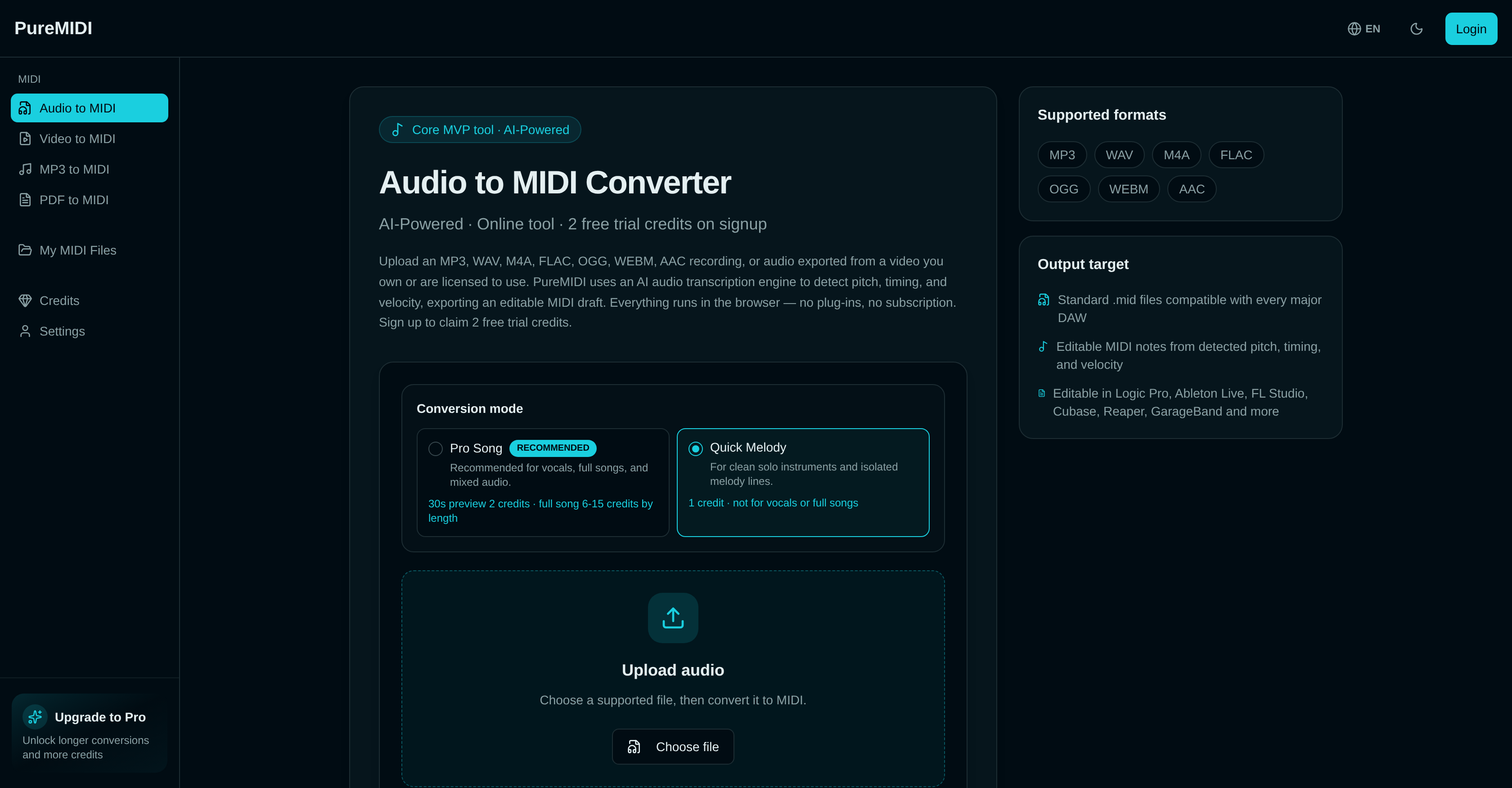
- Extract pitch, timing, and velocity from any audio file into editable MIDI drafts, ready for Logic Pro, Ableton Live, FL Studio, Cubase, Reaper, and GarageBand — no plug-ins required.
- Capture clean solo instrument lines with the Quick Melody mode for instant, accurate transcriptions of isolated melodies.
- Transform vocals, full songs, and mixed audio into multi-track MIDI drafts using the Pro Song mode, ideal for complex arrangements.
- Work with popular audio formats including MP3, WAV, M4A, FLAC, OGG, WEBM, and AAC, plus video audio, all without leaving your browser.
- Process up to 12MB files (roughly 5–10 minutes of audio) for free, giving you a fast start on any transcription project.
- Achieve optimal musical feel after conversion by tweaking dynamics and timing in your DAW, using the precise pitch and velocity data already captured.
Pros & Cons
Pros
- Supports popular audio formats
- Up to 12MB conversion files
- Works with major DAWs
- Quick Melody and Pro Song modes
- Allows post-transcription adjustments
- Produces editable MIDI drafts
- Two free trial credits
- Detects pitch, timing, velocity
- Online tool
- Compatible with every major DAW
- Works in any browser
- No plug-ins required
- No subscription required
- Generates multi-track MIDI drafts
- Recommended for vocals and full songs
- Suitable for clean solo instruments
- Accuracy dependent on audio quality
- Support for lossless formats (WAV, FLAC)
- Impact of format on accuracy detailed
- Guides for instrument-specific use
- Can extract audio from video
- MIDI creation and editing tools
- MIDI from text prompt
- Upload decision guide
- Transcription and covers use case
- DAW production sketches use case
- Music education use case
- Remix starters use case
Cons
- Limited to 12MB files
- Requires post-transcription adjustments
- Accuracy dependent on audio quality
- Not optimal for dense mixes
- Requires monophonic vocals or solo instruments
- Performance with FLAC and OGG unclear
- Not directly compatible with videos
- Lack of separate chord, bass, and drum detection
- Doesn't store files long-term
Reviews
Rate this tool
Loading reviews...
❓ Frequently Asked Questions
PureMIDI Audio to MIDI Converter supports MP3, WAV, M4A, FLAC, OGG, WEBM, and AAC formats.
Yes, there is a file size limit for the conversion with PureMIDI. The maximum size for temporary conversion files can be up to 12MB.
Certainly, you can use PureMIDI Audio to MIDI Converter with your GarageBand. The AI produces .mid files that can be utilized in GarageBand.
Quick Melody and Pro Song are two distinct modes in PureMIDI. Quick Melody is suitable for clean solo instruments and isolated melody lines. Pro Song, on the other hand, is recommended for vocals, full songs, and mixed audio.
While PureMIDI can indeed convert dense full mixes, it is suggested for best results to use clean monophonic vocals or solo instruments. For densely mixed tracks, one clear part should ideally be isolated first, or the full-song conversion mode could be used to produce a multi-track MIDI draft.
The quality of the original audio recording profoundly impacts the PureMIDI conversion. The more refined the original audio quality and the selected audio format are, the more accurate the transcription would be.
Yes, PureMIDI supports conversion of both audio and video audio to MIDI.
After using PureMIDI, post-transcription adjustments may indeed be necessary. These adjustments such as quantizing and tweaking the dynamics and timing can be made to achieve an optimal feel.
PureMIDI uses an AI audio transcription engine to discern pitch, timing, and velocity. This engine analyzes the audio file and identifies these musical elements to make an accurate MIDI transcription.
PureMIDI is compatible with major Digital Audio Workstations (DAWs) which include Logic Pro, Ableton Live, FL Studio, Cubase, Reaper, and GarageBand.
PureMIDI can convert both mono and polyphonic vocals. However, for best results, it is suggested to use clean monophonic vocals.
PureMIDI produces editable MIDI drafts, these files have discerned pitch, timing, and velocity from the original audio recording and are compatible with major DAWs.
Yes, PureMIDI can be used both for sound editing and music production. Its AI engine converts various audio formats to MIDI, and this MIDI can then be utilized in Digital Audio Workstations for further production tasks.
For free users, the audio conversion limit is dependent on the file size rather than the duration. The maximum file size is 12MB, which roughly estimates to about 5-10 minutes of audio.
Yes, the Pro Song mode in PureMIDI does generate multi-track MIDI. This mode is ideal for full songs, mixed audio recordings, and vocals.
Clean monophonic vocals are suggested for best results in PureMIDI due to their clarity and the ease of transcription. The fewer simultaneous pitches present, the more accurate the transcription can be.
Absolutely, PureMIDI can be used for pitch detection. It utilizes an AI engine which identifies and discerns the pitch, timing, and velocity from the audio input to convert it to MIDI.
For dense full mixes, PureMIDI suggests isolating one clear part first for optimal transcription quality. If isolating a track is not possible, the full-song conversion mode could be used to generate a multi-track MIDI draft.
To achieve optimal feel with PureMIDI Audio to MIDI Converter, post-transcription adjustments may be necessary. These adjustments can involve quantizing and tweaking the dynamics and timing for a smoother musical feel.
No, you won't need any additional plug-ins to use PureMIDI Audio to MIDI Converter. Everything runs directly in the browser.
Pricing
Pricing model
Free Trial
Paid options from
$4.99/unit
Billing frequency
Pay-as-you-go