
Overview
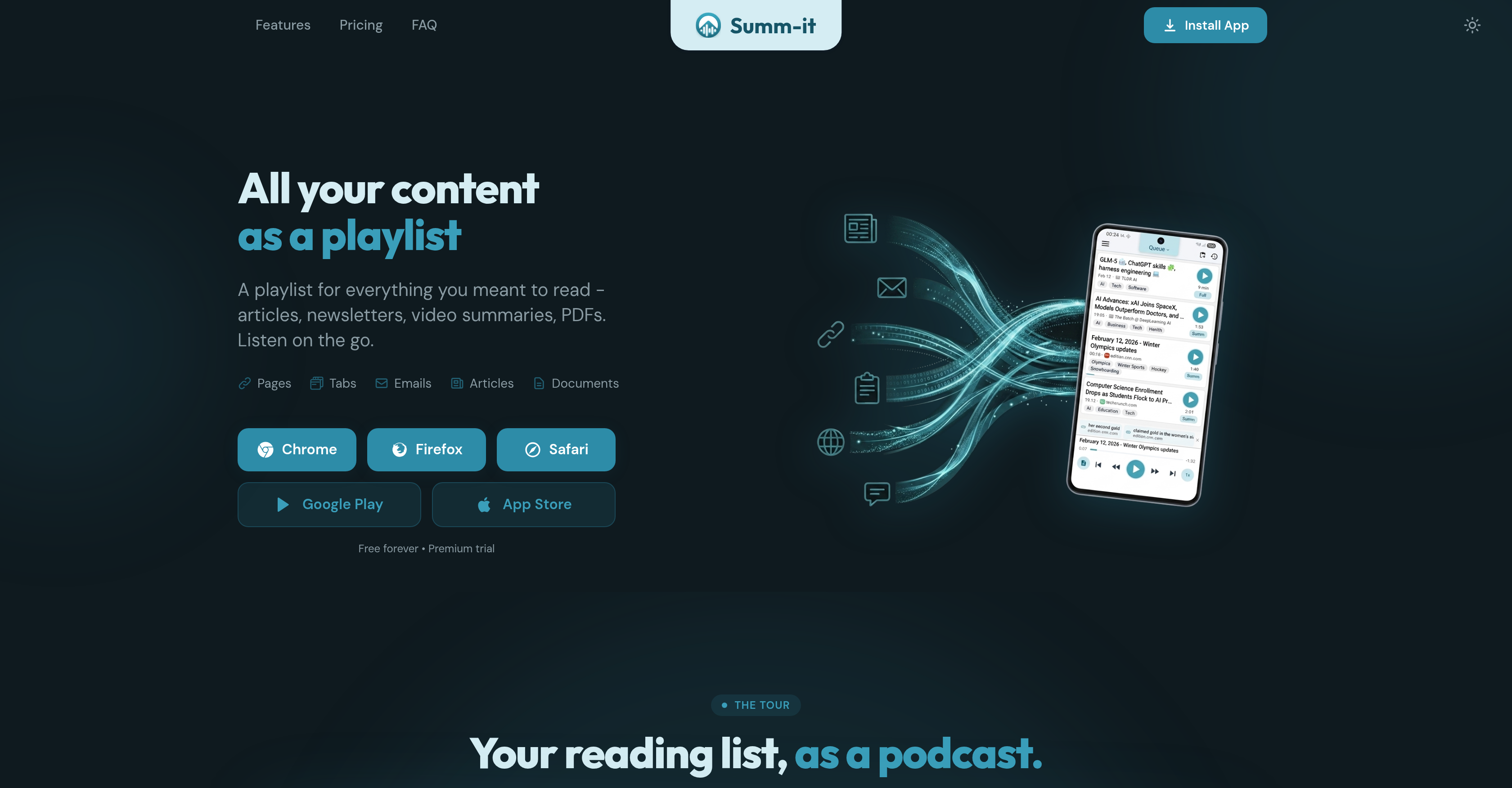
- Clear your entire reading list during commutes or workouts by saving articles, YouTube videos, PDFs, and email newsletters into one continuous audio playlist with natural AI voices
- Catch up on backlogged content instantly with the Catch-up feature that compacts older saved items into a single short audio recap
- Extract precise answers from your saved content by asking any question and receiving an AI-generated response with exact citations to the original source
- Choose between a full read or a smart AI summary for each saved item to match your available time and depth of understanding
- Save content from anywhere using one-click browser extensions for Chrome, Firefox, and Safari, or by forwarding emails and sharing from phone apps
- Customize your listening pace by adjusting reading speed to match your preference without losing comprehension
Pros & Cons
Pros
- Consolidates diverse content types
- Processes text to audio
- Available on multiple browsers
- Offers personalized playlists
- Automatically queues emailed content
- Can handle shared text/files
- Customizable listening experience
- Reading speed adjustment
- Option for summary or full
- 'Catch up' feature
- In-app search bar
- Citations for saved content
- Free trial available
- Content sharing capabilities
- Archives saved information
- Applicable for learning optimization
- Emails directly queued
- Automatic content summarization
- Applicable to video summaries
- Supports text files processing
- Allows topic tagging
- Offline listening feature
- Continuous playback function
- Background downloading feature
- Extracts related links
- Playlist creation by topic
- Supports Android Auto, CarPlay
- Offers clipboard pasting
- Playlist for Gmail newsletters
- Multilingual translation
- One-click content saving
- Aids in time management
- Supports long-form content
- Handles YouTube video summaries
- Relates articles for reading
- Allows source labelling
- Fine-tuned reading list
- Serves personal content library
- Backlog management capabilities
- Uninterrupted car listening
- Supports in-flight listening
- 15+ language translation
- Supports document and PDFs
- Website links extraction
- Individual content speed control
- Auto catch-up feature
Cons
- No support for non-standard website layouts
- Paid tiers to unlock features
- Limited support for site logins
- Limit on monthly content
- Unusable for unsupported content
- Limited voice options for free users
Reviews
Rate this tool
Loading reviews...
❓ Frequently Asked Questions
Summ-it supports various types of content including emails, articles, web pages, video summaries, and PDF files. Users can input the content into the tool for processing into an audio format.
Content is queued in Summ-it through a browser extension available on Chrome, Safari, and Firefox, where users can save any textual content from the web. Additionally, users can also queue text files or web content shared from phone applications, which further enhances its versatility.
Yes, Summ-it has the capability to queue emailed content automatically. This means that as soon as an email is forwarded, the content is added to the user's personalized playlist, thereby increasing accessibility and ease of use.
Listening experience on Summ-it can be customized by adjusting the reading speed to fit the listener's preference. Users also have the option to choose between a summary or full read of the chosen content, thus optimizing the user experience to suit individual necessities.
Yes, Summ-it does offer both a summary and full read option. When saving any textual content, users can choose whether they want a brief summary for swift comprehension, or a full read where every detail of the content is read out.
The 'catch up' feature in Summ-it is a unique component designed to consolidate older items into a compressed audio summary. This enables users to keep track of their content without having to go through each one individually, thus ensuring time-efficiency and convenience.
If users want to ask questions about their saved content on Summ-it, they can use the search bar. The intelligent AI provides answers with exact references to the original saved content. This feature enhances interactivity in content management and bridges the knowledge gap effectively.
Summ-it serves various uses, primarily catering to individuals aiming to enhance their learning or reading experiences. Its versatile text-to-audio conversion feature allows users to convert a wide variety of content into listenable sections. Plus, with its content consolidation and personalization capabilities, users can learn new topics, catch up on articles, or enjoy a personalized content digest.
Yes, Summ-it does offer a browser extension for Chrome, Safari, and Firefox. This extension allows users to save any textual content from the web directly into their personalized playlist in Summ-it, ensuring seamless content gathering experience.
Document processing on Summ-it involves converting the user's chosen content, including PDF files and web pages, into an audio format. This conversion is convenient and fast, allowing users to listen to anything they meant to read.
Yes, content can be easily shared from phone applications to Summ-it. Users can simply share text files or web content from the applications on their phone, which are then queued within their personalized playlist.
The time management feature on Summ-it is designed to ensure users are able to keep track of significant content and learn within their designated schedules. The 'catch up' component, for instance, turns a backlog of older items into a short audio summary. This ensures a steady flow of information without overwhelming the users.
Users can search within their saved content on Summ-it using a search bar. This feature comes in handy when users want to find specific information buried in their archived data. The AI responds with a citation to the exact source of the content, enhancing the tool's usability.
The personalization in Summ-it is brought by AI. The tool creates a personalized playlist for each user based on their saved content. Users can customize their listening experience by adjusting the reading speed or choosing between a summary or a full read, providing a custom tailored content consumption experience.
Yes, Summ-it does offer a free trial. Users can use the tool and explore its capabilities for a limited amount of time without any charges, offering a risk-free way to understand the tool's functionalities and utilities.
Indeed, Summ-it can handle text-to-audio conversion. It extracts the textual content input by the user and processes it into a clear, listenable audio format for an on-the-go learning experience.
Summ-it consolidates different types of content by accepting various forms of user content, including emails, articles, web pages, video summaries, and PDFs, then processing them into an audio format. This is then queued within the user's personalized playlist for a consolidated listening experience.
Advanced features of Summ-it include an interactive search bar where questions can be asked about saved content, an automatic queuing system for emailed content, customization of the listening experience, and a content 'catch up' feature which compresses older items into a concise audio summary.
Summ-it optimizes the learning experience by turning various text-based contents into an audio format that can be listened to anytime, anywhere. It also features personalization options for listening experience, an interactive search bar for quick content queries, and a content consolidation framework which creates a smooth, continuous learning journey.
Yes, Summ-it can bunch different types of content into a playlist. Whether it's emails, articles, web pages, video summaries, or PDFs, Summ-it can process them into an audio format and arrange them in the user's personalized playlist, creating a cohesive, well-organized learning regimen.
Pricing
Pricing model
Freemium
Paid options from
$5.99/month
Billing frequency
Monthly