Tana Outliner
Overview
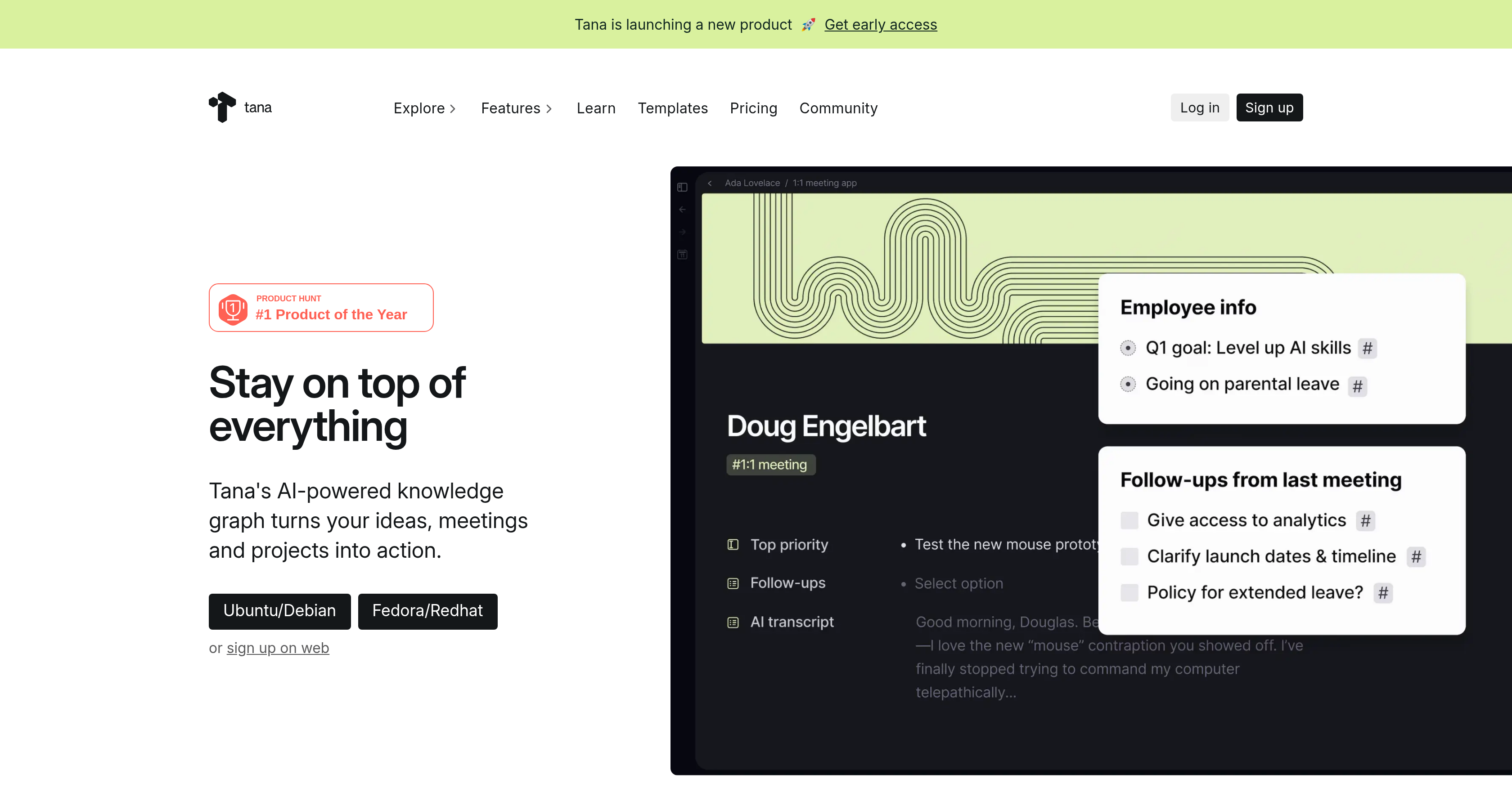
- Instantly turn meeting discussions into structured tasks and projects with an AI-powered knowledge graph that transcribes and analyzes content.
- Organize any note into structured, searchable data without predefined schemas using dynamic Supertags that work anywhere in your workspace.
- Merge freeform brainstorming with structured project management in one view using the Outline Editor, eliminating setup time for databases or templates.
- Find any piece of information across notes, tasks, or meeting transcripts instantly with live searches that update in real time.
- Manage diverse work items—from agenda goals and investor notes to delegated tasks and bug reports—in unified, interactive feeds with voice memo support.
Pros & Cons
Pros
- Transcribes and analyses meetings
- Turns notes into tasks
- 'Supertags' for structured notes
- Supports extensive range of items
- Interactive feeds for management
- Doesn't require preliminary setup
- Real-time 'live searches' feature
- Versatile and multi-purpose
- Combines freeform and structured data
- Integrates voice memos
- Popular among tech professionals
- Outline Editor for quick start
- Comprehensive project management abilities
- Supported by leading tech companies
- Custom feeds for personalized management
- Real time transcription and processing
- Computation medium access for users
- Versatile usage across industries
- Excellent feedback-based improvement
- Automated extraction of actionable tasks
- Usability across individuals and organizations
- Includes API for integration
- Dynamic Supertags for better organization
- Knowledge graph for information synthesis
- Offers daily note functions
- Automated voice to text
- Powerful outliner text editor
- Inbuilt image generation from notes
- Ideal for graphics and illustrations
- One-click infographic generation
- Professional graphic design function
- Automated analysis of lectures
- Automatic exam preparation questions
Cons
- No offline mode
- Depends heavily on tags
- Complex for non-tech users
- May have privacy concerns
- Limited third-party integrations
- Potentially overwhelming features
- No clear pricing structure
Reviews
Rate this tool
Loading reviews...
❓ Frequently Asked Questions
Tana Outliner is an AI-native workspace application. It is designed to convert notes into actionable tasks by leveraging an AI-powered knowledge graph which transcribes and analyzes meetings' content and transforms ideas and notes into tasks, projects, strategy documents and more. Key features like 'Supertags' can transform any note into a structured element enhancing its usability and accessibility, while the 'Outline Editor' allows for freeform writing and structured data combination.
Tana's AI-powered knowledge graph is a dynamic system that transcribes and analyses meetings' content. It takes ideas and notes and structures them into tasks, projects or strategy documents, basically converting them into actionable items. It uses machine learning algorithms to understand, analyze, and organize the content efficiently, effectively creating a structure out of unstructured data.
Supertags in Tana are a dynamic platform feature designed to transform any note into a structured element, enhancing its usability and accessibility regardless of its location. These super tags streamlines any note, making it a structured data point which can be easily referenced or used in future.
Tana's Outline Editor feature merges the ability of freeform writing with structured data without the need for any initial setup or designing schemas. It enables a flexible and efficient noting and structuring system, allowing users to outline their thoughts freely while maintaining a structured data architecture.
With Tana's 'live searches' feature, users can execute real-time searches anywhere they want to fetch or display information. It means that users can instantly search for and access specific data points or parts of their notes or meetings' transcriptions, structuring quick access points to key information.
Yes, you can manage tasks and projects with Tana. It converts ideas and notes into tasks and projects using the AI-powered knowledge graph. This helps in carrying tasks from conception to execution and management, making it an effective tool for task management and project handling.
Tana supports task management for tech teams by providing a structured and interactive workspace. It allows tech teams to transition their ideas and notes into actionable tasks and organise them into projects. Features such as Supertags, Outline Editor, and real-time searches prove useful for tech teams to streamline their tasks and manage them efficiently.
The Tana system can manage a wide range of items including, but not limited to, agenda goals, investors, delegated tasks and bugs. It streamlines the management of these elements with features like interactive feeds and voice memos.
Tana transitions notes into actionable tasks using an AI-powered knowledge graph. It transcribes and analyses meeting contents, converting ideas and notes into tasks, projects, or strategic documents seamlessly. Features like Supertags help in structuring these transformed notes further for future reference.
Yes, voice memos can be recorded in Tana. The system supports interactive feeds and voice memos - streamlining the management of various elements by converting voice input into structured and searchable data.
The 'Supertags' feature in Tana enhances the usability of notes placing structure and context around any note, irrespective of its location. By tagging the notes, they turn into structured elements. This helps in classifying and organizing notes accordingly, and makes it easy to find and use notes later.
The role of AI-native Workspace in Tana is to provide an integrated, interactive and dynamic platform for transition of notes into actionable tasks. This AI-native workspace leverages an AI-powered knowledge graph that turns ideas and notes into tasks, strategy documents and more, providing a unique solution for range of tasks.
Yes, Tana proves highly useful in managing both daily tasks and extensive projects. Using its AI-powered knowledge graph, Tana can transform meeting transcriptions, ideas, notes and discussions into tasks or projects. It offers an optimal solution for professionals to efficiently run their daily tasks or manage comprehensive projects.
Yes, Tana transcribes and analyzes the content of meetings. It makes use of an AI-powered knowledge graph to automatically transcribe and analyze the content, wording and context of meetings. In doing so, it effectively turns ideas, discussions and notes from meetings into tasks, project cues and strategy pointers.
Yes, users can execute real-time searches in Tana. The 'live searches' feature allows users to conduct searches anywhere they need to access or display information. This facilitates efficient data management, quick referencing, and seamless workflow.
The Outline Editor feature of Tana is a dynamic tool which caters to both freeform writing and structured data inputs. It does not require any preliminary setup or database schema designing and creates a mix of open-ended noting and structured data management.
Tana, as an AI-native workspace application, plays a crucial role in turning notes into logical and actionable tasks. What sets it apart is its unique incorporation of an AI-powered knowledge graph, Supertags and an Outline Editor. These features intertwined, make it a highly efficient tool for real-time data search, note-structuring, task delegation, project management and much more.
In Tana, the transition of ideas into tasks is driven by its AI-powered knowledge graph. The system transcribes and analyses content from meetings and converts these ideas and notes into tasks. This process is augmented by the use of Supertags which further structure these transcribed notes. This organized system streamlines the transition of ideas into tasks.
Tana supports structured data through its unique features such as the 'Outline Editor' and 'Supertags'. While 'Outline Editor' provides a platform to merge the features of freeform writing and structured data, 'Supertags' assist in transforming notes into structured elements irrespective of their location, enhancing usability and accessibility for future reference.
Tana is popular among tech teams for task and project management, meeting transcriptions and analysis, idea generation, structuring strategies and much more. Its versatility is notable in handling daily tasks and managing comprehensive projects as well, making it a favored tool of choice among tech professionals.
Pricing
Pricing model
Freemium
Paid options from
$10/month
Billing frequency
Monthly
Related Videos
Workflowy vs Tana - Which is the better Outliner Note-Taking App?
ICOR with Tom | AI Productivity•6.7K views•Jun 28, 2024