
TextSongAI.com
Overview
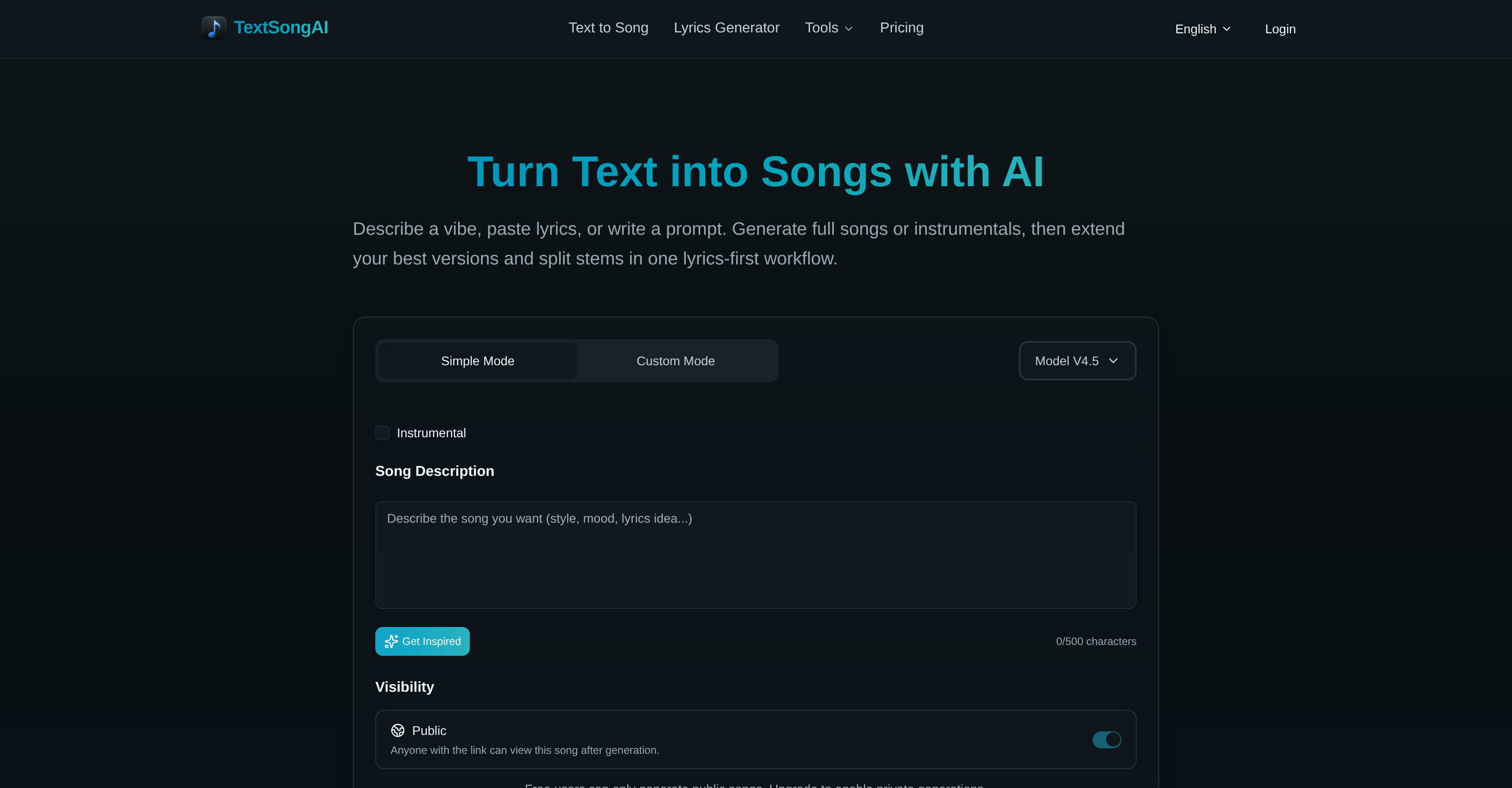
- Create complete songs from a simple text prompt, mood description, or pasted lyrics without any music production experience
- Describe a vibe, scene, or lyrical idea and instantly generate a full vocal track or instrumental with AI-driven composition
- Choose your exact sound by selecting genre, energy level, and vocal style to match your creative vision
- Extend your best take up to 8 minutes with guided song versioning for full-length, professional tracks
- Split finished songs into isolated vocal, drum, and bass stems for remixing, sampling, or detailed post-production
- Remove vocals from any track to create instant karaoke versions for events, teaching, or practice sessions
- Isolate drums separately for beat-focused remix work or music education demonstrations
- Generate original lyrics with AI assistance, including verses, hooks, and choruses, then feed them directly into song creation
- Export polished tracks in MP3 or WAV format directly from your browser for use in videos, podcasts, games, or edits
- Produce brief-driven instrumental music by describing a scene or mood—ideal for video editing, podcast scoring, or indie game soundtracks
Pros & Cons
Pros
- Lyrics-first workflow
- Generates full songs from text
- Generates instrumentals from text
- Option to extend songs
- Option to split audio stems
- Vocal removal feature
- Can isolate drums
- Export MP3 or WAV directly
- Compatible for various users
- Suitable for immediate soundtrack needs
- Allows for song remixing
- Enables karaoke through vocal removal
- Mood synthesis feature
- Multiple genre selection
- Customizable vocal styles
- Supports short-form video editing
- Can generate instrumental-only from text
- Can intelligibly convert text cue to song
- Browser-based creations
- Offers both simple and custom modes
- Free tier available
- Commercial rights for annual subscription
- No musical experience required
- Includes drum separator
- Applicable for indie game developers
- Suitable for use in music education
- Generates music from scenes and briefs
- Assists in creative writing platforms
- Accommodates various languages
- Private song generations for paid users
- Synchronized lyrics editing
- Online studio with MP3/WAV export
- Extend songs to full-length versions
- Can break songs into stems
- Supports vocal and instrumental separation
- Can isolate drum parts
- Aids in podcast production
- Platform suitable for content creation
- Can generate a variety of styles
- Can describe scene or mood in language
- Has lyrics-aligned audio generation
- Generates both public and private songs
- Allows revising and refining of generated songs
- Non-commercial use limitations for free users
- Creates studio-ready audio
- Suitable for beginner song creators
Cons
- Genre selection could be limiting
- Potential misalignment between lyrics and music
- Privacy limited to paid users
- Full capabilities require paid plans
- Limited to non-commercial use on Free and Monthly plans
- Vocal and instrumental separation could be imperfect
- Cloud-based tool, requires good internet connection
- Only exports in MP3, WAV
- Potential disconnect between desired mood and output
- Technical music knowledge needed for stem splitting
Reviews
Rate this tool
Loading reviews...
❓ Frequently Asked Questions
TextSongAI is an advanced AI application capable of generating full songs or instrumentals from textual inputs, be it a prompt, mood, or finished lyrics. The tool has features that allow users to extend song versions, split audio stems, remove vocals or isolate drums. It can also assist with generating lyrics using AI and creating instrumental music based on scenes, briefs, or mood notes.
Creating a song using TextSongAI is simple and intuitive. Users input a prompt, a mood, or finished lyrics in plain language, and the application generates a song that is lyrically tailored. Users can also choose to generate a fully instrumental song from briefs, scenes, or mood notes, and apply further customizations according to their need.
Yes, TextSongAI allows users to select the genre and energy level of the song while specifying the initial inputs. The users' preferences are considered when the AI generates the song.
Absolutely, TextSongAI can generate songs in various vocal styles. Users can define their preferred vocal style when initiating the song generation process, allowing them to have vocal tracks that align with their desired style.
Indeed, TextSongAI comes with an option to extend the song versions. Users can take their strongest takes and continue them up to 8 minutes with guided extensions, allowing for tailor-made, full-length versions of songs.
With TextSongAI, users can split their mix into various segments like vocals, drums, and bass, and download these parts for further remixing or production. The Stem Splitter feature helps in breaking down songs into their constituent parts, aiding in detailed song analysis and editing.
Yes, TextSongAI offers the ability to both isolate drums and remove vocals from a track. This provides users with clean and separate music elements that can be used for creating remixes, sampling, or karaoke tracks.
TextSongAI's AI-driven lyrics generation feature works by having the user write their own lyrics or generate them via the tool's AI, followed by song creation. The AI aligns the vocals to the lyrics provided or generated, for a tailored song making experience.
Absolutely, TextSongAI comes with a feature that allows users to create instrumental music from textual inputs. By providing descriptions of scenes, briefs, or mood notes, users can have instrumental music tailored to their specifications.
TextSongAI supports export in MP3 or WAV formats. This allows users to flexibly utilize their generated songs in a variety of applications, both personal and professional.
TextSongAI offers both a free tier and paid plans. While the free tier allows users to try out the capabilities of TextSongAI, paid plans provide advanced features such as higher generation limits, MP3/WAV downloads, and privacy controls, among others.
The songs created by TextSongAI can be utilized for numerous purposes. They can be used by songwriters for their compositions, by teachers for a more interactive teaching experience, or by small teams for their content creation purposes. The songs can also be used as soundtracks or in edits.
Starting the song generation process in TextSongAI involves inputting textual prompts, a mood, or finished lyrics. Once these initial inputs are given, the AI utilizes them to generate a lyrically tailored song or instrumental music.
Yes, TextSongAI can generate music to meet immediate needs. Its robust workflow enables quick creation of unique soundtracks from articulate prompts and notes.
TextSongAI is highly beneficial for songwriters and music teachers. It aids songwriters by providing an AI-assisted, lyrics-first workflow that makes song creation easier and quick. For music teachers, it can help provide tangible examples to explain varied music concepts to students, thus improving their teaching process.
Definitely. With TextSongAI, users can create remix-ready soundtracks. Features like the ability to extend songs, split audio stems, remove vocals, or isolate drums make it possible for users to prepare their tracks perfectly for remixing.
Absolutely. Tracks created by TextSongAI can be used as unique soundtracks. They can be used for a variety of purposes including in short-form videos, podcasts, indie games, or as temp scores in edits.
To generate full songs from textual inputs using TextSongAI, users would enter a mood, scene, or lyric draft in plain language. Then they would choose the type of song - full vocal or instrumental, set the genre, energy, and vocal style, and generate the track. Finally, they would select their strongest take, extend it, split stems if needed, and export it in MP3/WAV format.
Yes, with TextSongAI, users can tailor the lyrics and music style while creating a song. Users can control the lyrics by either writing their own or generating them via AI. The style, mood, and vocal direction can also be customized using TextSongAI's advanced functionalities.
TextSongAI allows you to create brief-driven music. Users simply have to describe a scene, brief, or mood in plain language, and the AI takes care of the rest, creating an instrumental bed or background track in alignment with the brief.
TextSongAI generates songs using AI based on textual inputs provided by the user. The user can describe a vibe, paste pre-existing lyrics, or write a prompt in plain language. Taking these inputs, the AI generates a song that suits the specifics given by the user.
Yes, TextSongAI works with different music genres. The user can shape the desired sound of the song they intend to create by setting the genre, energy level, and vocal style.
Yes, TextSongAI comes with options to remove vocals or isolate drums. These features can be very helpful when a user wants to remix the song or use it for karaoke.
TextSongAI provides an AI-powered lyrics generator tool that supports the song creation process. Users can draft lyrics, including verses, hooks, and choruses, and send them directly into the song generation pipeline.
TextSongAI supports both MP3 and WAV formats for exporting songs. These file formats can be exported directly from the user's browser and are accessible to paid users.
Yes, TextSongAI is useful for video editing and podcast production. Its features such as generating lyrics, creating instrumental music, vocal style selection, and audio file export are especially suited to these tasks.
TextSongAI can be used for music education. The platform can generate a range of songs in different genres and styles, providing music teachers a broad and diverse selection of materials to use for instruction and student engagement.
Yes, TextSongAI can be used to create instrumental music. Users can generate instrumental music from text inputs such as scenes, briefs, or mood notes.
Users need to provide a textual input in the form of a prompt, mood description or lyrics to begin the song creation process. No prior music production experience is required as TextSongAI handles the melody, vocals, arrangement, and production based on the user's textual input.
Yes, TextSongAI offers the option to extend song versions. Following the initial generation of a song, users can continue with the best contribution, extend it up to 8 minutes and direct it according to their musical inspiration.
Yes, after generating a song, TextSongAI provides the option to split the mix into stems such as vocals, drums, and bass. This feature prepares tracks for remixing and production.
Yes, TextSongAI offers a feature for users to select vocal styles. Users can select the desired vocal style to match their mood and idea during the song-generation process.
Yes, TextSongAI can be useful for generating content on creative writing platforms through its AI Lyrics Generation feature. It can support writers in creating lyrics for songs.
TextSongAI helps in song remixing using its stem-splitting feature. Post generation of a song, users can split the mix into vocals, drums, and bass which can then be remixed according to their requirements.
Yes, TextSongAI can be used for karaoke. The application includes a vocal remover tool which allows users to create karaoke tracks by separating the vocals from the instrumentals.
Yes, TextSongAI supports music genre selection. Users can select the desired genre during the song creation process to match their specific requirements or mood inputs.
Yes, TextSongAI supports song versioning. It allows users to create extended versions of their songs and shape the direction of their tracks according to their needs.
Yes, TextSongAI comes with a drum separator feature. It enables users to isolate drum parts from the song for practice and remix work.
Yes, TextSongAI sports a feature for audio file export. Users can create music directly in their browsers and export the track in MP3 or WAV formats when it's ready to share or publish.
Pricing
Pricing model
Freemium
Paid options from
$10/month
Billing frequency
Monthly