Overview
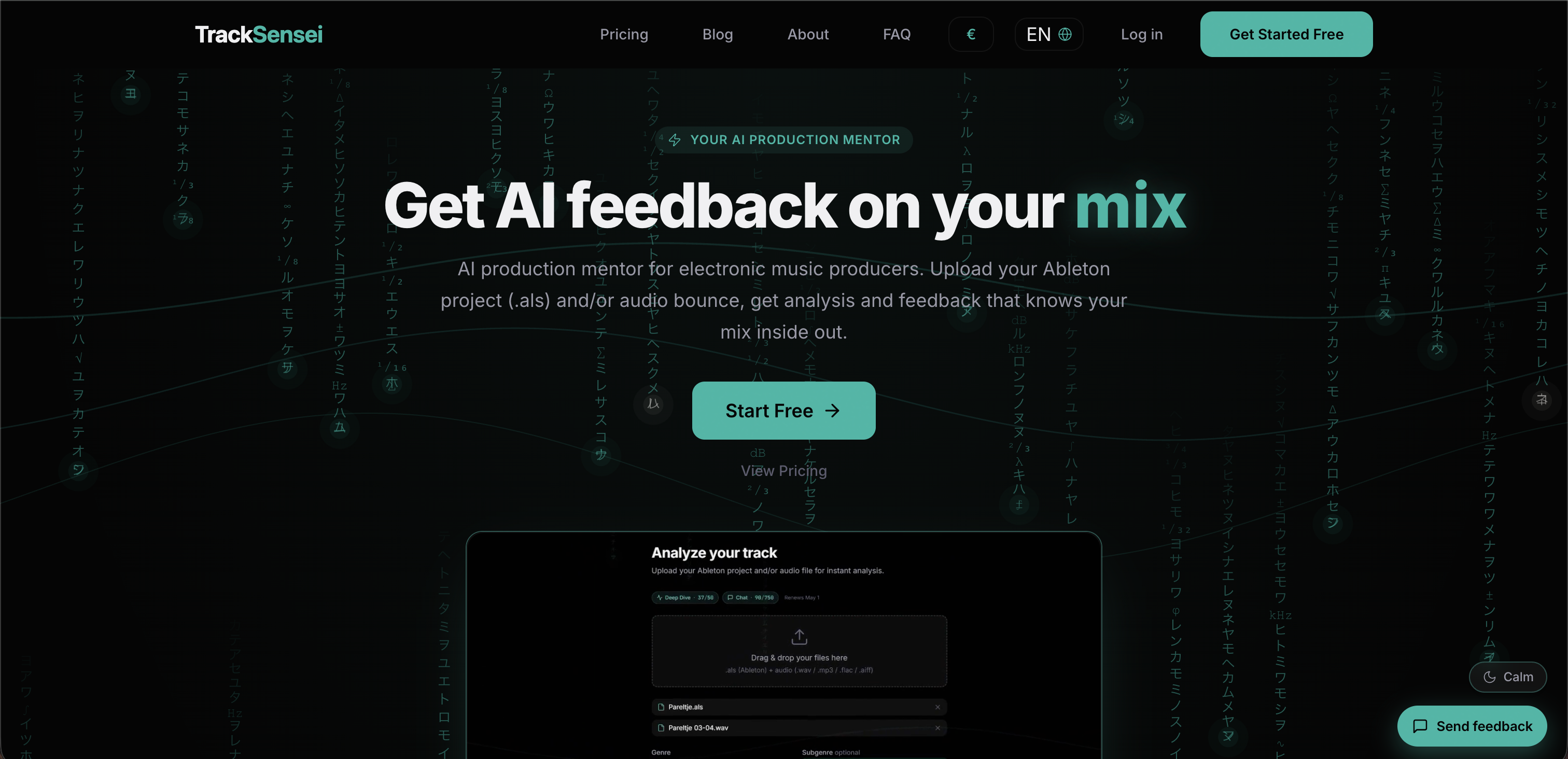
- Fix frequency masking and kick-bass clashes instantly with Stem Interaction Analysis that pinpoints conflicts between specific elements.
- Get a production score from 0-100 on mix quality, loudness, frequency balance, and arrangement, with concrete flags on what's off and how to fix it.
- Receive genre-specific feedback tailored to your exact style across 12 main genres and 69 subgenres, ensuring every suggestion matches your track's expectations.
- Ask the AI mentor any question about your mix and get individualized responses that reference your actual project structure, plugin chains, and routing.
- Upload your Ableton Live .als file for deep project parsing that reads every track, device, MIDI clip, automation, and send to deliver feedback specific to your setup.
- Compare your track against a reference track to align your sound, style, and arrangement with your production goals.
- Identify groove and MIDI issues—from swing analysis to velocity curves and pattern repetition—so you can tighten your rhythm section.
- Get prioritized arrangement feedback that highlights structural deficiencies by severity, showing you exactly which sections to fix for better energy flow.
Pros & Cons
Pros
- Genre-aware feedback
- Insightful arrangement analysis
- Sound design evaluation
- Mix and master analysis
- In-depth audio analysis
- Individual track breakdown
- Frequency spectrum analysis
- Mix balance examination
- MIDI patterns research
- Profile-specific feedback system
- Supports 12 main genres
- Supports 69 dedicated subgenres
- Reference track consideration
- Plugin chain evaluation
- Production level consideration
- Diagnostic stem interaction analysis
- Highlights kick-bass clash
- Analysis of sidechain coherence
- Fundamental frequency tuning insight
- Frequency masking pinpointing
- Ableton Live project parsing
- Production scores provision
- Individualized responses
- Insightful groove analysis
- Insight into sound design
- Music mentorship assistance
- Detailed track improvement advice
- Instant deep analysis
- Arrangement prioritized by severity
- Username and location omitted
- Ableton project analysis
- Sees plugin chain on each channel
- Routings and sidechains analysis
- Genre-specific scoring system
- Chat feature with detailed suggestions
- Ableton and/or Audio upload support
- Interprets user's audio and Ableton project
- Scoring pillars: mix quality, loudness, frequency balance, arrangement
- Chord detection
- Swing analysis
- Velocity curves study
- Pattern repetition insights
- Stem Interaction Analysis feature
- Feedback tailored to user's track
- Different scoring for different subgenres
- Ask anything feature
Cons
- Limited to electronic music
- No support for other DAWs
- Stem Analysis only in ultimate plan
- Doesn't replace human music production
- Limited main genres and subgenres
- Requires Ableton Live for project parsing
- Fee-based expanded functionality
- Depends on user's reference track
- No promise of improvement in music
Reviews
Rate this tool
Loading reviews...
❓ Frequently Asked Questions
TrackSensei conducts an in-depth analysis of a music track by taking into account the frequency spectrum, mix balance, arrangement, and MIDI patterns, among other factors. Users have to upload their Ableton Live Project or any audio file. Post-upload, TrackSensei inspects the audio and generates insights related to the frequency spectrum, mix balance, arrangement, MIDI patterns, and groove of the music track.
Yes, TrackSensei supports multiple audio file formats that can be uploaded including .wav, .mp3, .flac, and .aiff. Additionally, Ableton Live project files (.als) can be uploaded too for a more fleshed out analysis.
TrackSensei provides genre-aware feedback by recognizing the specific genre and sub-genre of the uploaded track. It offers a different profile-specific feedback system for 12 main genres and 69 dedicated sub-genres. Based on this, it compares the user's track with genre-specific targets and provides concrete, actionable feedback optimized for each specific genre.
Yes, TrackSensei provides in-depth analysis for Ableton Live Projects. When users upload their Ableton Live Project, the AI inspects and analyses it, providing insights into factors such as the frequency spectrum, mix balance, arrangement, MIDI patterns, and groove, among other things.
TrackSensei offers insights into the frequency spectrum of a user's track through its audio analysis. The AI tool probes into the track and provides a detailed overview of the frequency distribution, highlighting potential imbalances, clashes, or frequency masking incidents.
TrackSensei assesses mix balance by analyzing the audio file and examining the mix's dynamics. It provides a score rating for mix balance and returns an in-depth understanding of how well the different audio elements in the user's track are blending together. Any conflicts or issues in the balance are noted, and users are given suggestions for improvement.
TrackSensei analyzes the track arrangement and provides the user with feedback emphasizing the structure of the audio, the transitions between sections, the energy distribution, among other parameters. If there are anomalies, sudden changes, or surprising elements detected in the arrangement, TrackSensei will alert the user and suggest potential corrections or improvements.
TrackSensei performs a comprehensive analysis of MIDI patterns within a user's track. It investigates the structure, timing, velocity curves and repetition insights of the MIDI data and provides feedback on how well these elements work together and with the track's overall melody and rhythm.
TrackSensei delivers profile-specific feedback for 12 main genres and 69 dedicated sub-genres, ensuring feedback is centered on the user's specific music style. This includes a wide range of genres, from House, Techno, Trance, to Drum & Bass, Dubstep, Hip-Hop, and many more.
Stem Interaction Analysis in TrackSensei includes diagnostic feedback on elements such as kick-bass clash, sidechain coherence, fundamental frequency tuning, and frequency masking between specific elements. This allows users to understand how the individual stems of their tracks interact and potentially clash with each other.
The chat feature in TrackSensei allows users to interact with the AI engine and get detailed suggestions about their track. In response to specific questions or requests for insight, the AI can provide detailed feedback that takes into account the specifics of the user's mix.
TrackSensei takes the user's reference track into account by comparing it against the uploaded track in its analysis. This allows the AI to understand the desired sound, style, or arrangement that the user wants to achieve, and feedback can then be tailored to suggest how to closer match the reference track.
When TrackSensei mentions 'Music Production AI Mentor that knows your mix inside out', it refers to its ability to provide detailed, nuanced feedback that considers all aspects of a user's mix. The AI engine can identify specific details and issues in a user's mix and offer tailored advice on improvements, akin to how a human mentor would do.
TrackSensei can help identify issues with a track's groove by analyzing the track's rhythmic aspects, providing groove analysis and metric visualization. If there are any discrepancies or idiosyncrasies within the groove, the AI tool will highlight them and provide suggestions on how to improve the groove and overall rhythmic feel.
TrackSensei aids with fundamental frequency tuning by offering diagnostic feedback during its Stem Interaction Analysis. The AI tool can identify if any stems in a user's track are not harmoniously tuned, resulting in potential tonal clashes, and suggest ways to remedy this for a smoother, more harmonic track.
From TrackSensei, users can expect constructive advice focusing on arrangement, sound design, mix, and master of the music tracks. The AI gives detailed suggestions about the audio track while also considering factors like the reference track, plugin chain, and production level. It also offers a Stem Interaction Analysis for more diagnostic feedback.
TrackSensei enriches its feedback for sub-genres by offering dedicated sub-genre profiles within its feedback system. This means that every sub-genre is treated as a distinct entity with its own set of rules and expectations, allowing users to receive highly genre-specific feedback that accurately represents the nuances of their chosen sub-genre.
TrackSensei identifies and helps solve challenges in Kick-Bass Clash by offering Stem Interaction Analysis within its ultimate plan. This feature gives pinpoint diagnostic feedback, which can help identify instances where the kick and bass are not interacting properly, causing a muddied or unclear low-end. The AI tool then suggests tweaks to rectify these issues.
Yes, TrackSensei offers diagnostic feedback on frequency masking. As part of its audio analysis and Stem Interaction Analysis, the AI tool can identify potential incidents where two or more elements in the user's audio are competing for the same frequency space, leading to clarity issues. TrackSensei will highlight these issues and suggest ways to solve them.
TrackSensei can work with any plugin chains as it analyses both the structure of the project along with the plugin chains on each channel. This allows the AI to provide feedback specific to the plugins used and their settings at specific points during the track, ensuring the feedback is highly tailored and actionable.
To use TrackSensei, users need to upload their Ableton Live Project (.als) or an audio file. Upon uploading, TrackSensei performs a deep analysis of the audio including frequency spectrum, mix balance, arrangement, MIDI patterns, and groove. After this, it presents key insights that could help in improving tracks. Users can chat with the AI mentor to ask specific questions and get individualized responses.
Users can upload their Ableton Live Project (.als) or any audio file to TrackSensei. TrackSensei supports various audio file formats including WAV, MP3, FLAC, AIFF, and OGG.
TrackSensei provides detailed feedback on arrangement, sound design, mix, and master of the music tracks. It provides genre-specific feedback for 12 main genres and 69 dedicated subgenres. Users can also get suggestions on areas such as frequency spectrum, mix balance, MIDI patterns, and groove. Also, there's a provision to get individualized responses from the AI through the AI Chat Mentorship System.
Yes, TrackSensei supports multi-genre music tracks. It offers profile-specific feedback for 12 main genres and 69 dedicated subgenres. This wide range ensures that users get accurate and specific feedback on their music, regardless of the genre.
TrackSensei analyzes audio files and Ableton Live Projects by conducting an in-depth analysis. This analysis is primarily focused on the frequency spectrum, mix balance, arrangement, MIDI patterns, and groove of the track. The platform also offers a Stem Interaction Analysis that offers diagnostic feedback on kick-bass clash, sidechain coherence, fundamental frequency tuning, and frequency masking between specific elements.
TrackSensei provides instant deep analysis. From the moment users upload their files, TrackSensei gets to work, providing analysis results and production scores within minutes.
The AI Chat Mentorship System within TrackSensei allows users to ask specific questions about their mix and receive individualized responses. The AI Chat Mentorship System analyzes user audio against genre-specific targets, then interprets those numbers for the specific mix, providing concrete and actionable feedback.
Yes, TrackSensei can analyze MIDI and groove. It identifies chord detection, swing analysis, velocity curves, and pattern repetition insights. This in-depth analysis provides users with detailed feedback to help improve their music production.
Production Scores in TrackSensei are a measure of various aspects of the music track. These include mix quality, loudness, frequency balance, and arrangement. Each of these aspects is rated between 0-100, providing concrete flags on what's off, why it matters, and how to fix it.
TrackSensei understands mix details by analyzing both your .als project file and your audio bounce together. It looks at the structure of your project, the plugin chain on each channel, your routing and sidechains, and the MIDI behind every part. This detailed analysis enables it to provide feedback that is specific to a user's track.
Yes, TrackSensei analyzes the sound design of your audio file or Ableton Live Project. It provides detailed feedback on the frequency spectrum, mix balance, MIDI patterns, groove, and other crucial sound design elements.
TrackSensei provides specific guidance on music arrangement by identifying deficiencies in structure and coherence. It highlights major findings from your arrangement analysis and prioritizes them by severity so you know exactly which elements to focus on for improvement.
The responses from TrackSensei are highly individualized. Each feedback is tailored specifically to the user's track; it takes into account the user’s reference track, plugin chain, and production level. The AI Chat Mentorship System allows users to ask specific questions and receive individual and detailed responses.
The Stem Interaction Analysis that TrackSensei offers is a feature provided in its ultimate plan. It provides diagnostic feedback on elements such as kick-bass clash, sidechain coherence, fundamental frequency tuning, and frequency masking between specific elements. To use this feature, users need to upload 2–4 stems.
TrackSensei caters to 12 main genres and 69 dedicated subgenres. It offers genre-specific feedback profiles to ensure accurate and meaningful responses for a wide range of electronic music subgenres.
Yes, Ableton Live users can make full use of TrackSensei. The platform supports Ableton Live Project (.als) file uploads and provides features such as Ableton project parsing. It also provides feedback based on the structure of the project, the plugin chain on each channel, the user’s routing and sidechains, and the MIDI behind every part.
The AI in TrackSensei serves as a production mentor for electronic music producers. It analyzes users' tracks and provides detailed, genre-specific feedback on areas like arrangement, sound design, mix balance, and master. The AI can also identify and provide suggestions for specific issues in a track like frequency masking, kick-bass clash, and tune adjustment.
Yes, TrackSensei helps improve your track. It does this by conducting a thorough analysis of your audio file or Ableton Live Project and noting areas for improvement. After analysis, it provides key insights and specific, actionable feedback on the elements and aspects of your mix that need attention.
The Project Parsing feature in TrackSensei reads your .als (Ableton Live Software) file. This includes tracks, devices, MIDI, automation, sends, etc. This feature allows TrackSensei to understand every detail of your project and provide you with informed, accurate, and detailed feedback.
Yes, TrackSensei can analyze frequency spectrum and mix balance. It sheds light on the frequency spectrum of the track, highlighting any potential areas of imbalance. It also examines the mix balance, pointing out potential clashes between different elements in the mix.
Pricing
Pricing model
Freemium
Paid options from
$13.70/month
Billing frequency
Monthly