VivifyAll | Image Generator
Overview
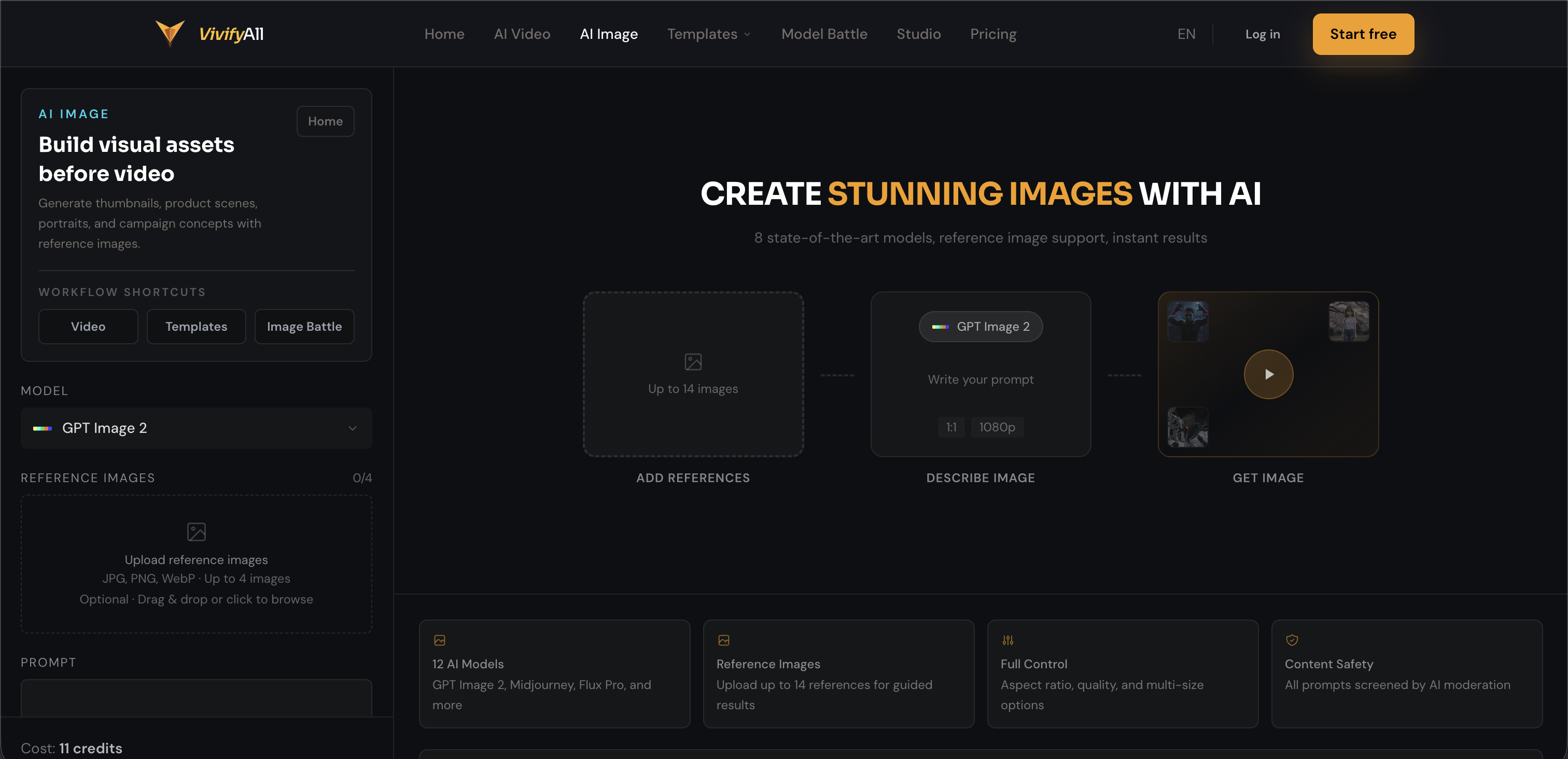
- Launch product ads, social reels, and thumbnails faster by starting with a content goal and using ready-made templates that carry scene structure, camera language, and model choice into the generator
- Compare outputs from 27+ AI models in real-time with the Model Battle feature, so you pick the strongest result for your campaign without wasting credits on undesirable renders
- Turn any generated image into a video clip instantly with cross-mode workflow, eliminating the need to download, re-upload, or rebuild the brief
- Create professional brand images, cinematic clips, and motion transfer content without any prompt engineering experience, using scene examples and curated templates
- Store all video and image assets in one centralized hub, removing the cost and complexity of multiple software subscriptions
- Generate photorealistic product shots and campaign visuals with text-to-video and image-to-video conversions, all from a single prompt
Pros & Cons
Pros
- Single creative workflow
- Text-to-video generation
- Image-to-video generation
- Side-by-side model comparison
- Cross-mode workflow
- Public work pages
- Trending templates
- Model Battle function
- No download, no re-upload
- Includes Veo 3, Kling, Sora 2, Wan 2.7 models
- Includes GPT-Image-2 model
- Templates and examples provided
- Solo entrepreneurs friendly
- Assets storage in one place
- Campaign visuals creation
- Product Shots creation
- Cinematic Clips creation
- No experrience in prompt engineering required
- Twitter Player Card for inline playback
- 30 credits, free trial
- No card needed for free trial
- Paid plans from $9/month
- One-click templates
- Works for sports, eCommerce, Fashion
- Office Goal Reaction template for comedy
- Outfit Transition template for fashion
- Product 360 Spin for ecommerce
- Goal Celebration template for sports
- World Cup Fan Cam template for sports
- No credit card required for test
- Models Comparison before final output
- Upload image and video without rebuilding brief
- Multiple model access from one platform
- Options to make high-intent prompts
Cons
- Requires strong internet connection
- Limited model comparison
- Only 30 free credits
- No offline mode
- No multi-language support
- Requires prompt engineering understanding
- Doesn't support all video formats
- Limited template range
- No collaboration feature
- Inadequate asset storage space
Reviews
Rate this tool
Loading reviews...
❓ Frequently Asked Questions
VivifyAll is an AI tool that consolidates various AI models into a single platform, designed mainly to support the workflow of creating AI videos and images. It provides users with the ability to test outputs across multiple models from a single prompt, aiding in the creation of AI videos, AI images, image-to-video, motion transfer, style edits, templates, and model comparisons directly from a web app.
VivifyAll is designed for creators, solo entrepreneurs, and AI enthusiasts.
Yes, you can generate both videos and images with VivifyAll.
Yes, VivifyAll supports both text-to-video and image-to-video conversions.
Yes, VivifyAll can be used for style transfer and product ad generation.
VivifyAll streamlines the content creation process by consolidating various AI models into one platform. This enables a user to test outputs across different models from a single prompt. The platform also allows for the management of video and image assets in one place there by reducing the need for multiple software subscriptions.
Yes, VivifyAll is a user-friendly platform that is based on a web app and allows the user to manage video and image assets all in one location.
No, VivifyAll simplifies the process by keeping all video and image assets in one location, effectively eliminating the need for multiple software subscriptions.
Yes, unlike other tools tied to a single AI model, VivifyAll allows users to compare results from different models.
Yes, VivifyAll manages both video and image assets in one place.
You can create professional AI video and image content for promotional, social, or experimental use. This content can include product ads, social reels, thumbnails and brand images.
VivifyAll has a creative workflow that starts with the content goal, uses templates, compares model results, and keeps video and image assets in one location. It offers multi-model access, prompt-to-template speed, video plus image output, and model comparison before commitment.
VivifyAll provides ready-to-use templates for various content types and themes.
Yes, VivifyAll supports motion transfer.
Yes, VivifyAll allows users to do model comparisons by testing the same prompt across various AI models and choosing the strongest output.
Yes, VivifyAll can be utilized for the creation of promotional content such as product ads and professional AI videos and images.
Yes, VivifyAll can be used to create social media content including social reels and brand images.
Yes, VivifyAll can be used for creating experimental content as well.
Yes, VivifyAll supports AI video and image generation. It consolidates multiple AI models into a single platform to facilitate this.
Yes, VivifyAll is designed for solo entrepreneurs and creators. They can use the platform to generate AI videos and images for different purposes including promotional, social content, or experimental use.
VivifyAll generates videos and images by leveraging various AI models. Users can input a prompt, such as text or an image, and the platform uses the AI models to generate visual content. It supports text-to-video, image-to-video, style transfer, and product ad campaigns, among other outputs. Users can test these models and compare the results before proceeding to final render, thus reducing wasted resource expenditure on undesirable outputs.
VivifyAll offers capabilities such as text-to-video, image-to-video, motion transfer, style edits, AI image generation (including photorealistic, product, and brand scenes), side-by-side model comparison, and a cross-mode workflow. This enables users to generate an image, then click 'Use in video,' immediately transforming it into a video clip without the need for additional downloads or uploads. It also provides public work pages and numerous trending templates.
Yes, VivifyAll incorporates a feature called 'Model Battle' that allows users to compare the results of different AI models side-by-side using the same prompt, picking the most effective output within 30 seconds.
Cross-mode workflow in VivifyAll refers to the seamless integration between image and video generation. With this feature, users can generate an image, click 'Use in video,' and instantly turn the image into a video clip without having to download or re-upload any files.
VivifyAll targets creators, solo entrepreneurs, and AI enthusiasts who need professional AI video and image content for products, social posts, ads, thumbnails, and experiments.
'Model Battle' in VivifyAll is a unique functionality that allows users to run the same prompt across multiple AI models and compare the results side-by-side in real-time. This feature streamlines the decision-making process, as users can pick the best result without making a blind commitment.
VivifyAll assists with content generation by providing an array of tools and functionalities. Users can generate professional visual content without any prior prompt engineering experience using templates and scene examples provided by VivifyAll. Additionally, with various AI models at disposal and the Model Battle feature, users can ensure they're creating the best content.
VivifyAll provides dozens of trending templates, designed to cater to various needs such as product ads, social reels, thumbnails, cinematic scenes, and more.
No, you don't need to be an AI expert to use VivifyAll. The platform is designed so that even users without any prior experience in prompt engineering can generate content using templates and examples.
VivifyAll streamlines the content creation process by offering a single hub for video, image, and asset storage. There's no need to switch between different tools or platforms to access and manage your content.
Yes, with VivifyAll, you can create a wide range of campaign visuals, such as thumbnails, product shots, social reels, and cinematic clips. The platform supports both video and image outputs, and offers a prompt-to-template speed, which facilitates faster creation of campaign visuals.
Unlike single-model AI tools, VivifyAll centralizes a variety of AI models into one platform, providing its users with a broader range of capabilities and flexibility. The platform's workflow-first approach encourages users to define a content goal before choosing and comparing model results, thus ensuring efficient use of resources.
No, you don’t need experience with prompt engineering to use VivifyAll. The platform provides ready-made templates and scene examples that users can adjust as per their content direction.
VivifyAll differentiates itself through features like 'Model Battle,' which enables prompt testing across multiple models and cross-mode workflow allowing users to swiftly transition from image to video content. It focuses on workflow efficiency, fast creative decisions, and providing outputs fit for public campaigns.
Yes, VivifyAll offers a free trial that includes 30 credits valid for seven days. The free trial does not require a credit card.
VivifyAll's paid plans start at $9/month, which provides users with full access to the platform's functionalities.
The process of generating videos on VivifyAll starts with selecting the desired goal: product ads, social reels, AI images, cinematic clips, motion transfer, or model comparisons. Users can then use a template that carries scene structure, camera language, aspect ratio, model choice, and duration into the generator. The system allows for instant comparison of outputs, prompting and model remix, asset saving, and transitioning from image to video without rebuilding the brief.
VivifyAll offers comprehensive resources including personalised prompts, model recommendations, tutorials, articles, and guides to help users understand the platform and improve their content generation. In any event of confusion or difficulty, the platform's support team is at user's service at [email protected].
VivifyAll provides a sturdy support framework for users including resources like a help center, clear answers system, and community templates. Users can also contact the platform's support team through email for any additional help.
Pricing
Pricing model
Freemium
Paid options from
$7/month
Billing frequency
Monthly
Refund policy
14-day refund window from purchase. Eligible: duplicate charges, billing errors, platform failures, unused credits/subscriptions, unauthorized charges. AI generation failures auto-return credits within 24h. Non-refundable: consumed credits, downloaded