
Overview
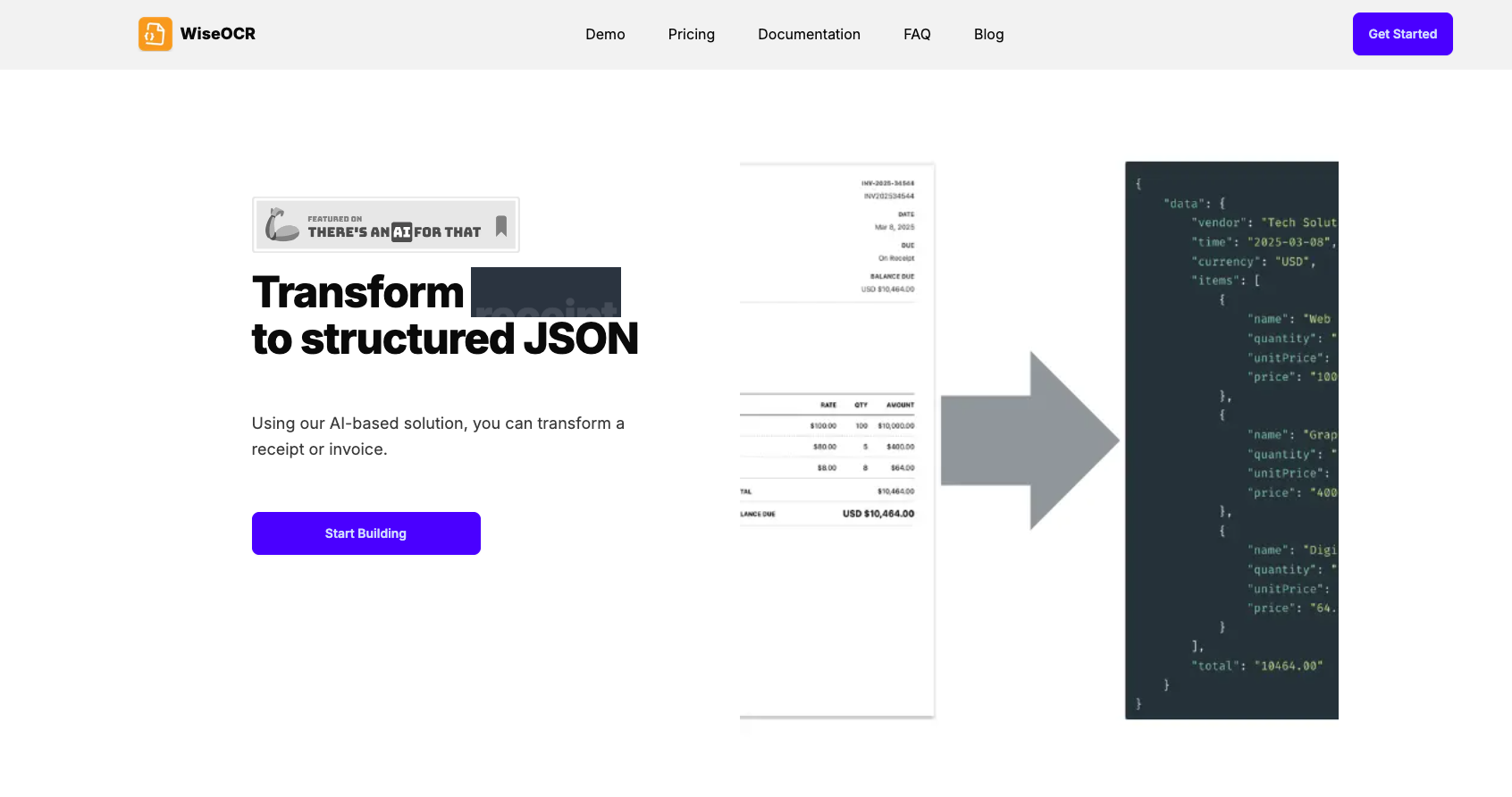
- Eliminate manual data entry by converting receipts and invoices into structured JSON data with over 98% accuracy, powered by AI-based OCR that handles complex layouts and varied font styles.
- Seamlessly feed extracted data into any accounting software or workflow by receiving a consistent JSON format, enabling direct integration with Make.com for automated connections to hundreds of apps.
- Protect sensitive financial information with automatic document deletion after processing, combined with industry-standard encryption and secure processing protocols that ensure no data misuse.
- Scale data extraction to high volumes without slowdowns, supporting up to 100 requests per minute and 10,000 requests per day, with the ability to handle JPG, PNG, HEIF, TIFF, and PDF files.
- Control costs with flexible pricing, choosing between a pay-as-you-go model with credits valid for one year or a subscription plan, both backed by a 7-day refund policy for unused credits.
Pros & Cons
Pros
- Transforms receipts/invoices to JSON
- Optimizes financial data automation
- Extracts essential document information
- Ensures quick, accurate data
- Seamless OCR Integration
- Advanced text extraction
- Supports complex layouts
- Handles varying font styles
- Outputs consistent JSON format
- Integration into any system
- Supports multiple file formats
- Automatic file type detection
- Secure data handling
- Uses industry-standard encryption
- Implements secure protocols
- Automatic post-processing deletion
- Workflow optimization through Make.com
- Connects receipt data to apps
- Offers flexible pricing models
- Pay-as-you-go credits option
- Subscription-based plans
- Refund policy in place
- Highly accurate OCR technology
- 98% accuracy with quality input
- Rate limits ensuring fair use
- Supports credit rollovers
- Allows simultaneous credit subscription/use
- Handles images and PDFs
- Fast document processing
- Prioritizes accuracy over speed
- Possibility of JSON customization
Cons
- No offline functionality
- PDF limited to 5 pages
- Complex layouts increase processing time
- Refunds only within 7 days
- No free trial
Reviews
Rate this tool
Loading reviews...
❓ Frequently Asked Questions
WiseOCR employs Artificial Intelligence and uses Optical Character Recognition (OCR) technology for accurate text extraction from any document type, regardless of the complexity of the layouts or variations in font styles.
WiseOCR is designed to support and extract text from any document type. However, the final converted format it provides is standardized JSON format that can effortlessly integrate with any existing system.
Yes, WiseOCR can effectively extract text from complex layouts. The Artificial Intelligence underpinning it is designed to handle and extract text with high accuracy, even from intricately formed documents.
Absolutely, WiseOCR supports various file formats for extraction. The supported file formats include not only common ones like JPG and PNG, but also HEIF, TIFF, and PDF.
WiseOCR ensures that data security and privacy is of utmost priority. It employs industry-standard encryption and secure processing protocols to protect all data. Any uploaded documentation is handled with utmost duty of care and privacy.
After processing by WiseOCR, documents are deleted to safeguard personal and business-sensitive information. Therefore, there is no fear of data misuse.
Yes, WiseOCR offers integration capabilities with other apps and services. One prominent integration is with Make.com, which enables users to connect their receipt data directly to other applications, thereby optimizing overall workflow.
Workflow optimization is facilitated by WiseOCR’s ability to automate the conversion of receipts and invoices into structured JSON data, and the subsequent integration with Make.com to connect the data to other services and apps, thus aiding in overall automation.
WiseOCR offers various pricing models to meet different user needs. The models include a pay-as-you-go model where users pay for the credits they need, and a subscription model with monthly or annual billing.
WiseOCR's AI-based OCR technology is designed to adapt to variations in font styles, ensuring a high level of accuracy and reliability in text extraction, irrespective of the text's appearance in the document.
WiseOCR uses a built-in mechanism to convert extracted text into a consistent JSON format. This standardized format eases the integration process with any software systems users may use.
WiseOCR is interoperable with various accounting software. The tool doesn’t specify a particular software but its ability to provide output in a standardized JSON format means the data can be integrated easily with numerous accounting software systems available in the market.
With WiseOCR's integration feature, particularly the integration with Make.com, users can connect their receipt data directly with hundreds of applications and services, facilitating efficient data management and streamlined work processes.
The pay-as-you-go model of WiseOCR allows users to pay for only what they need, with the ability to add more credits as per their requirements. Credits purchased under this pricing model come with a validity of 1 year.
Refund requests can be initiated within 7 days of purchase, provided no scans or credits have been utilized during this period.
Yes, WiseOCR can handle different image and file formats. Aside from commonly used formats like JPG and PNG, it supports HEIF, TIFF, and PDF formats.
Yes, WiseOCR supports high-volume data extraction. It has API rate limits in place for fair usage, allowing 100 requests per minute and up to 10,000 requests per day. For higher volume requirements, users can contact WiseOCR for further discussions.
Yes, WiseOCR supports invoice processing. The tool is specifically designed to transform receipts and invoices into structured JSON data.
Yes, WiseOCR can handle data from any source, as long as the file is in a supported format. It processes document files and images, and automatically detects and handles these formats seamlessly.
The OCR technology deployed in WiseOCR boasts a high degree of accuracy, delivering over 98% accuracy with high-quality input images. The exact figure can vary with lower quality scans or complex layouts, but WiseOCR continuously strives for top-notch precision in all scenarios.
Pricing
Pricing model
Paid
Paid options from
$4.50/month
Billing frequency
Monthly
Refund policy
7 Days Money Back Guarantee
Related Videos
WiseOCR converts photos and scans of receipts and invoices into structured JSON data #software
Get Growth TV - by AISQ | Squirrly•148 views•Aug 2, 2025