
Overview
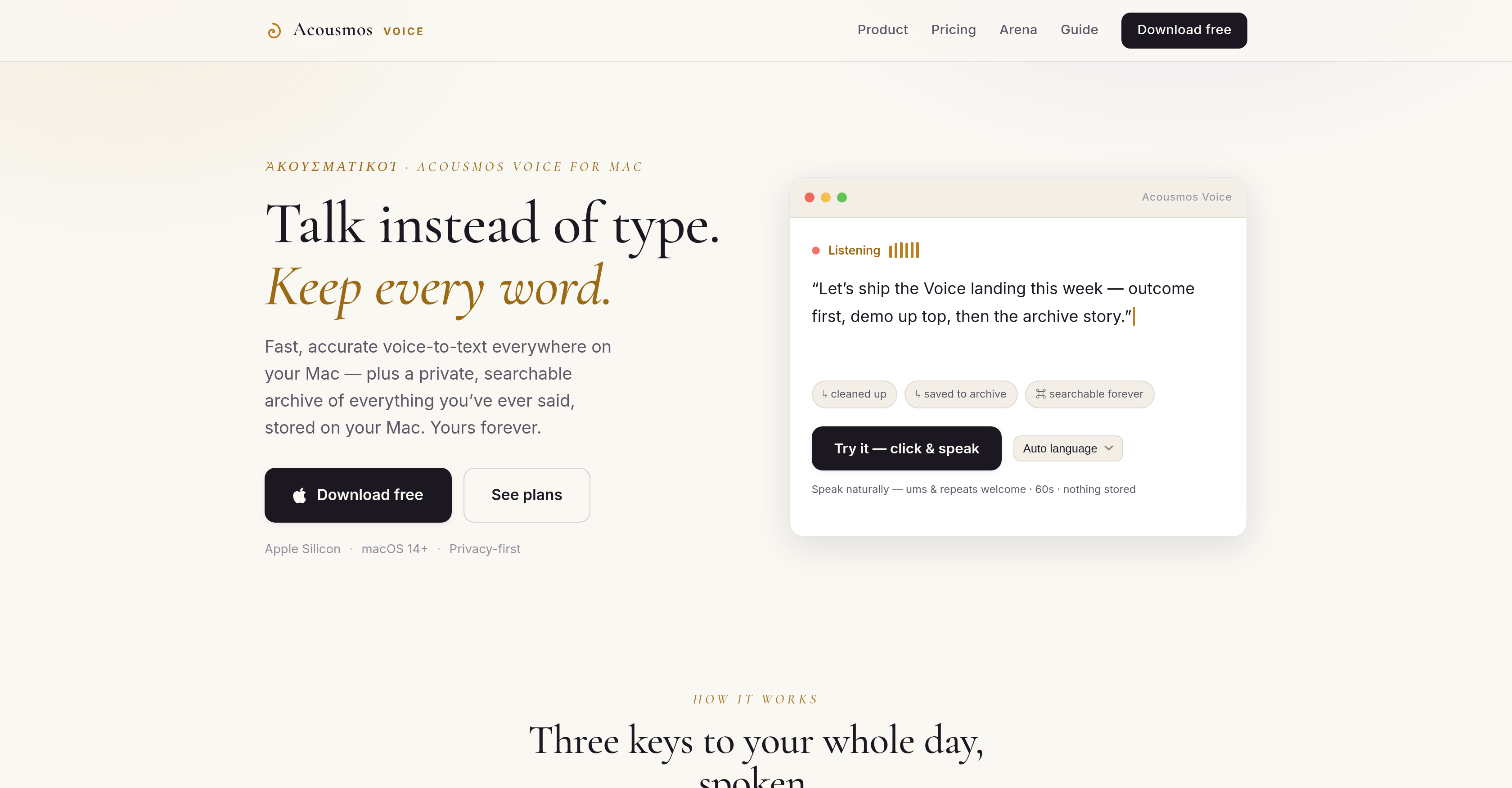
- Capture your thoughts instantly with real-time voice-to-text dictation that inserts text wherever your cursor is in any Mac app
- Eliminate editing drudgery with AI clean-up that automatically removes filler, corrects grammar, and reformats transcriptions
- Preserve every spoken idea in a private, searchable archive stored locally on your Mac, never shared or used for training
- Achieve perfect accuracy for specialized terms by adding custom names, symbols, and vocabulary to your personal dictionary
- Work in any language you choose with multi-language support for global dictation needs
- Revisit past insights by searching your entire transcription history for specific words or phrases in seconds
- Capture the thinking behind your words with a permanent record of your spoken thoughts, enabling you to track idea evolution over time
Pros & Cons
Pros
- Designed for Mac
- Real-time voice-to-text conversion
- Versatility across apps
- Private, searchable transcriptions archive
- Transcriptions stored on user's Mac
- No training on user's voice
- Supports various languages
- Free one-month trial
- Custom dictionary availability
- Preserves speech nuances
- Captures accompanying ideas
- Hotkey activation
- Privacy-focused
- Local data archive
- Fast and accurate conversion
- Multi-app functionality
- Transcriptions placed where cursor is
- No switching between apps
- Transcriptions can be revisited anytime
- Supports in-app voice-to-text
- Eliminates need for typing
- Facilitates multi-tasking
- Helpful for language learners
- Useful for hard-of-hearing individuals
- Users retain full data control
Cons
- Mac only
- No mobile version
- Requires hotkey use
- No voice training features
- No cloud storage option
- Clean-up may alter intent
- Subscription required after trial
- Archive 'search' feature ambiguity
- No dedicated application window
- Single device limit for plans
Reviews
Rate this tool
Loading reviews...
❓ Frequently Asked Questions
Acousmos is an AI-powered dictation and voice-to-text application designed specifically for Mac. It allows users to convert spoken words into text across different applications on their Mac. The tool also archives every spoken word privately on the user's device, allowing them to revisit past spoken words in the future.
Acousmos operates on a simple principle. You activate it by pressing a specific hotkey, at which point Acousmos starts transcribing spoken words into text in real-time. This text is placed where the cursor is located. This could be in any application within the macOS ecosystem, be it a browser, editor, or others.
Key features of Acousmos include: real-time voice-to-text dictation, a private and searchable archive of transcriptions stored locally on your Mac, an AI clean-up feature that removes unnecessary elements from the transcriptions, custom dictionaries for enhanced accuracy, and a strong commitment to data privacy. Acousmos is also versatile across different apps on Mac, doesn't require any training on the user's voice, and supports various languages.
Yes, Acousmos does support various languages.
Yes, Acousmos offers a free one-month trial.
The AI clean-up feature in Acousmos works to enhance the accuracy and clarity of transcriptions. It automatically removes needless filler, corrects grammar or reformats transcriptions as per the user's preference.
Yes, Acousmos is versatile across different apps on Mac. A single hotkey activates it in any app, making it easy to convert spoken words into text regardless of the application you're using.
The custom dictionary feature in Acousmos enables users to teach the system specific names, terms, or symbols, enhancing its ability to correctly transcribe specialized or unique vocabularies.
Acousmos ensures data privacy by keeping user archives on their Mac, thereby preventing any unauthorized access. The private archive of spoken words is stored locally on the user's device and never leaves it. Additionally, Acousmos does not perform any training on the user's voice.
No, Acousmos does not require any training on the user's voice.
Yes, Acousmos can archive transcriptions. Every single word spoken into the system is archived, allowing the user to revisit their spoken words at any future time.
The private archive of transcriptions in Acousmos is accessible directly from the user's Mac. Users can search and browse through their past dictations at will.
Acousmos transcriptions are stored locally on the user's Mac, ensuring utmost data privacy.
Acousmos is designed to not just transcribe your spoken words into text, but to also capture the thinking behind those words. By archiving your dictations, it preserves your spoken thoughts, allowing you to draw inspiration from past ideas or check how your thoughts have evolved over time.
Yes, Acousmos functions in real-time. On pressing an allocated hotkey, it transcribes spoken words into text instantaneously.
Yes, you can use Acousmos on any app on your Mac. It works across different apps as it places transcribed text where your cursor is positioned on your device.
Acousmos improves text accuracy through its AI clean-up feature and the custom dictionary. The AI clean-up feature removes filler, fixes grammar, or reformats content, while the custom dictionary allows users to train the system to correctly recognise unique vocabulary.
Acousmos listens to the user's spoken words once the hotkey is pressed. It then converts these spoken words into text in real-time and places that text where the cursor is positioned in the active app on the user's Mac.
When you press the hotkey while using Acousmos, the system starts capturing your spoken words and transcribes them into text in real time, placing it in the app where your cursor is positioned.
Yes, you can search for specific words or phrases within the Acousmos database. Acousmos maintains a searchable archive of all your transcriptions, enabling you to easily find any words or phrases you've spoken in the past.
Pricing
Pricing model
Free Trial
Paid options from
$8.25/month
Billing frequency
Monthly