Overview
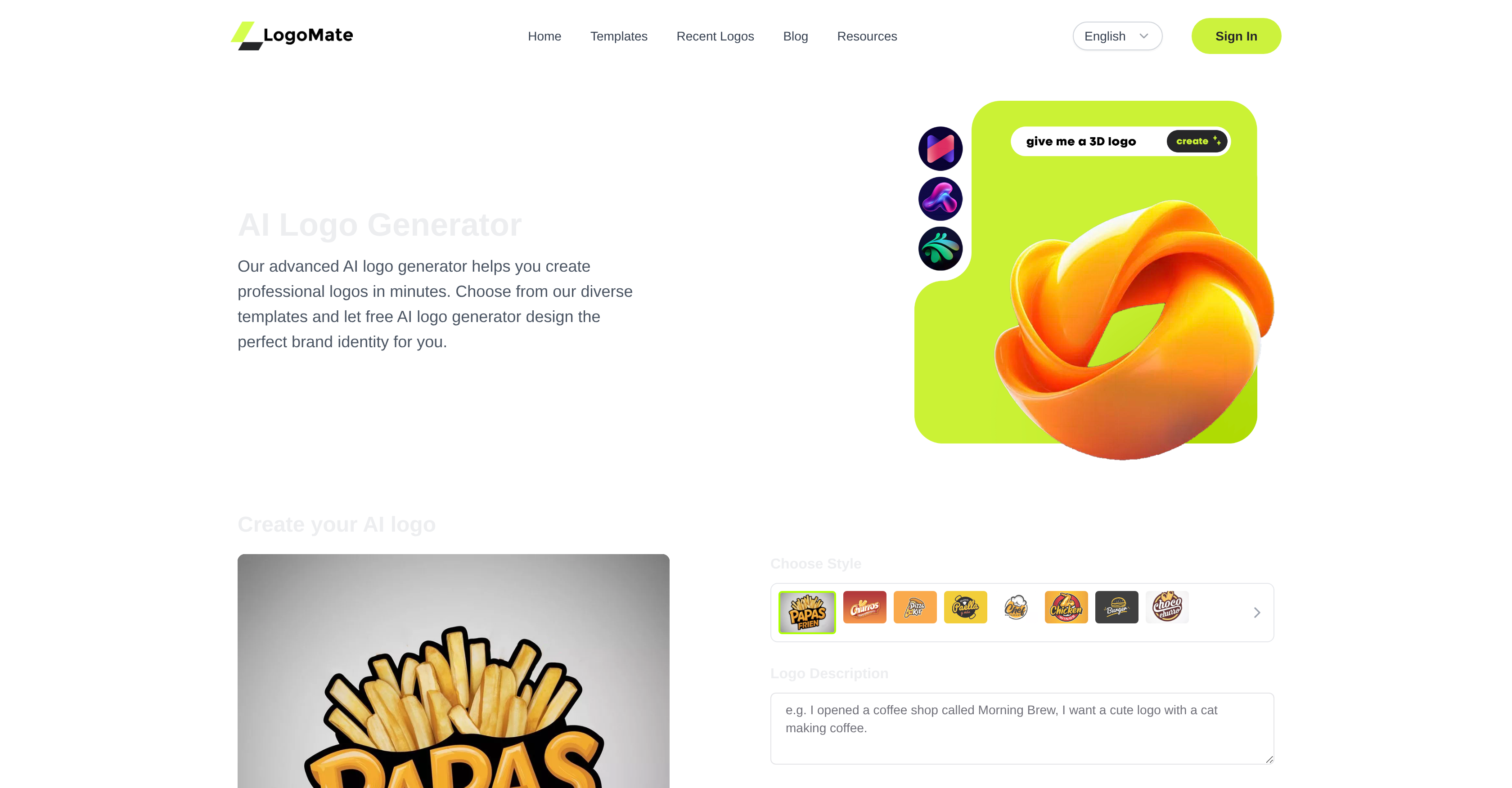
- Launch your brand with a professional logo in minutes, not days, using the AI-powered generation that works without any design experience.
- Get a logo that perfectly matches your vision, as the AI precisely interprets your brand details and preferences to create unique designs.
- Download high-resolution files ready for any use, with flexible resolution settings ensuring sharp quality for both digital platforms and printed materials.
- Maintain a modern, relevant brand identity using industry-specific templates and styles that adhere to current design trends and principles.
- Achieve complete creative control by customizing every element, including colors, fonts, icons, and layouts, to align with your specific brand identity.
Pros & Cons
Pros
- Generates logos quickly
- High resolution output
- Intuitive user interface
- High level of customization
- Offers brand-specific templates
- Logos suitable for print
- Logos suitable for digital
- No design experience required
- Prompt interpretation of input
- Wide range of styles
- Built-in industry-specific templates
- Optimal for diverse sectors
- Color adjustment capabilities
- Font customization capabilities
- Icon customization capabilities
- Effortless logo creation process
- Transforms ideas into logos
- Presents unique design output
- Offers detailed design quality
- Caters to various resolutions
- User-friendly for all skill levels
- Provides professional-grade logos
- Logos align with brand identity
- Efficient and simple logo creation
- Functionality requires no downloads
- Allows for logo preview
- Provides logo descriptions
- Generates multiple logo variations
- Compatible with branding projects
- Designs suitable for events
- Optimal for personal projects
- Creates customized templates
- Offers logo for immediate use
- Allows login for more features
- Wide-ranging template categories
- Comprehensive FAQs section
- Ideal for any marketing team
- Popular among business owners
- Perfect for startups
- Appreciated by freelance designers
- Ideal for quick branding solutions
- Enhances brand strategist efficiency
- Praised by creative directors
- Enables startup founder's vision
- Supports industry-tailored logo makers
- Includes premium features on subscription
- Ensures original designs
- Templates adaptable to business sector
- Option for high-quality format downloads
Cons
- No mobile application
- Icons are non-editable
- Limited templates
- No offline mode
- No undo/redo option
- No hidden layers editing
- Requires sign up
- Customization options are limited
- No transparent background option
- Logo approval process is long
Reviews
Rate this tool
Loading reviews...
❓ Frequently Asked Questions
The AI Logo Generator is an advanced tool that uses artificial intelligence to design professional-grade logos in a matter of minutes. It offers a diverse selection of templates catering to different industries and styles, and allows for customizations based on user-specific brand details and preferences. Every logo designed is unique and adheres to the user's brand.
Key features of the AI Logo Generator include prompt interpretation of the user's input, a wide range of styles, high customization options, flexibility in resolution, and swift generation of logos. It also offers full control over customization options and provides high-resolution outputs suitable for both digital and print use.
Not at all! The AI Logo Generator ensures a user-friendly experience with its intuitive interface, which eliminates the need for any design background. Anyone can easily navigate through the tool and create their perfect logo.
The AI Logo Generator uses advanced AI technology to rapidly generate unique logos that comply with modern design principles and industry trends. By interpreting user inputs, the AI determines the preferred design elements and styles, and crafts logos that cater specifically to those qualities.
The AI Logo Generator offers customization options in a variety of elements including colors, fonts, icons, and layouts. This ensures that every logo created aligns with the user’s vision and brand identity.
The AI Logo Generator adheres to modern design principles and industry trends by continuously updating its offerings and capabilities based on the changing trends and norms in various industries. It provides specific templates and design styles that comply with the latest design guidelines, thus keeping your logo trendy and relevant.
Logos produced by the AI Logo Generator are of high resolution, however, the exact resolution is flexible. You have the option to select and adjust the resolution to cater to your individual requirements.
Absolutely. The high-resolution output from the AI Logo Generator is suitable for all kinds of uses, both digital and print. This ensures your logo looks professional and sharp irrespective of the platform or medium you choose to display it.
The AI Logo Generator provides a wide range of styles that you can choose from. Some of these include business, technology, music, typography, sports and many more. All these cater to different industries and personal preferences, ensuring you can create a logo that aligns with your brand identity.
Every logo generated by the AI Logo Generator is unique owing to its capability to interpret user inputs and preferences, thus creating designs that embody the user’s specific brand identity and vision. The high level of customization options further ensures a unique finish to each logo.
Yes, the AI Logo Generator offers full control over all customization options. This means you can modify and tailor colors, fonts, icons, and layouts to match your specific needs and preferences.
The AI Logo Generator is designed for speed, enabling it to produce a polished and professional logo in a matter of minutes. The exact time can depend on the complexity and customization involved.
To create a logo with the AI Logo Generator, choose a template from the many professional templates provided. Next, customize your design by inputting your brand name and preferences. The AI Logo Generator will then create unique designs based on these inputs. Lastly, generate multiple variations and download your preferred professional logo in high-quality format.
You can see examples of logos made by the AI Logo Generator on their website. It features a section 'Latest AI Logo Generator Designs' displaying logos that have been created using the tool.
Yes, the AI Logo Generator offers a wide range of professional templates designed specifically for different industries. It features templates from industries ranging from food and social to gaming and business.
The AI Logo Generator accounts for industry trends by employing its AI technology to stay updated with the latest design trends and norms in various industries. From modern minimalistic designs to more classic styles, it ensures your brand stays relevant.
Yes, in the AI Logo Generator you are given the flexibility to adjust the resolution of your logo. This ensures that your logo will be of high quality, no matter whether it's meant for digital use or printed materials.
Absolutely! The AI Logo Generator is designed with an intuitive interface to ensure a user-friendly experience. This enables users without any design experience to effortlessly create professional logos.
Logomate AI is an integral part of the AI Logo Generator. It features prompt interpretation of user input, exceptional design quality, wide range of styles, easy customization, resolution flexibility, and speed and simplicity in the overall design process.
The AI Logo Generator promptly interprets your input with precision. By understanding your preferences and ideas, it transforms them into logos that perfectly match your vision. This is achieved via advanced AI algorithms that analyze your inputs and generate designs accordingly.
AI Logo Generator is an advanced tool which aids in creating professional-grade logos within minutes. It makes use of artificial intelligence to create unique, user-specific logos by interpreting the user's inputs and preferences.
AI Logo Generator creates unique logos by interpreting and incorporating user-specific brand details and preferences. Powered by advanced AI technology, it generates variations of the design based on the inputs and ensures every logo designed is unique to the user's brand.
Logomate AI is a feature in the AI Logo Generator that is developed to interpret the user's inputs with precision and convert those ideas into logos that match their vision perfectly. It generates logos rapidly and in various resolutions, suitable for different uses.
Logos can be customized using the AI Logo Generator by inputting brand details and other preferences. It permits adjustments to colors, fonts, icons, and layouts to match the users' brand identity.
The logos created by AI Logo Generator are of high resolution, making it ideal for both digital and print usage.
No, you don't need any design experience to use AI Logo Generator. Its user-friendly interface and intuitive design process accommodate users with varying skill levels, eliminating the need for a design background.
AI Logo Generator is known for its speed and simplicity. It can promptly generate professional and unique logos, saving users valuable time.
AI Logo Generator caters to a diverse range of industries. It provides an array of industry-specific templates individuals and businesses can choose from to craft a brand identity that aligns with their unique needs.
Yes, the AI Logo Generator allows users to customize the generated logos by adjusting colors and fonts to their preference, aligning the logo with their brand identity.
Yes, AI Logo Generator offers a wide selection of professionally designed templates that cater to different industries and styles.
AI Logo Generator adheres to modern design principles by employing AI technology that's capable of keeping up with industry standards and trends. This ensures the logos created are professional, modern, and relevant.
Yes, AI Logo Generator's high-resolution output is suitable for both digital and print usage. This makes the logos versatile for varied business needs.
AI Logo Generator is built to provide a user-friendly experience. Its interface is intuitive, and the design process requires no previous design experience, making it easily usable by anyone.
Yes, the AI Logo Generator's feature Logomate AI understands users' input with precision and is adept at transforming these inputs into logos that accurately represent their ideas and vision.
The style selection in AI Logo Generator is diverse. It includes a wide range of styles that aim to cater to different user preferences and industry requirements.
The logos created by AI Logo Generator are professional and polished due to its advanced AI technology, which understands and adheres to modern design principles and trends. Logos are customized based on user input and the high-resolution output ensures they appear sophisticated and professional.
Yes, AI Logo Generator allows users to input their own brand details. This information is then used by the AI to generate unique designs that align with their brand identity.
No, while AI Logo Generator provides a selection of industry-specific templates, it is also capable of creating logos that are not strictly tied to a specific industry. It bases its design on the user's input and preferences, allowing for a broader range of logo designs.
Yes, users have full control over the customization options in AI Logo Generator. The tool allows adjustments to colors, fonts, icons, and layouts to precisely match the user's specifications.
Yes, the AI Logo Generator is known for its speed in generating professional and polished logos ready for immediate use, which align with modern design principles and industry trends.
Pricing
Pricing model
Free Trial
Paid options from
$6.90/month
Billing frequency
Monthly
Refund policy
LogoMate offers a refund only if you request it within 3 days of purchase and have used no more than 10 credits.