Overview
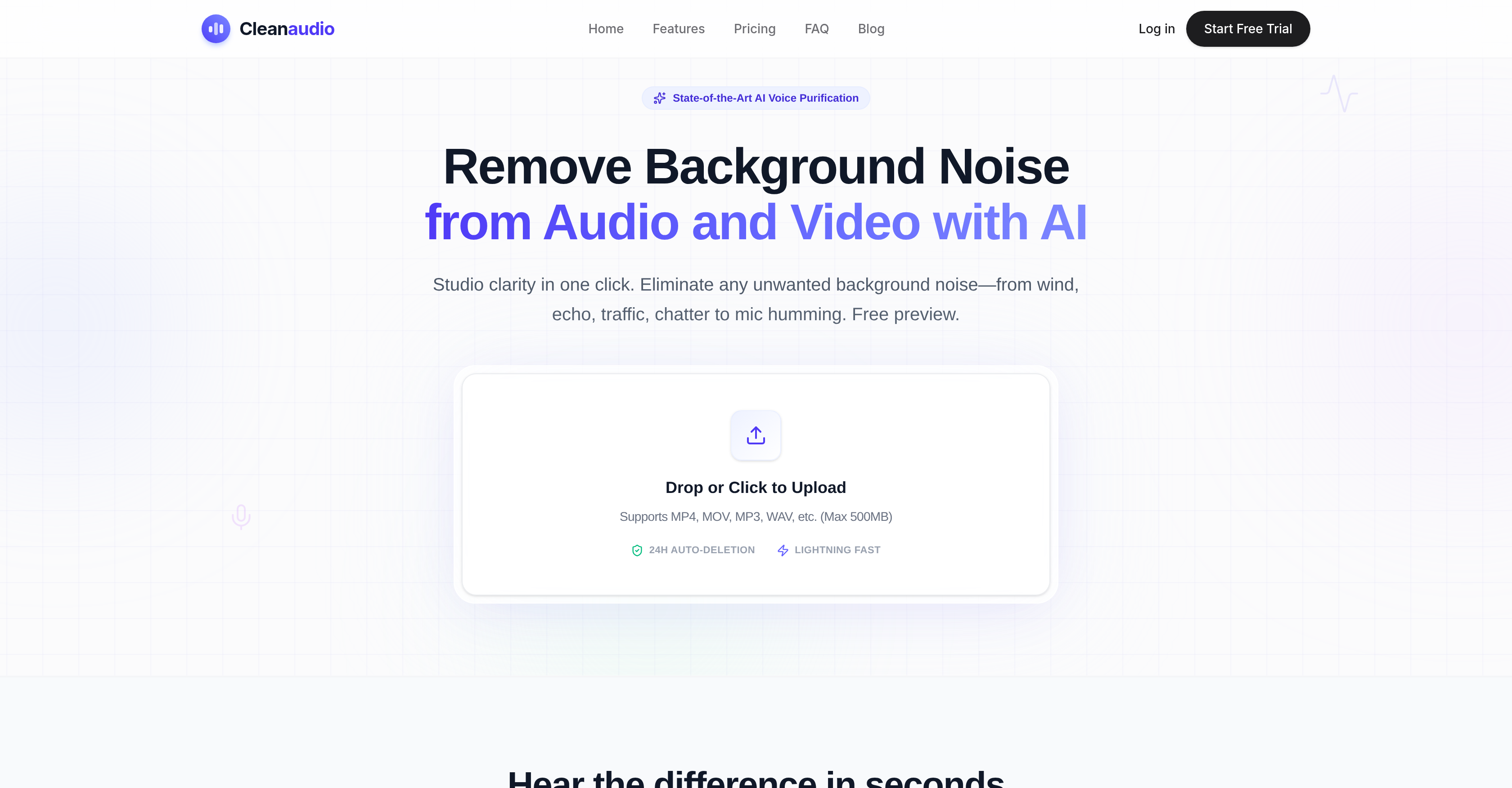
- Deliver professional, distraction-free podcasts by removing hums, buzzes, and echo instantly without re-recording — using one-click AI noise reduction.
- Increase viewer engagement on YouTube videos with auto-detected background noise elimination that preserves primary audio clarity.
- Produce clear outdoor vlogs and recordings by erasing wind noise, traffic, and fan whirs — powered by an AI engine trained on thousands of hours of audio.
- Record lectures and training materials in any environment with professional sound quality, eliminating distracting room echo and reverb for better student focus.
- Clean voiceovers and promotional audio without bulky studio gear or complex software, achieving studio-quality results in a single click.
- Protect sensitive content with automatic file deletion after 24 hours and a secure sandbox processing environment that never uses your data for AI training.
- Preview the cleaned result risk-free with a 30-second sample before committing to download — no account sign-up required.
- Process multiple file formats including MP4, MOV, MP3, and WAV directly in your browser, saving hours of manual editing time with instant waveform analysis.
Pros & Cons
Pros
- Studio-quality sound delivery
- Eliminates wind, echo, traffic, chatter
- Eradicates microphone hum
- Simple, fast method
- Handles multiple file formats
- Efficient waveform analysis
- Delivers clean, ready-to-use audio
- Caters to diverse user groups
- Free preview without account sign-up
- Paid full service option
- Files erased after 24 hours
- File security and user privacy
- Removes variety of background sounds
- Browser-based noise removal
- Voice cleanup feature
- Offers different file cleanup options
- Eliminates need for expensive gear
- Supports MP4, MOV, MP3, WAV
- Lightning fast processing
- 30-second cleaned preview
- Drag and drop interface
- Automated noise reduction
- Delivers results in various formats
- Saves entire interviews
- Removes harsh outdoor winds
- Filters unexpected pet barking
- Eliminates street noise, sirens, cars
- Removes electronic interference
- Fixes hollow sounds in rooms
- Enhances phone recordings and interviews
- Quick first-pass tool for rough cuts
- Created for both casual and professional users
- Offers a secure environment
- Studio-quality results in one click
- Optimized for spoken word content
- Upload support for a wide range of formats
- Preserves voice quality
- Responsive and mobile optimized
- No app installations required
- Fully online, no download required
- User-friendly interface
- Seamless workflow integration
- Flexible pricing options
- Unlimited PRO option available
- One-time payment option available
- Try for free option available
- Cancellation anytime policy
- Supports 10+ audio and video formats
- Online noise remover feature
Cons
- Limited file size (500MB)
- Can't handle high level noise
- No API
- Limited file formats
- No offline version
- Requires stable internet connection
- 24-hour auto-deletion
- No training options
- No multi-language support
- Not collaborative
Reviews
Rate this tool
Loading reviews...
❓ Frequently Asked Questions
Cleanaudio AI Background Noise Remover is a tool that focuses on eradicating unnecessary background noises from audio and video files. It's designed to operate swiftly and effectively without needing extensive editing procedures or costly software. Its intended use is for an extensive assortment of people, inclusive of podcasters, YouTubers, educators, and audio engineers among others. To assure sound quality, Cleanaudio's AI engine performs an effective waveform analysis to distinguish and suppress the background noise.
Cleanaudio can substantially enhance the audio of your podcast by reducing unwanted noise, including hums, buzzes, or echoes. This results in a crisp and clear output which makes for an improved listening experience for your audience. The simplified process removes unnecessary background noise without needing to redo your recording sessions, making Cleanaudio a valuable tool for podcasters.
Yes, Cleanaudio can indeed eliminate wind and echo noise from your video files. Its precise AI engine is trained to counteract a wide variety of disturbances, including wind and echo. It executes efficient waveform analysis to distinguish and suppress these kinds of background noise in order to deliver clean audio.
Cleanaudio supports various file formats to ensure maximum compatibility with your files. The supported formats include video files (MP4, MOV, FLV, MKV, WMV) and audio files (MP3, WAV, AIFF, FLAC, M4A). Cleanaudio aims to assist with a seamless workflow by supporting these common formats.
Cleanaudio's waveform analysis works by utilizing its advanced AI engine to analyze the audio waveforms. The engine then effectively identifies and eradicates background noise. This operation is meticulously processed to maintain sound quality, ensure precise noise detection, and result in clean, usable audio files.
Yes, Cleanaudio does offer a free preview of its service. This allows users to hear a 30-second cleaned preview of their audio or video file. This preview does not require an account sign-up and offers users a preview of the improved, noise-free audio.
Cleanaudio is designed to be user-friendly and caters specifically to casual users as well as professionals. The simple, streamlined interface makes it easy to upload, process, and download cleaned audio or video files. No advanced technical skills are required to use Cleanaudio, which makes it easily accessible and usable for everybody.
Cleanaudio takes user privacy and data security very seriously. All uploaded files are stored in a secure sandbox, and Cleanaudio guarantees that these files are permanently removed from their servers after a 24-hour period. These measures assure users of their privacy and the security of their files.
Cleanaudio sets itself apart from other audio editing software by its efficient and effective use of AI for noise cancellation. Unlike traditional software that might require complex manual profiling and advanced audio engineering skills, Cleanaudio offers a one-click AI solution, saving hours of editing time and yielding more natural, studio-quality results.
While their website doesn't specify whether multiple files can be processed simultaneously, it does state that Cleanaudio can handle diverse file formats and offers easy upload and processing which suggests a certain level of multitasking capability within the individual’s browser capacity.
Cleanaudio is developed to be user-friendly without the need for highly technical skills. While advanced users will find a wealth of detailed options, the easy-to-use interface and automatic AI noise reduction allow those with fewer technical skills to still effectively reduce background noise in their audio and video files.
Cleanaudio stores your uploaded files for a period of 24 hours. After this, files are permanently deleted, which is a security measure to ensure the privacy of users' data and content.
Cleanaudio specifically caters to a wide range of users including podcasters, YouTubers, marketers, educators, casual users, and audio engineers. So, whether you're creating content online, teaching, or casually recording audio or conducting professional audio engineering, Cleanaudio has the tools to help improve your audio files.
Absolutely, Cleanaudio can improve the sound quality of your YouTube videos by auto-detecting and eliminating unwanted background noises while preserving the primary audio. This AI-driven tool efficiently helps YouTubers in maintaining consistently high audio quality for their content which can increase viewer engagement and overall user experience.
Yes, Cleanaudio uses advanced AI technology for noise reduction. It is powered by an AI engine that conducts comprehensive waveform analysis to accurately identify and suppress background noise from your audio and video files. This can lead to better sound clarity and enhanced audio quality.
Cleanaudio can be used for professional audio and music production, as it offers tools that help to maintain high-quality audio. While it might not replace specialized music production software, it can be a very helpful tool for initial cleaning of recordings before detailed mixing and mastering by reducing unwanted noises.
Cleanaudio's processing speed is described as swift. While the exact timeframe may vary depending on file size and specific noise conditions, users are able to see the difference within seconds of uploading their audio or video file, indicating a very efficient process.
Yes, Cleanaudio offers its services to educators, providing them with a convenient way to record lessons and training materials in any environment. Its advanced noise reducer allows educators to deliver professional sounding lectures by eliminating distracting background noise.
Studio-quality, in terms of Cleanaudio, relates to the level of audio quality typically found in professionally produced music and audio recordings. It involves clean, clear audio free of any unnecessary noises or disturbances. Cleanaudio aims to deliver this level of clarity and cleanliness by identifying and eradicating background noise from your audio and video files through its AI engine.
Yes, aside from its free version, Cleanaudio does also provide a paid option for users requiring full service. The paid option comes with added benefits like unlimited audio cleaning, priority queuing, support for more file formats and no watermarks or ads.
Cleanaudio AI Background Noise Remover is an AI-powered tool that works to eliminate unwanted background noise from audio and video files. It targets sounds caused by wind, echo, traffic, chatter, or microphone hum to deliver streamlined, studio-quality sound without the need for complex editing procedures or expensive software resources. Cleanaudio supports multiple file formats, offering easy upload and straightforward processing for optimal user convenience.
Cleanaudio AI uses an advanced noise reducer and a proprietary AI engine that performs efficient waveform analysis to identify and suppress background noise effectively. The user merely has to upload an audio or video file, and the AI handles the rest, resulting in a clean, ready-to-use audio file.
Cleanaudio AI can remove an array of background noises including wind, echo, traffic noise, human chatter, microphone hum, loud air conditioning and fan whirs, unexpected pet barking, electronic static and hiss, as well as room echo or reverb.
Cleanaudio AI caters to a diverse range of users. Podcasters, YouTubers, marketers, educators, casual users, and audio engineers can all benefit from using Cleanaudio. Its functionality is beneficial to anyone needing to maintain high-quality audio, such as those creating promotional content, educational materials, or polishing podcast sections.
Yes, Cleanaudio AI does offer a free preview service. Potential users can use the platform without needing to sign up for an account, and a cleaned 30-second preview of their audio or video file is provided. You're only required to pay if you wish to download the full, cleaned file.
Cleanaudio AI supports a wide range of common file formats. These include but are not limited to, MP4, MOV, MP3, WAV for audio files and video files.
Following data processing, Cleanaudio AI ensures user privacy by permanently deleting all uploaded files from its servers within a 24-hour period.
Yes, Cleanaudio AI is specifically proficient at removing wind noise. Its AI engine is trained on thousands of hours of audio to effectively eliminate wind distortions, making it an excellent fit for outdoor vloggers and other content creators dealing with outdoor recordings.
Yes, Cleanaudio AI is capable of eliminating echo from audio files. It deploys deep learning techniques to effectively root out and eliminate room echo or reverb, resulting in studio-quality sound that is clear and distortion-free.
Yes, Cleanaudio AI can significantly improve the audio quality of YouTube videos. It works to eliminate unwanted background noise in video files, thus enhancing the overall quality of the audio track. It's equally effective for seasoned YouTubers and beginners who wish to produce high-quality content.
Yes, Cleanaudio AI is built with strict regulations regarding user privacy and data security. User files are processed in a secure sandbox environment and are automatically erased from the servers after 24 hours. The platform does not utilize user data for AI training either, thus prioritizing user privacy.
Podcasters can drastically improve their audio quality using Cleanaudio AI. It can fix noisy podcast recordings, remove hums, buzzes, and echo instantly without the need of redoing the session, helping podcasters produce clean, professional, studio-quality podcasts.
Cleanaudio AI is capable of effectively eliminating various types of background noise. These include wind noises, loud air conditioning or fan whirs, traffic sounds, electronic static (hums and hiss), unexpected pet barking, and room echo (reverb).
No, Cleanaudio AI does not require any expensive software resources. It is a browser-based tool that is designed to increase audio clarity without needing complex software. It offers a simple, fast method to remove unwanted background noise from audio and video files.
Yes, Cleanaudio AI can assist in audio engineering tasks. It serves as a quick first-pass tool for audio engineers who need to clean up rough cuts before delving into detailed mixing and mastering. It can reduce workloads and provide quicker results compared to traditional sound editing methods.
While Cleanaudio AI's central operation is targeted towards noise removal, it inherently involves the process of converting files between different formats, as it supports a vast range of file formats. These include audio files like MP3, WAV, and video files like MP4, MOV.
Yes, all uploaded files on Cleanaudio AI are permanently deleted after a 24-hour period following their processing. This practice is a part of the broader emphasis on maintaining user privacy and data security.
Yes, casual users can benefit significantly from Cleanaudio AI. It's designed with a user-friendly interface intended for a wide audience, including those who merely want to improve phone recordings, voice notes, or interview sound quality.
Cleanaudio AI is an excellent tool for marketers. It facilitates the cleaning of voiceovers and promotional audio without the need for bulky studio gear or complex software. Marketers can maintain high-quality audio for their promotional content quickly and efficiently.
Absolutely! Educators can use Cleanaudio AI to record lessons and training materials in any environment. Its noise reduction capabilities ensure that class recordings and digital lectures are clear and professionally sounding, which can contribute to better student engagement and learning.
Pricing
Pricing model
Free Trial
Paid options from
$16.99/month
Billing frequency
Monthly
Refund policy
You can get a full refund within 14 days of any purchase, provided you have not started processing any audio yet.