
Overview
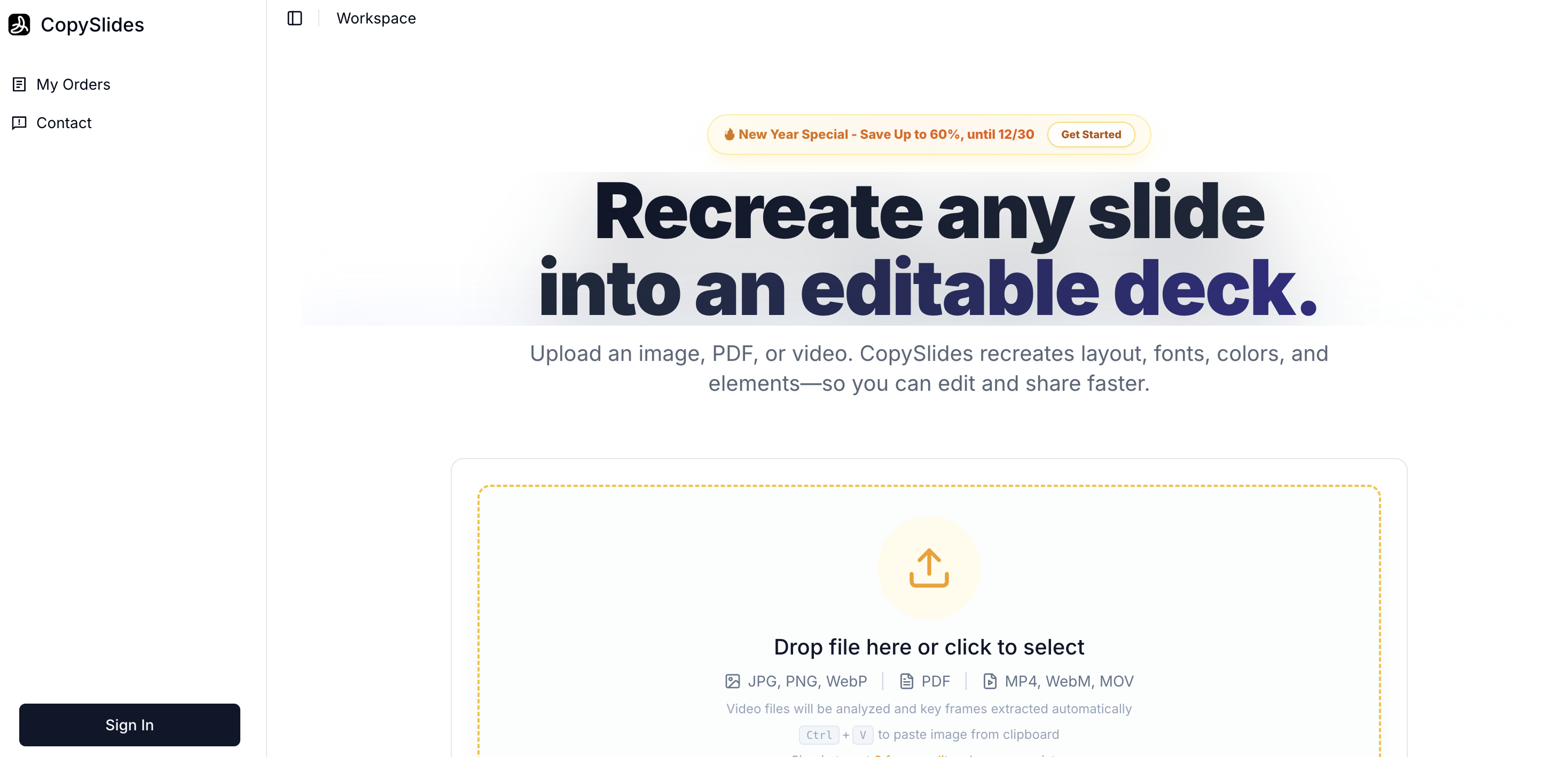
- Transform static PDFs, images, and videos into fully editable presentations without manual redesign, using AI that analyzes and rebuilds layouts, styles, and fonts.
- Edit every element like a designer with separate, editable layers for background, images, and text boxes, enabled by layered extraction technology.
- Preserve brand consistency and visual hierarchy with high-fidelity matching of original typography, color schemes, and alignment from your source files.
- Work instantly in your preferred tool by downloading editable PPTX files or opening presentations directly in Google Slides for immediate editing.
- Save significant time recreating slides manually from reports, research, or video content, streamlining workflows for consultants, teachers, and researchers.
Pros & Cons
Pros
- Processes images, PDFs, videos
- Reconstructs layout, styles, elements
- Automated style guide generation
- Smart detection of grids
- Maintains typography and color
- Fully editable output
- Matches closest standard fonts
- Recreates text as editable
- Separates layers
- Trusted by professionals
- Reduces manual recreation time
- Outputs in PPTX format
- Direct opening in Google Slides
- Maintains visual hierarchy
- Supports Google Fonts
- Security deletes files in 24h
- Pricing options for different volumes
- Free, limited access available
- Data not used for training
- Video-to-slides conversion
- Image-to-slides conversion
- PDF-to-slides conversion
- Results are consistent
- Download or open in slides
- Efficiency enhancer
- Time saver
- Pro plan for heavy usage
Cons
- No offline functionality
- Limited free access
- Data deleted after 24 hours
- Failure to process files sometimes
- Monthly subscription required
- Consistent internet needed
- Limited font support
- Only PPTX and Google Slides support
- Doesn't support non-standard fonts
- Cannot retain certain original file aspects
Reviews
Rate this tool
Loading reviews...
❓ Frequently Asked Questions
CopySlides is an AI-powered tool that turns static content into editable slides. It accepts inputs from various types of files, including images, PDFs, and videos, and then reconstructs them into editable slideshows. The tool analyzes aspects such as layout, styles, color and fonts of the original content, making it editable while maintaining the original design.
CopySlides can convert image files, PDFs, and video files into editable slides.
CopySlides uses AI to analyze and reconstruct the files uploaded. This involves smart detection of grids, alignment, spacing along with automated generation of style guides from source files. It also executes layered extraction, separating backgrounds, images, and text layers.
CopySlides maintains high accuracy in the layout, typography, and color schemes of the original files. It's designed to ensure the recreated slides maintain the visual hierarchy and style aspects of the originals, including fonts, alignment, and color schemes.
Converted slides in CopySlides are editable as they contain text boxes instead of images. This allows users to change fonts, correct typos, and rewrite content. It also separates layers (background, images, text) to allow individual editing.
CopySlides differentiates itself from other similar tools by its true rebuilding capability. It does not just convert slides, but entirely rebuilds them into editable alignments. This includes separate layers for the background, images, and textual content. Also, its high accuracy level in layout, typography, and color matching distinguishes it from competitors.
CopySlides offers unique features like smart detection of grids, alignment, and spacing. It also provides automated style guide generation from the source file, along with layered extraction of elements. Besides, it supports high fidelity font and color matching, visual hierarchy rebuilding, and content conversion into editable text boxes.
The main users of CopySlides are professionals who frequently need to turn static content into editable slides. These include consultants, teachers, researchers, content creators, designers, sales operators, and founders among others.
Yes, CopySlides offers a free, limited access plan that lets users try all core features with limited credits.
The upgraded professional experience from CopySlides provides more credits for conversion and includes features suited to higher usage volumes.
CopySlides offers varying pricing options to fit different usage volumes. The Basic plan costs $9 per month, offering basic conversion and 200 credits per month. The Pro plan, designed for heavier users like teachers and consultants, costs $19 per month with 600 credits and includes all Basic features. There's also a one-time payment Lifetime plan providing ultimate access to 10,000 total credits.
CopySlides processes files securely. It deletes the user's files from the servers within 24 hours and refrains from using the data for training or other purposes without explicit user consent.
PPTX files are Microsoft PowerPoint files that can be edited using Microsoft PowerPoint or other compatible presentation software. Users can download the output from CopySlides in PPTX format, and then open and edit it as normal in their chosen software.
Users can directly open the slides recreated by CopySlides in Google Slides. This feature allows for immediate and hassle-free editing in Google Slides, without the need for any additional conversion or download.
CopySlides enhances productivity and efficiency by dramatically reducing the time and effort traditionally required to recreate slides manually from static content. By maintaining the original layout, style and typography, it eliminates the need for manual reformatting and allows quick modifications and editing.
Professionals such as consultants, teachers, researchers, content creators, and designers find CopySlides useful. These individuals often need to convert static content into editable slide presentations for efficient workflow.
CopySlides' AI analyzes the layout, styles, colors, and fonts while maintaining the layout intact. This process ensures that the created slides resemble the original content closely in terms of layout, typography, and color.
Yes, CopySlides' layered extraction feature enables the extraction and separation of different layers from the content, including the background, images and text layers.
Yes, CopySlides significantly reduces the time required to create slides manually from static content. The exact time saved would vary based on the complexity and volume of the original content, but user testimonials indicate substantial time savings.
In CopySlides, content from a video file is converted into individual slides. It extracts key frames from the recordings and turns them into separate, editable slides.
Pricing
Pricing model
Free Trial
Paid options from
$10/month
Billing frequency
Monthly