
Overview
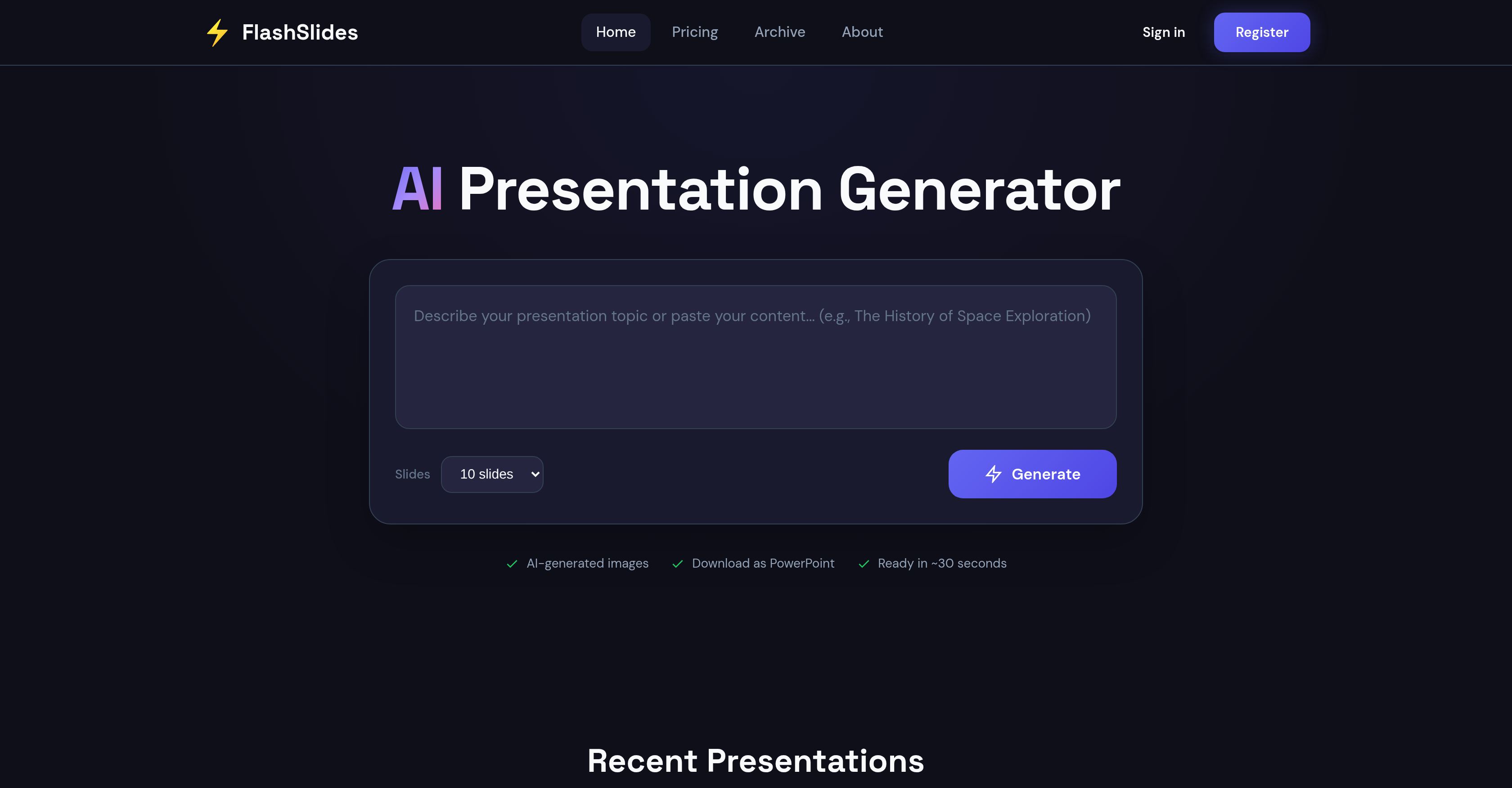
- Generate a complete, visually engaging presentation on any topic in under 30 seconds, saving hours of manual work with AI-powered slide and content creation.
- Download your presentation as an editable PowerPoint (.pptx) or PDF file for full customization in Microsoft PowerPoint or Google Slides.
- Share your presentation instantly for team collaboration using a unique, shareable URL, with the option to set presentations to private from your dashboard.
- Start with one free professional presentation daily, with no credit card required, making it a risk-free tool for students, educators, and business professionals.
Pros & Cons
Pros
- Generates slides on any topic
- Includes relevant content and images
- Auto-complete presentation creation feature
- Saves time in content creation
- Download as PowerPoint or PDF
- Provides unique URL for sharing
- Free daily presentation generation
- Private setting option for presentations
- Compatible with other software for editing
- Serves varied users: students, professionals
- Ability to control audience privacy
- Multiple file formats for download
- Quick generation (~30 seconds)
- Viewable history of generated presentations
- Ideal for multiple professional scenarios
- User-friendly process: 3 simple steps
- Continuous positive user feedback
- Public presentations can appear in archive
- Option to purchase additional generations
Cons
- Limited free daily presentations
- Presentations public by default
- Requires purchasing for more generations
- Generates images, not videos
- Limited file formats (PPT, PDF)
- URL sharing only
- Language compatibility not specified
- Privacy concerns with public archive
- Requires sign-in/login to use
- No built-in editing function
Reviews
Rate this tool
Loading reviews...
❓ Frequently Asked Questions
FlashSlides is an AI-powered tool crafted to streamline the process of creating professional presentation slides. The software helps users create slides on a selected topic, complete with custom AI-generated images and relevant content. The presentations can be downloaded in PowerPoint or PDF formats, shared via a unique URL, or edited in any compatible software. FlashSlides offers a free daily presentation service and additional paid options.
FlashSlides utilizes AI technology to create presentations. It generates a complete presentation automatically when a topic is inputted. Each slide consists of relevant content and a corresponding AI-generated image, making the presentation visually engaging and contextually pertinent.
FlashSlides offers the capability to generate one free presentation per day. However, for additional presentations beyond the free daily limit, charges apply.
Yes, there are charges for additional presentations in FlashSlides. While a single daily presentation is free, higher volumes of presentation generation necessitate a purchase.
Yes, presentations generated by FlashSlides can be edited. Once users have downloaded their presentation, they can modify it using Microsoft PowerPoint, Google Slides, or any other compatible software according to their preferences and requirements.
Presentations created by FlashSlides can be shared through a distinctive URL. This makes it ideal for team collaboration, as the URL can be accessed by multiple users simultaneously, allowing for swift and efficient sharing.
Absolutely. Users can download the presentations created by FlashSlides either as a PowerPoint file or as a PDF. This gives you the flexibility to choose a format that suits you best.
FlashSlides employs cutting-edge AI image generation technology called 'Flux Fast’. This tool creates unique images relevant to each slide’s content to enrich the user's experience.
FlashSlides is designed to generate presentations on any chosen topic. Whether it's climate change, history of Rome, or anything else, FlashSlides can create a comprehensive and visually appealing presentation on it.
While FlashSlides provides one free presentation per day, it does impose a limit for additional presentations. To generate beyond the daily free limit, users have to avail of the paid offerings.
Yes, users have the option to make their presentations private. Despite default public visibility, users can change the setting to private from their dashboard, providing flexibility on the visibility of their presentations.
Yes, the presentations generated by FlashSlides are public by default. However, users can change this setting and make their presentations private if they prefer this level of privacy.
FlashSlides employs AI technology to ensure the relevance of images and content it creates. It generates unique images and matching content for each topic to make sure the generated slides are visually enhanced and contextually correct.
Yes, presentations generated by FlashSlides can be edited using Google Slides and Microsoft PowerPoint. Upon downloading the presentations, users can freely edit and customize them according to their needs.
FlashSlides boasts speedy generation, creating a full presentation with text and matching images typically within 30 seconds. This quick turnaround time enables users to create and present professional slides in minutes.
The quality of FlashSlides presentations does not vary based on the chosen topic. The AI technology ensures generation of visually engaging and contextually accurate images and content, regardless of the topic at hand.
While it isn't explicitly stated, given that FlashSlides is an AI-powered tool for automated design and content creation, it could plausibly handle basic types of data visualization.
FlashSlides serves as an excellent tool for business professionals. It allows them to prepare meeting decks, proposals, and quarterly reports quickly and effortlessly. Furthermore, the use of AI-generated images adds a professional polish to their presentations which could impress stakeholders.
For more than one presentation daily, FlashSlides offers paid options. Users can purchase additional generations as needed. Also, these presentations can be downloaded as PowerPoint or PDF, and shared with unique URLs.
Users can register for FlashSlides by going to the home page and clicking on the 'Register' button. Alternatively, they may continue with Google for a seamless sign-in process.
FlashSlides utilises AI to automate the process of slide generation. Upon the input of a specific topic by the user, the AI automatically generates a comprehensive presentation consisting of slides filled with relevant text and custom, AI-created imagery.
Yes, FlashSlides can generate presentations on any chosen topic. Simply enter the desired subject, and the AI will automatically create a full presentation.
FlashSlides is designed to create a complete presentation in approximately 30 seconds, speeding up and simplifying the task of presentation creation.
FlashSlides allows users to download presentations in two popular formats: Microsoft PowerPoint (.pptx) and Adobe PDF files.
Yes, users can share their FlashSlides presentations online. Each presentation can be shared through a unique URL link.
Yes, FlashSlides is free to use for generating a single presentation each day. Users do not need to provide credit card details to access this service.
While a single daily presentation generation is free, FlashSlides allows users to generate additional presentations at a cost. To do so, users can purchase credits.
By default, all presentations created by FlashSlides are public and may appear in the archive on their website.
Users can adjust the privacy settings of their presentations through their dashboard settings. They have the option to make any of their presentations private according to their preference.
FlashSlides uses unique, custom images in its presentations. These images are generated by their state-of-the-art AI image generation technology (Flux Fast).
FlashSlides employs AI image generation technology known as Flux Fast. The system uses this technology to create unique, contextually relevant images for each slide based on the associated content.
Yes, you can edit FlashSlides presentations. Once a presentation is downloaded, users can freely make modifications to it.
Downloaded FlashSlides presentations can be edited with Microsoft PowerPoint, Google Slides, or any software program compatible with the provided file formats (.pptx and .pdf).
Yes, the user can choose the number of slides in their FlashSlides presentation. The options range from 5 to 30 slides per presentation.
FlashSlides is beneficial for a wide range of users including students, educators, business professionals and startup founders, among others. Its quick and easy slide generation process can be valuable in various educational and professional scenarios.
Yes, FlashSlides can be extremely beneficial for educational purposes. Teachers and educators can use it to generate engaging lesson plans and educational content, while students can create impressive class presentations and project reports in minutes.
Indeed, FlashSlides can be invaluable in a professional setting. Business professionals ranging from marketers to consultants can use it to prepare meeting decks, proposals, and quarterly reports with a professional finish in a short span of time.
FlashSlides ensures the relevance of the content in its generated presentations through AI technology. By identifying the topic's context, it is able to generate relative phrases and construct suitable images that enhance the overall presentation.
Presentations generated by FlashSlides are public by default and may appear in their archive. However, users are provided with the option to make their presentations private as per their preference. This option can be accessed from the user's dashboard.
Pricing
Pricing model
Free Trial
Paid options from
$9.99/month
Billing frequency
Monthly
Refund policy
7-day money-back guarantee on unused credits