
ImageToAI.Video
Overview
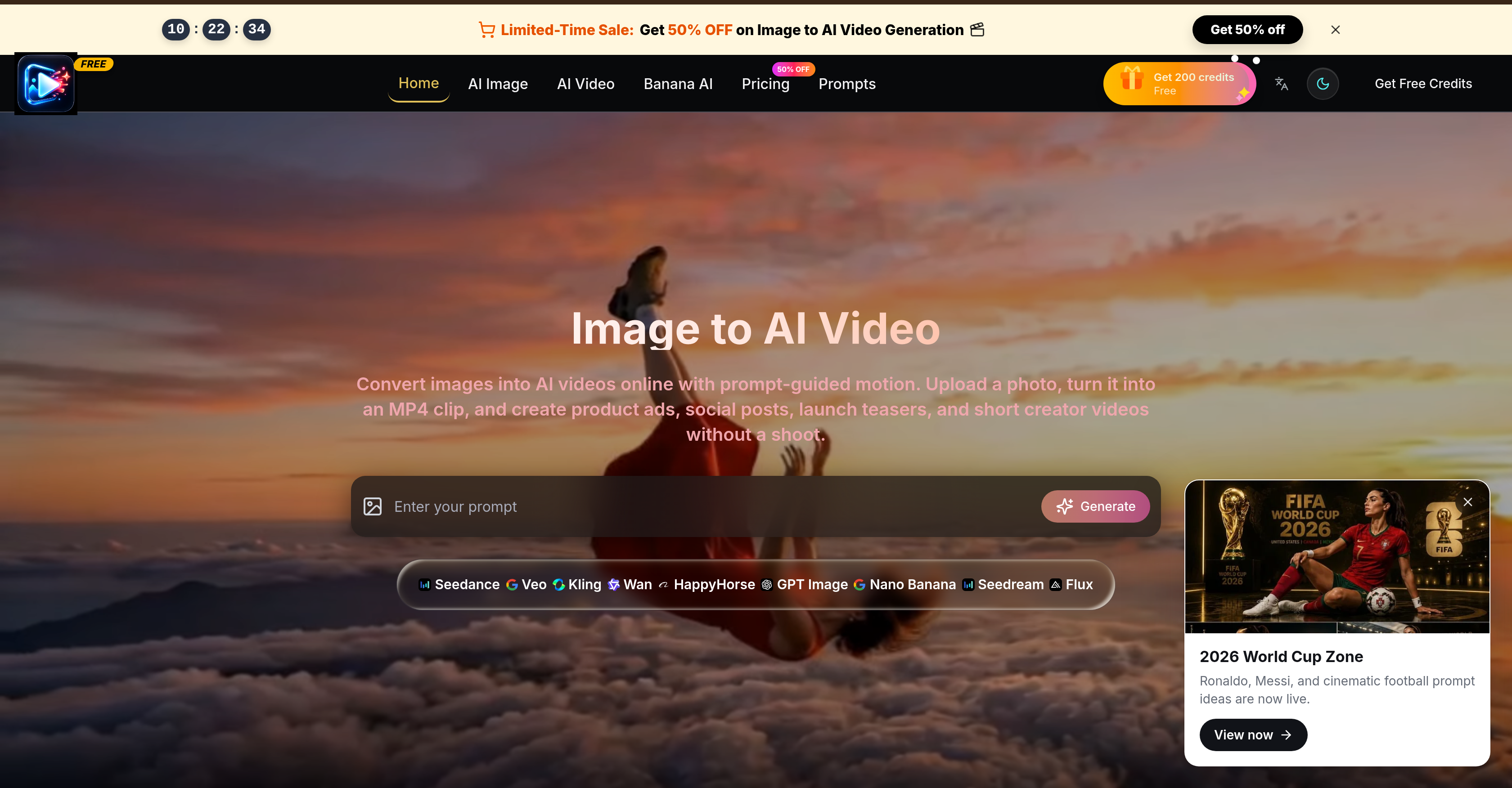
- Create engaging social media videos instantly by uploading a static image and guiding motion with AI prompts
- Craft professional product ads without a film crew using prompt-based camera movement, lighting, and scene changes
- Produce launch-ready teasers and brand reveals that preserve original product details, composition, and visual style
- Save on production costs by drafting videos in low quality before exporting high-resolution MP4 clips for publishing
- Generate short video stories up to 15 seconds long, perfect for ad hooks, reels, and viral shorts
- Export videos in multiple aspect ratios including 16:9, 9:16, 1:1, and 4:3 to fit any social platform or display format
- Maintain consistent visual styling from your original photo to the final video, ensuring subject and brand identity remain intact
- Personalize every video with full control over mood, scene transitions, and cinematic camera movements using descriptive prompts
- Iterate creative concepts affordably with a transparent credit system that lets you test ideas before committing to high-quality output
Pros & Cons
Pros
- Turns static images into videos
- Guided motion prompts
- Generates MP4 clips
- Versatile tool for content
- No filming required
- Personalize camera movement
- Control over lighting
- Customize scene changes
- Consistency between photo and video
- Draft in low quality
- Efficient high quality production
- Cost-effective content creation
- Ideal for product ads
- Perfect for social media
- Assists in product launches
- Brief storytelling videos
- Video personalization
- Dynamic content creation
- Lighting Control
- Camera Movement Control
- Scene Change Control
- Video Quality Control
- Online conversion service
- Prompt-guided motion
- Product detail preservation
- Visual style consistency
- Various video lengths options
- Multiple format ratio
- MP4 video export
- Credit-based rendering
- Clear credit costs displayed
- Consistent look for campaigns
- Fast visual iteration
- Ad hook testing functionality
- Product walkthrough creation
- Seasonal shop clips creation
- UGC-style story drafts
- Plan options variety
- Unused credits roll over
- Commercial License
- Unlimited Storage
- Priority Processing Queue
- Ads-Free Experience
- Priority Support
- Workflows with clear costs
- Online course creation
- Teaser video creation
- Short clips creation
- Narrative clip drafts
Cons
- Limited to short videos
- No subtitle feature
- No advanced editing tools
- Limited output formats (MP4 only)
- Credit-based rendering
- No mention of voice/audio support
- No native watermark removal
- Only vertical, square, landscape options
- Generic user interface
- No listed compatibility with other software
Reviews
Rate this tool
Loading reviews...
❓ Frequently Asked Questions
Image to AI Video is an online platform designed to convert static images into dynamic, AI-guided videos. It's utilized by users to add motion to uploaded images through various prompts, then it transforms the image into an MP4 video clip.
Image to AI Video operates via a user-friendly process. Users upload a static image of their choice. Then, they guide the AI by adding motion prompts to the image. Once the AI receives sufficient instructions, it processes the image and converts it into a dynamic MP4 video clip.
Yes, Image to AI Video is uniquely engineered to accommodate the needs of product advertising. It lets users transform product images into dynamic video ads by using specific motion prompts. It can be utilized to create videos for product reveals, ad teasers, or specific product-focused social posts.
Image to AI Video provides flexible options for video exports. It supports the export of videos in multiple aspect ratios, suitable for a variety of platforms. These aspect ratios include 16:9, 9:16, 1:1, and 4:3.
Image to AI Video offers an integrated workspace for both text-to-video and image-to-video workflows. This feature allows users to navigate between different workflow types conveniently, making it feasible for individuals and teams who require versatility in their video production tools.
Yes, Image to AI Video is optimized for creating compelling videos for social media posts. It facilitates the transformation of static images into dynamic videos suitable for various social media platforms. These videos can be used for routine social posts or for specialized content like product reveals or ad teasers.
Image to AI Video offers a selection of video styles that users can choose from. These vary from Video Style Transfer to AI Video Upscaler and AI Video Enhancer. These styles allow users the flexibility to create a variety of video content matching their needs and preferences.
Yes, Image to AI Video does provide a variety of prompts to guide the motion applied to the uploaded image. These prompts include options like action clips, product macros, nature clips, brand reveals, and lifestyle ads, helping users direct the video production according to their creative vision.
Absolutely, Image to AI Video is a great tool for creating launch teasers. With its motion prompts and numerous video styles, users can convert their product images into engaging, launch-ready video teasers, perfect for revealing a new product or service.
Image to AI Video is a user-friendly tool. Its layout and functions are designed to be easily understood and manipulated. It aims to eliminate the need for professional video shoots and to allow even those without any video production experience to create stunning video content.
Image to AI Video operates on a clear credit costs system. Users are made aware of the credit costs of the features they utilize making the platform transparent and predictable in terms of expenses.
Yes, Image to AI Video comes equipped with an integrated workspace that's designed for both individual users and teams. This feature makes it a reliable and flexible video production tool suitable for teams requiring collaborative settings for video creation.
Yes, Image to AI Video can be leveraged to devise engaging short video stories. By adding motion to static images, users can create a narrative sequence, perfect for storytelling across various mediums like product reveals or social media posts.
Image to AI Video supports multiple aspect ratios for video exports. This includes common ratios like 16:9 for widescreen, 9:16 for mobile devices, 1:1 for square videos, and 4:3 for traditional television formats, providing versatility to fit different platform requirements.
Absolutely, Image to AI Video can be effectively deployed to create eye-catching brand reveals. By manipulating the motion application to the image, users can animate their brand elements to create a reveal that aligns with their brand personality and message.
Image to AI Video provides several video enhancement options. These include AI Video Upscaler and AI Video Enhancer. These tools allow for the refining of video quality, ensuring users can create high-definition, clear, and professionally rendered video content.
Image to AI Video transforms an image into a video clip by applying AI-guided motion to the static image. The user instructs the AI on the type of motion to apply using various provided prompts. With sufficient instructions, the AI translates the image into a dynamic MP4 video.
Yes, Image to AI Video can be utilized to create compelling lifestyle advertising content. The platform's ability to convert static images into dynamic video content, coupled with lifestyle ads prompts, allows for effective creation of lifestyle-focused advertising videos.
To get started with Image to AI Video, you need to have a static image that you want to convert into a video. You should also have an idea of the motion you want to add to your image, which you can guide using the provided prompts on the platform.
Image to AI Video offers various prompts to guide the application of motion to images. Examples of prompts include action clip, product macro, nature clip, brand reveal, and lifestyle ad. Users can choose from these prompts to guide the AI in creating the desired video content.
There is wide versatility in the types of videos that can be generated with Image to AI Video. These range from dramatic scenes and sports-type moments to motion advertisements, viral shorts, and other creative visual concepts. This makes the tool an excellent fit for various projects like product advertisements, ad reels, product launches, storytelling, and creative campaigns.
Yes, Image to AI Video is a great tool for ad production. Its ability to create engaging and personalized short video clips makes it well-suited to produce content for promotional materials or advertisements.
Yes, control over camera movement is one of the features offered by Image to AI Video. This allows users to guide the movement of the video in line with their specific requirements or the objectives of their projects.
Yes, Image to AI Video gives users the ability to manipulate lighting conditions within the generated videos, making it possible to adjust these aspects to optimize the appearance and impact of the final video product.
Videos created with Image to AI Video can be personalized by describing the desired motion or scene upon upload of the source image. Users have the ability to actively guide and influence factors such as camera movement, lighting, mood, and scene changes in alignment with their unique requirements and creative vision.
Yes, Image to AI Video ensures consistency in styling between the input static image and the output video. It diligently preserves the subject, composition, product details and visual style from the original photo in the final video.
Image to AI Video employs a cost-efficient credit-based system. This makes it possible for users to draft their videos in low quality before moving to higher-cost, higher-quality outputs. This system also makes creative iterations more efficient and affordable.
Users can expect a range of output qualities from Image to AI Video, determined by their specific needs and resources. It supports drafting in low quality before moving to higher-quality outputs for publishable assets. This approach caters to cost-efficient experimentation without compromising on final quality.
Key features of Image to AI Video include AI video generation, Image to Video conversion, content creation, video personalization, dynamic video content, video quality control, cost-efficient content creation, lighting control, scene change control and camera movement control.
Yes, Image to AI Video is an ideal solution for small businesses. It offers a cost-effective and easy-to-use platform for creating high-impact video content without the need for professional video production equipment or expertise.
Yes, Image to AI Video's ability to create engaging video content from a single static image makes it a great tool for social media content creation. This includes social posts, product advertising, and viral short videos.
Yes, one of the capabilities of Image to AI Video is the control it gives users over scene changes in the videos they create. This enables the seamless transition from one scene to another in accordance with the user's creative vision.
Image to AI Video exports the finalized videos in the MP4 format, a widely accepted and versatile video file format.
Yes, Image to AI Video is designed specifically to bring static images to life by creating dynamic, motion-filled, AI-generated videos.
The maximum length of an image to video clip that can be generated with Image to AI Video is up to 15 seconds. This makes it particularly suitable for generating ad hooks, short explainers, and reels.
There don't appear to be defined limitations to the motion or scene that can be described within Image to AI Video. The platform allows users to describe any scene or motion detail as desired and then generates a video based on these inputs.
Yes, Image to AI Video can certainly be utilized to generate sports-style moments or dramatic scenarios. Its versatility makes it suitable for a wide range of applications, including sporty moments, dramatic scenes, motion ads, and more.
Using Image to AI Video is straightforward. Its user-friendly interface requires just a three-step process: upload an image, describe the desired scene or motion, and generate a video. Moreover, users have control over personalizing elements such as camera movement, mood, lighting, and scene changes, offering a high level of customization with relative ease.
Pricing
Pricing model
Free Trial
Paid options from
$8.33/year
Billing frequency
Yearly