Overview
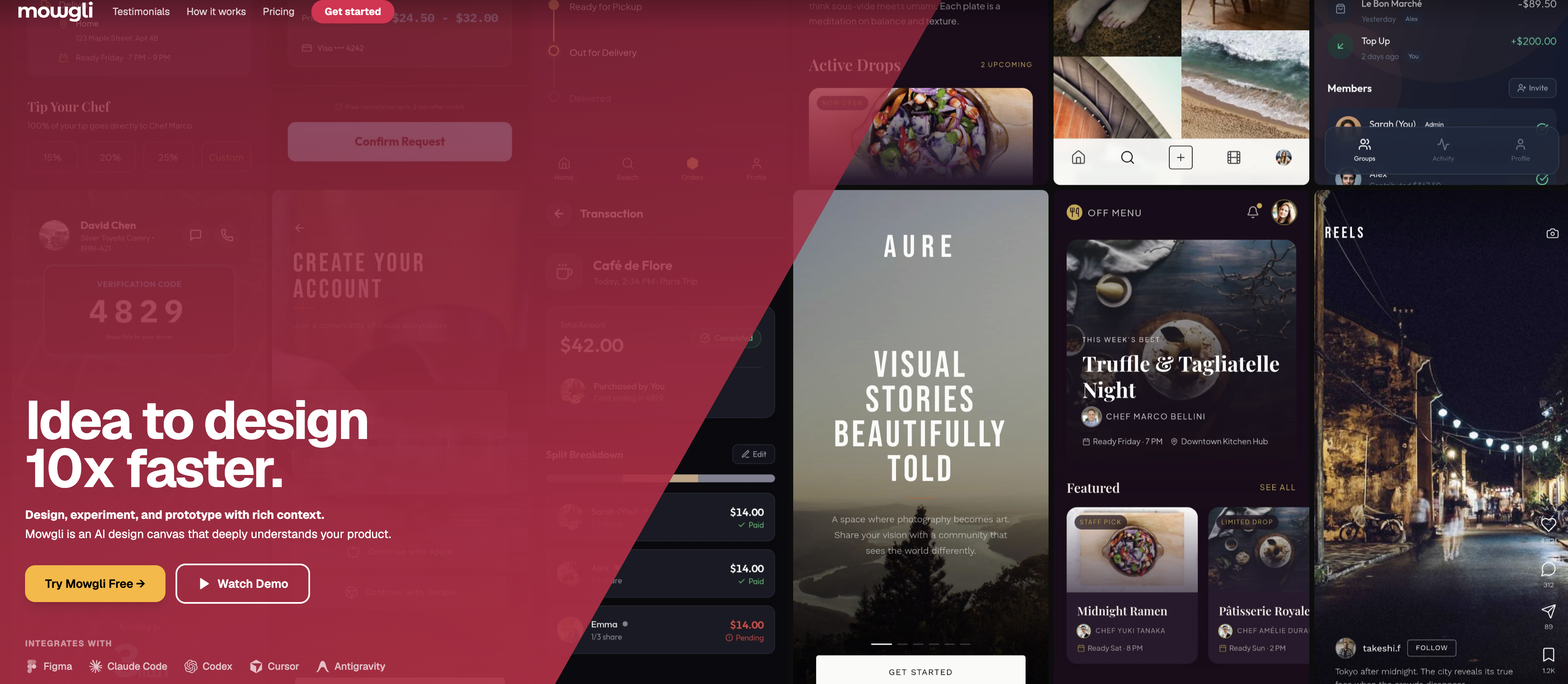
- Launch production-ready app designs from plain text descriptions in minutes, not days, using Mowgli's text-to-design AI that generates every screen and feature state.
- Keep product logic and visual design perfectly aligned as you iterate, thanks to a living PRD that automatically updates alongside every UI change.
- Validate user journeys before writing a single line of code by switching to interactive prototype mode and clicking through live flows.
- Eliminate handoff friction with direct export to Figma, downloadable React + Tailwind code, or an AI package optimized for Cursor, Claude Code, and Codex.
- Experiment with features and tweak UI elements conversationally through AI chat, without breaking design consistency or losing spec alignment.
- Scale designs responsively across mobile and desktop platforms with a single command, reimagining layouts for each target device.
- Maintain team alignment across product, design, and engineering with real-time collaboration that tracks every design decision and revision.
Pros & Cons
Pros
- High-fidelity app designs
- Imports and edits Figma files
- Exports design to React code
- Exports to Figma
- Designs all screen states
- Smart canvas
- Facilitates design iteration
- Responsible for mobile and desktop
- Integrates with Claude Code
- Integrates with Cursor
- Integrates with Codex
- Design from textual descriptions
- Generates detailed designs
- Team collaboration features
- Chat-based UI tweaks
- React and Tailwind code export
- Project initiation from scratch
- Figma file import to start
- Supports feature experimentation
- Consistent design specifications
- Seamless handover to Figma (export)
- Rapid design generation
- Exports to Claude, Cursor, Codex
- Integrates with development tools
- Spec-driven design approach
- Client projects and internal designs
- Streamlines development process
- Improves delivery timelines
- Onboarding brainstorming tool
- PRD to design
- Variety of export options
- Pixel-perfect React component export
- Style steering feature
- Responsive adaptation of design
- Automatic platform-specific redesign
- Live prototype mode
Cons
- No Salesforce, Sketch integration
- Text-based editing only
- Lack of offline mode
- Limited export formats
- No native apps support
Reviews
Rate this tool
Loading reviews...
❓ Frequently Asked Questions
Mowgli is a comprehensive AI design tool built to assist builders and product teams in crafting complete, high-fidelity app designs from plain text descriptions. It can import Figma files, edit through an AI chat, and export the ultimate design as React code or back into Figma. With Mowgli, users can either start from scratch or by importing an existing Figma file. It generates designs for every screen and feature state within minutes. The tool aims to expedite the transition from concept to production-ready design, beneficial to individual developers and larger product teams alike.
Mowgli's AI chat feature is integral for editing and experimenting with designs. Users can leverage the chat feature to alter user interfaces, implement features, and introduce flows. This chat-driven editing enables both small adjustments and considerable changes through the convenience of conversational interaction.
Yes, Mowgli provides a feature to import Figma files. Users can kickstart their design process either from scratch or by seamlessly integrating an existing Figma file into the Mowgli platform.
Yes, Mowgli excels in generating designs from plain text descriptions. The tool is engineered to convert text-based specifications into high-fidelity app designs covering every screen and feature state, all within a few minutes.
Mowgli offers various exporting options to accommodate diverse user requirements. Once the design is refined and finalized, it can be exported to Figma or downloaded as React + Tailwind code. Alternatively, users can secure an AI package optimized for a range of tools such as Claude Code, Cursor, and Codex.
Yes, Mowgli is versatile enough to create designs for both mobile and desktop apps. The tool can adapt the same design responsively between mobile and desktop platforms, enabling users to switch between these platforms as per their needs.
Mowgli's AI package is optimized for various tools, including Claude Code, Cursor, and Codex. This optimization is meant to promote compatibility and ease of usage with these software tools.
Mowgli is designed to swiftly transform ideas into designs. It can generate complete app designs capturing every screen and feature state within just a few minutes.
Definitely, the usability of Mowgli extends beyond design generation. Apart from producing the initial design, the tool also facilitates design iteration and perfection. This is mainly on account of its smart canvas that enables users to make easy modifications and refinements to the design.
Yes, Mowgli enables design editing through its chat feature. Users can implement changes to the user interfaces, experiment with different features, and introduce new flows via the AI chat feature.
The 'smart canvas' in Mowgli pertains to its user-friendly interface that allows easy design iterations and improvements. It's a creative space that users can utilize to perfect their design both throughout and post the initial design generation.
Yes, Mowgli offers the functionality to export the finalized design back to Figma. This happens once the design is completed and ready for implementation, whether for further refinement or to be transformed into code.
In Mowgli, the finalized or completely iterated design can be downloaded as React + Tailwind code. This means that the tool generates code that mirrors the design's structure, style, and functionalities using the React framework and Tailwind CSS library.
Mowgli's 'text to design' feature is essentially the process of transforming plain text descriptions into complete, high-fidelity app designs. The tool accepts specifications in text format and leverages its AI model to generate corresponding designs.
Absolutely, one of the key features of Mowgli is that it can adapt designs responsively between platforms. If a user switches between mobile and desktop while designing, Mowgli reimagines the design for the selected platform.
Mowgli is advantageous for both individual developers and product teams. It expedites the design process, whether it's an independent developer working on a personal project or a product team planning to roll out a new feature. Mowgli is designed to streamline the journey from concept to production-ready design.
While the information primarily points out support for Figma, it does not specifically state that Mowgli only supports Figma for file importing. However, given the prominence of Figma in the provided content, it can be inferred that Figma is a major supported platform for file import in Mowgli.
Yes, Mowgli allows users to start designing from scratch. Alternatively, they can also begin by importing an existing Figma file into the platform.
Yes, Mowgli is capable of generating designs for every screen and feature state. Whether starting from scratch or importing a Figma file, the tool promises high-fidelity designs covering all aspects of the app in a quick timeframe.
Yes, Mowgli can indeed convert AI chat input into tangible design output. By leveraging the chat feature, users can articulate their design modifications, new feature additions, and flow changes, and the tool will correspondingly adjust the design.
Users can either start a project from scratch or import a Figma file. Mowgli processes every screen and feature state to generate comprehensive designs. The AI chat feature can be used to add flows, tweak UI elements, and experiment with features, all while maintaining design and spec consistency. The final design can be exported back to Figma, downloaded as React + Tailwind code, or as an AI package optimized for tools such as Claude Code, Cursor, and Codex.
To import Figma files into Mowgli, users can utilize the built-in feature that allows direct importation of Figma files. With this, existing designs can be easily brought into Mowgli for processing and enhancement.
Yes, Mowgli allows users to start a design from scratch. Users can input their idea or concept as textual descriptions and the tool will generate a full-fledged, detailed application design. This means one doesn't need to start with pre-existing designs or templates.
Mowgli incorporates an AI chat function as an innovative means for users to interact with their designs. It serves for iterative design workflows, allowing users to make edits in a conversation-style approach. With this function, users can tweak user interface components, add flows or modify features, while maintaining harmony between specs and designs, all through simple text inputs.
The Mowgli design process starts with either a text input from the user to describe the app idea or by importing an existing Figma file. The tool generates high-fidelity designs for every screen and feature state. These designs can be easily iterated and perfected on the smart canvas utilizing the AI chat function. After the design is finalized, it can be exported to Figma, downloaded as React + Tailwind code, or optimized as an AI package for use with other tools.
Exporting designs from Mowgli can be done in one of three ways. Users can choose to handover back to Figma. Alternatively, they can download the finalized design as React + Tailwind code or opt for an AI package optimized for Claude Code, Cursor, or Codex.
Yes, Mowgli supports the download of designs as React component code combined with Tailwind for styling. This feature is particularly beneficial for developers as it provides them with production-ready components directly from the design stages.
Mowgli optimizes the design for Claude Code, Cursor, and Codex by providing an AI package that is tailor-made for these tools. This packaged output makes it ready for use in varying development environments.
Absolutely, Mowgli comes with a responsive adaptation feature. This allows it to automatically adjust a design between mobile and desktop platforms, reimagining it from the ground up for the target platform chosen.
Mowgli is not only suitable but advantageous for individual developers. It offers an intuitive way to turn ideas into high-fidelity designs quickly. It also bridges the gap between the design phase and the development phase, allowing developers to directly convert their designs into React + Tailwind code.
Larger product teams can utilize Mowgli to streamline their workflow. By using Mowgli, teams can quickly turn concepts into high-fidelity designs and rock-solid specs. Teams can iterate on designs, experiment with features, and keep the specs and designs in sync, which aids in keeping the team aligned and the development process efficient.
Indeed, Mowgli can integrate with other design and development tools. Its support extends to direct sharing with Figma and coding tools such as Claude Code, Cursor, and Codex, offering users an integrated suite for product development needs.
Designs from Mowgli play a considerable role in workflow generation. Through its quick generation of design from plain textual descriptions and comprehensive coverage of every aspect of the product, Mowgli aids in not only visualizing but also planning the development workflow. It enables detailed and harmonized designs outputs, making it easier to predict the workflow and manage resources accordingly.
Mowgli's AI chat offers flexibility in tweaking various user interface elements. This can range from adjusting colors and fonts to rearranging the layout and other components. It provides an interactive way to design and experiment with UI elements.
Mowgli provides an innovative platform to experiment with features. Users can test out different design options and see the impact of various changes in real-time. Ideas can be iterated upon throughout the development process ensuring the best results.
Mowgli ensures consistent design outputs by maintaining harmony between the specs and designs across the entire product. As changes are made via the AI chat feature, both the designs and specs are simultaneously updated. This ensures a consistent and up-to-date output.
Mowgli does provide an iteration feature. With the help of its smart canvas, users can closely work on their designs, perfecting them down to the minutest details. The conversational style AI chat allows for an interactive and iterative design experience.
Mowgli is ideal for rapid generation of high-fidelity app designs. It uses AI to interpret textual descriptions and build high-quality, detailed designs within minutes. This expedites the transition from concept to design phase.
Mowgli is highly efficient in moving from concept to production-ready design. With its AI-driven approach, Mowgli allows product builders to rapidly turn ideas, described in plain text, into high-fidelity app designs. The designs can be exported directly to Figma or downloaded as production-ready React or Tailwind code.
Pricing
Pricing model
Free Trial
Paid options from
$12/month
Billing frequency
Monthly