Overview
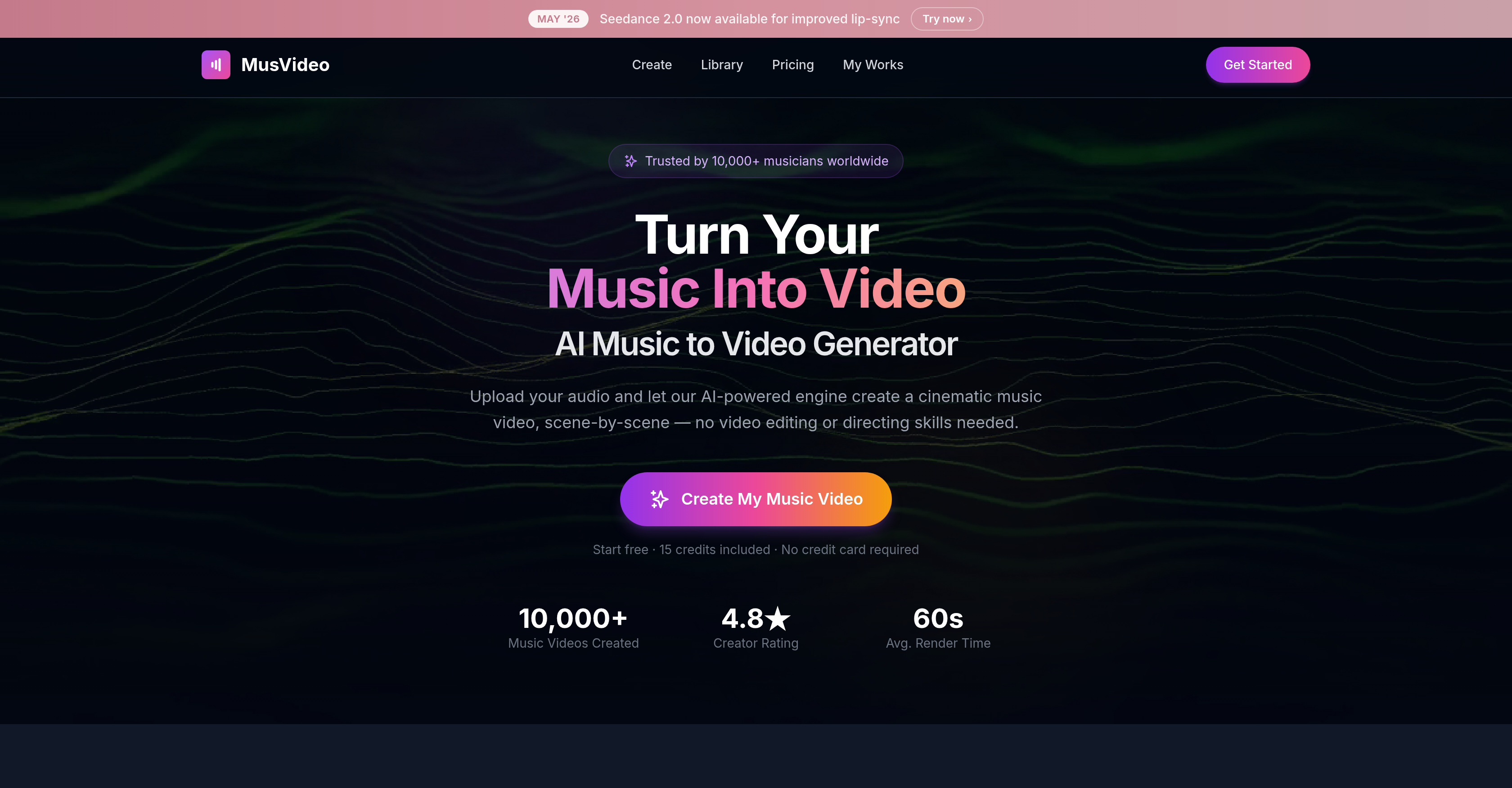
- Publish a cinematic music video on YouTube, TikTok, or Instagram Reels without any editing skills—the AI Director handles storyboarding, scene composition, and beat synchronization.
- Match any song's energy with perfectly synced visuals—AI analyzes tempo, mood, and energy to create a custom storyboard and color-graded scenes.
- Get a downloadable HD music video in minutes—just upload an MP3 or WAV file and the AI generates a fully rendered, beat-matched video ready for export.
- Choose a visual style that fits your brand or let the AI automatically select one—manually pick from styles or rely on AI to match the track's genre and language.
- Re-render or change the visual style of any video anytime—all projects save to a personal library for instant access and modification.
- Launch on Spotify Canvas or any social platform—export in vertical, square, or widescreen formats optimized for TikTok, Reels, and YouTube.
- Start creating without upfront payment—no credit card required to begin, with 15 free credits included.
Pros & Cons
Pros
- Generates scene-by-scene visuals
- Analyses tempo, mood, energy
- Supports various audio formats
- Automated storyboard creation
- Synchronizes visuals with beats
- Selectable video styles
- User-friendly preview and fine-tune
- Exports high-definition videos
- Optimized for social platforms
- Any genre and language
- Personal video library feature
- No video editing skills required
- Mood board generation
- Multiple video formatting options
- Changeable visual styles
- Suitable for any music genre
- Efficient multilingual support
- Scene sequencing tool
- Advanced color grading
- Automatic visual style selection
- Downloadable videos in HD
- Automated video editing
- Fast video rendering
- Improves lip-sync with updates
- Personal library for videos
- Optimized for diverse music creators
- Saves videos for re-rendering
- Produces pro-grade, color-graded visuals
- Analyzes tracks in minutes
- Vertical, square, widescreen formats
- Instant music-to-video conversion
- Optimized for YouTube, TikTok, Instagram
- Allows style reference uploads
- Transitions and subtitles in composition
- One-time purchase option
- Free credits on signup
- Deep audio analysis
- User prompt as primary direction
- Long scene duration flexibility
- Photo-based character locking
- Supports full visual campaigns
- Cinematic scene generation
- Generated videos stay organized forever
Cons
- No offline availability
- No API for integration
- Lacks collaborative features
- Limited customization options
- Video duration capped at 4 minutes
- Doesn't support video inputs
- No multi-platform compatibility
- No raw footage editing
- Lacks user-defined storyboarding
- Requires internet connection
Reviews
Rate this tool
Loading reviews...
❓ Frequently Asked Questions
MusVideo is an artificial intelligence tool that transforms music into cinematic videos. It creates visually appealing scene-by-scene imagery based on the music uploaded by a user. The created visuals are framed and color-graded to provide professional-grade videos that match the energy of any given music track.
MusVideo employs AI-powered capabilities to create videos from music. It analyses the tempo, mood, and energy of an uploaded audio file, using this analysis to construct a storyboard for a music video. Every scene is produced and synchronised with the beats of the music track. The AI Director of MusVideo creates these cinematic visuals in line with the parameters and energy detected in the audio.
MusVideo supports a range of audio formats including but not limited to MP3 and WAV. It analyzes these audio files to generate music videos.
Yes, MusVideo indeed analyses the tempo, mood, and energy of the audio file uploaded by a user. This analysis is critical as it guides the planning of visual components for the music video in accordance with the parameters detected in the song.
Absolutely, users can choose video styles on MusVideo. This allows for a degree of customization and ensures that the final output meets the user's aesthetic preferences. Alternatively, the AI can also select the video style that best matches the track.
Once MusVideo creates your video, you get the opportunity to preview and fine-tune it. The platform allows you to make necessary adjustments to ensure that the final output aligns with your creative vision, before exporting the high-definition music video.
Yes, you can publish videos created by MusVideo on various platforms including YouTube and TikTok. MusVideo's output is compatible with several social and music platforms, thus allowing musicians to reach their audience wherever they are active.
Yes, MusVideo's AI technology can understand all music genres and languages. The AI selects appropriate visuals corresponding to any given musical style, irrespective of genre or language, ensuring a cohesive music video output.
MusVideo provides users with a 'personal library' feature. This feature serves as a storage space where all of a user's generated music videos are saved. Users can access or modify these videos at any time they deem fit.
Yes, MusVideo has a feature to synchronize visuals with the beats of the song. The AI Director of the program orchestrates this synchronization, ensuring that every scene is in harmony with the rhythm and energy of the music playing.
The AI Director in MusVideo acts as the creative lead in the generation of the music videos. It constructs a cinematic storyboard, produces every scene, and syncs the visuals to the beats of the song. It also automatically selects a video style to match the track, if the user does not specify one.
MusVideo-created content can be published on several platforms like YouTube, TikTok, Instagram, and Spotify Canvas. This makes it easier for musicians and artists to distribute their music videos widely on popular platforms and reach their target audience effectively.
MusVideo is indeed suitable for all types of musicians and creators. It's useful for unsigned artists, bands, producers with new singles, home-studio songwriters, indie artists, YouTubers, TikTokers, Reels creators, label managers, and promo teams.
Spotify Canvas in the context of MusVideo refers to the feature on Spotify whereby artists can upload short, looping visuals to their tracks. Videos created by MusVideo can be exported in a format suitable for Spotify Canvas, complementing the audio experience on Spotify with fitting visuals.
Yes, in the absence of a user-selected style, MusVideo's AI can adapt the video style to match the music track automatically. This ensures that the visuals align perfectly with the tune, tonality, and energy of the song.
Yes, videos created on MusVideo can be modified at any time by the user. All generated videos are saved in the user's personal library, allowing for easy access, revisiting, and modifications as deemed necessary by the user.
Yes, MusVideo offers multi-format support. The platform allows the export of music videos in various formats suitable for a range of platforms such as TikTok, Instagram Reels, and YouTube.
Yes, after MusVideo creates a video, it provides an option for users to fine-tune their videos. They can make adjustments as needed to meet their desired aesthetics or to better synchronize with the song.
Yes, MusVideo incorporates a music visualization feature. This AI-powered feature effectively turns the beats, tempo, and energy of a song into captivating and synchronized visual elements, thereby enhancing the overall sensory experience of the music.
MusVideo takes the audio tracks uploaded by users, analyzes their tempo, mood, and energy, and plans the visual aspects of the music video. Using its AI Director, it constructs a cinematic storyboard scene by scene, and syncs the visuals to the beats of the music. If any visuals match the track's characteristics, the AI tool automatically selects them; otherwise, users can choose the style manually.
MusVideo supports audio formats such as MP3 and WAV. It allows for the uploading of any audio file, including original tracks, full songs, and instrumentals.
Yes, MusVideo has AI capabilities that comprehend any genre and any language. This extends it the ability to select appropriate visuals that strongly resonate with the style of the music, regardless of the musical genre.
MusVideo offers customization options primarily through the selection of the visual style for the videos. Visual styles can either be chosen by users or automatically selected by the AI to match the track. Users can also re-render videos, change visual styles, and download videos in HD from their personal library.
MusVideo matches the visuals with the beats of the song by analyzing the tempo, mood, and energy of the audio track, and using this data to plan the visual components of the music video. It creates a cinematic storyboard, piece by piece, and orchestrates every scene to synchronize with the beats of the music.
The steps to create a music video using MusVideo are: first, upload your music file in any audio format, like MP3 or WAV. Next, the AI Director generates a cinematic storyboard, creates every scene, and syncs visuals to your beats - during this step, a visual style can be chosen manually or the AI can select one to match the track. Lastly, users can preview, fine-tune, and export a high-definition music video.
MusVideo generated videos can be published on a variety of platforms including YouTube, TikTok, Instagram, and Spotify Canvas. The AI tool is capable of formatting the videos as suitable for these platforms.
Yes, MusVideo does offer a personal music video library for users. All the music videos generated by a user are saved and can be accessed or modified at any time in this library.
Yes, MusVideo can analyze and generate videos for audio tracks in any language. Its AI capabilities extend to understanding and selecting appropriate visuals regardless of the language of the music.
Yes, MusVideo allows users to re-render videos and change visual styles of generated videos. This can be done anytime, as all the videos created by a user are saved in their personal library.
Yes, MusVideo generates high-definition music videos. Users can preview and fine-tune these videos before exporting them in high definition.
Yes, MusVideo is optimized for various social media platforms including YouTube, TikTok, and Instagram Reels. It allows exporting music videos in vertical, square, or widescreen formats suitable for these platforms.
Yes, MusVideo allows color grading of shots and generation of mood boards. These features are part of its AI-Powered Scene Direction capability, letting the AI to act as a music video director, generating mood boards and performing color grading for a professional look.
MusVideo sequences the scenes based on the music track by analyzing its tempo, mood, and energy. Using this data, it constructs a storyboard and plans the visual sequence. The AI Director generates every scene and ensures it is synchronized with the beats of the music.
To use MusVideo, no video editing or directing skills are necessary. It simplifies the music video creation process, eliminating such requirements entirely. Users simply upload their audio tracks and let the AI do the rest.
Yes, the content generated by MusVideo is downloadable. Users can preview, fine-tune, and export a high-definition music video, ready to be downloaded and published on various platforms.
MusVideo is capable of generating a music video in minutes. Once the user uploads their audio, the tool's advanced AI technology speedily produces a fully rendered music video.
No, MusVideo does not require any credit card details at the beginning of the creation process. Users can start free with 15 credits included.
Users of MusVideo have the flexibility to select video styles manually, or let the AI choose it based on its suitability for the track.
Pricing
Pricing model
Paid
Paid options from
$22.49/month
Billing frequency
Monthly