
Overview
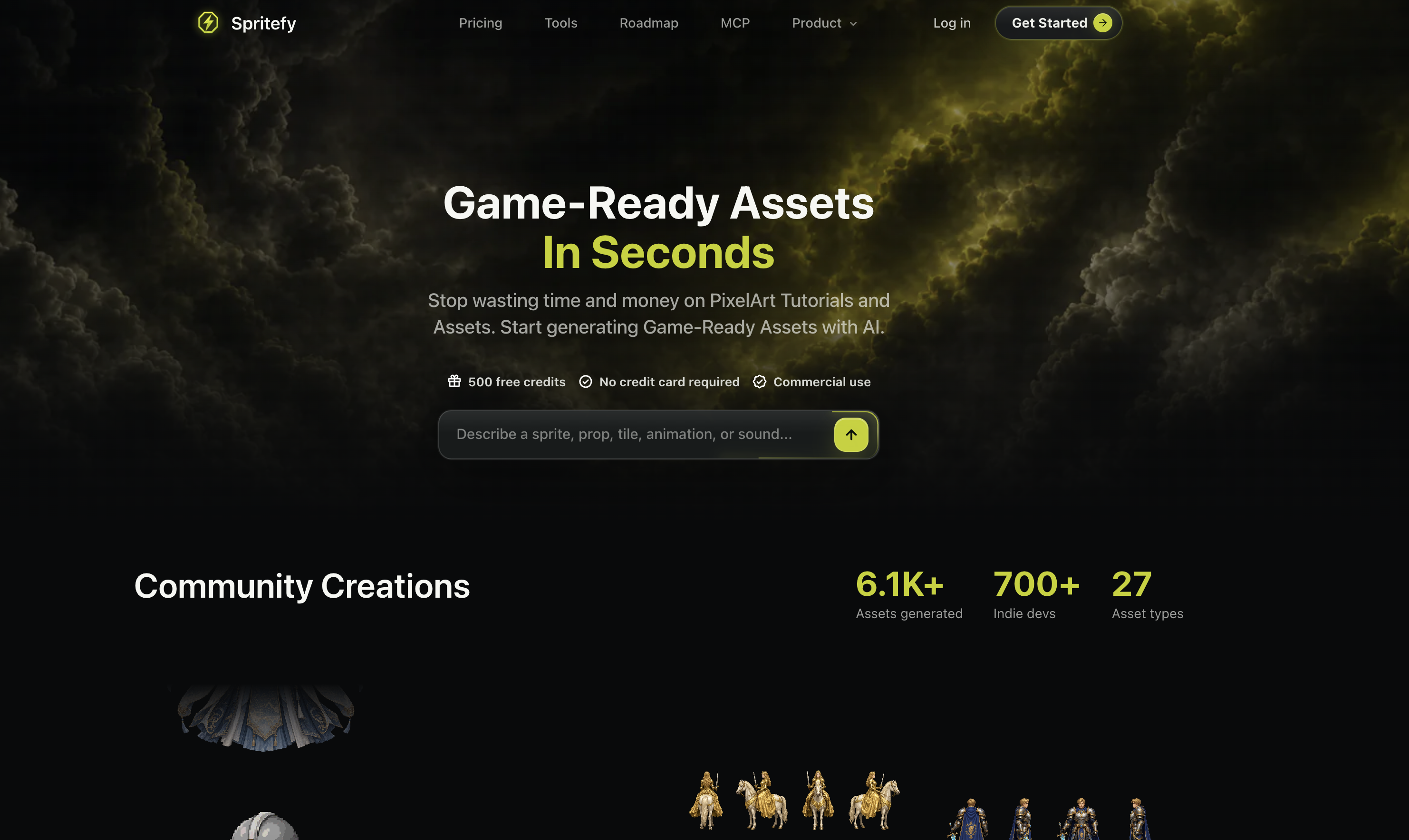
- Ship polished 2D sprites, sprite sheets, and animations directly into your game engine with AI that generates idle loops, walks, attacks, jumps, and hit reactions as previewable sprite sheets.
- Build complete game worlds faster by generating terrain, blocks, coins, chests, signs, and level pieces that share a consistent scale and style in one session.
- Launch immersive gameplay with custom sound effects and music loops—from UI blips and spell hits to menu themes and boss loops—created alongside your visual assets.
- Bring characters to life instantly by generating heroes, enemies, NPCs, outfit swaps, and direction sheets, then refine camera angle, color, and scale post-creation for a seamless aesthetic.
- Prototype 3D scenes quickly with generated 3D models, objects, crates, rocks, weapons, and decor, then export cleanly to Unity, Godot, Unreal Engine, or RPG Maker.
- Design polished UI elements—buttons, panels, health bars, menus, HUD pieces—and stylized texture tiles, surface looks, and palette-ready patterns for walls, floors, and terrain.
- Add voice lines and narration to your prototype with NPC barks, dialogue, character voices, and spoken lines, all generated alongside visual assets for a cohesive experience.
- Access a community creations library for inspiration and ready-to-use assets, reducing time spent on tutorials and primitive design tools while keeping full commercial rights.
Pros & Cons
Pros
- Generates game-ready assets
- Provides sound effects, music
- Efficient asset production
- Creates varied asset types
- Customizes asset properties
- Exports to multiple game engines
- Flexible asset generation
- Edits assets post-generation
- Facilitates commercial use
- Requires no credit card details
- Helpful for indie developers
- Automates creation process
- Saves resources on tutorials
- Suitable for various game environments
- Customizable asset details
- Comprehensive export function
- Supplements gameplay with audio
- Creates UI components, textures
- Enriches gameplay experience
- Sprite sheet generation
- Asset naming feature
- Control over style, palette
- Direction, color, scale editing
- Clean asset transfer
- Supports Unity, Godot, etc.
- Generates game terrains, characters
- Visual effects creation capability
- Boosts gameplay immersion
- Creates 3D models, animations
- Generates tiles
- Provides 500 free credits
- Asset readability ensures fit
- Offers commercial use
- Generates NPC dialogues
- Makes interactive sound effects
- Generates assets from prompts
- Quick prototyping of 3D assets
- Detailed asset editing options
- Generates various animation types
- Generates a variety of items
- Creates backgrounds to suit mood
- Useful for various art styles
- Generates VFX Effects
- Generates texture tiles
- Allows asset scale adjustment
- Supports RPG Maker
- Creates UI and HUD pieces
Cons
- Unspecified live support
- Not open-source
- No API mentioned
- Limited free assets
- Requires manual fine-tuning post-creation
- Broad description prerequisites
- No mobile version mentioned
- No collaboration features
- Limited export options
- No offline mode
Reviews
Rate this tool
Loading reviews...
❓ Frequently Asked Questions
Spritefy can generate a wide variety of game assets including sprites, sprite sheets, tiles, animations, 3D models, sound effects, and music. It is also capable of creating characters, terrain elements, items, backgrounds, UI elements, VFX effects, textures, musical loops, and voice lines.
Yes, Spritefy is capable of generating music for your game. It has built-in features for creating musical loops suitable for various game environments and scenarios.
Spritefy streamlines the asset creation process by using artificial intelligence to generate game-ready assets so users don't have to spend time on tutorials or primitive design tools. It allows for easy customization and editing of asset properties, and supports export to popular gaming engines, making it a comprehensive tool for game asset generation.
Yes, Spritefy supports asset export to both Unity and Unreal Engine. It also provides export options for other popular gaming engines like Godot and RPG Maker.
Yes, Spritefy allows users to edit the properties of an asset post-creation. This includes details like asset name, camera angle, and style, providing flexibility and full control to the user during and after the asset creation process.
No, Spritefy does not require credit card information to start using it. It offers a limited quantity of assets for free, making it easily accessible to users.
Yes, Spritefy can be used for commercial game development. It has a usage policy that allows assets to be utilized for commercial use without requiring credit card information for a limited quantity of assets.
Yes, assets created with Spritefy can be edited or refined post-creation. This provides users with added flexibility and control over their assets, optimizing them for specific requirements or design changes during the game development process.
Spritefy offers a variety of features for creating game character assets. Users can generate a range of characters including heroes, enemies, NPCs, outfit swaps, and direction sheets that share the same scale. Additionally, Spritefy is capable of creating animations such as idle loops, walks, attacks, jumps, and hit reactions, which can be previewed before export.
Yes, Spritefy can generate terrain elements and items for games. It can create terrain, transitions, blocks, coins, chests, signs, and other pieces that belong in the same level. It can also design weapons, pickups, cards, inventory icons, equipment, and loot with clear silhouettes.
Spritefy can create a range of animations. It facilitates the creation of idle loops, walks, attacks, jumps, and hit reactions as sprite sheets which can be previewed before being exported.
In Spritefy, users can specify end product properties such as asset name, camera angle, and style during the creation process. This personalization is what makes Spritefy a flexible and adaptable tool for game asset generation.
Yes, Spritefy supports the creation of VFX effects and textures. It can generate assets such as explosions, hit sparks, smoke bursts, portals, auras, and spell effects with transparent-friendly output. It also allows for the creation of stylized texture tiles, surface looks, and palette-ready patterns for walls, floors, and terrain.
Yes, Spritefy can be used to create UI elements for games. It caters to a variety of UI asset creation including buttons, panels, badges, health bars, menus, and HUD pieces that match your game's art direction.
Yes, Spritefy supports the creation of musical loops and voice lines. It facilitates the generation of menu themes, boss loops, ambient beds, and quick music sketches for a scene. Additionally, it also helps generate NPC barks, narration, dialogue, character voices, and spoken lines for prototypes.
Yes, Spritefy offers export functionality for RPG Maker, in addition to other popular game engines like Godot, Unity, and Unreal Engine.
Spritefy aids in indie game development by providing an efficient, adaptable, and cost-effective tool for game asset generation. Without the need for credit card details, indie developers can generate a variety of assets and export them to their chosen game engine, supporting faster and streamlined game development.
Yes, Spritefy is suitable for large-scale game asset creation. It is capable of efficiently generating a variety of assets required for comprehensive game development. This makes it a viable solution for both indie developers and large-scale creators.
With Spritefy, creators can produce a variety of sound effects. It supports the creation of clicks, spells, hits, pickups, UI blips, and small sounds that make the game interactions feel intentional.
Yes, Spritefy can generate 3D models. It provides the ability to create 3D characters, objects, crates, rocks, weapons, and decor for quick prototypes and scene blocking.
Spritefy is used for generating game-ready assets. It's an AI-based tool that creates sprites, sprite sheets, tiles, animations, 3D models, sound effects, and music in an efficient manner.
Spritefy simplifies the asset creation process by utilizing AI technology to produce graphics, audio, and other game elements. This eliminates the need to spend extensive amounts of time on tutorials or primitive design tools, thus streamlining the game development process.
Spritefy can generate a wide variety of assets such as sprites, sprite sheets, tiles, animations, 3D models, sound effects, and music. It can also create game terrains, characters, UI elements, VFX effects, textures, and voice lines.
Spritefy is compatible with popular game engines like Godot, Unity, Unreal Engine, and RPG Maker. It offers a comprehensive export function allowing users to cleanly transfer assets into their preferred game engine.
Users can customize assets on Spritefy by specifying various properties during the creation process. This includes asset name, camera angle, and style. Additionally, each asset can be edited or refined after generation, offering further customization options.
No, Spritefy does not require credit card details for usage. It offers a free tier allowing users to generate a limited quantity of assets without needing to provide card details.
On Spritefy, assets can be refined after generation by editing various properties. This provides additional versatility and customization in the post-creation process.
Spritefy is capable of generating a plethora of audio assets, including sound effects and music loops. These features are designed to supplement gameplay and enhance the immersive prospects of games.
Yes, Spritefy can generate UI components and textures. It allows for the creation of UI components such as buttons, panels, health bars, menus, and more. It also offers features for creating textures and surfaces to suit various aesthetic needs of games.
Yes, Spritefy can be used for commercial purposes. It even offers a free tier for generating a limited quantity of assets, making it accessible for both indie developers and large-scale creators.
The process of creating assets on Spritefy involves describing the task, specifying details of the desired asset, editing features including direction, color and scale, and finally exporting it for use in a preferred game engine or editor.
Yes, Spritefy can generate assets suitable for various game engines including Unity, Godot, Unreal Engine, and RPG Maker. It utlizes AI technology to create versatile assets compatible with these platforms.
Yes, Spritefy assists in automating the creation of graphics, audio, and other game elements. This function helps to save substantial resources that would otherwise be used on creating assets manually or learning through tutorials.
Yes, it's possible to specify details of the desired asset on Spritefy. During the creation process, users can input details such as asset name, camera angle, and style, offering a high degree of customization for the end product.
Spritefy's export function allows users to cleanly transfer their assets into their preferred game engine or editor. It supports popular game engines such as Godot, Unity, Unreal Engine, and RPG Maker.
By utilizing AI to automate the creation of game assets, Spritefy can drastically reduce the resources spent on asset creation and tutorials. This efficiency can speed up the game development process, allowing developers to focus on other crucial aspects of their projects.
Spritefy supplements gameplay and enhances immersion by generating engaging and diverse assets. By creating a range of graphic and audio assets, it allows developers to create a rich, immersive environment for gamers.
Yes, Spritefy can generate animations and sound effects for game assets. It provides the ability to create a range of animations, including idle loops, walks, attacks, jumps, and hit reactions. In terms of audio assets, it can generate sound effects and music loops.
Yes, Spritefy provides a community creations library. This library consists of assets generated by various users of Spritefy, offering a wide range of resources to draw inspiration from and use for game development purposes.
Pricing
Pricing model
Free Trial
Paid options from
$12
Billing frequency
One-time
Related Videos
The secret to building games FASTER!
Spritefy•9 views•Jun 13, 2026