Vdoo AI | Reference to Video
Overview
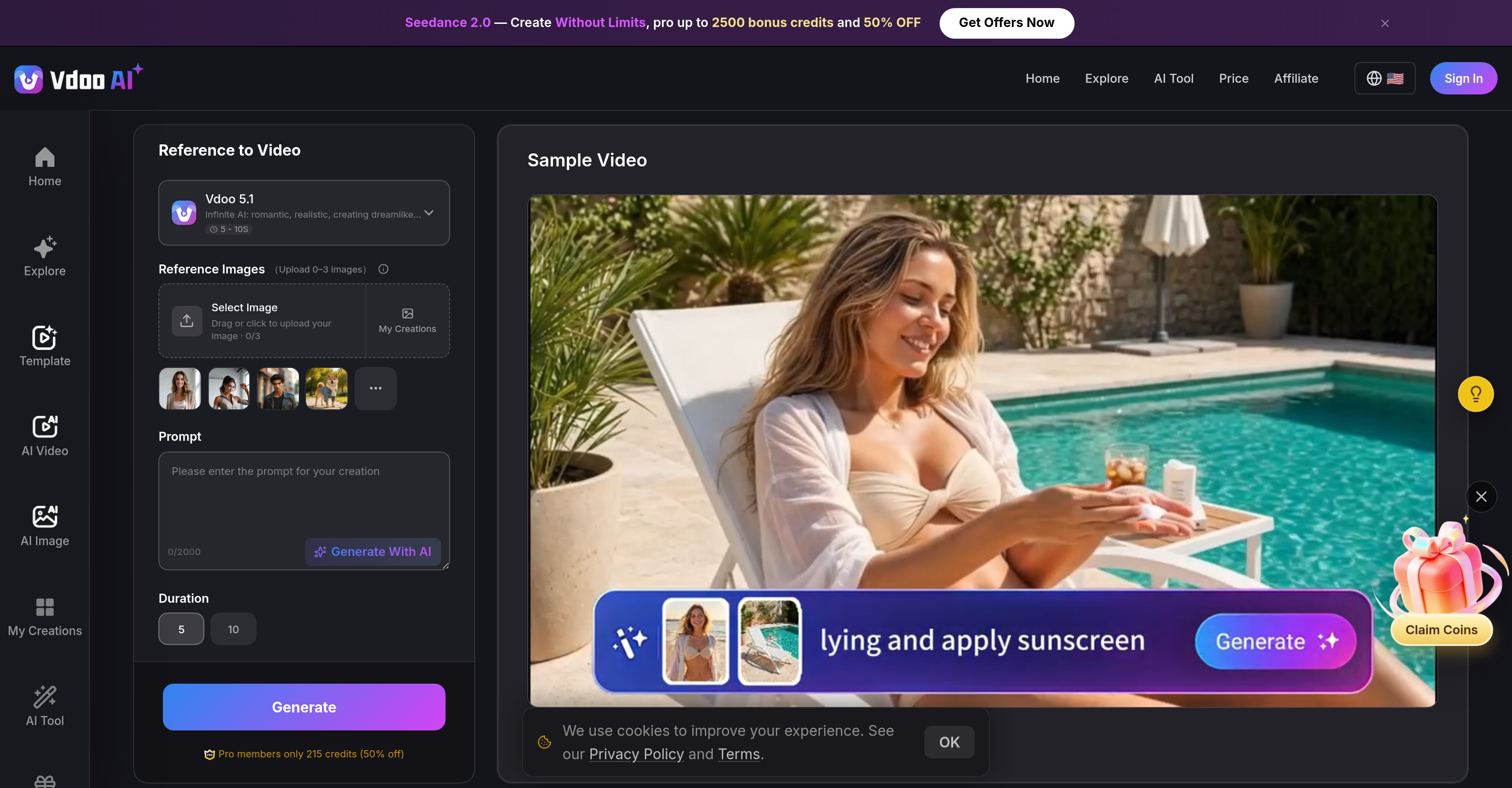
- Achieve flawless character consistency across every scene by uploading up to 9 reference images that lock in appearance, proportions, and style throughout the video.
- Control motion and camera movement precisely by providing a 2-14 second video clip that guides how subjects animate and the camera moves.
- Sync audio perfectly with on-screen action by uploading an audio file for lip-sync or background music pacing, delivering talking or singing characters with accurate mouth movements.
- Generate high-resolution, watermark-free videos ready for professional projects, advertisements, and promotional content without external branding.
- Create unique promotional videos and social media clips instantly by combining text prompts with uploaded references, previewing the result before downloading.
- Produce polished video content without any editing skills using a streamlined workflow that transforms images, video clips, and audio into a flowing, visually consistent narrative.
Pros & Cons
Pros
- Improves creative workflow
- Unique video content generation
- Precise control over aspects
- Professional video production
- No watermark on output
- High-resolution video output
- Video generation through references
- Editor skills not required
- Automatic character consistency
- Audio-driven lip-sync
- Hundreds of video effects
- Versatile customizations
- Flexible inputs and customizations
- Character appearance and movement control
- Free to try
- Motion and camera control
- Automatic audio synchronization
- Highly consistent video generation
- Easy to use interface
- Preview before download
- Ideal for professional projects
- Intuitive platform
- Fast video generation
- Audio file uploading
- Optional video reference upload
- Real images as inputs
- Single generation pass
- No stitch outputs
- Consistent character video generation
- Flexible promotional video creation
- Optimized for various content needs
- Integrated editing functionalities
- Automated video output
- Custom prompt support
- Character consistency across scenes
- Upload multiple reference images
- Immediate video downloading
- Detailed scene control
- Secure privacy with upload
- Promotional video generation
- Social media clip generation
- Short animated story creation
Cons
- Limited reference video length
- Requires multiple references
- No single image reference
- Features tied to paid plan
- Not suitable for long videos
- No standalone audio reference
- Depends heavily on input quality
Reviews
Rate this tool
Loading reviews...
❓ Frequently Asked Questions
Vdoo AI Video Reference Tool is an artificial intelligence tool designed to enhance the creative process of generating video content. It gives users the ability to convert images, a short video clip, and an audio file into unique video content while providing control over various aspects like character appearance, motion style, and audio syncing.
The AI Video Reference Tool by Vdoo functions by using a combination of a user's uploaded references and a text prompt. By integrating these inputs, it can generate a precise and visually consistent video, with a focus on maintaining character consistency, motion style based on the video clip reference, and audio syncing derived from the audio file. The generated video is available for instant preview and download after creation.
Features of Vdoo's AI Video Reference Tool include the ability to turn reference images into AI-generated videos, precise control over character appearance, motion style, and audio sync, production of watermark-free and professional videos, and a simplified creative workflow that doesn't require any editing skills. It also allows for text prompts, which gives more depth to the narrative in the created video.
Video generation in Vdoo is guided by the reference images, short video clip, and audio file provided by users. Alongside these, a text prompt that describes the scene, action, and atmosphere is also employed. The AI then synthesizes the inputs to produce a precise and visually consistent video.
Vdoo achieves professional video quality via a combination of reference-guided video generation models, precise control over characters and their motions, and audio syncing. These elements contribute to creating videos that are visually consistent, highly polished and adaptable to various creative and promotional needs.
To guide the AI during video generation, Vdoo allows users to upload images, a short video clip (2-14s), and an audio file. These materials serve as reference points for the AI, enabling it to generate a video with character and stylistic consistency, controlled motion, and audio sync.
Using Vdoo's AI Video Reference Tool, users can manage character appearance, motion style, and audio sync by uploading reference images, using a video reference for motion control, and incorporating an audio reference for lip-sync or background music, respectively.
Vdoo's AI Video Reference Tool allows users to produce unique promotional videos and other creative content. Its primary applications are in creating advertisement materials, short animated stories, or customized social media clips amongst others.
Yes, Vdoo offers a preview feature. After the video generation process, users are allowed to preview the result before proceeding to download the high-quality, watermark-free video.
Yes, the videos generated by Vdoo are watermark-free. Users can obtain high-quality videos without the intrusion of external branding or watermarks after creation.
On Vdoo, audio sync in videos is controlled by using an optional audio file reference. If provided, the AI uses the audio reference for syncing mouth movements for talking or singing characters, or pacing the video to match a background music track.
In Vdoo's AI Video Reference Tool, a text prompt serves the purpose of providing a narrative for the video generation. It is a description of the scene, action, and atmosphere that users want to create, which the AI combines with uploaded references to generate a precise, visually consistent video.
Yes, Vdoo AI can be utilized for promotional video production. By leveraging the tool's features such as character consistency, audio sync, motion control, and visual consistency, users can generate visually appealing and engaging promotional videos.
No, users do not require editing skills to use Vdoo's AI Video Reference Tool. The platform offers a simplified creative workflow designed to produce unique video content without necessitating any editing abilities.
Vdoo ensures visual consistency in generated videos by guiding the video creation with the help of user-provided references. The AI uses these references, including up to 9 images, a video clip, and an audio file, to maintain consistency in character appearance, motion style, and audio throughout the video.
Vdoo allows instant download of the generated video. After the creation process of the video, users can preview it and download instantly, making the process quick and efficient.
Yes, Vdoo offers a free trial version of its AI video reference tool. This allows potential users to try out the functionality before deciding on a paid plan.
In Vdoo's AI Video Reference Tool, users can upload up to 9 reference images. These references are used to maintain consistency in character appearance and style throughout the generated video.
Vdoo requires a video reference to be 2 to 14 seconds long. This video reference guides how the AI moves the camera and animates the subjects in the generated video.
Yes, apart from video generation, Vdoo's AI Video Reference Tool can be used to create a broad spectrum of creative content. This includes product advertisements, short animated stories, social media clips, and more by transforming provided text, image, audio, and video reference into a flowing, visually consistent video.
The main purpose of Vdoo AI Video Reference Tool is to improve creative workflow and produce unique, high-quality video content using artificial intelligence. It allows users to upload images, short video clips, and audio files to guide the AI during the video generation process.
Vdoo AI achieves character consistency in videos by allowing users to upload up to 9 reference images of the same character or object. These images guide the AI to maintain the appearance, proportions, and style of the character throughout each scene in the video.
Yes, you can customize the motion style using the Vdoo AI Video Reference Tool. Users can upload a reference video between 2 to 14 seconds to guide how the AI moves the camera and animates subjects in the generated video.
To aid in the video generation process, you can upload an audio file onto the Vdoo AI Video Reference Tool. The audio file serves as a reference for lip-sync or as background music in the video.
The text prompt feature in Vdoo AI Video Reference Tool works by allowing users to describe the scene, action, and atmosphere they desire. The AI then combines the text prompt with all uploaded references to generate a precise, visually consistent video.
The final video from Vdoo AI Video Reference Tool is provided in a high-resolution format that is watermark-free. The exact file format is not specified on their website.
Yes, you can upload a reference video to guide the generation process in Vdoo AI. The video needs to be between 2 to 14 seconds and it will guide the motion style and camera control in the generated video.
While it is mentioned that you can upload images as references in Vdoo AI, there are no specific size or format restrictions mentioned on their website.
Yes, the output video generated using the Vdoo AI Video Reference Tool is watermark-free.
Yes, Vdoo AI's Video Reference Tool is suitable for professional video content needs as it generates high-resolution, watermark-free videos with a high degree of visual consistency and control over aspects such as character appearance and motion style.
Vdoo AI offers precise control for audio synchronization. Users can upload an audio file to synchronize mouth movements for talking or singing characters, or to pace the video according to a music track.
Vdoo AI relies on top AI models for video generation. It continuously adds the latest developments, providing access to cutting-edge video generation tools. However, specific AI models used are not mentioned on their website.
Vdoo AI's multimodal AI video generation approach lets users upload real images, video clips, and audio files as inputs. By synergizing these different modes of information, the AI can generate more precise and consistent videos.
With Vdoo AI Video Reference Tool, users can incorporate hundreds of AI-powered video effects, enhancing the unique nature and quality of their videos.
Yes, you can definitely use Vdoo AI Video Reference Tool for promotional video production. It is ideal for generating unique promotional videos with professional quality and visual consistency.
Vdoo AI handles character motion control by allowing users to upload a short video reference. The actions and movements in the reference video guide how the AI animates the subjects in the generated video.
Yes, Vdoo AI's tool does support generating videos with high-resolution. It is designed to offer a professional-grade output for all kinds of projects.
Yes, there is a maximum limit on the number of reference images you can upload on Vdoo AI. Up to 9 reference images for character and style consistency can be uploaded.
Yes, Vdoo AI offers an intuitive platform that unites powerful reference-guided video generation models. This allows for consistent character video creation in a streamlined, user-friendly system.
Yes, Vdoo AI provides options to customize the output video according to your needs. This includes control over aspects like character appearance, motion style, audio sync, and usage of creative video effects.
Pricing
Pricing model
Paid
Paid options from
$6.67/month
Billing frequency
Monthly