
Overview
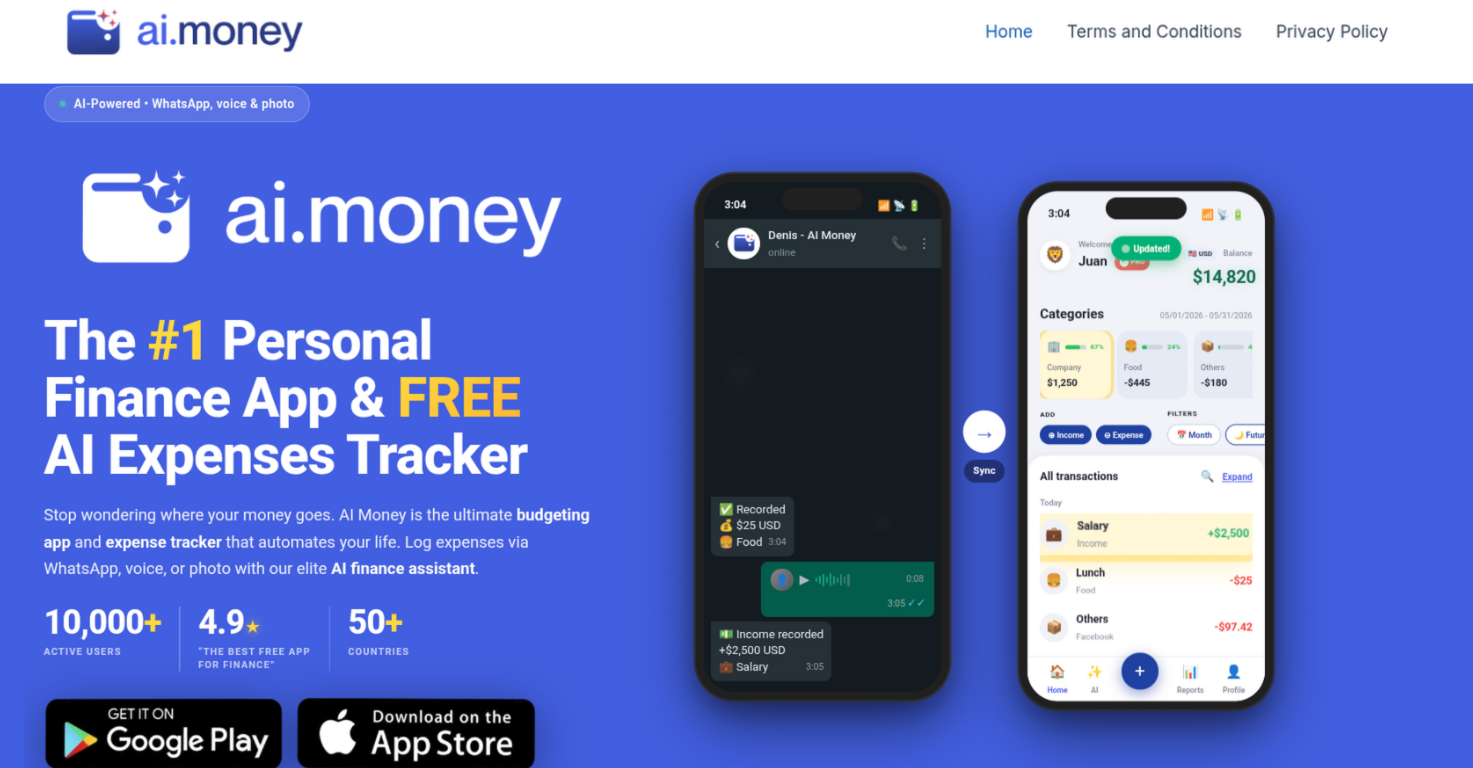
- Log any expense in seconds by sending a WhatsApp message or voice note to Denis, the AI finance assistant, without opening the app.
- Capture a receipt photo and let the AI extract and categorize the expense automatically, eliminating manual data entry.
- Achieve complete financial oversight by consolidating bank accounts, credit cards, debit cards, and cash in one unified view.
- Reach savings targets faster with customizable savings goals and emergency fund targets that track your progress by your own deadlines.
- Eliminate debt systematically with dedicated debt tracking and payoff tools that integrate into your monthly budgeting.
- Understand exactly where your money goes with custom charts and visual reports that reveal spending patterns and inform smarter budgeting decisions.
- Manage finances across borders with multi-currency support for over 50 currencies, ideal for global users and frequent travelers.
- Keep your financial data private with 100% local storage on your device or secure cloud sync for multi-device access.
- Automate transaction tracking from bank SMS, Apple Pay, and Google Pay to capture every expense without lifting a finger.
- Stay in control with manual entry always available, allowing you to switch between full automation and precise manual tracking.
- Get expert financial guidance from Denis, who analyzes your spending habits and answers complex financial questions to build a roadmap toward your goals.
- Enjoy a free forever plan with unlimited transactions and budgets, plus Excel and PDF exports for easy reporting and tax preparation.
Pros & Cons
Pros
- Effective budgeting tool
- Supports Whatsapp expense logging
- Voice note expense recording
- Photo receipt scanner
- Multi-currency system
- Supports 50+ currencies
- SMS bank transaction tracking
- Apple Pay and Google Pay sync
- Automated financial tracking
- Spending habit analysis
- Financial competency elevation
- Global user suitability
- Comprehensive personal finance tool
- Enhanced financial management
- Real-time expense logging
- Supports multi-device sync
- Customizable spending categories
- Secure local or cloud data storage
- Personalized financial charts
- Emergency fund target features
- Smart expense categorization
- Data-driven financial decision centre
- Manual logging option
- WhatsApp and voice-to-text logging
- Free forever plan
- Privacy choice feature
Cons
- No API integration
- Lacks investment tracking
- 50 currencies limit
- No direct banks integration
- Limited financial insights
- Dependent on assistant 'Denis'
Reviews
Rate this tool
Loading reviews...
❓ Frequently Asked Questions
AI Money is a personal finance application that integrates advanced AI technology to offer users a simplified and efficient way of managing their finances. Key features of the application include effective budgeting, expense tracking, wealth target building, and an AI finance assistant named Denis.
Unique features of AI Money include its AI finance assistant - Denis, automated expense tracking via various methods such as WhatsApp, voice notes, and photos, manual data entry, and support for more than 50 global currencies. It uses advanced AI technology for instant logging and categorization of expenses upon a text or voice note to Denis.
AI Money's expense tracking functionality works through automated tracking of expenses via various methods like WhatsApp messages, voice notes, photos, and manually entered data. Once an expense is logged either through a text message, voice note, or photo to Denis, the AI assistant, the expense is logged and categorized instantly.
Yes, AI Money helps in wealth target building by providing a platform for users to track and understand their spending habits, key to initiating budgeting strategies. It also automates financial tracking, facilitating users in making data-driven decisions on where to cut back in order to reach their wealth targets faster.
AI Money supports more than 50 different currencies, catering to global users, thereby making it a multi-currency finance app.
AI Money provides a feature for users to log their expenses using voice notes. Users simply have to send a voice note about an expense to Denis, the AI assistant. Denis processes the voice note and logs and categorizes the expense instantly.
Denis, the AI assistant in AI Money, has several functions. It is capable of instantly processing, logging, and categorizing expenses sent through text or voice notes. Denis also plays a crucial role in tracking expenses and helping users comprehend their spending habits, thereby assisting in creating effective budgeting strategies.
AI Money aids users in understanding their spending habits through the automatic logging and categorization of user expenses. It provides analyses of spending patterns, providing insights that help users manage and adjust their budgeting strategies for improved financial management.
AI Money works with Apple Pay and Google Pay by automatically syncing and tracking your transactions from these sources. Your online financial activities are logged with zero effort, giving you a complete view of your spending habits.
AI Money offers several types of expense logging such as logging through WhatsApp messages, voice notes, and photos. It also allows manual data entry for tracking expenses. The expenses are logged and categorized instantly upon receipt of the data.
AI Money tracks expenses using various methods such as WhatsApp, voice notes, photos, and manual entry. The logged data is then instantly categorized, giving users a real-time view of their expense trends.
AI Money saves users time in personal finance management by automating most of the time-consuming aspects. It automatically tracks expenses, categorizes them, and provides instant logging through various methods like text or voice notes. This leaves users with more time to focus on other aspects of their finances and lifestyle.
Yes, AI Money offers a multi-currency system. It supports more than 50 currencies, catering to global users. This comprehensive range of currency support allows users all over the world to effectively manage their finances.
The financial experience offered by AI Money differs from other personal finance apps in its utilization of advanced AI technology. This integration provides users with a simplified yet comprehensive financial management platform. It automates expense logging and tracking, provides an AI assistant for real-time expense categorization, and supports various expense logging methods, making it a holistic finance management tool.
Yes, AI Money supports manual data entry for expense tracking. Users can opt to manually enter their financial data into the application to track and manage their expenses, giving users the option of traditional finance management practice if they prefer it.
AI Money assists in initiating budgeting strategies through comprehensive tracking and categorization of expenses. It helps users identify their spending habits, providing insights on where to cut back. This data-driven approach enables users to make informed decisions and create effective budgeting strategies.
Yes, AI Money can automatically categorize your expenses. Any expense data submitted to the AI assistant, Denis, either through text message, voice note, or photo, is instantly logged and appropriately categorized.
The integration of AI technology significantly enhances AI Money's capabilities. It enables the application to provide real-time processing, logging, and categorization of expenses sent via text or voice notes to Denis, the AI assistant. It also allows automatic syncing of banking transactions and facilitates an impressive level of detail in tracking and analyzing user spending habits.
Yes, AI Money can support global users. It is a multi-currency app, supporting more than 50 currencies and making it suitable for global users. This allows individuals from around the world to benefit from its comprehensive range of personal finance management tools.
AI Money uses methods such as WhatsApp, voice notes, photos, and manually entered data for automated financial tracking. These methods enable the application to provide real-time updates of the user's finances, aiding in effective budgeting and wealth management.
Pricing
Pricing model
Freemium
Paid options from
$3.99/month
Billing frequency
Monthly