
AI Music Video Generator
Overview
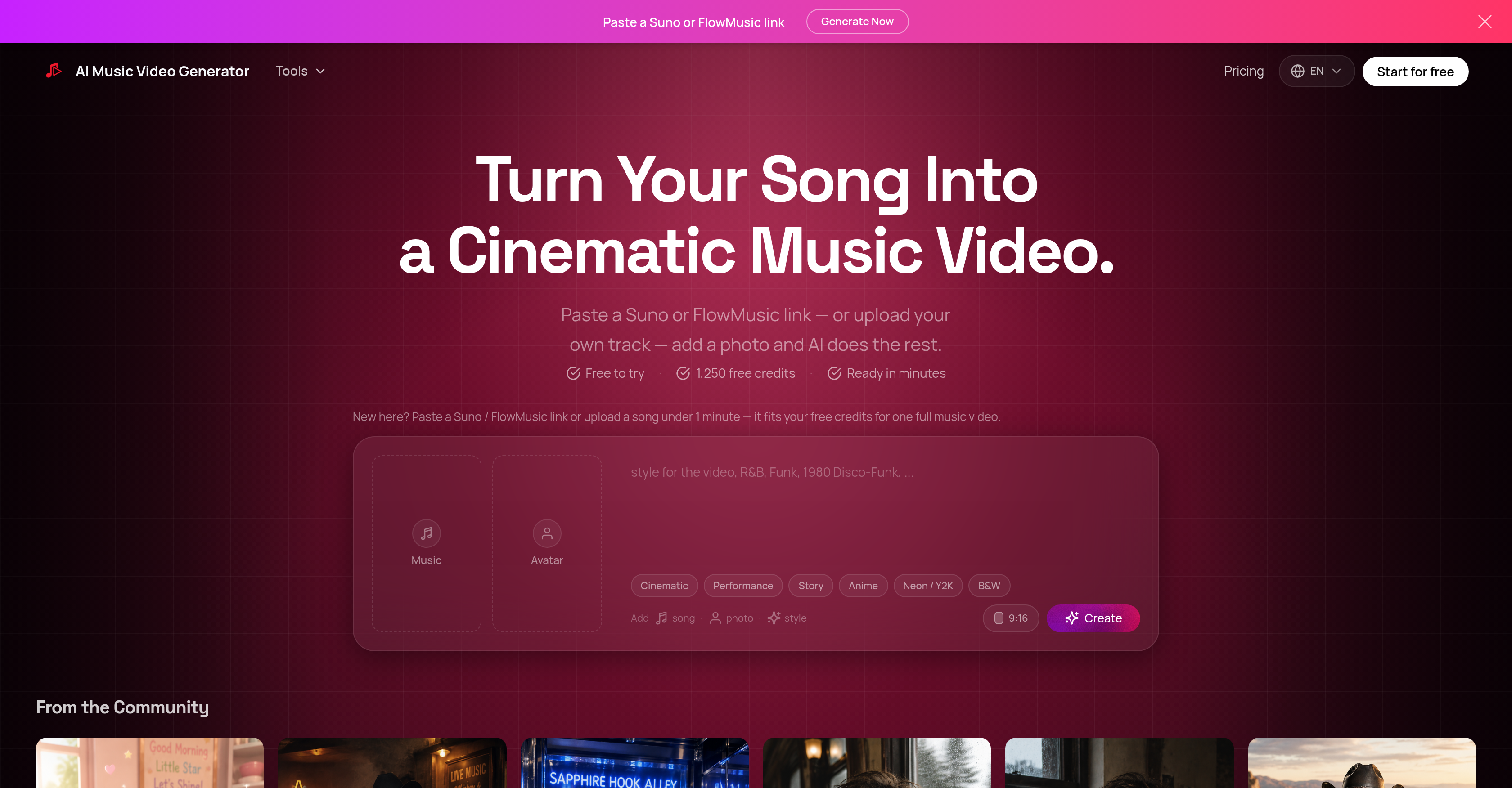
- Publish polished music videos in minutes instead of days by pasting a Suno or FlowMusic link or uploading your own audio, and adding a singer photo
- Achieve professional lip-sync performance shots that make your singer photo appear to perform the song, through automated close-up clip generation tied to vocal sections
- Get beat-matched, fast-cut videos with 1–3 second shots that sync to the song's structure, using AI that analyzes beat and plans shot timing
- Eliminate unusable AI footage by having the tool automatically select the best moments from generated clips, slice them, and reuse them throughout the video
- Create a complete music video with zero editing experience by simply choosing a style prompt and singer photo, while the AI handles storyboarding, visual generation, and final assembly
- Generate videos tailored to genres like country, synth-pop, indie folk, or folk-rock, by providing a short visual direction prompt alongside your song
- Preview and refine your music video before finalizing, with the AI executing the edit based on your song, photo, and style choices
- Export 720p HD videos suitable for social posts and music releases with paid plans that also include commercial rights for professional use
Pros & Cons
Pros
- Cinematic music video creation
- Supports varied music genres
- User-friendly workflow
- Suno and FlowMusic compatibility
- Style selection feature
- Includes image generation
- Lip sync technology
- Multi-model pipeline
- HD video export
- Commercial rights availability
- Free trial provision
- Automated video editing
- Accommodates personal song upload
- Allows photo inclusion
- Fast video generation
- Seamless integration with music platforms
- Commercial license for paid plans
- Efficient song-to-story transition
- Fast by design
- One subscription, multiple top models
- Visual direction control
- GPT 5.4 storyboard generation
- Suno FlowMusic supported sources
- LTX i2v and lip-sync pipeline
Cons
- Limited to Suno, FlowMusic
- No variety in formats
- No real-time editing
- Requires upload of photo
- Paid plans for HD
- Not entirely free
- Lip-sync limited to vocals
- Requires paid for commercial rights
- No copyright enforcement for songs
- No custom parameter adjustments
Reviews
Rate this tool
Loading reviews...
❓ Frequently Asked Questions
The AI Music Video Generator is a tool that uses artificial intelligence to create cinematic music videos. Users provide a song through a Suno or FlowMusic link, or by uploading their own track, and also include a photo. The AI then generates a cinematic music video using these inputs.
The AI Music Video Generator creates videos using a multi-step process. Users paste a Suno or FlowMusic link, or upload an audio file. They then select a style by providing a singer's photo and a short prompt for visual direction. The AI then plans the shots, generates clips, adds lip-sync singing shots, and completes the final edit.
Users can use Suno or FlowMusic with the AI Music Video Generator by pasting a link from either platform into the generator. Alternatively, they can upload their own tracks directly.
The AI Music Video Generator supports a broad range of music genres, including country, dreamy synth-pop, indie folk, folk-rock, and others.
To add your own song to the AI Music Video Generator, you upload the audio file directly onto the platform. This option is available for users to create personalized music videos.
Images play a crucial role in the AI Music Video Generator. Users add a photo of a singer, which helps the AI select an appropriate style and adds a personal touch to the generated music video.
Selecting a style in the AI Music Video Generator process refers to the user providing a singer's photo and a short prompt for visual direction. This informs the AI of the visual ambiance and aesthetics the video should exhibit.
The lip-sync singing shots feature in the AI Music Video Generator creates close-up performance moments that follow vocal sections. This gives the illusion of the singer in the selected photo performing the song in the video.
Yes, the AI Music Video Generator is designed to edit the videos it creates. It plans the shots, generates clips, adds lip-sync singing shots, and assembles these components into the final edit.
The multi-model pipeline feature in the AI Music Video Generator refers to the integrated system of storyboarding, image generation, and final editing. The feature ensures these different elements work together seamlessly to create the final music video.
The free trial offered by AI Music Video Generator provides access to numerous features which includes music video creation, cinematic effects, music genre selection, AI storyboarding, image generation, lip-sync technology and a multi-model pipeline overlay. It does not include HD Video Export and Commercial Rights which are included in the paid plans.
The paid plans of the AI Music Video Generator unlock HD video exports and grant users commercial rights for the generated videos. This allows users to produce videos in higher quality and use them for commercial purposes.
The AI Music Video Generator plans shots and generates clips as part of its video creation process. Using the song provided and the style selection, the AI chooses appropriate shots, generates video clips, and assembles them into a coherent story.
In paid plans, the AI Music Video Generator exports videos in 720p HD, ensuring they're of sufficiently high quality for social posts and music releases.
Yes, users can create videos for commercial purposes using the AI Music Video Generator, though this feature is only available in paid plans. Each paid plan includes commercial rights for the generated videos.
The AI Music Video Generator accurately creates videos in accordance with the selected style. The style is informed by the singer's photo and the short prompt provided by the user, allowing for customization and personalization of the video aesthetic.
In the AI Music Video Generator, giving a short prompt for visual direction helps to guide the AI in creating a video that aligns with the user's vision. The prompt informs the style, aesthetics, and overall feel of the generated video.
No special tech skills are required to use the AI Music Video Generator. The tool is designed to be user-friendly and intuitive. Users simply provide a song, choose a photo, select styles, and the AI takes care of the video creation.
The extent of control the user has over the final edit in the AI Music Video Generator depends on the specific features of the tool. The user selects the song, provides the singer's photo and suggests visual direction. The AI then creates a draft video that users can preview before finalizing. User input is considered at all steps of the process but the AI executes the final assembly of elements.
AI Storyboarding in AI Music Video Generator works by planning out the visual direction of the music video. It uses the selected photo, song and style to generate an outline or 'storyboard' for the video. This storyboard then guides the generation and assembly of final video clips, ensuring that the resulting video aligns with the intended narrative and aesthetic direction.
Pricing
Pricing model
Paid
Paid options from
$7.99/month
Billing frequency
Monthly
Refund policy
View Policy