
Canva AI Code Generator
Overview
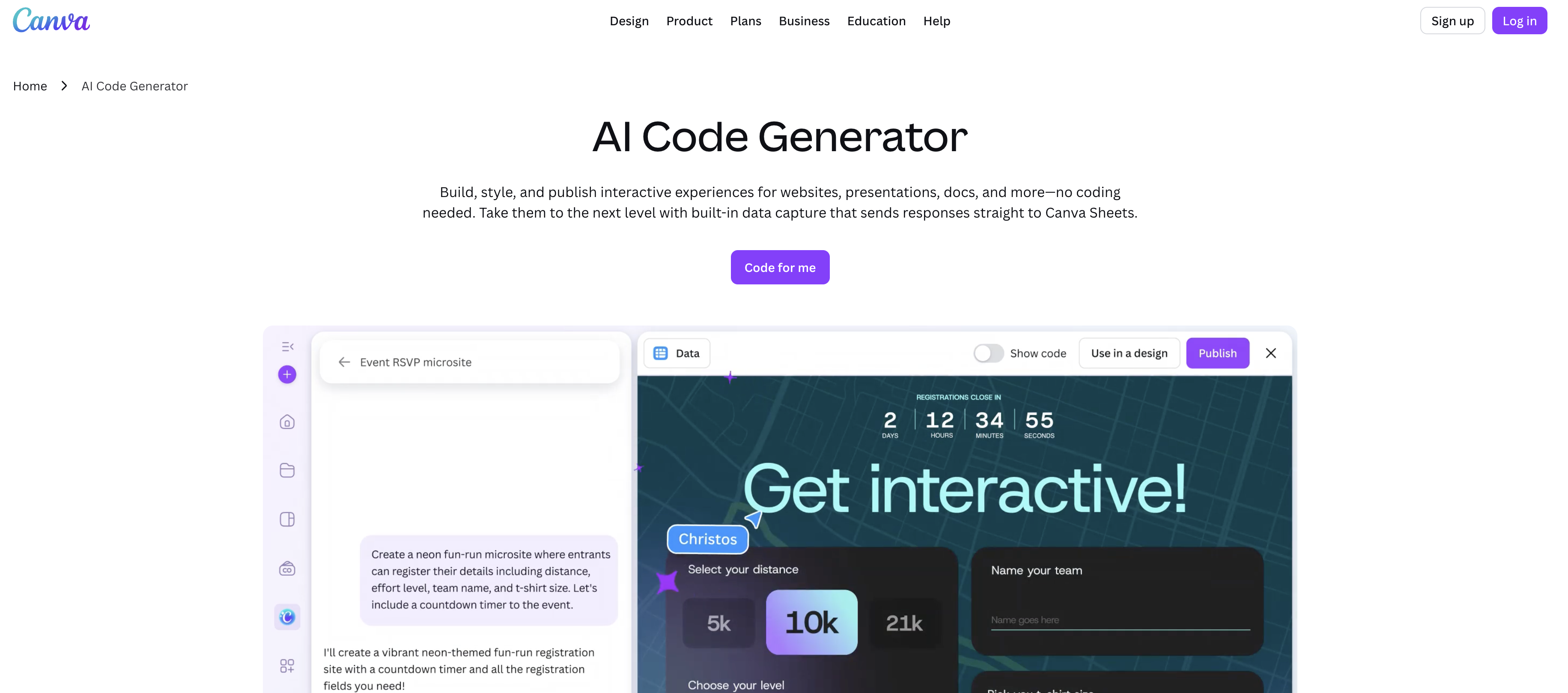
- Launch interactive websites and presentations in minutes instead of hours by describing what you want, eliminating the need for manual coding or developer resources.
- Capture audience interaction data directly into Canva Sheets for analysis and visualization, turning every widget into a source of actionable engagement insights.
- Embed custom interactive widgets like pricing calculators and countdown timers into any design with a single click, enhancing static content with dynamic functionality.
- Ensure your content looks perfect on any device with automatic responsive design, so you create once and publish everywhere without extra adjustments.
- Maintain brand consistency by customizing colors, fonts, and styles directly within an intuitive editor, keeping all interactive elements on-brand.
- Streamline team collaboration by sharing captured data and live projects instantly, enabling data-driven decisions and continuous content iteration.
Pros & Cons
Pros
- Instant content creation
- Interactive experiences
- No coding knowledge required
- Customizable design elements
- Instant publishing abilities
- Capture audience responses
- Gathers interaction data
- Data shared in Canva Sheet
- Responsive design capabilities
- Built-in data capture
- Audience interaction analysis
- Data visualization potential
- Efficient design process
- Automates time-consuming tasks
- Ability to embed widgets
- Can directly publish websites
- Facilitates team organization
- Cross-platform compatible
- Can generate social media posts
- Enhances brand identity
- Connects Canva designs
- Compatible with desktop, mobile, tablet
- Creates a variety of content
- Can transform designs directly
- Vibe coding feature
- Single click publishing
- Secured platform
- Natural language chat support
- Flexible input options - voice or text
- Instant design updates
- Seamless integration into Canva suite
- Smarter, data-connected workflows
- Preview panel for quick edits
- Coding-free interactive website elements
Cons
- Limited to Canva platform
- No offline capability
- Reliant on Canva Sheets
- Single click publishing risks
- No manual coding option
- Lacks API integration
- Unknown handling of complex designs
- Limited customization options
- Potentially oversimplified design process
Reviews
Rate this tool
Loading reviews...
❓ Frequently Asked Questions
Canva's AI Code Generator is a tool designed to facilitate the creation of interactive experiences across various formats. Being part of the Canva suite, it eliminates the need for coding knowledge and automation in the design process, helping users to transform their designs swiftly and efficiently.
With the aid of the Code Generator, users can develop a broad spectrum of content, ranging from websites, presentations, and social posts to interactive widgets that can be embedded across different designs. It furthers ease of use in creating pricing calculators, countdown timers, games, and more.
No, the Canva AI Code Generator is designed so that no prior coding knowledge is required. Users can create interactive experiences just by conversing with the Code Generator.
Designs in the Canva AI Code Generator can be customized to suit user's style preferences or brand identity. Elements such as colors and fonts can be fine-tuned. The tool features an intuitive editor which allows for direct on-the-spot edits.
Yes, the Code Generator comes with built-in data capture, providing a platform for analyzing audience interactions and for creating data visualizations.
This suggests that the Code Generator can create interactive elements, like games or pricing calculators. These widgets are AI-generated and can be incorporated seamlessly into a variety of Canva designs or directly published as a standalone live website.
As a part of its features, the Canva AI Code Generator supports responsive design, which means it enables the content to adjust according to the specific device it is being accessed from, be it desktop, mobile, or tablet.
Yes, the Code Generator has a built-in data capture mechanism that flows audience interaction data directly into a connected Canva Sheet following the interactions.
The Code Generator plays a role in team organization by capturing and organizing audience interaction data, which can then be easily shared and analyzed within the team.
Through automation of design tasks, the Canva AI Code Generator enhances the efficiency of the design process. It allows for rapid content creation, drastically reducing the time traditionally required for these tasks.
In the context of the Canva AI Code Generator, 'Vibe Coding' refers to the transformation of designs into interactive experiences without the need for coding.
Once the content is developed and published using the Canva AI Code Generator, users can easily share, analyze the data, or use it to build further content, setting up a continuous process of content creation and enhancement.
Yes, the creations made using the Canva AI Code Generator can be instantly published. These can either be embedded across different designs or directly published as a live website in a single click.
Yes, the Canva AI Code Generator supports a variety of formats. Users can create interactive experiences across different formats like presentations, websites, docs, and social posts.
The Canva AI Code Generator ensures compatibility with a variety of devices, such as desktop, mobile, and tablet, making it accessible from virtually anywhere.
The built-in data capture in Canva AI Code Generator refers to the feature that allows for capturing of audience interaction data during the process of content creation. This data is then sent directly to a connected Canva Sheet.
The captured data can then be shared, analyzed, or used to build future content. It provides invaluable insights for user engagement and helps create a more targeted, effective content strategy.
Yes, the Canva AI Code Generator can aid with content creation across social media. It allows for the creation of social media posts, among other content types, in a swift and efficient manner.
The built-in data capture attribute of the Canva AI Code Generator assists in making data visualizations. It aids in analyzing, creating visualizations of the audience interaction data, and facilitating team organization.
In Canva's AI Code Generator, the design process is highly customizable. Users have the freedom to modify elements such as colors and fonts to match their brand identity or personal style preferences. They also have the liberty to make direct adjustments in their designs with Canva's intuitive editor.
Pricing
Pricing model
Pricing
Paid options from
N/A