Lumina by ByteDance
Overview
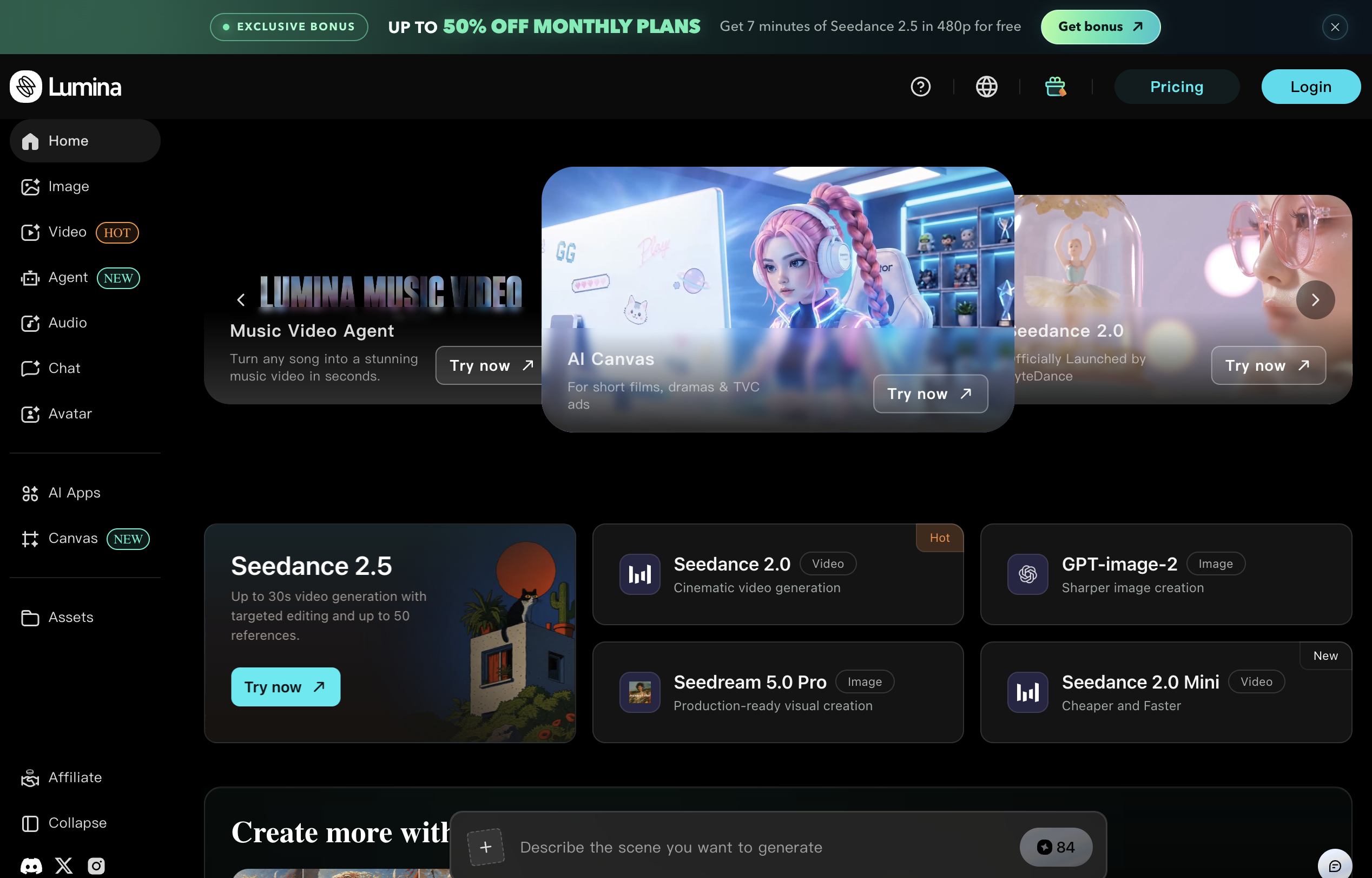
- Generate unique AI images and videos faster with Lumina's AI-driven generation tools and intuitive interface.
- Build complex, customized visual scenarios effortlessly using the AI canvas feature for advanced creativity.
- Start creating impactful content immediately with predefined templates that simplify the visual content creation process.
- Discover and explore various AI applications within one platform to diversify your visual projects efficiently.
- Overcome creative block by accessing a curated hub of visually-oriented content and a network of creators for inspiration.
- Scale your creative skills and projects as the platform grows with you, fostering individual and collaborative creativity.
Pros & Cons
Pros
- Generates images and videos
- Intuitive interface
- Predefined templates
- Streamlines content creation
- High customization capacity
- Manages visual scenarios
- Inspiration hub
- Curates visual content
- Stimulates creative ideas
- Influences creative processes
- Fosters creative community
- Content unique to user
- User growth enablement
- Streamlines creative process
- All-in-one platform
- Accelerates visual creation
Cons
- Lacks API
- No offline usage
- Missing analytics functions
- No multi-language support
- No simultaneous multi-user capability
- Could lack data privacy
- CPU intensive
- Limited template variety
- No voice or text support
- Not compatible with all formats
Reviews
Rate this tool
Loading reviews...
❓ Frequently Asked Questions
ByteDance Lumina is a versatile AI creativity platform facilitating the creation of images and videos. It also serves as an exploration ground for various AI applications and predefined templates, in addition to its function as an inspiration hub that curates a medley of visually-oriented content.
ByteDance Lumina assists in generating visuals by providing an AI-driven tool which users can use to assemble unique visual content. The easy-to-use interface, along with the AI applications and predefined templates, simplifies the process of creating visually impactful content.
The AI canvas feature in ByteDance Lumina is an advanced tool that allows for the creation of complex visuals using intuitive AI functions. It enhances creativity and customization, providing users with the capability to manage the intricacies of visual scenarios with less effort.
The primary functionality of ByteDance Lumina is to facilitate the generation of images and videos. This is made possible through its advanced AI tools and intuitive interface design, which make it much easier for users to create unique and engaging visual content.
Yes, ByteDance Lumina can help you explore various AI applications. It is designed to be a platform for exploring different AI applications and predefined templates, increasing efficiency in the content creation process.
Predefined templates in ByteDance Lumina serve a pivotal role by assisting users in creating impactful content more efficiently. They provide a basis from which users can start creating, simplifying the creative process, particularly for beginners or those who need inspiration.
ByteDance Lumina enables the management of intricate visual scenarios through its groundbreaking AI canvas feature. This feature offers enhanced creativity and customization, allowing users to construct complex visuals with less effort.
ByteDance Lumina functions as an inspiration hub by curating a wealth of visually-oriented content. By bringing together a network of creators, it stimulates ideas and influences creative processes, providing a resource-rich platform for inspiration.
ByteDance Lumina fosters a creative community by being more than just a tool for generating visuals. It also creates an interactive network of creators, curating visually-oriented content, stimulating ideas, and indirectly fostering collaborative and individual creativity.
Yes, with ByteDance Lumina, content can be customized. This is particularly possible with its AI canvas feature which offers enhanced creativity and customization possibilities. This allows users to manage the details of their visual scenarios, rendering each creation unique to the user.
ByteDance Lumina curates a range of visually-oriented content, serving as an inspiration hub. This assorted content can feature images, videos, and creations using the AI canvas, which can stimulate ideas among users and influence their creative processes.
While the website doesn't provide specific information about the user interface, it can be inferred that ByteDance Lumina's interface is designed to be user-friendly and intuitive, making it easier for users to create and customize visual content using the AI-driven tools and predefined templates.
With ByteDance Lumina, you can assemble unique visual content. This includes images and videos, but isn't limited to them. Thanks to the AI canvas feature, you can also create complex visuals that cater to your specific creative requirements.
The streamlining process of ByteDance Lumina promotes efficiency by integrating AI-powered tools, predefined templates, and an intuitive user interface. These work together to simplify user interactions and reduce effort required to create visually impactful content, thus enhancing overall productivity.
ByteDance Lumina empowers you to create a broad range of images. While the website doesn't mention specific types of images, given the platform’s nature and its emphasis on unique content creation using AI tools, it's safe to infer you can create any image inline with your creative inclinations.
Yes, ByteDance Lumina can generate videos. This is one of its primary functionalities, designed to make visual content creation more efficient and less time-consuming.
ByteDance Lumina influences creative processes by curating a variety of visually-oriented content. This stimulation of ideas, combined with its function as an interactive network of creators, helps users in their creative journey, fostering both individual and collaborative creativity.
Growth enablement is achieved with ByteDance Lumina through its user-friendly design, versatile functions that cater to diverse creative needs, and its inspiration hub that curates a wealth of content. The platform doesn't merely assist in visuals creation, but also grows with its users, fostering a thriving creative community.
The use of ByteDance Lumina's AI-powered tools profoundly impacts the content creation process by making it more efficient and less time-consuming. These tools enable users to more easily create unique visual content, navigate through the creation process, and manage the complexities of visual scenarios with reduced effort.
ByteDance Lumina stimulates ideas for visual content by creating a vibrant hub of curated visually-oriented content. This hub serves to inspire users, stimulating fresh ideas, while its interactive network of creators further enriches the resource pool available for creative inspiration.
Pricing
Pricing model
Free Trial
Paid options from
$10/unit
Billing frequency
Pay-as-you-go