Overview
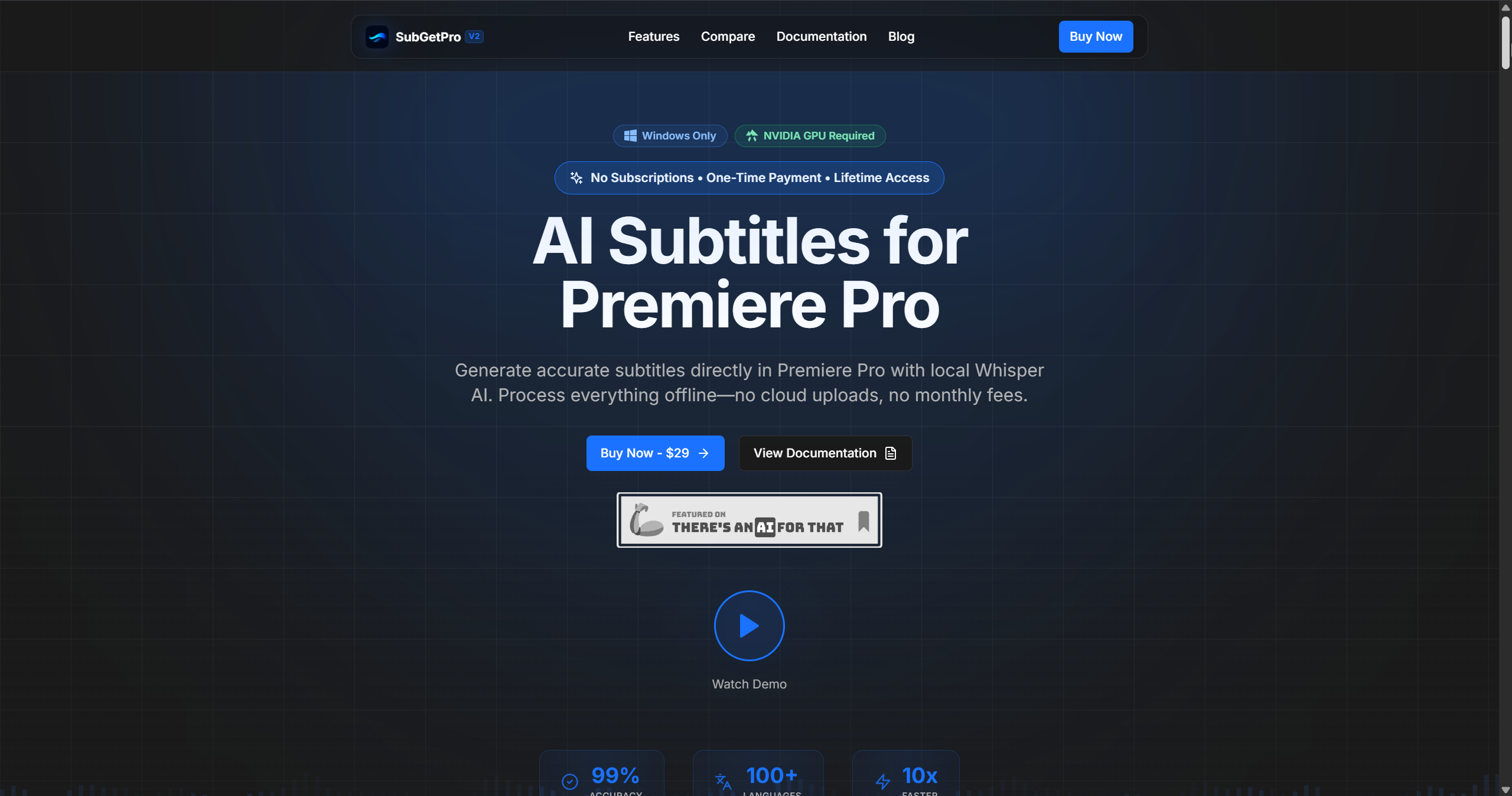
- Protect sensitive client and project data with complete offline processing that keeps all audio and video files secure on your local machine
- Generate precise, time-synced subtitles in over 100 languages, including Arabic and Hebrew, using OpenAI's Whisper AI for 99% accuracy
- Apply broadcast-ready caption styles instantly with built-in Motion Graphics templates, eliminating manual design work
- Import SRT files directly as Premiere Pro caption tracks in one click, bypassing cumbersome external workflows
- Remove dead air automatically with AI-powered silence detection to create tighter, more engaging video content
- Edit subtitles visually with drag-and-drop controls and a full SRT editor that supports right-to-left text alignment
- Process transcription up to 10x faster with NVIDIA GPU acceleration, turning hours of work into minutes
- Customize every aspect of your workflow through a dedicated settings panel for model selection and export preferences
Pros & Cons
Pros
- Easy Setup
- Future Updates Free
- One Time Payement
- Privacy Matters
- Local Processing
Cons
- Windows only
- Requires NVIDIA GPU
- Setup requires internet
- No subscription option for flexibility
- No integration with other tools
Reviews
Rate this tool
Loading reviews...
❓ Frequently Asked Questions
Whisper AI is an advanced technology developed by OpenAI. In the context of SubGetPro, it powers the software's ability to generate accurate subtitles in any of the 100+ supported languages.
Hussein Zeinn
🛠️ 1 tool
wrote:SubGetPro can generate subtitles in over 100 languages. This includes common languages like English, Spanish, French, German, Chinese, Japanese, as well as Arabic, and many other languages.
Yes, SubGetPro has full support for Right-to-left (RTL) languages. They include Arabic, Hebrew, Persian, Urdu, and other similar languages. SubGetPro enables proper text rendering and alignment for these languages.
SubGetPro ensures user privacy and security by operating entirely offline. This means no data is uploaded to the cloud for processing, and everything happens on the user's machine, eliminating any risks associated with data transfer.
SubGetPro is packed with features for professional subtitle generation. These include one-click transcription, silence detection for identifying and cutting dead air, a text editor for plain-text transcription edits, custom caption styling with Motion Graphics templates, and capabilities for direct subtitle import as caption tracks. These functions also encompass automatic track detection with clip counts, drag & drop editing, real-time preview, and undo/redo support, providing a comprehensive suite for professional needs.
One-click transcription in SubGetPro refers to the ease with which users can transcribe audio. With just one click, the software can transcribe selected clips or work area modes aided by automatic clip merging and gap handling.
Silence detection in SubGetPro automatically identifies silent sections in the audio clip. This feature makes it easier to cut dead air and optimize content.
In SubGetPro, subtitles can be edited using a full-featured editor equipped with drag & drop, RTL support, and timeline synchronization. You can also edit transcripts as plain text and generate SRT files directly on the timeline.
The custom caption styling with Motion Graphics is a new feature in SubGetPro that allows users to apply professional design templates to their captions. This means users get to insert styled captions directly to their timeline, increasing the overall aesthetics and consistency of the output.
SubGetPro does offer automation features to ease workflow. For instance, users can directly import subtitles as caption tracks, eliminating the need for manual file importing. Track detection is also automated, and users can select which tracks to process using the intuitive interface.
Yes, in SubGetPro, users can import subtitles directly as caption tracks in Adobe Premiere Pro. This cuts out the need for manual file importing or use of external tools.
To optimize performance, SubGetPro uses GPU acceleration. This technology leverages the processing power of the user's graphics card (specifically NVIDIA GPUs) to execute tasks much faster than traditional CPU-based processing. It allows hence real-time transcription and batch processing.
Offline processing in SubGetPro means that all processing operations happen locally on your machine, minimizing potential privacy risks. This option maintains user data security since no data uploads are needed after the initial setup.
Yes, SubGetPro is designed for extensive personalization and customization. It includes a settings panel where users can select models, modify processing preferences, and set export options, enabling them to fine-tune every aspect of their workflows.
The system requirements for running SubGetPro include a Windows operating system and an NVIDIA GPU. Without these, the software will not function as intended.
Yes, SubGetPro is sold for a one-time payment which grants the user lifetime access. No subscriptions or additional fees are required after the initial purchase.
User data in SubGetPro is highly secure because of its offline processing capability. As all processing happens entirely on the user's machine, and no data uploads are required to the cloud, there is minimal risk for data theft or leakage.
Yes, an NVIDIA GPU is required to run SubGetPro. The software leverages GPU acceleration to ensure optimal performance, and NVIDIA GPUs have been specified as the supported hardware.
SubGetPro does allow certain parts of the workflow to be automated. Users can automate tasks such as direct subtitle import as caption tracks or real-time track scanning, decreasing manual labour and increasing productivity.
SubGetPro uses local processing instead of cloud uploads to prioritize user privacy and data security. By processing all data locally on a user's machine, the possibility of compromised data during transfer is totally negated, and users maintain full control over their files at all times.
SubGetPro is an AI-powered subtitling tool integrated with Adobe Premiere Pro. It facilitates the generation of highly accurate subtitles in more than 100 languages, with support for right-to-left dialects. It operates entirely offline post the initial setup, ensuring complete user privacy and security. Key features include one-click transcription, a text editor, a full-fledged SRT editor, silence detection, custom caption styling using Motion Graphics templates, and direct subtitle import as caption tracks. GPU acceleration is deployed for superior performance. It allows customizations to personalize and optimize individual workflows. SubGetPro operates on a one-time payment model providing lifetime access.
Whisper AI technology is the artificial intelligence engine that SubGetPro utilizes for transcription, resulting in an increased degree of accuracy. Developed by OpenAI, Whisper AI converts spoken language into written text. The AI's complex linguistic and contextual understanding helps it to achieve nearly 99% accuracy in clear audio conditions. It supports more than 100 languages.
Yes, SubGetPro offers full right-to-left language support. This includes languages like Arabic, Hebrew, Persian, Urdu, and many others that use a right-to-left writing system. SubGetPro enables proper text rendering and alignment for right-to-left languages, making subtitles in these languages reliable and accurate.
SubGetPro ensures user data privacy and security by operating completely offline after the initial setup. This means that all processing is conducted on the user's machine, and no data is uploaded to any cloud or external servers. This offline functionality completely eliminates any potential privacy or security risks associated with data uploads.
SubGetPro provides a plethora of features for professional subtitle generation. These include one-click transcription, a full-featured SRT editor for creating and editing SRT files, drag and drop editing for easy subtitle manipulation, timeline-based direct subtitle import, and customizable caption styling using Motion Graphics templates. It also comes with a silence detection feature ideal for identifying and cutting out dead air. Further, users can fine-tune various aspects of their workflows with the help of the customizable settings panel.
Yes, SubGetPro houses a feature for silence detection. This powerful feature automatically identifies sections of video devoid of sound, also known as 'dead air.' It's a valuable tool when aiming to optimize content and increase viewer engagement.
Editing subtitles with SubGetPro is made simple with its SRT editor and visual subtitle editor features. Users can easily manipulate their subtitles using the drag and drop editor, edit text, timing, and formatting in real-time. Additionally, the SRT editor comes with full right-to-left support, timeline synchronization, and users can reorder subtitles seamlessly.
Yes, SubGetPro allows for custom caption styling with its Motion Graphics templates feature. Users can apply professional designs instantly to their captions, customize and style them as per their requirements, thus providing a rich and engaging viewing experience.
Yes, SubGetPro provides several features that allow for workflow automation. Users can directly import subtitles as caption tracks, eliminating the need for manual file importing. With the one-click transcription feature, users can instantly transform their audio clips into written text. Furthermore, users can leverage real-time track scanning and automatic clip merging to streamline their processes.
To run SubGetPro, users require a Windows operating system and an NVIDIA GPU. These prerequisites are necessary to efficiently operate the software and leverage GPU acceleration for optimal performance.
Yes, SubGetPro provides scope for significant personalization and customization of user workflows. Users can fine-tune all aspects of their workflow via the customizable settings panel, including model selection, processing preferences, and export options. These capabilities give users total control over how their workflow is structured, allowing for a more efficient and tailored subtitling process.
SubGetPro operates on a one-time payment model. At a cost of $29, users can obtain lifetime access to all SubGetPro features with no additional subscriptions or hidden fees.
SubGetPro is a powerful alternative to other tools like Firecut, AutoPod, and Descript, with a broader scope of functionality and cost-effective models. Unlike services that require recurrent subscriptions, SubGetPro demands only a one-time payment for lifetime access. Also, its expansive list of features, including the full spectrum of professional subtitle generation capabilities, fully offline processing, one-click transcription, silence detection, and support for 100+ languages, including RTL, makes it a smart choice for users.
No, SubGetPro does not require internet connectivity to operate. After the initial setup, it operates fully offline. It executes all its processing on the user's machine, which eliminates the need for data uploads, ensures enhanced privacy, and allows users to work without internet interference.
SubGetPro supports subtitle generation in over 100 languages. This includes English, Spanish, French, German, Chinese, Japanese, Arabic, Hebrew, and many others.
The timeline-based direct subtitle import is a feature in SubGetPro that enables users to import subtitles directly as caption tracks in Premiere Pro. This can be done in a single click without needing manual file importing or additional tools. This feature incorporates timeline synchronization for precise alignment and an instant preview function to view the inserted captions immediately.
The transcription process with SubGetPro is highly accurate, achieving near-perfect precision. Leveraging the power of OpenAI's Whisper AI, SubGetPro attains a staggering 99% accuracy rate for clear audio, making it highly reliable for generating precise captions and subtitles.
Yes, SubGetPro can be used for commercial projects. Upon payment of the $29 one-time fee, users are granted a license that covers commercial use. They can create subtitles for client work, YouTube videos, online courses, and various other professional applications.
SubGetPro offers email support to all its users. It also provides comprehensive documentation, including useful guides and tutorials to assist users in solving their queries or troubleshooting issues. This ensures that users can effectively use all the tools and features that SubGetPro has to offer.
Pricing
Pricing model
Paid
Paid options from
$29
Billing frequency
One-time