
Overview
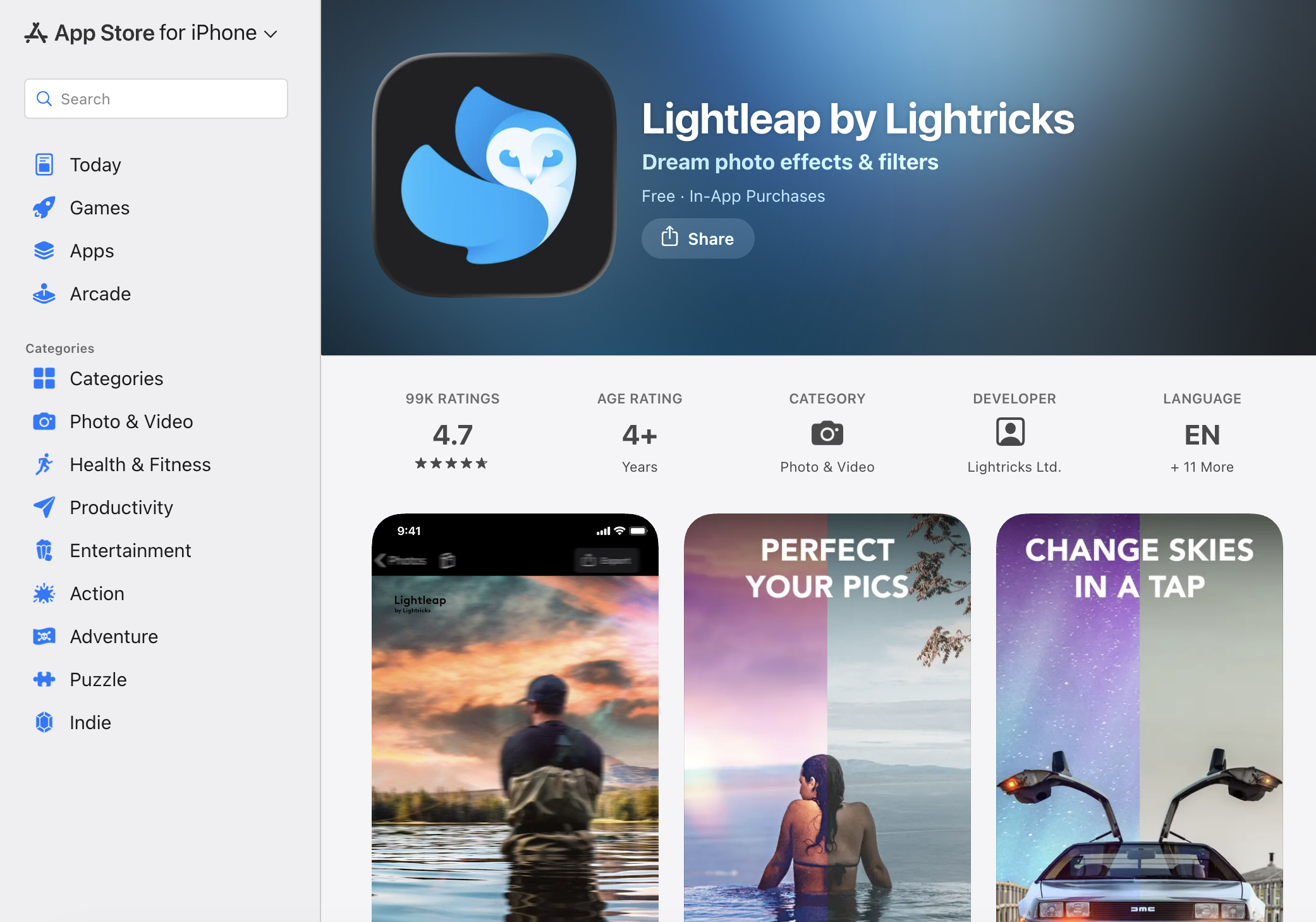
- Replace any dull sky with over 60 high-quality sky backgrounds using the one-tap Sky feature, instantly transforming flat photos into dramatic scenes
- Remove unwanted people, smudges, and background objects with the Heal function, correcting photo mistakes and smoothing bumps in both foreground and background
- Achieve professional photography editor effects with in-depth adjustment tools for light, contrast, temperature, tint, and hue, plus fine controls for sharpening, depth, structure, and grain
- Apply and fine-tune filters across warm, black and white, urban, and fade themes, adjusting intensity to match your exact vision
- Overlay shadow effects, sparkles, and lens flares with adjustable effects, then change weather conditions and add seasonal themes to bring any background to life
- Transform a photo's entire mood with one-tap Looks, instantly modifying the vibe without manual editing
- Edit multiple photos at once using the group edit feature, processing batches of images with the same filters and effects
- Complete every retouching and editing task within the app, including cropping, sharpening, and adjusting depth, structure, and grain, without switching between tools
Pros & Cons
Pros
- Professional photo editing
- Easy reality adjustment
- High-quality sky backgrounds
- Removes unwanted elements
- Smoothes image imperfections
- Multiple filters available
- Customizable filter intensity
- One-tap look change
- Special effects addition
- Detailed retouch adjustments
- All-in-one mobile editor
- 60+ skies to choose
- Unlimited edits for Pro
- Full collection of editor tools
- Overlay shadow effects
- Change weather effects
- Signature style creation
- Depth, structure, grain adjustments
- Heal and Retouch settings
- Supports iPhone and iPad
- 4+ Age Rating
- Retouch Adjustment Capability
- Responsiveness
- Highly rated App
- 300.7 MB size
- Seasonal themes
- Excellent user tips
- Image enhancement tools
- 11 languages supported
- Light, contrast, temperature enhancements
- Magic level of photo effects
- Enhance with filters, effects
- Retouch your photos
- Undo retouches feature
- Erase items in foreground/background
- Professional vibes
- Overlay sparkles, lens flares
- Quick correction of photo mistakes
- Retain photo originality
- Crop your photo within app
- Filters by theme
- Stunning pre-set filters
- Mood elements
- Filters for warm, B&W
- Urban, fade and other filters
- Instagram-worthy images creation
- Retouch dull areas
Cons
- App crashes frequently
- Saving requires Pro version
- Double charged for subscription
- Unresolved customer complaints
- Only for iOS
- Missing blemish fade feature
- Complex app interface
- 300.7 MB size
- Limited functionality without Pro
Reviews
Rate this tool
Loading reviews...
❓ Frequently Asked Questions
Lightleap by Lightricks is a photo editor that allows you to edit and enhance your images to the level of a professional photographer without needing expert skills. It offers features like background replacement, image retouching tools, effects, filters and more.
Lightleap by Lightricks can be downloaded from the App Store. The app is developed by Lightricks Ltd.
Lightleap by Lightricks provides features like Sky, Heal, Effects, Filters, and Looks. It also offers the functionality to replace the background of an image, remove unwanted elements from a photo, apply filters and effects, adjust the intensity of these filters, and modify the vibe of a photo with one tap using specified looks.
Yes, the Sky feature in Lightleap by Lightricks allows you to replace the background of your photos with a new sky. The app offers over 60 high-quality sky backgrounds to choose from.
Lightleap by Lightricks offers a wide variety of filters that can be adjusted according to your needs. They are categorized by theme, including warm, black and white, urban, fade, and many more.
Yes, Lightleap by Lightricks has a series of effects that can be adjusted according to your need. You can overlay shadow effects, sparkles, lens flares and more to enhance your photo.
Based on user reviews, the app does have a group edit feature. However, this function may be coupled with the app's premium services.
Yes, with Lightleap by Lightricks, you can perform all your retouching and editing tasks within the app. This includes cropping, sharpening, adjusting depth, structure, and grain.
The Sky feature in Lightleap by Lightricks enables you to replace the background in your photos with a brand-new sky with just one-tap. Over 60+ high-quality sky backgrounds are available for selection.
Lightleap by Lightricks includes the 'Heal' function which lets you to remove unwanted people, background smudges, and easily retouch your image. User can select and erase items in both the foreground and background of an image, smooth over bumps, and quickly correct photo mistakes.
Yes, with Lightleap by Lightricks, you can achieve professional photography editor effects. The app offers in-depth adjustment tools for light, contrast, temperature, tint, and hue. It even allows for finer adjustments such as sharpening, editing the depth, structure, and grain of a photo.
User reviews mention the existence of a Pro version for the Lightleap by Lightricks.
Yes, Lightleap by Lightricks does provide a healing function. This feature allows you to erase items in the forefront and background of your photos, smooth over bumps, and quickly correct photo mistakes.
The top user favourite features from Lightleap by Lightricks include the Sky, Heal, Effects, Filters, and Looks features.
Yes, Lightleap by Lightricks does support language localization. It supports English and 11 other languages.
The Lightleap by Lightricks app is approximately 300.7 MB in size.
The app is free to download and use. However, it offers in-app purchases to unlock more features and content.
Lightleap by Lightricks is developed by Lightricks Ltd., an award-winning app developer known for their Enlight Creativity Suite.
Lightleap by Lightricks does have the ability to add special effects to retouch dull areas and bring your background to life. This includes the ability to change weather effects and add seasonal themes.
Yes, Lightleap by Lightricks does give you the ability to change weather effects in your photos. This is part of the vast range of special effects the app offers to improve your photos.
Pricing
Pricing model
Free Trial
Paid options from
$3.99
Billing frequency
Weekly