Collart | AI Image to Video
Overview
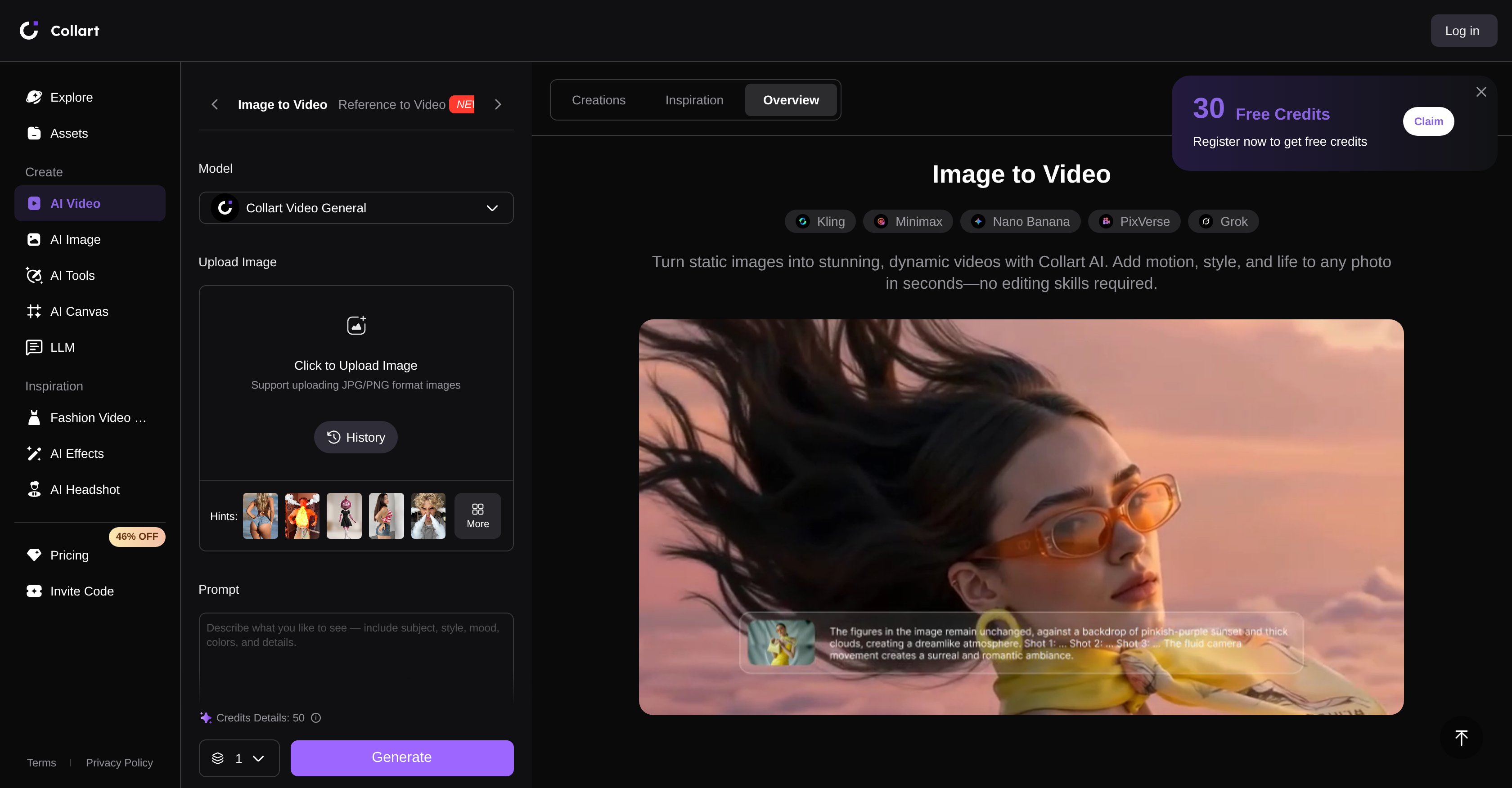
- Turn any JPG or PNG photo into a lifelike animated video with natural motion that preserves your original image's integrity, powered by AI image to video conversion.
- Direct video motion and effects through simple text prompts so every animation matches your creative vision without manual editing.
- Maintain seamless visual consistency across your entire clip by controlling start and end frames, ensuring a polished narrative flow.
- Create complete videos from scratch using only text descriptions when you lack source images, visualizing any concept directly.
- Produce eye-catching social media content and digital advertisements that boost engagement by breathing life into product images and artwork.
- Add audio directly during video creation for immersive storytelling that captivates viewers across platforms.
- Refine your generated videos with built-in editing tools after creation, ensuring every piece is polished and ready to share.
- Get started free and upgrade only when you need more advanced features, making professional-grade video generation accessible for any project.
Pros & Cons
Pros
- Generates dynamic videos
- Integrates motion to images
- Text prompts for customization
- Start and end frames control
- Generates videos from text
- Supports JPG and PNG formats
- Ideal for social media content
- Ideal for digital advertisements
- Preserves image integrity
- Adds natural motion
- Audio integration
- Optional advanced features upgrade
- Content refinement tools
- Ideal for storytelling videos
- Creates lifelike animations
- Free version available
- Easy content sharing
- Fluid motion synchronization
- Ready-to-share videos creation
- Cinematic effects rendering
- Seamless results
- Visual consistency throughout video
- Option for text to video
- Advanced post-generation editing options
- User-friendly interface design
- Ideal for any digital content
- Guarantees smooth animations
- Fast video generation
- Simple workflow of use
- High-quality results promise
- Allows motion prompts
- Enables different customization settings
- Option to add sound
- Supports wide range of images
- Ideal for products and portraits animations
- Helps create viral content
- Tool for creating engaging ads
- Allows for concept visualization without images
- Keeps source image visually consistent
- Turns artwork into videos
- Instant shares of videos
- Consistently improves technology for better results
- Assists in creating polished videos
- Helps in impact content creation
- Allows control over video story
- Keeps movements natural and fluid
Cons
- Limited image format support
- No API
- No collaborative features
- No offline version
- Limited advanced features
- No mobile app version
- No integration with other services
- Cannot reverse video frames
- No multilingual support
- No batch image upload
Reviews
Rate this tool
Loading reviews...
❓ Frequently Asked Questions
With the Collart AI Image to Video Generator, you can transform static images into dynamic, lifelike animations. You can customize motion and effects in the video through text prompts and control the start and end frames for consistency. The tool also allows you to generate videos entirely from text prompts if no source images are available. Moreover, you have the ability to add audio to your videos, making your content more immersive. After creating your content, you can further refine and enhance it with various editing tools ready for sharing.
In Collart AI Image to Video Generator, text prompts play a crucial role in guiding the motion and effects in the video. By describing your preferred subject, style, mood, colors, and details, you direct the AI to create a motion pattern aligned with your vision. This approach allows users to customize their videos to match their desired results.
Collart AI Image to Video Generator supports popular image formats such as JPG and PNG. This makes it possible to harness a wide variety of pictures, designs or artworks ensuring maximal usage and diversity in the content creation process.
Consistency throughout the videos made by the Collart AI Image to Video Generator is maintained by allowing users to control the start and end frames. By setting these two parameters, you make sure there's a constant style and uninterrupted progression throughout your video, delivering a seamlessly moving narrative.
Yes, with Collart AI Image to Video Generator, you can create a video purely from text prompts. It is a feature that introduces a new level of accessibility, especially beneficial for those who may not have source images. By comprehensively describing what you want to visualize, the AI can construct a video aligning with your concept.
Collart AI Image to Video Generator is user-friendly because of its simplistic workflow that entails only three steps: uploading an image, inputting text prompts, and finalizing video creation. By streamlining the process into these straightforward stages, it allows even those with no prior experience to generate stunning videos efficiently.
Collart AI Image to Video Generator can be widely used across various scenarios. Creatives can transform photos into engaging social media content or storytelling videos. Marketers can breathe life into product images for digital advertisement campaigns. Essentially, anywhere motion can improve engagement and captivate audiences, Collart can add value.
Collart AI Image to Video Generator maintains the integrity of the source image by ensuring any added motion is natural and realistically aligned with the original visual content. This priority on integrity ensures that while the images are animated into video, their original essence and visual consistency are preserved to the greatest extent.
Users can integrate audio into their videos during the creation process in the Collart AI Image to Video Generator. This adds another layer of immersion to your content, allowing you to create more engaging and captivating videos.
Collart AI Image to Video Generator is packed with a range of exclusive features. These include image to video conversion, the addition of lifelike motion to static images, customizable video effects, precise control of start and end frames, and the unique feature to generate videos purely from text prompts.
Yes, Collart AI Image to Video Generator offers a free version and also provides optional upgrades for more advanced features. This flexible structure makes it accessible regardless of your needs, whether you require basic or professional-tier functionalities.
Collart AI Image to Video Generator furnishes users with a selection of editing tools. After you've generated your content, these tools facilitate further enhancement and refinement of your videos, allowing you to perfect your content before sharing.
Once you've created your video with the Collart AI Image to Video Generator, you can quickly share it. Whether it's sharing on social media or embedding it into your website, Collart provides you with user-friendly options to ensure smooth and effortless sharing.
Collart AI Image to Video Generator uses advanced AI technology to transform static images into dynamic videos. By integrating motion into images and turning them into lifelike animations, it is able to make any picture move in a realistic, engaging manner.
In the Collart AI Image to Video Generator, the workflow begins by uploading an image. After that, you input a text prompt, directing the AI on how to animate and add effects to the image. Finally, you finalize the video. This workflow delivers an easy-to-follow process for creating lifelike and captivating videos.
Indeed, Collart AI Image to Video Generator is aptly designed for social media content creation. By transforming static images into engaging videos, the tool allows you to create eye-catching content that can help improve engagement, reach, and interaction across your social media platforms.
Collart AI Image to Video Generator ensures consistency between start and end frames. This approach guarantees that the visual narrative of the video flows naturally from its inception to its conclusion, providing a seamless viewing experience.
The motion synchronization feature of Collart AI allows for natural and fluid movements in the videos. This AI-powered feature ensures consistency and synchronization across different scenes, enhancing the lifelike feel of the animations produced.
Collart AI Image to Video Generator is an ideal tool for creating digital advertisements. By breathing life into product images, portraits, or designs with its AI-powered motion integration, the tool helps capture the attention of viewers, thereby increasing the impact of digital advertisements.
Yes, Collart AI Image to Video Generator has a unique feature that allows users to create videos entirely from text prompts. This allows you to visualize a concept even if you don't have source images. The AI builds a video according to your description, thereby bringing your concept to life.
Pricing
Pricing model
Freemium
Paid options from
$5.83/month
Billing frequency
Monthly