Overview
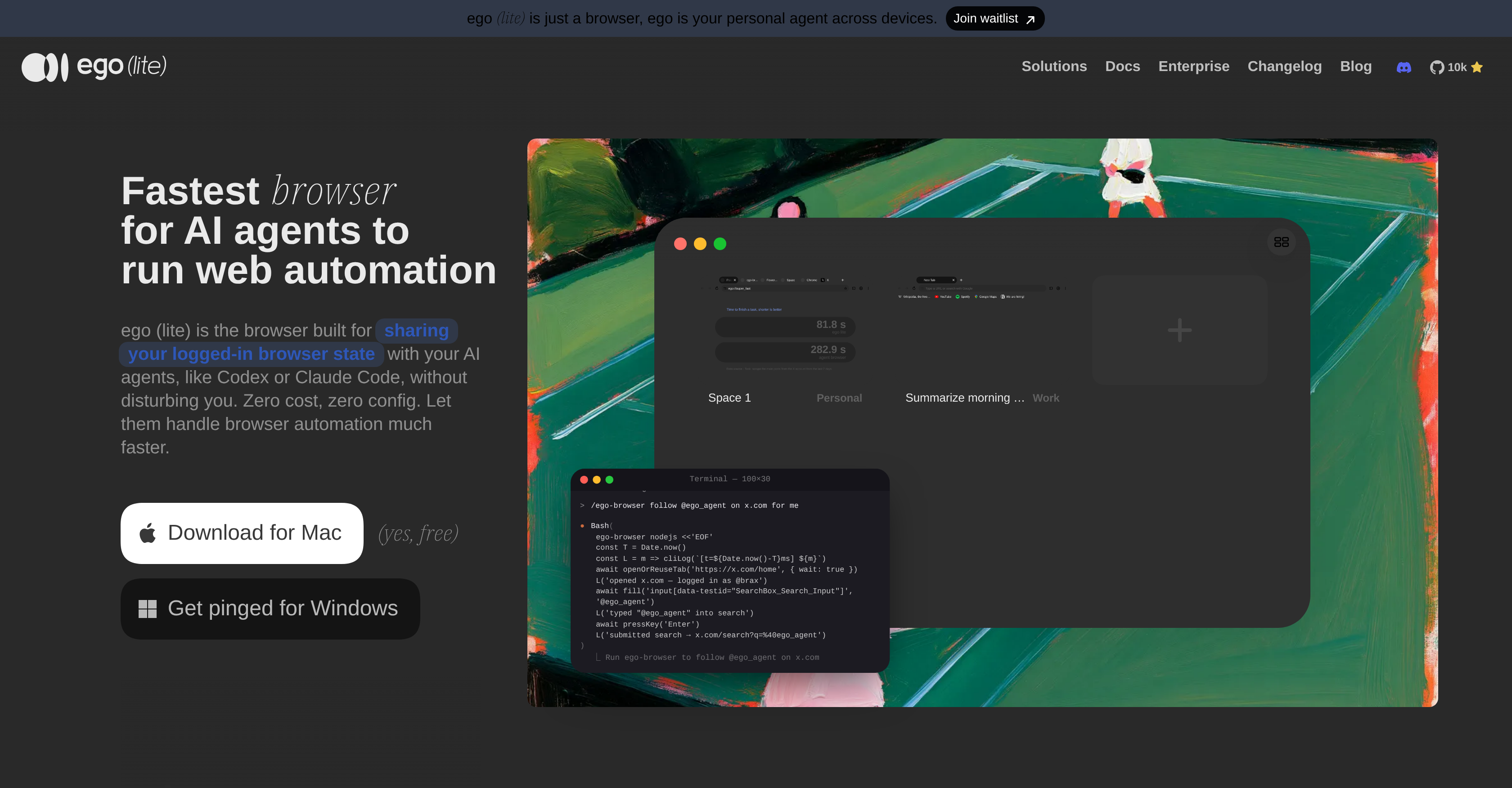
- Complete complex browser automation tasks up to 3.45x faster by letting AI agents execute multiple in-page JavaScript actions concurrently instead of one tool call at a time.
- Keep working in Chrome without interruption while your AI agent operates in a separate workspace using Spaces, which prevents task collisions between user and agent sessions.
- Automate LinkedIn, Reddit, Instagram, and Facebook tasks that require a logged-in session by sharing your browser state with agents like Codex, Claude Code, and Cursor.
- Get reliable snapshots from cross-origin iframes, shadow DOM, and third-party SDK widgets like Stripe and Salesforce through the custom Chromium engine built directly inside the browser.
- Reduce token costs by eliminating retry loops on content that web fetch and JavaScript shims cannot reach, such as React portals and embedded third-party widgets.
- Switch from Chrome instantly with one-click import of your existing setup, keeping your browsing habits, logins, and extensions intact.
- Run agent tasks in isolated workspaces while you continue browsing in your own space, enabling parallel multitasking without interference.
- Drive AI agents directly after installing the ego-browser skill, compatible with Claude Code, Codex, Cursor, Hermes Agent, OpenClaw, and other code-writing agents.
Pros & Cons
Pros
- Facilitates web automation tasks
- Shares logged-in browser states
- Enables efficient browser automation
- Drastically reduces task completion time
- Custom Chromium engine for performance
- Quick and reliable snapshots
- Accesses cross-origin iframes
- Accesses shadow DOM, third-party widgets
- Unique concept of 'Spaces'
- Prevents task collisions
- Imports Chrome setup in one click
- Handles web automation competently
- Built on Chromium
- Similar functionalities to Chrome
- Usable on multiple platforms
- Effective on social media platforms
- Extends beyond Chrome realm
- Maintains user's browsing habits
- Reduces time and token cost
- Allows 100+ browser tasks simultaneously
- 3.45x faster than agent-browser
- Supports social media automation
- No additional setup required
- Enables in-page JavaScript tools
- Real window and tabs for agent
- Finish complex tasks up to 3.45x faster
- No login friction
- Data stored locally
- Can replace daily Chrome browser
- Isolates agent's work from user's
- Free, no subscription required
- Migrate tabs, bookmarks, password from Chrome
- Offers user's logged-in state to agent
- Parallel multitasking with same browser
Cons
- Only available for Mac
- Lacks native browser features
- Usage could increase tokens cost
- Limitations in cross-origin iframes
- No support for headless browsing
- May interfere on user's tabs
- Lacks extensive developer tools
- Possible limitations in parallel multitasking
- Conflicts while importing Chrome setup
Reviews
Rate this tool
Loading reviews...
❓ Frequently Asked Questions
ego (lite) is an innovative browser designed to facilitate web automation tasks with the help of AI agents like Codex or Claude Code. It is built for sharing users' logged-in browser states with these AI agents without causing any disturbance. The browser's noteworthy features include the ease of multitasking allowing agents to execute multiple in-page actions, improved performance through a custom Chromium engine, 'Spaces' for separate user and agent workspaces, and the capacity to import users' existing Chrome setups.
ego (lite) aids AI agents by sharing users' logged-in browser states, enabling these agents to perform browser automation tasks efficiently without any disturbance. It helps AI agents to run web automation tasks across multiple platforms like LinkedIn, Reddit, Instagram, and Facebook, thereby filling operational gaps through web automation. The browser can also handle multiple in-page actions simultaneously through simple lines of JavaScript, enhancing the completion speed of complex browser tasks.
Multitasking in ego (lite) is managed effortlessly by allowing agents to execute multiple in-page actions with simple JavaScript lines. It efficiently performs several operations concurrently, thereby drastically reducing the completion time of complex browser tasks. The 'Spaces' feature in ego (lite) circumvents task collisions by providing separate workspaces for users and their agents within the same browser environment.
The custom Chromium engine of ego (lite) enhances the browser's performance by ensuring faster and reliable snapshots. It can reach into cross-origin iframes, shadow DOM, and third-party SDK widgets. The engine is built inside the browser which makes snapshots come back faster, ref actions run more reliably and saves tokens.
'Spaces' is a unique feature offered by ego (lite) which provides separate workspaces for users and their agents in the same browser environment. This approach effectively circumvents task collisions, allowing the agent and the user to work concurrently without impacting each other's tasks. It also allows the agent to run tasks in its own space, facilitating parallel multitasking.
ego (lite) helps in maintaining users' browsing habits by importing users' existing Chrome setup in one click. This means the browser mirrors the functionalities of Chrome, providing a seamless transition for the user from their usual browser interface. It works just like Chrome, so users' browsing habits do not need to change.
As an agent browser, ego (lite) allows your agents to do anything you can do in a browser you're logged into, including running tasks on social media platforms like LinkedIn and Instagram. It fills operational gaps through web automation and helps the AI agents to handle tasks competently, reducing both time and token cost.
The task efficiency in ego (lite) is achieved through several features. Its multitasking capability allows AI agents to execute multiple in-page actions concurrently, thus reducing the completion time for complex browser tasks. The custom Chromium engine ensures quicker and reliable snapshots and reaches into cross-origin iframes, shadow DOM, and third-party SDK widgets. Additionally, 'Spaces' prevent task collisions, enabling users and agents to work simultaneously without disturbance.
Yes, ego (lite) has the added advantage of importing users' existing Chrome setup in one click, providing a seamless transition from their usual browser interface. It maintains their browsing habits and provides a platform similar to Chrome, allowing users to continue their browsing activities without any hassle.
ego (lite) permits AI agents to execute multiple in-page actions with simple JavaScript lines. The use of JavaScript facilitates quick and efficient completion of multiple tasks simultaneously as compared to one tool call at a time. It provides a platform where complex browser tasks can be finished up to 3.45 times faster than other agent browsers, thus saving time and transaction tokens.
ego (lite)'s semantic snapshot, built inside its custom Chromium engine, can reach third-party SDK widgets like Stripe, Salesforce, Intercom, and React portals. It implies that web fetch and JavaScript shims generally give up on third-party SDK widgets and the AI agent ends up retrying against content that was never really there, burning tokens for nothing.
ego (lite) reduces time and token cost by enabling AI agents to run multiple in-page actions concurrently. This parallel execution of scripts drastically cuts down on the completion time for complex browser tasks. The custom Chromium engine provides quick and reliable snapshots, making ref actions more reliable and saving tokens in the process. Finally, the 'Spaces' feature reduces token usage by keeping agent's work isolated, hence, preventing task collisions.
ego (lite) is built on Chromium and its functionalities mirror that of Chrome, offering a seamless transition from the regular browser interface. However, it is more advanced in providing effective task automation and web-site browsing as it enables faster and more efficient multitasking. The 'Spaces' feature offering separate workspaces within the same browser environment is unique to ego (lite) in comparison to a regular Chrome browser.
The browser state sharing feature of ego (lite) involves sharing users' logged-in browser states with their AI agents. This way, the AI agents are able to undertake browser automation tasks efficiently without causing any disturbance to the user. This feature aids the AI agents to run web automation tasks not only in Chrome but also extends beyond the realm of Chrome to platforms like LinkedIn, Reddit, Instagram and Facebook.
AI agents like Codex or Claude Code utilize ego (lite) by employing users' logged-in browser states. This enables these agents to carry out browser automation tasks efficiently without interfering with the user's browsing. With ego (lite), these AI agents are able to handle web automation tasks competently, reducing both time and token cost.
AI agents that are compatible with ego (lite) include Claude Code, Codex, Cursor, Hermes Agent, OpenClaw and other agents that write code. All these agents can drive ego (lite) directly after installing the 'ego-browser' skill.
Yes, ego (lite) can indeed replace Chrome as the main browser. It is built on Chromium and its functionalities mirror that of Chrome, providing a seamless transition for users. It imports users' existing Chrome setup in one click, thereby retaining their browsing habits. Moreover, the unique 'Spaces' feature offered by ego (lite) allows for isolated workspaces for AI agents to run concurrently without disturbing the user's browsing.
User and agent separation in ego (lite) is managed using the unique 'Spaces' feature. 'Spaces' provide separate workspaces for users and their AI agents within the same browser environment. This can circumvent task collisions and provide users and agents with their own dedicated workspace in the browser causing no interference to each other's activities.
Yes, ego (lite) can handle automation for social media platforms. The browser extends its usability beyond the realm of Chrome to platforms like LinkedIn, Reddit, Instagram, and Facebook. It lets AI agents do anything you can already do in a browser you're logged into across one or more 'Spaces', logins, tabs, and all, thus filling operational gaps through web automation.
The custom Chromium engine of ego (lite) allows it to handle cross-origin iframes and shadow DOMs. It is designed to retrieve quicker and more reliable snapshots and extend to cross-origin iframes, shadow DOM, and even third-party SDK widgets. This feature enables the AI agent to run ref actions more reliably and by saving tokens, cost-effectively.
Pricing
Pricing model
Free
Paid options from
Free