Overview
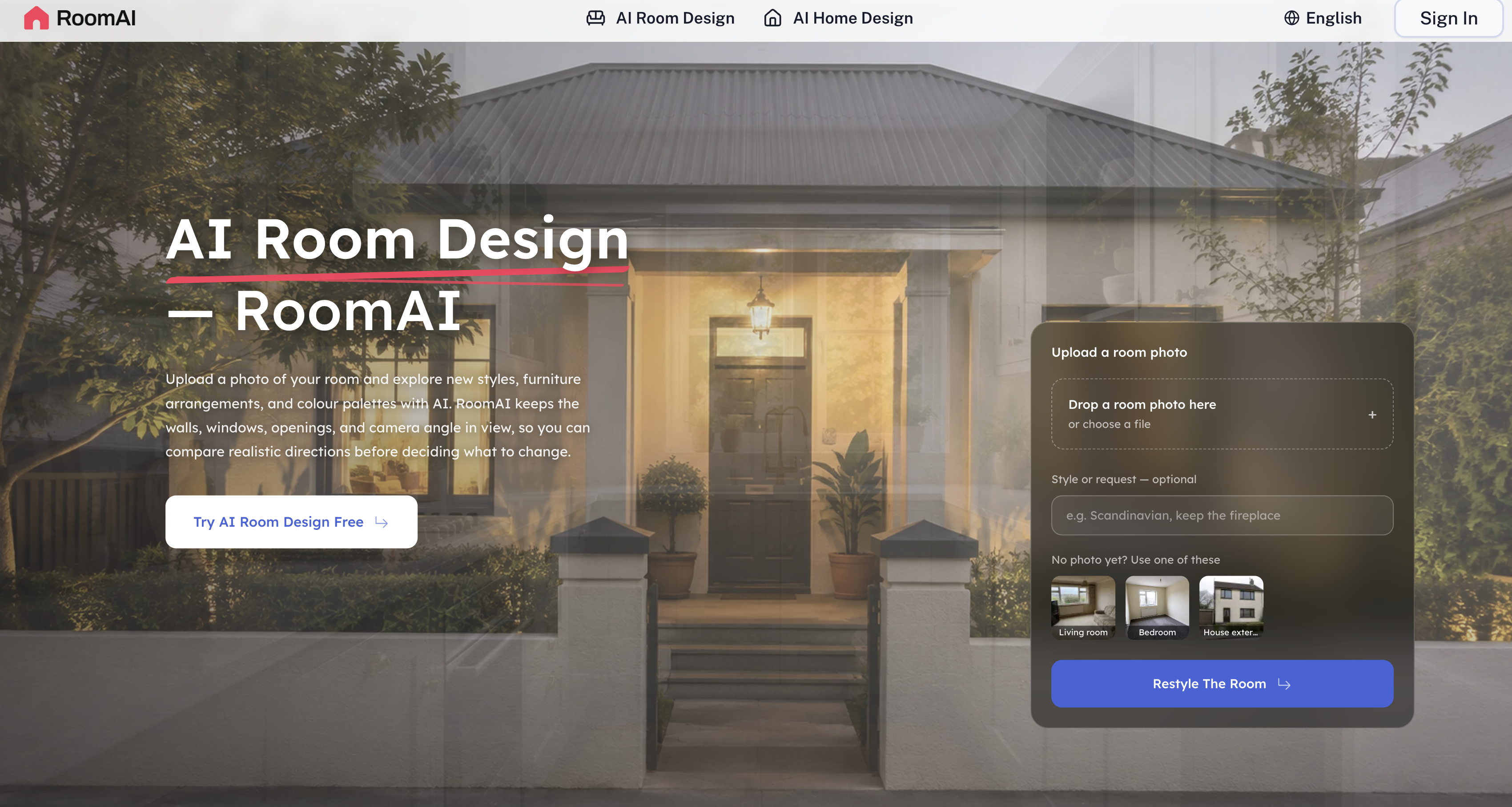
- See your exact room transformed before spending a rupee on furniture, with realistic design options generated directly from one photograph of your space
- Redesign interiors and exteriors without hiring a designer, using AI interior design that turns a single room or house photo into new furniture arrangements, color palettes, and styles
- Get design ideas that actually fit your space, because the AI reads walls, windows, camera angle, and fixed items so every generated design stays true to your room's real structure
- Style each space the way it's actually used, with room-specific designs tailored for living rooms, bedrooms, offices, and more instead of one-size-fits-all templates
- Visualize your home's curb appeal before committing to costly work, using exterior design and landscape design features that show changes to your house facade and outdoor areas from a photo
- Sell or rent properties faster with virtual staging for empty rooms, an inexpensive alternative to physical staging that furnishes blank spaces for real estate listings
- Clear clutter and see the potential underneath, with staging and decluttering scenarios that rearrange furniture, color schemes, and decor in a decluttered version of your room
- Match any taste without guesswork, choosing from an extensive design library of styles and presets that deliver diverse, personalized results
- Judge proportions and layouts with confidence using 3D visualizations that depict your room or house with new designs, color schemes, and furniture arrangements in realistic detail
- Lock in the right colors and furniture the first time, with color selection and furniture placement options shown inside your actual space for intuitive, precise decisions
- Redesign virtually without moving a single item, uploading a photo, picking preferences or presets, and receiving a full redesign that respects your space's structure
Pros & Cons
Pros
- Interior and exterior design
- Realistic styling options
- Uses single photograph input
- Context-aware design generation
- Adjusts designs to room-type
- Diversified design with library
- Enables virtual room staging
- Offers inexpensive real estate listing
- Design customization options
- Preserves room's actual structure
- Customized designs for specific rooms
- Landscape visual changes
- Quick processing times
- Camera angle consideration
- Wide choice of styles
- Easy comparison of designs
- Design based on room's geometry
- No changes to structural elements
- Offers living room, bedroom designs
- Helps with real estate listings
- Furnishes empty rooms
- Whole house facade redesign
- Room-specific presets
- Design comparison for styles
- Intact room geometry
- Preserves original fixtures
- Can redesign exteriors
- Scaled furniture placement
- Considers natural room light
- Offers exterior cladding swaps
- Individual page per room-type
- Guide for room redesign
- Preserves ceiling line
- Cost-effective staging alternative
- Useful for decorators, cladding installers
- Publicly disclosable images generation
- Batch processing for properties
- Different presets for room types
- No installation or learning required
- Offers multilingual support
- Submits design request easily
- Generates 3D visualizations
- Style change option
- Provides accurate decor placements
- Preserves existing window placements
- Preserves existing door openings
- Preserves sill heights
- Preserves roof lines
Cons
- Lacks detailed user manuals
- Doesn't support 3D printing
- No collaboration features
- Interface not user-friendly
- No offline functionality
- Limited features in free trial
- No dimensioning tools
- Minimal user support options
- Lack of direct communication
- No save-as feature
Reviews
Rate this tool
Loading reviews...
❓ Frequently Asked Questions
RoomAI is an AI-powered tool that provides interior and exterior design solutions using a photograph of a room or house. It offers users the ability to explore new furniture arrangements, color palettes, and styles. Embedded within the platform is the capacity to consider various contextual features of the image that contribute towards the accuracy of the design generation.
RoomAI operates by taking into account the photographic information provided by the user. By analyzing the structural and contextual details within the picture such as walls, windows, and camera angles, RoomAI can generate design options that preserve the actual physical characteristics of the room or house. The AI tool allows users to visualize different arrangements, styles, and palettes within the context of their space.
RoomAI examines the contextual features of an image by factoring in fixed elements such as walls, windows, and certain fixed items. The AI also carefully considers the camera angle that the photo was taken from. This comprehensive understanding enables RoomAI to generate designs that stay true to the actual structure of the space.
RoomAI provides a broad range of design services. It can design for specific rooms such as living rooms and bedrooms, and even elaborate on staging or decluttering scenarios. The platform covers both interior and exterior spaces, facilitating users to envisage modifications to the house facade, landscape, or interiors.
RoomAI provides support for staging and decluttering rooms. Utilizing its extensive library of styles and presets, it can produce a variety of room-specific design scenarios that aid in both staging and decluttering. Users can visualize the arrangement of new furniture, color schemes, and decor in a decluttered version of their room.
RoomAI does cater to exterior designs. Along with interior spaces, the tool enables users to visualize changes to the exterior structures such as the house facade or landscape. The user can upload a photo of their house's exterior, and the application will suggest possible aesthetic improvements or modifications.
Yes, RoomAI provides the ability to virtually stage an empty room. This feature can be particularly beneficial for real estate listings, presenting an economical and efficient alternative to physical staging. Users can visualize a range of furniture and decor arrangements within an empty space.
RoomAI offers a wide selection of styles and presets drawn from its extensive design library. This allows for diverse and personalized design results catering to the specific tastes and preferences of the user. The user can choose from the available presets or modify them as per their requirements.
The styling options offered by RoomAI are highly realistic. By taking into account the physical structure and aspects of the photographed room, the tool generates designs that maintain the true to life dimensions and features. Any proposed modifications, whether furniture arrangements or color palettes, are presented within the actual context of the room.
Yes, RoomAI can assist with landscape design. It's designed to handle exterior structures and this includes landscape modelling. Users are able to visualize changes to their landscapes according to varying designs, structures, and color schemes suggested by the tool.
The 'Camera Angle Consideration' feature in RoomAI refers to the tool's capability to analyze the angle at which the photo of the room or house was taken. It uses this information to create the most accurate and true-to-life representation of the room when generating design options. This feature is key in maintaining the accurate proportions and structure of the space in designs.
RoomAI adjusts designs for room-specific settings by providing specialized design services for particular types of rooms. For instance, living rooms and bedrooms might have different design requirements and preferences. RoomAI takes these into account while generating the designs, making them more tailored and relevant for the specific room type.
RoomAI can certainly aid in design customization for both interiors and exteriors. The platform allows users to choose from a variety of styles and presets, each of which can be customized according to preference. The ability to upload a photograph of a space and apply these customizations makes RoomAI a powerful tool for personalizing design.
Virtual redesigning in RoomAI operates by allowing users to visualize a different setup of their room or house without making any physical changes. Users upload a photograph, specify their preferences or select from available presets, and RoomAI generates a redesign that caters to these inputs while respecting the actual structure of the space.
Yes, RoomAI does have an extensive design library. This library features a wide variety of styles and presets to cover a broad spectrum of design possibilities. Users can choose from these presets for quick design generation, or they can be used as a starting point for further personalized design modifications.
Yes, RoomAI can assist with color selection and furniture placement. The tool generates a range of design options with varied color palettes and furniture arrangements. Users can visualize different color schemes and furniture settings within their actual space, making the selection process more intuitive and precise.
Yes, RoomAI's tool can be used for real estate listings. It offers the feature of virtual staging for empty rooms which can be a cost-effective alternative to physical staging for real estate listings. Users can visualize how a furnished room would look like, making it a valuable addition to listing services.
RoomAI does offer 3D visualizations. With RoomAI, users can see a realistic 3D depiction of their room or house with new designs, color schemes, furniture arrangements and more. These visualizations adhere to the actual structure and design of the space, enhancing their reliability and utility.
Yes, users can select a specific style in RoomAI. The platform provides a multitude of styles and presets in its extensive design library for the user to choose from. Whether the user prefer a modern look or a traditional style, RoomAI can generate designs that resonate with these specific preferences.
You can redesign a variety of rooms using RoomAI. It offers services for room-specific designs, covering living rooms, bedrooms, offices, and more. The tool is also adept at handling design generation for exterior structures like house facades and landscapes.
Pricing
Pricing model
Free Trial
Paid options from
$11.99/month
Billing frequency
Monthly
Refund policy
View Policy