VidLux – AI Image Generator & Editor
Overview
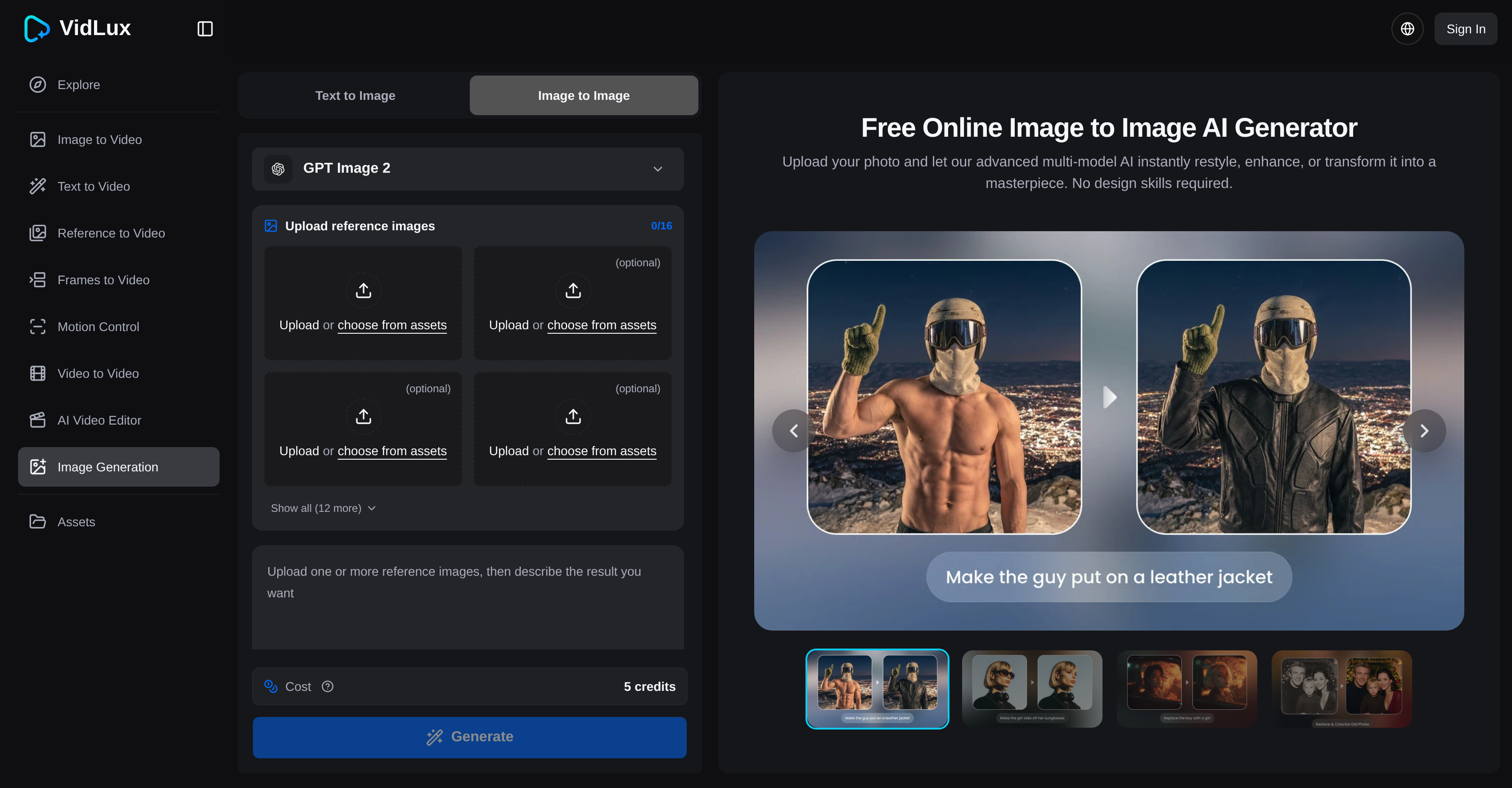
- Instantly rescue blurry or low-quality photos with one-click AI sharpening and upscaling that restores clarity and detail.
- Apply professional-grade artistic styles to any image automatically, replicating human-like perception of composition and color.
- Bring black-and-white pictures to life with accurate AI-driven colorization that adds realistic and vibrant color values.
- Enhance image quality beyond traditional editing limits using a deep learning model trained on a vast variety of pictures.
- Complete creative projects faster by combining photo enhancement with a full AI suite that supports text-to-video, image-to-video, and video-to-video conversion.
- Achieve polished, high-resolution results without manual intervention, as the AI algorithm autonomously identifies elements and applies the right modifications.
- Access a powerful AI photo editor from any device with an internet connection—no software downloads or installation required.
- Enjoy unlimited creative freedom with a completely free image transformation tool that handles diverse image types and styles.
Pros & Cons
Pros
- Significant image enhancement
- Modifies images
- Applies artistic styles
- Fixes blur in photos
- Image colorization feature
- Upscales images
- Online and accessible
- Free usage
- Text to video conversion
- Image to video conversion
- Video to video conversion
- Part of a suite
- Advanced image processing
- Convenient to use
- Wide range of transformations
- Applied on any images
- Good for image quality improvement
- Generates artistic photo styles
- Broad image training data
- Handles multiple image tasks
- Quality aesthetic appeal
- Works instantly
- Advanced deep learning model
- Fits into any workflow
- Processes images at human level
Cons
- Online-only operation
- Requires internet access
- Potential privacy issues
- No offline version
- Dependent on model training
- Unpredictable artistic style results
- Cannot fine-tune adjustments
- May struggle with complex images
- No text to video offline
- Not customizable to user preferences
Reviews
Rate this tool
Loading reviews...
❓ Frequently Asked Questions
The Image to Image AI Generator is a highly advanced, artificial intelligence powered tool designed to enhance and modify images. It provides a significant improvement in the quality and the overall aesthetic appeal of pictures by employing advanced AI algorithms that comprehend and process images, akin to human perception.
The Image to Image AI Generator works by utilising artificial intelligence to edit photos. Its deep learning model, which has been trained on a vast array of pictures, equips it to perform multiple image transformation tasks. Instead of using traditional photo editing techniques, it harnesses AI to modify images.
The Image to Image AI Generator is capable of applying various transformations to images. These include but are not limited to, enhancing and modifying images, applying artistic styles, fixing blur, colorization, and upscaling images.
Yes, the Image to Image AI Generator can effectively fix blur in images, thereby enhancing the clarity and overall quality of the picture.
No, the Image to Image AI Generator is completely free to use and does not require any payment for its access or usage.
According to the information provided on their website, it is indeed implied that the Image to Image AI Generator forms a subsystem of a suite of tools that includes a function to convert text into videos.
The process of modifying images with the Image to Image AI Generator involves the use of its advanced AI algorithm. The algorithm understands and processes the image much like human perception would. It then applies numerous operations such as artistic styles, blur correction, colorization, and upscaling.
The Image to Image AI Generator applies artistic styles to images using its AI algorithm. The algorithm, which has been trained on a wide range of artistic styles, identifies the elements and composition of the image and then applies appropriate artistic modifications. This process is largely autonomous, requiring little to no manual intervention.
Yes, among its many capabilities, the Image to Image AI Generator is equipped to upscale the quality of images. This is achieved through the application of advanced machine learning techniques present in its AI algorithm.
The Image to Image AI Generator differentiates itself from other online photo editing tools by harnessing the capabilities of AI to transform photos. While most conventional tools use standard photo editing techniques, this tool uses an advanced AI algorithm for image processing. Furthermore, its deep learning model has been trained on a wide array of pictures, enabling it to handle several image transformation tasks.
Yes, the Image to Image AI Generator is equipped with a colorization feature, which can accurately add, modify, and enhance the color values in images.
Yes, the Image to Image AI Generator forms part of a suite of tools that includes the functionality to convert images to videos.
Yes, the Image to Image AI Generator is part of a suite of tools that also include functionalities like text to video conversion, image to video conversion, and video to video conversion.
Yes, video to video alterations form part of the array of services offered by the Image to Image AI Generator along with Image to Image and text to video transformations.
Yes, the Image to Image AI Generator is powered by deep learning models. The models have been trained using a vast collection of images to understand and perform a variety of image transformation tasks.
Yes, the Image to Image AI Generator can certainly be used to improve the quality of images. Its capabilities include enhancing picture quality, fixing blur, and upscaling images which ultimately lead to an improved image output.
The AI algorithm used in the Image to Image AI Generator is highly advanced. It has been trained on a wide variety of images and can therefore handle a wide range of image transformation tasks, making it capable of understanding and processing images similar to human perception.
No, there is no need to download any software to use the Image to Image AI Generator. The entire process is online, making it readily accessible to anyone with an internet connection.
In the Image to Image AI Generator, AI is used to process images by mimicking human-like perception. It comprehends and manipulates images, applying a set of operations such as artistic style application, blur correction, colorization, and upscaling. This is all achieved through an advanced AI algorithm.
There don't appear to be any specific limits as to the kind or variety of images that the Image to Image AI Generator can handle. Its deep learning model has been trained on an extensive array of images, preparing it to deal with a wide range of image transformation tasks.
Pricing
Pricing model
Freemium
Paid options from
$23/month
Billing frequency
Monthly