Overview
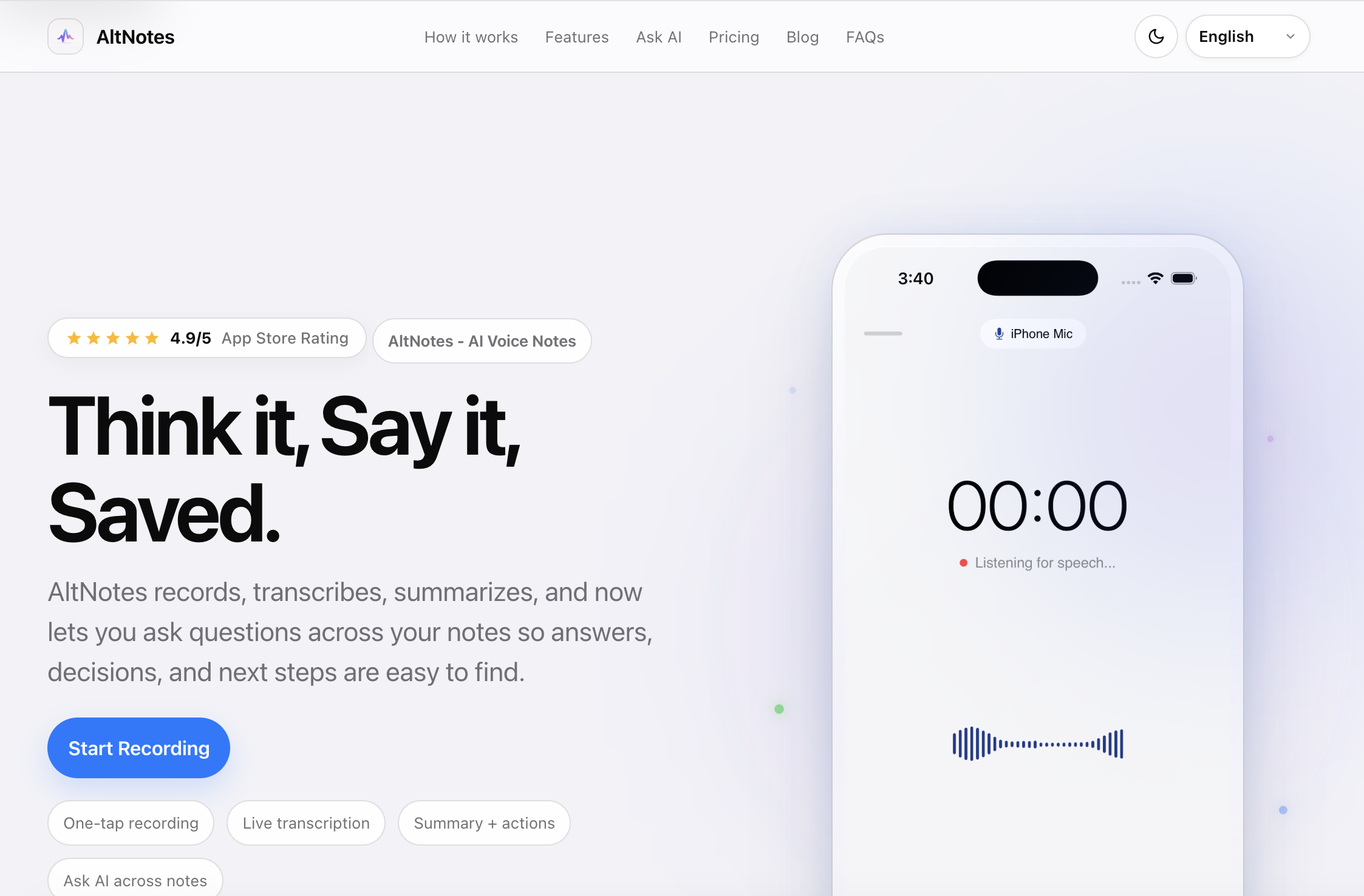
- Capture meetings and conversations in one tap before key details slip away, using one-tap recording that prevents screen lock so nothing interrupts the moment
- Read every word live in 100+ languages with real-time neural transcription, automatic speaker detection, punctuation, and sub-second latency
- Skip re-listening to entire recordings by getting executive summaries, key decisions, and follow-up points structured in as little as 0.4 seconds after recording
- Turn past recordings into an interactive database where you ask natural language questions and get answers with exact timestamps pinpointing where each answer lives
- Never lose track of follow-ups with auto-generated tags and suggested tasks that categorize your notes and surface the actions buried inside them
- Convert notes into completed actions instantly by scheduling in-app reminders with native notifications or dispatching meeting recaps straight to email in one tap
- Keep sensitive conversations private with AES-256 end-to-end encryption, so your recordings stay visible only to you unless you choose to share them
- Make old audio searchable and actionable by importing existing recordings for the same transcription and summarization treatment as new captures
Pros & Cons
Pros
- One-tap recording
- Multiple language support
- Real-time transcription
- Audio summarization
- Auto-generated tags
- Task suggestions
- End-to-end encryption
- Audio import ability
- Timestamp referencing
- Action triggers
- Scheduling reminders
- Emailing recaps
- Interactive database
- Private data protection
- Works on iPhones
- Works on iPads
- Automatic executive summaries
- Key decision extraction
- Follow-up reminders
- Smart tags
- Instant action triggers
- Semantic search
- Neural Engine search
- Lossless audio recording
- 99.4% transcription accuracy
- 99.8% search match
- In-app reminders
- Copy & Share feature
- Optimized for one-hand operation
- Screen lock prevention during recording
- On-device data storage
- Zero cloud storage
- Passcode protected links
- Task reminders and repeats
- Auto-summarized meeting notes
- Automatic speech recognition
- Speaker detection
- Sub-second latency transcription
- In-app reminder scheduling
- Email dispatch for recaps
Cons
- iOS only
- No android version
- No desktop support
- Real-time limitations
- Potential transcription inaccuracies
- Might miss context
- Privacy concerns
- Data importing limited
- Natural-language-questions limitations
- Encryption end-to-end but storage?
Reviews
Rate this tool
Loading reviews...
❓ Frequently Asked Questions
AltNotes is a voice-note tool designed for iPhones and iPads, enabling users to record, transcribe and summarize audio data. AltNotes features one-tap recording for quick capture of notes and conversations. It transcribes audio data in real-time with support for multiple languages. A unique feature of AltNotes is its 'Ask AI' feature, which turns previous recordings into an interactive database enabling users to pose natural questions to retrieve specific data. Additionally, AltNotes auto-generates tags, suggests tasks, provides action triggers and ensures user privacy with end-to-end encryption.
AltNotes works in several steps. Users can simply tap to start recording their notes or conversations. The tool then transcribes and summarizes audio data in real-time, extracting key decisions and follow-ups to create an efficient summary. AltNotes also generates tags and suggests tasks based on the note content. Users can pose natural questions to the 'Ask AI' feature to retrieve information from previous recordings. Post-recording, AltNotes provides action triggers, allowing for easy scheduling of reminders or emailing of recaps. AltNotes also enables existing audio to be imported for transcription.
AltNotes is currently compatible with iPhones and iPads. There is also mention of Mac support coming soon, expanding its usability to more Apple devices.
AltNotes transcribes audio data using real-time neural transcription technology. This allows words to flow in live as they are spoken. Automatic speaker detection, punctuation, and sub-second latency further enhance the transcription process ensuring high accuracy.
AltNotes offers support for 100+ languages, accommodating a wide variety of users from different linguistic backgrounds.
The 'Ask AI' feature in AltNotes works as an interactive database of previous recordings. Users can pose natural language questions to retrieve specific data from their saved audio. AltNotes not only provides answers but also indicates exact timestamps where the answer can be found within the recordings.
AltNotes synthesizes key points from the recorded audio using its 'Neural AI compression'. This results in the automatic creation of executive summaries, extraction of key decisions, reminders for follow-ups, and generation of smart tags. These key points are extracted and structured in as little as 0.4 seconds after recording.
AltNotes puts a high value on user privacy. All the recordings and notes are encrypted using AES-256 end-to-end encryption which ensures that the users' thoughts stay private. The notes are only visible to the users and can only be shared by them.
AltNotes uses its built-in AI system to generate tags and suggest tasks based on the content of the notes. These auto-assigned tags and tasks make it easier for users to categorize their notes and keep track of their activities, especially follow-up actions.
Yes, AltNotes does provide action triggers. These are designed to facilitate quick and easy actions like scheduling in-app reminders with native notifications or dispatching recaps directly to email. The summaries can also be copied and shared with just one tap. This way, the tool aids users in seamlessly converting their notes into actionable tasks.
Yes, AltNotes allows users to import existing audio into the tool. The imported audio is then transcribed and turned into searchable, actionable items—just like the audio captured directly in-app.
AltNotes enables users to draft email recaps directly from the tool. With its one-tap email feature, users can dispatch meeting recaps or any other information directly to their email. This way, AltNotes aids users in efficiently sharing or saving their notes.
The 'one-tap recording' feature in AltNotes enables users to start recording their notes or conversations quickly and easily with just a single tap. The tool prevents screen lock while recording to ensure a seamless recording experience.
Yes, AltNotes can indeed indicate exact timestamps in the recordings. When users use the 'Ask AI' feature to retrieve information from their recordings, AltNotes provides precise answers along with the exact timestamps where the answer can be found within the audio.
AltNotes leverages advanced AI technology to extract meaningful summaries from recorded audio. The tool synthesizes the main points, extracts key decisions and follow-ups, and distills these into an effective summary. These summaries are not only present immediately after recording but are also highly responsive to natural language queries posed later.
AltNotes assists in scheduling reminders by providing instant action triggers. Following a recording, users can schedule in-app reminders, which come with native notifications. This makes it easy to put in reminders for tasks, actions, or follow-ups related to the notes.
To retrieve specific data from previous recordings with AltNotes, users can use the 'Ask AI' feature. They can ask natural language questions about the data they want to retrieve. AltNotes provides responses along with the exact timestamps where the answer can be found.
Yes, AltNotes does offer support in multiple languages. It caters to 100+ languages for transcribing audio data, so users from different linguistic backgrounds can readily use it.
AltNotes stands out from other voice-note tools with features like its 'Ask AI' option, enabling users to turn their recordings into an interactive database. It also provides real-time transcription in over 100 languages, synthesizes key points for meaningful summaries, allows import of existing audio for transcription, automatically generates tags and suggests tasks, provides action triggers for easy scheduling or emailing, and offers end-to-end encryption for user privacy.
AltNotes ensures end-to-end encryption by encrypting all user notes and recordings with AES-256 encryption. This ensures that user data remains private and secure, as the user's thoughts are visible only to them unless they choose to share them.
Pricing
Pricing model
Free Trial
Paid options from
$4.99
Billing frequency
Weekly