explain.ink
Overview
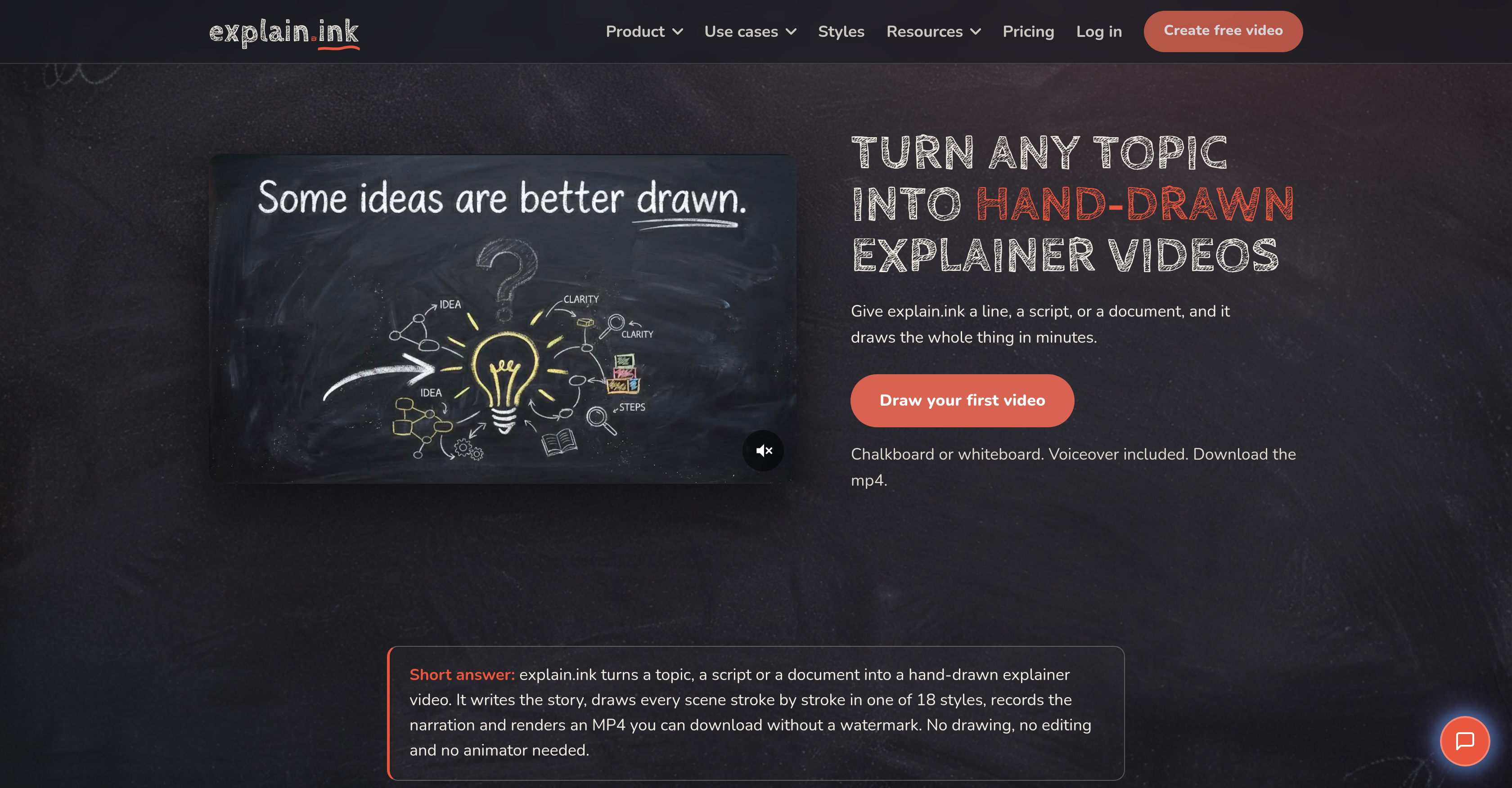
- Produce a complete hand-drawn explainer video in minutes, not weeks, by entering just a single line, script, or document—the AI writes the narrative, draws every scene, and records the voiceover automatically.
- Launch same-day training, marketing, or onboarding videos by letting the AI handle script, artwork, and voiceover the moment your source text is ready.
- Keep every word of your existing script intact with line-by-line scene matching, so your message stays exactly as written while each line gets its own drawn scene.
- Create course-ready visual lessons that boost student engagement by converting lesson notes, documents, or PDFs into animated explainer videos with a distinct hand-drawn style.
- Choose from 18 hand-drawn video styles—including whiteboard, colored chalk, and marker—to match your brand and audience without any drawing skills.
- Distribute videos immediately across any platform by downloading HD MP4 files with no watermark, ready to share, upload, or embed.
- Turn dense PDFs into concise, engaging explainer videos by uploading the document and letting the AI summarize and illustrate the key points.
- Produce videos up to five minutes long, with the flexibility to keep them in the 1–3 minute sweet spot for maximum viewer attention.
- Automate the entire technical production—narrative, scene design, voiceover recording, and rendering—so you never need editing software or a recording session.
Pros & Cons
Pros
- Creates hand-drawn explainer videos
- Writes narrative autonomously
- Records voiceover
- Renders video to MP4
- Watermark-free downloads
- Offers various video styles
- Converts text to video
- Turns scripts into videos
- Processes documents into videos
- Offers multiple use-cases
- Useful for education
- Effective in course creation
- Applies in marketing
- Simplifies onboarding
- Effective training tool
- Simplifies video creation
- Promises quick turnarounds
- Transforms topic into videos
- Provides different art styles
- Adjusts automatically for style
- Preserves original wording
- Turns PDFs into videos
- Utilizes whiteboard animation
- One input suffices
- Offers a range of styles
- Allows input style selection
- Offers multiple input formats
- Multiple hand-drawn styles
- Produces HD videos
- Turns documents nobody reads to videos
- Translates one-liners to videos
- Generates visuals from scripts
- Create videos from PDFs
- No need for drawing skills
- No need for editing skills
- No separate recording session
- Retains full commercial rights
- Videos follow same day of script
- Voiceover matches script
- Allows uploading of reference
- Automatically summarizes and draws documents
- Scenes rendered stroke by stroke
- Allows video length selection
- Provides subtitles with video
- Flexible pricing options
- Commercial rights to all assets
- SRT and separate MP3 outputs
Cons
- No offline functionality
- Limited style options
- No real-time collaboration
- No video editing options
- Lack of customization
- Only renders to MP4
- Voiceover may lack personality
- May oversimplify complex subjects
- No user-defined drawing patterns
- Limited document input formats
Reviews
Rate this tool
Loading reviews...
❓ Frequently Asked Questions
explain.ink is an AI-powered tool that creates hand-drawn explainer videos from various inputs like a single line, a complete script or a document. The AI writes the narrative, hand-draws the scenes, records a voiceover, and renders the explainer video into an MP4 format that users can download without a watermark.
explain.ink uses AI technology to handle different tasks throughout the video production process. The AI writes a narrative based on the supplied text, whether it's a topic, document, PDF, or script. It then designs and hand-draws each scene in line with the narrative. The AI also records a matching voiceover, and then assembles the various components into a seamless explainer video in MP4 format.
explain.ink can convert a wide range of text sources into explainer videos. The sources can range from simply a single line or a fully written script, to more comprehensive documents, including PDF files. Regardless of the text source, explain.ink is designed to distill the core message and transform it into an engaging, hand-drawn explainer video.
When given a one-line input, explain.ink uses its AI to generate a full script and shapes a story from that one line before it begins the drawing process. This feature enables users to provide minimal input while still ending up with a comprehensive explainer video.
explain.ink uses its AI technology to record voiceovers for videos. The voiceover is automatically created by the AI to match the script of the video, meaning there is no separate recording session required, and the voiceover perfectly fits the timing and narrative of the video.
explain.ink offers 18 distinct hand-drawn styles for creating explainer videos. The styles include options like whiteboard, colored chalk, and marker among others. This range allows users to choose a style that best suits their content and resonates with their target audience.
explain.ink can autonomously convert PDF files into explainer videos. Users simply have to upload the PDF document, and the AI reads it, summarizes the contents and draws an engaging explainer video based on the summary.
Yes, explain.ink can create videos from a written script. If you already have a script written, your words are kept exactly as they are, and each line is represented with its own drawn scene in the final explainer video.
The maximum length of a video that explain.ink can produce is five minutes. However, as a recommendation most explainer videos are most effective between one and three minutes as that's the usual attention span for such content.
No, explain.ink does not leave a watermark on the videos. Users can download their final explainer videos in MP4 format without any watermark, making it easy for them to directly use, share or upload the videos as they please.
explain.ink has advanced narrative capabilities. Given even a single line or full document, it autonomously writes a coherent, engaging narrative that underpins the explainer video. The AI is designed to accommodate any topic, making it an incredibly adaptable tool for creating explainer videos.
explain.ink caters to multiple use cases, including but not limited to education, course creation, marketing, onboarding, and training. Through creating engaging explainer videos from a wide variety of text sources, the tool can facilitate better understanding, retention, and engagement across different contexts and industries.
You can download videos created with explain.ink directly from the platform. Once your explainer video is rendered, it's available for download as an MP4 file without a watermark.
The turnaround time for video production on explain.ink is very efficient and potentially can be on the same day a script is ready. The exact duration may vary based on video length, complexities involved, and the system's current workload.
explain.ink can assist in course creation by converting lesson notes or course materials into engaging, hand-drawn explainer videos. By doing so, course creators can create a visual learning experience that can increase student engagement and understanding.
There are three primary steps in creating an explainer video with explain.ink. First, you provide the input, which can be a topic, script or document. Second, explain.ink writes the narrative, draws the scenes, and records the voiceover using AI. Finally, the AI renders the explainer video into MP4 format which is ready for download.
The explainer videos from explain.ink are available for download in MP4 format. This format offers both good video quality and compatibility with most video players and platforms.
To learn more about using explain.ink effectively, there are resources available on their website including a section called 'How it works' and a blog with helpful guides and tool comparisons. These resources can provide more detailed information on creating effective explainer videos using explain.ink.
explain.ink handles the technical production of explainer videos using its AI. The AI is in charge of writing the narrative, creating the hand-drawn visuals for every scene, recording the voiceover, and rendering the final video in HD quality MP4 format.
There are several features that set explain.ink apart from other explainer video tools. Its ability to generate narratives from minimal input, the range of hand-drawn video styles on offer, the AI generated voiceover, and rapid turnaround times are significantly distinctive. In addition, the videos produced are watermark free and with no drawing skills necessary to use the tool.
Pricing
Pricing model
Free Trial
Paid options from
$5/unit
Billing frequency
Pay-as-you-go