Overview
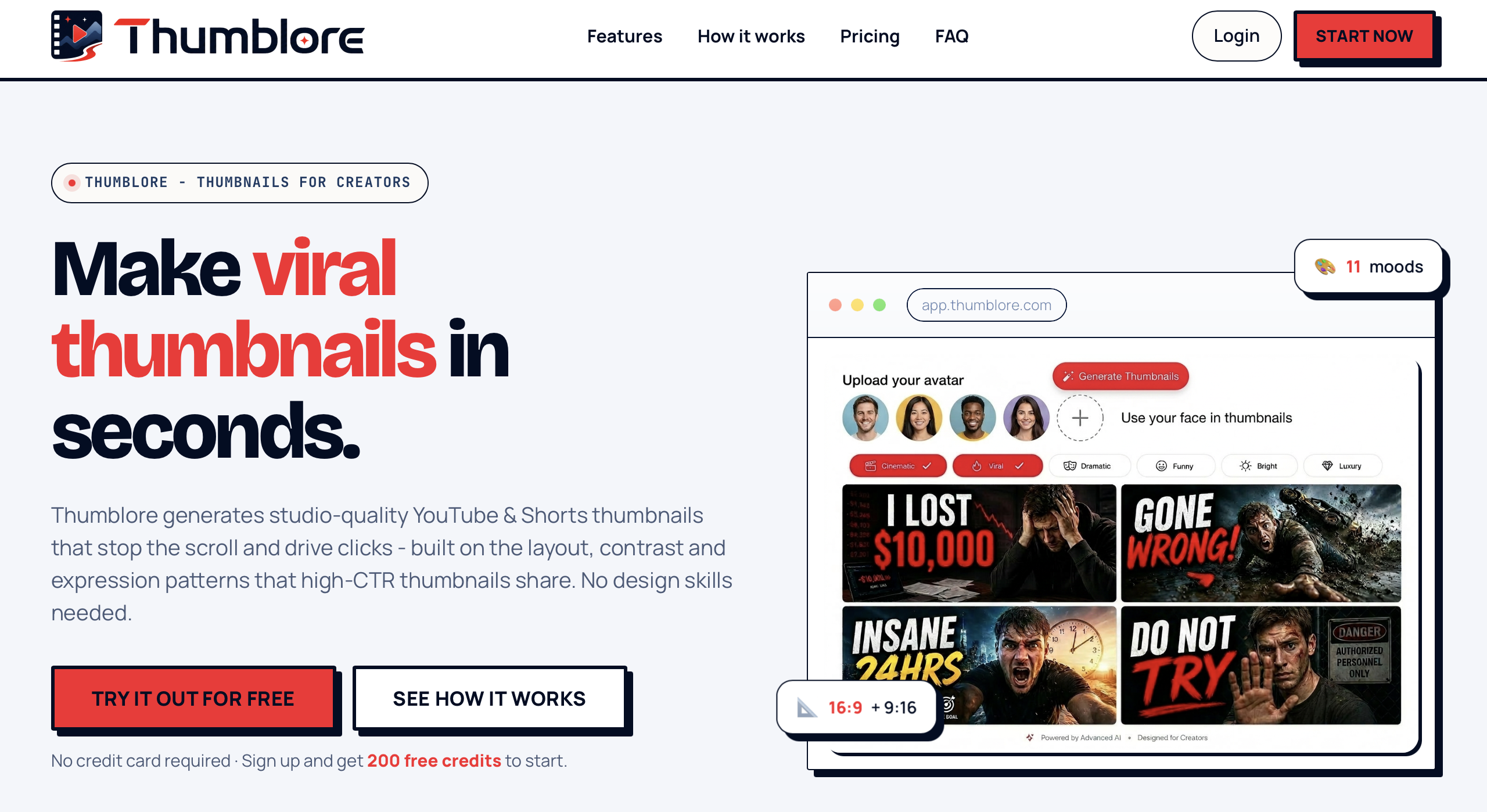
- Boost your YouTube click-through rate with thumbnails engineered on high-CTR layout, contrast, and expression patterns
- Get two scroll-stopping thumbnail options instantly by typing just your video title
- Maximize clicks with AI-assisted text and emotion selection that auto-picks headlines and facial expressions
- Create professional thumbnails without any design skills as Thumblore handles layout, typography, and color automatically
- Choose the winning thumbnail by comparing options side-by-side and regenerating for more variations
- Maintain visual consistency across videos by saving avatars and generating new AI faces for any design
- Match your video's vibe with multiple mood options including Shocked, Angry, Excited, Fear, Confident, and Hype
- Download crisp HD thumbnails in multiple formats ready for YouTube and Shorts
- Start free with one-click generation and upgrade for more credits, saved avatars, and advanced editing tools
Pros & Cons
Pros
- Generates viral-quality thumbnails
- Enhances click-through rates
- Based on high-CTR patterns
- One-click generation
- No design skills needed
- Provides two thumbnail options
- Allows thumbnail comparison
- Ability to regenerate thumbnails
- Avatar saving feature
- Multiple format support
- Various mood choice
- Free to use
- Affordable upgrade options
- Driven by video title
- Maximizes click rates
- Designed for YouTube and Shorts
- Edit by chatting feature
- Multiple avatars in one thumbnail
- Engineered for high CTRs
- Highlights one clear focal point
- Uses high contrast
- Limits text to 3-5 words
- Smart text and emotion selection
- Includes multiple emotion options
- Inclusive of HD export
- Availability of creator-friendly plans
- No watermark for paid versions
- Unlimited saved avatars for Pro users
- Avatar swap and pop-out in editor
- Formats for Story, Short, Reel
- All edit tools unlocked for paid users
- Facilitates fastest thumbnail generation
- An automatic thumbnail sizing feature
- Prevents common thumbnail mistakes
- Offers a range of mood presets
- Requires no credit card for sign-up
- Optimises color to pops against YouTube themes
- Facilitates viewer eye-catching designs
- Allows personal photo uploads
- Built-in templates avoiding design mistakes
- Caters to various niche styles
- Adaptable to different channel themes
- Thumbnail as a growth lever
Cons
- Limited to YouTube thumbnails
- Limited customization options
- No third-party integration
- Only two thumbnail options
- No multi-language support
- No design skills learning
- Inability to use real photos
- No mobile app
- Can't design from scratch
Reviews
Rate this tool
Loading reviews...
❓ Frequently Asked Questions
Thumblore works by generating studio-quality YouTube & Shorts thumbnails that are built on the layout, contrast, and expression patterns common to high-CTR thumbnails. Users simply type a video title and Thumblore automatically crafts two viral-grade thumbnails.
'Viral-quality' thumbnail, as per Thumblore's description refers to thumbnails that have the propensity to be widely circulated or shared, attracting high click-through rates due to their visually impactful and engaging design.
Thumblore enhances the click-through rate (CTR) by employing AI to suggest suitable headlines and facial expressions for each thumbnail. It uses the layout, contrast, and expression patterns common to high-CTR thumbnails. It's also built around proven layouts and patterns, enabling users to readily increase their CTR.
To generate a thumbnail using Thumblore, users simply type a video title. Thumblore instantly reads the vibe and intent and then crafts two viral-grade thumbnails - text, faces, and color done. The thumbnails can then be downloaded in crisp HD, ready to use.
Thumblore's AI-assisted text and emotion selection improves click rates by auto-picking the headline and facial expression that are most likely to drive clicks, based on patterns common to high-CTR thumbnails.
No design skills are needed to utilize Thumblore. It is designed to handle layout, typography, and color automatically, allowing anyone, regardless of their design background, to create stunning, effective thumbnails.
Users have the ability to compare thumbnails created by Thumblore, enabling them to select the one they believe will be most effective.
Thumblore can generate new AI faces that can be added to any design. In addition, users can save avatars for later use across their thumbnails.
For free, Thumblore offers a simple one-click generation process for viral-quality YouTube and Shorts thumbnails, options for scroll-stopping thumbnails, AI-assisted text and emotion selection, and the ability to save avatars and generate new AI faces.
The key features of the upgraded Thumblore version include more credits per month, the ability to save more avatars, more AI-generated avatars per month, and other advanced editing tools.
Thumblore utilizes layout, contrast, and expression patterns common to high-CTR thumbnails in creating thumbnails. This includes maintaining high contrast between the subject and background, using clear focal points, and incorporating 3-5 words of bold readable text.
Thumblore provides two scroll-stopping thumbnails options for every video title entered. These choices help users pick the most promising one out of the two.
No, you don't need to have any design skills to use Thumblore. It's designed to handle layout, typography, and especially color automatically.
Thumblore assists users in picking a winner from generated thumbnails by providing two options for every run. It then allows for comparison and selection of the one that best suits the desired purpose.
Yes, users can indeed regenerate thumbnails using Thumblore for more options, providing flexibility and variety to select the best fit.
When Thumblore allows saving avatars, it means users can save the AI-generated faces or avatars they like and reuse them across multiple thumbnails.
Thumblore allows users to pick from various moods for their thumbnails. These include but may not be limited to Shocked, Angry, Excited, Fear, Confident, and Hype.
While the information on their website focuses on YouTube and Shorts, no specific limitations to other platforms are mentioned. Therefore, it's likely that the tool can be used for other platforms as well.
Thumblore's AI faces generation works by providing users the ability to save avatars or generate new AI faces. These AI faces can then be incorporated into any design.
The term 'multiple formats' refers to the different thumbnail sizes offered by Thumblore. Users can choose among various sizes to best suit their design and platform needs.
Pricing
Pricing model
Free Trial
Paid options from
$9/month
Billing frequency
Monthly