Voice to Text: Speech to Text Transcription
Overview
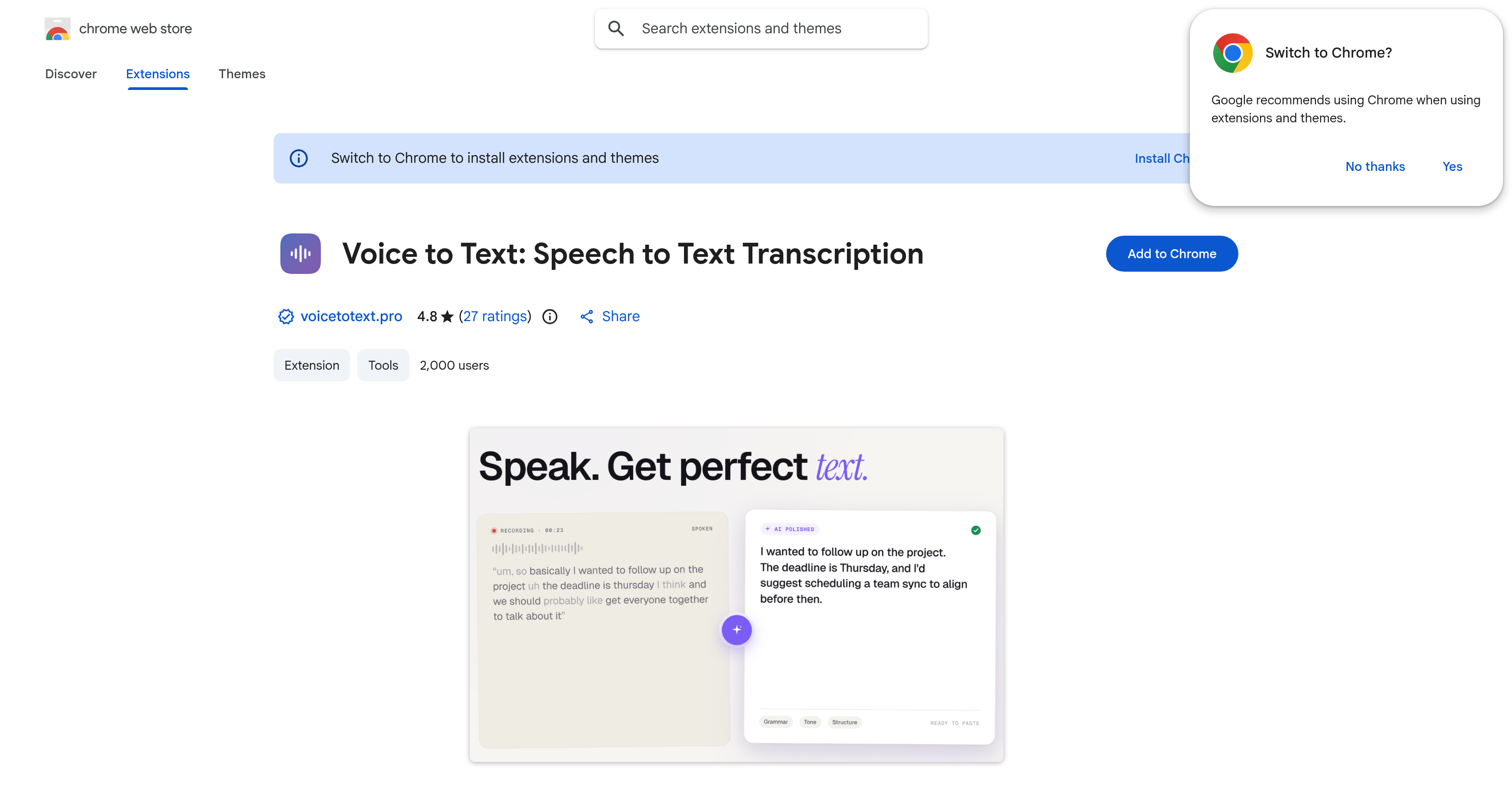
- Turn spoken words into polished, ready-to-send text instantly using the AI-Enhanced mode that fixes grammar and structure as you speak
- Capture lectures, meetings, and interviews accurately in over 110 languages with Whisper AI transcription and translation built in
- Keep sensitive recordings completely private through a zero data retention policy that never stores your audio or transcripts
- Start transcribing the moment you install—no account creation, sign-ups, or onboarding steps required
- Edit transcripts directly inside the browser or download them for offline editing to fit your existing writing workflow
- Dictate emails, notes, and blog articles in real time with instant speech-to-text conversion as you talk
Pros & Cons
Pros
- Supports 110+ languages
- Transcription and translation capabilities
- Zero data retention
- Raw transcription mode
- Polishes grammar and structure
- Real-time recording transition
- Edit transcriptions within extension
- Download transcriptions for offline use
- No account creation required
- Suitable for professionals, students, writers
- Use for emails, notes, blogs
- Customizable output editing
- Variable tool accuracy
- Formats information transformation
- Built for Chrome platform
- Facilitates voice memos conversion
- Privacy-focused tool
- Ease of installation and use
Cons
- Only for Chrome platform
- Inconsistent transcription accuracy
- No account for saving settings/preferences
- Dependent on audio quality
- Dependent on speaker's clarity
- No data storage service
- Varied results between transcription modes
- No offline use capability
- Limited editing tools
- No live support
Reviews
Rate this tool
Loading reviews...
❓ Frequently Asked Questions
Whisper AI is a sophisticated technology used in Voice to Text: Speech to Text Transcription to convert spoken words or audio files into text. This technology supports transcription in over 100 languages and offers functionality for translation.
Voice to Text: Speech to Text Transcription offers two operational modes for transcription. First, a Raw Transcription mode that captures speech exactly as it's spoken. Second, an AI-Enhanced mode that polishes the speech for grammar and structure during the transcription process.
Voice to Text: Speech to Text Transcription supports transcription in more than 110 languages.
Yes, user data is safe with Voice to Text: Speech to Text Transcription. The tool ensures user privacy and commits to zero data retention, meaning it does not store any user audio or transcripts.
Voice to Text: Speech to Text Transcription is developed for the Chrome platform. Therefore, it can be used on any device capable of running a Chrome browser, be it a desktop computer, laptop, or even a compatible mobile device.
The real-time recording transition capability of Voice to Text: Speech to Text Transcription allows for immediate conversion of speech to text. This means as the user speaks, their words are instantly transcribed into text.
Yes, you can directly edit transcriptions within the Voice to Text: Speech to Text Transcription extension.
Absolutely. The tool offers options to download and edit the transcripts locally for offline use.
No, you do not need to create an account to use Voice to Text: Speech to Text Transcription. The tool enables instant use post-installation.
Multiple user categories can benefit from Voice to Text: Speech to Text Transcription. These include professionals, students, writers, or anyone who requires transcription services for activities such as drafting emails, taking notes, creating blog articles.
The accuracy of Voice to Text: Speech to Text Transcription is exceptional, with the tool leveraging advanced AI technology for transcription. However, it's worth noting that the accuracy can vary based on factors like audio quality and speaker's clarity.
Yes, the accuracy of Voice to Text: Speech to Text Transcription may vary depending on variables like the quality of the audio and the speaker's clarity.
Voice to Text: Speech to Text Transcription uses an AI-enhanced mode to handle grammar and speech structure. This mode polishes speech during transcription to ensure that the transcribed text has proper grammar and structure.
Based on the available information, there are no usage restrictions for Voice to Text: Speech to Text Transcription. Users can start using the basic transcription services immediately post-installation.
Absolutely, Voice to Text: Speech to Text Transcription can be used for drafting emails or taking notes, making it a useful application for professionals and students alike.
Yes, in addition to supporting transcription, Voice to Text: Speech to Text Transcription also offers functionality for translation.
There's no information stating that Voice to Text: Speech to Text Transcription directly supports web content transcription.
Voice to Text: Speech to Text Transcription ensures user privacy by committing to zero data retention, which means they do not store any of the audio or transcripts. This privacy-first approach is a significant feature of the tool.
Yes, Voice to Text: Speech to Text Transcription can effectively be used for creating blog articles. It allows users to transcribe their thoughts and ideas quickly, helping them streamline the process of writing and formulating blog content.
From professionals to students and writers, various user types can utilize Voice to Text: Speech to Text Transcription. Professionals can use it to draft emails or take notes during meetings. Students can use it to capture lecture notes or convert voice to text for studying materials. Writers can use it to draft and develop content, allowing them to focus more on their creativity.
Pricing
Pricing model
Free
Paid options from
Free